Shopify Analytics Discrepancies: What’s Actually Happening?


Shopify analytics discrepancies happen when Shopify’s numbers don’t match GA4, Meta Ads, or other reporting tools, often leaving merchants confused about what’s actually true. These mismatches are common, but they’re also fixable.
| What you’ll learn in this guide: • Why Shopify, GA4, and Meta rarely show the same numbers • The most common causes of data mismatches • Real-world scenarios where discrepancies appear • How to fix inaccurate or missing tracking • How server-side tools help stabilize Shopify analytics |
What are Shopify Analytics Discrepancies?
Shopify analytics discrepancies are situations when there is a divergence in numbers between the Shopify platform and your advertising platforms or analytics tools. One system may report 50 purchases while another reports 62, and your Shopify dashboard might reflect something completely different. It seems like a mess, but it is a very common occurrence.
Usually, the discrepancies show up in the metrics of revenue, conversions, sessions, or add-to-cart events. In most situations, it is not that “one tool is wrong”, but each platform is measuring actions differently, employing different attribution models, or simply missing certain events due to blockers or technical gaps.

Why Analytics Data Doesn’t Match Across Platforms
Even when all your tools track the same shoppers, they rarely agree on the numbers. That’s because each platform uses its own logic, limitations, and assumptions when measuring clicks, sessions, and conversions.
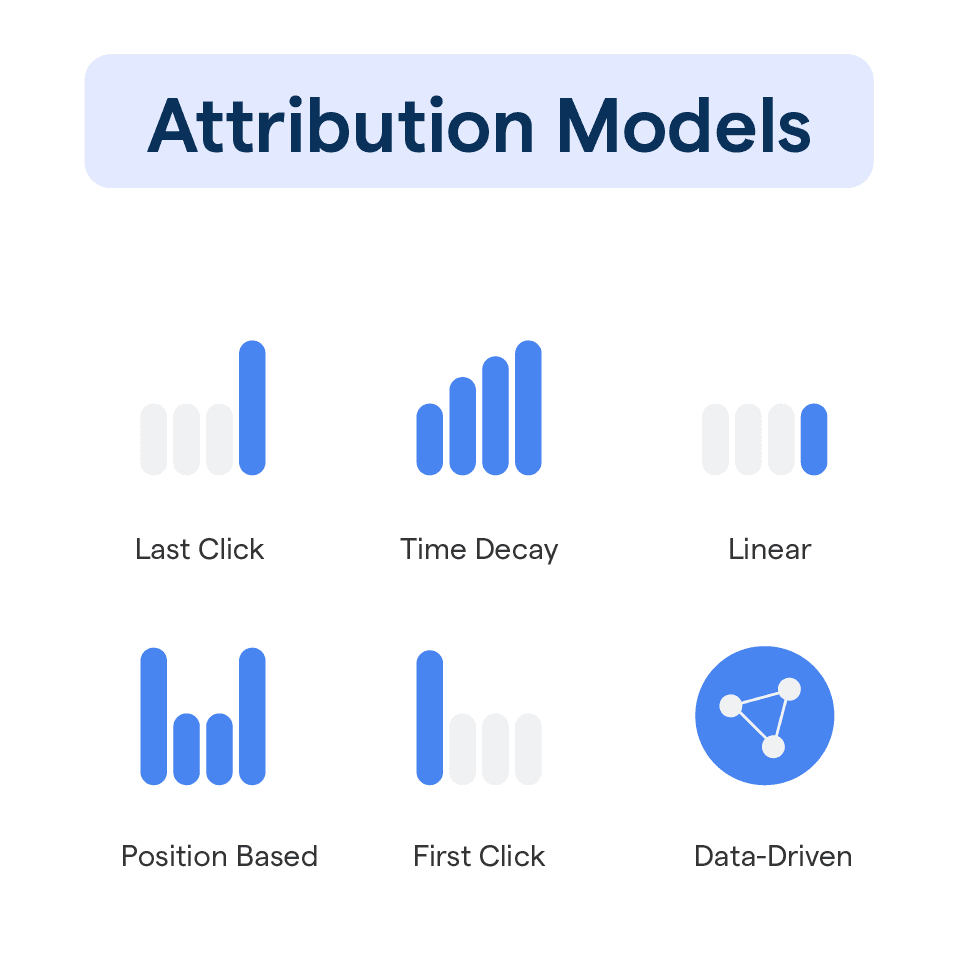
1. Different Attribution Models
Google Analytics 4 uses a data-driven attribution model, so it doesn’t automatically take full credit for a conversion. Instead, Google evaluates the entire user journey and assigns partial value based on real contribution. In many cases, GA4 may only credit itself 0.5 or 0.8 of a conversion, rather than claiming 100%.
Shopify, by contrast, follows a strict last-click attribution model. The entire conversion is assigned to the final touchpoint, regardless of which channels influenced the shopper earlier. This is why Shopify’s numbers can be accurate on their own, yet still differ from GA4 or Meta.
2. Technical Tracking Limitations
Even with server-side tracking, platforms don’t collect data equally. GA4 and Meta still rely on consent signals and user matching to process events, while Shopify records every order directly from checkout.
Because of this, Meta often receives fewer raw conversion events than Shopify, even when server-side is enabled. Orders that Shopify logs normally may be dropped by Meta if they can’t be confidently attributed, which explains the data gap despite shared server-side setups.
3. Variations in Definition & Logic
Different platforms interpret metrics in various ways. Ad networks consider every single click, even the repeated ones, as a new one, whereas GA4 only recognizes a session when the page has been successfully loaded. Hence, the traffic numbers naturally become distant from each other.
Just like that, GA4 applies bot-filtering and session timeouts while Shopify doesn't, so the visitors who are actually identical may seem different depending on the analytics tool you are using.
4. Configuration Issues
Misconfigured setup leads to data mismatch. Time zones being different causes the “start” of each reporting day to shift, thus making it look like daily totals are off even when tracking is accurate.
Moreover, revenue differences are a matter of platforms, whether they do or do not include tax, refunds, or delivery. Even with spot-on tracking, these reporting policies are the cause of numbers not being aligned.
The 5 Most Common Data Mismatch Scenarios for Shopify Stores
1. Meta (Facebook) Over-Reporting Conversions
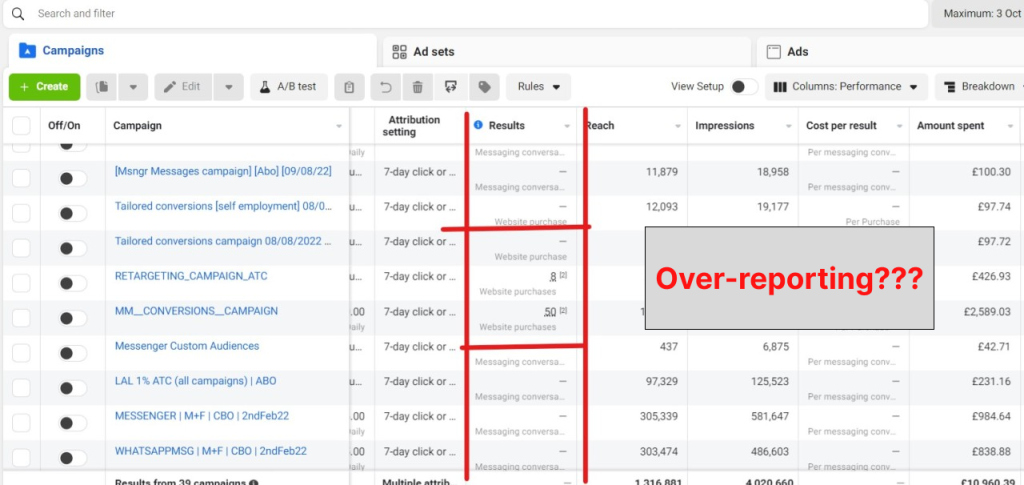
Meta typically has a higher number of purchases than Shopify to report, mainly due to its view-through attribution model. Advertising users who only saw the ad in question and didn’t buy through search or direct traffic are included in the total conversions by Meta.
Furthermore, if deguplication does not work, incorrect pixel + CAPI setups may lead to the same events being counted twice, thereby making Meta numbers overstate as compared to Shopify's.
2. The “Direct Traffic” Black Hole
A surprisingly large chunk of orders often shows up as “Direct” in Shopify or GA4, even when you’re actively running paid campaigns. This happens when attribution breaks, for example, social app browsers strip referrer data, or payment gateways like PayPal/Klarna return users to your store without passing the original source.
According to MeasureSchool, 10–20% direct traffic is normal in GA4, while anything above 30% usually signals tracking gaps.
As a result, GA4 and Shopify default these “unidentifiable” sessions to Direct, even though many originated from ads. Using consistent UTMs, strong deep linking, and server-side tracking can dramatically reduce this inflated Direct bucket.
3. Shopify Revenue Is Higher Than GA4
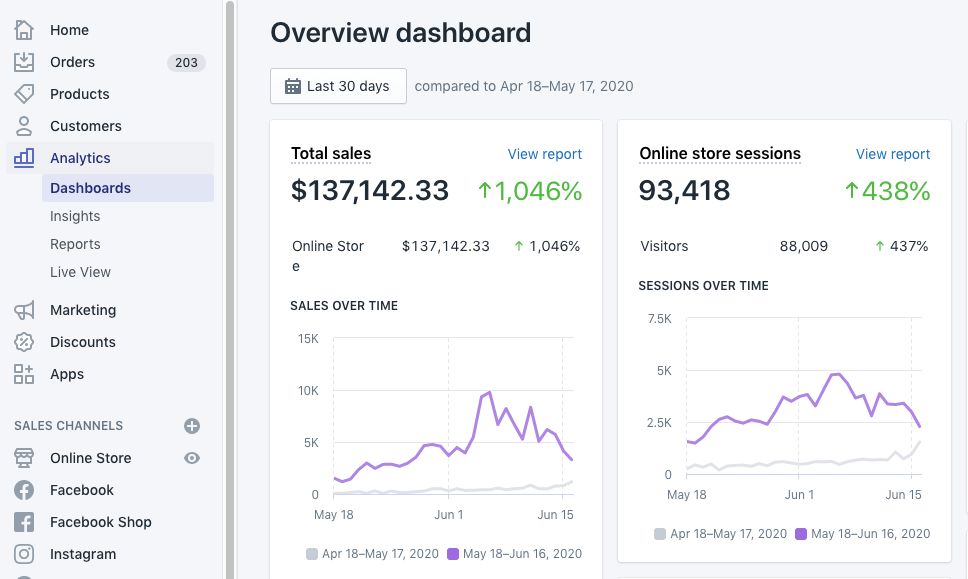
Shopify frequently reports more revenue because it counts taxes and shipping by default, while GA4 typically tracks only the subtotal. This structural difference alone can create large gaps.
Additionally, GA4 requires the Thank-You page to load; if users close the tab early or block scripts, the purchase event never fires. Shopify still logs the order, but GA4 misses it entirely.
Tools like Omega Facebook Pixels go a step further by allowing merchants to customize which revenue values are sent. This includes choosing between gross or net revenue, as well as deciding whether tax and shipping are included, so tracking across GA4, Meta, and other platforms stays consistent with business reporting needs.
4. Inventory Mismatches (Overselling)
Overselling is the phenomenon when Shopify's inventory does not correspond to the actual stock. Conflicts often arise when multiple apps, like bundling tools or warehouse sync tools, are trying to update the same inventory field simultaneously.
Also, delays from outside 3PL systems or the manual return processing can lead to Shopify showing outdated stock, which in turn can lead to inadvertent overselling or underselling.
5. Mobile vs. Desktop “Total Sales” Discrepancy
It is a common occurrence for merchants to notice differing revenue totals between the Shopify mobile app and the desktop dashboard. The mobile app uses cached data that does not refresh as often.
At the same time, if the time zones on your phone and Shopify store are not the same, the daily cutoff time will be shifted, which results in seeing totals as inconsistent even when actual sales are the same.
How to Fix Shopify Analytics Discrepancies
Fixing data mismatches requires more than adjusting one tool; it’s about aligning settings, upgrading tracking, and validating the entire measurement flow.
1. Immediate Configuration Alignment
Begin by aligning time zones and revenue logic across Shopify and GA4 so both platforms calculate daily totals the same way. Using Shopify’s “Net Sales” (instead of Gross Sales) makes revenue comparisons far more accurate.
Additionally, switching GA4’s attribution model to last-click brings it closer to Shopify’s reporting logic and eliminates many day-to-day numerical discrepancies.
2. Upgrade Tracking Technology
Server-side tracking is now considered the most reliable method for high-volume stores as it eliminates the problem of data loss, which occurs due to ad blockers, ITP restrictions, and script interruptions by sending events straight from Shopify’s server.
In addition to this, by using Google & YouTube App along with Shopify Web Pixels, you can avoid duplicate tags, ensure the firing is based on consent, and comply with the tracking requirement set for Shopify by 2026.
3. Technical Audits & Clean-Up
Check for duplicate tags in theme.liquid, app embeds, and GTM. Extra Purchase scripts are one of the biggest causes of over-reported conversions in GA4 or Meta.
In addition, filter out bot and internal traffic and watch for Shopify’s “data disruption” icon; many discrepancies come from delayed reporting rather than broken tracking.
4. Procedural Verification
Always give platforms 24–48 hours to fully process and reconcile data. Same-day comparisons almost always look mismatched, especially during high-traffic days.
Finally, run a real test order to confirm that Purchase events fire correctly across Shopify, GA4, and your ad pixels. This is the fastest way to pinpoint the exact step where the mismatch happens.
Reduce Shopify Analytics & Tracking Mismatches with Omega Facebook Pixels
When there is a mismatch between Shopify analytics and your Meta Ads data, the usual reason for that is broken attribution, blocked browser scripts, or purchase events that have been missed.
Omega Facebook Pixels solves these issues by sending events through a reliable server-side connection, ensuring Meta receives complete, deduplicated, and accurate data.
Moreover, the app automatically merges pixel + Conversion API signals, fixes event loss caused by iOS restrictions, and prevents “double-firing,” which is one of the biggest reasons Meta over-reports conversions. As a result, your Shopify, GA4, and Meta data stay far more aligned, giving you clean insights and better ad optimization.

Omega Pixels - Expert Insights on Shopify Data Mismatches
Even with a correct setup, some level of analytics variance is unavoidable because each platform measures reality differently. In real audits, even stores using full server-side tracking still see a 5–15% gap between Shopify, GA4, and Meta, and this range is considered normal.
Professionals diagnose issues by reviewing three layers: the tracking foundation (pixels, CAPI, web pixels), the logic layer (attribution models, revenue definitions), and behavioral sources (social browser redirects, PayPal loops, early exits). Moreover, using a properly configured tracking app is essential because it ensures stable server-side events, prevents duplication, and closes the data gaps that manual setups often miss.
Conclusion
Shopify analytics discrepancies will always exist to some degree, but they don’t have to disrupt your reporting. When you align attribution settings, clean up tracking, and stabilize server-side events, your data becomes far more trustworthy across Shopify, GA4, and Meta. And with Omega Facebook Pixels, you minimize errors and get consistent, deduplicated signals, making it easier to read your numbers accurately and take confident action.

- 1 What are Shopify Analytics Discrepancies?
- 2 Why Analytics Data Doesn’t Match Across Platforms
- 3 The 5 Most Common Data Mismatch Scenarios for Shopify Stores
- 4 How to Fix Shopify Analytics Discrepancies
- 5 Reduce Shopify Analytics & Tracking Mismatches with Omega Facebook Pixels
- 6 Omega Pixels – Expert Insights on Shopify Data Mismatches
Shopify Conversion Tracking: A Complete Guide for Accurate Ad Data
Omega TikTok Pixel: New Conversion Analytics is here

Top TikTok Apps for Shopify Could Double Your Conversions

Deduplication in Facebook Pixel: How to Fix Duplicate Events and Track Data Correctly
Shopify Conversion Tracking: A Complete Guide for Accurate Ad Data
Top TikTok Apps for Shopify Could Double Your Conversions
Deduplication in Facebook Pixel: How to Fix Duplicate Events and Track Data Correctly

Omega TikTok Pixels Now Speaks Your Language: Introducing Multi-Language Support
Trakpilot New Feature: Export Your Conversion Events Data
Shopify Conversion Tracking: A Complete Guide for Accurate Ad Data
Top TikTok Apps for Shopify Could Double Your Conversions
Deduplication in Facebook Pixel: How to Fix Duplicate Events and Track Data Correctly
Omega TikTok Pixels Now Speaks Your Language: Introducing Multi-Language Support