Deduplication in Facebook Pixel: How to Fix Duplicate Events and Track Data Correctly


Deduplication in Facebook Pixel helps prevent duplicate Facebook events and keeps conversion data accurate. Learn how event deduplication on Facebook works and how to fix tracking issues.
| What you’ll learn in this article: ● What is Deduplication in Facebook Pixel? ● Common Causes of Duplicate Facebook Events ● How to Set Up Event Deduplication on Facebook ● Best Practices to Avoid Duplicate Facebook Events ● Simplify Facebook Pixel Deduplication |
What is Facebook Event Deduplication?
Facebook Pixel deduplication is the process of preventing the same event from being counted twice when it’s sent from both the browser and the server. Such a situation usually arises when both Facebook Pixel and the Conversions API try to track the same user action at the same time.
If the duplicated events are properly removed, Facebook is able to recognize the duplicate events and will then only keep one. Your advertising optimization is therefore based on clean and reliable data.
Why Event Deduplication on Facebook Matters
Accurate Conversion Tracking
If there is no deduplication, the same action may be counted more than once leading to inflated conversion numbers. The discrepancy is then magnified when comparing data from Facebook Ads, GA4 or backend reports.
Proper deduplication means that each user action will be counted once only. Your metrics will reflect the real situation and not what was mistakenly duplicated.
Better Ad Optimization
Facebook relies heavily on event data to optimize delivery and bidding. Duplicate Facebook events send mixed signals, causing the algorithm to learn from incorrect behavior.
When event deduplication on Facebook is set up correctly, optimization is based on clean data. This helps Facebook find the right audience faster and improve performance over time.
Reliable Cost Metrics
Duplicate events typically cause CPA and ROAS to look unrealistically good. While it may feel good initially, it causes poor scaling decisions and ultimately burns up budget.
Deduplication keeps cost metrics truthful. You can rely on your numbers and make prudent decisions when reallocating funds or trying out new campaigns.
Consistent Reporting Across Platforms
If Facebook shows more conversions than your store or analytics tool, duplicate events are usually the cause. This mismatch makes performance analysis frustrating and unreliable.
By enabling Facebook Pixel deduplication, event counts stay aligned across platforms. Reporting becomes clearer, simpler, and much easier to explain to stakeholders.

Common Causes of Duplicate Facebook Events
When several tools, data sources, or tracking rules are simultaneously in operation without the right coordination, Facebook can receive the same signal multiple times and treat it as different events.
Missing Event Deduplication Between Pixel and Conversions API
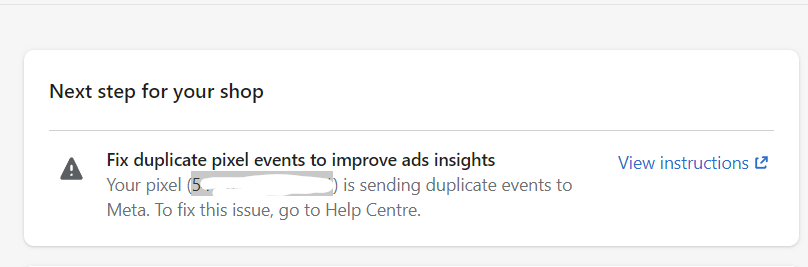
When Facebook Pixel and the Conversions API both track the same action without event deduplication, Facebook may count it twice. This often happens when event IDs are missing or don’t match between the browser and server.
With proper event deduplication on Facebook, both sources are linked to one single event. Facebook then knows to keep only one valid conversion.
Multiple Pixel Installations
Installing the Facebook Pixel through several sources at once is another common issue. A theme, an app, and Google Tag Manager can all fire the same event unknowingly.
This setup leads to duplicate Facebook events firing at the same time. Cleaning up extra Pixel installations usually fixes the problem quickly.
Incorrect Google Tag Manager Triggers
Triggers set too broadly in GTM can cause events to fire more than once. For example, firing on both page load and history change often creates duplicates.
Tightening trigger conditions helps prevent repeated events. This ensures each action is tracked once and only once.
App or Plugin Conflicts
Certain apps embed tracking scripts automatically and do not give the user clear visibility of this. The mix-up with manual setups can lead to the situation where the tracking of events is doubled.
It is essential to regularly check active tracking apps to prevent conflicts. The approach of having only one tracking method per event is always the safest option.
How Facebook Detects Duplicate Events
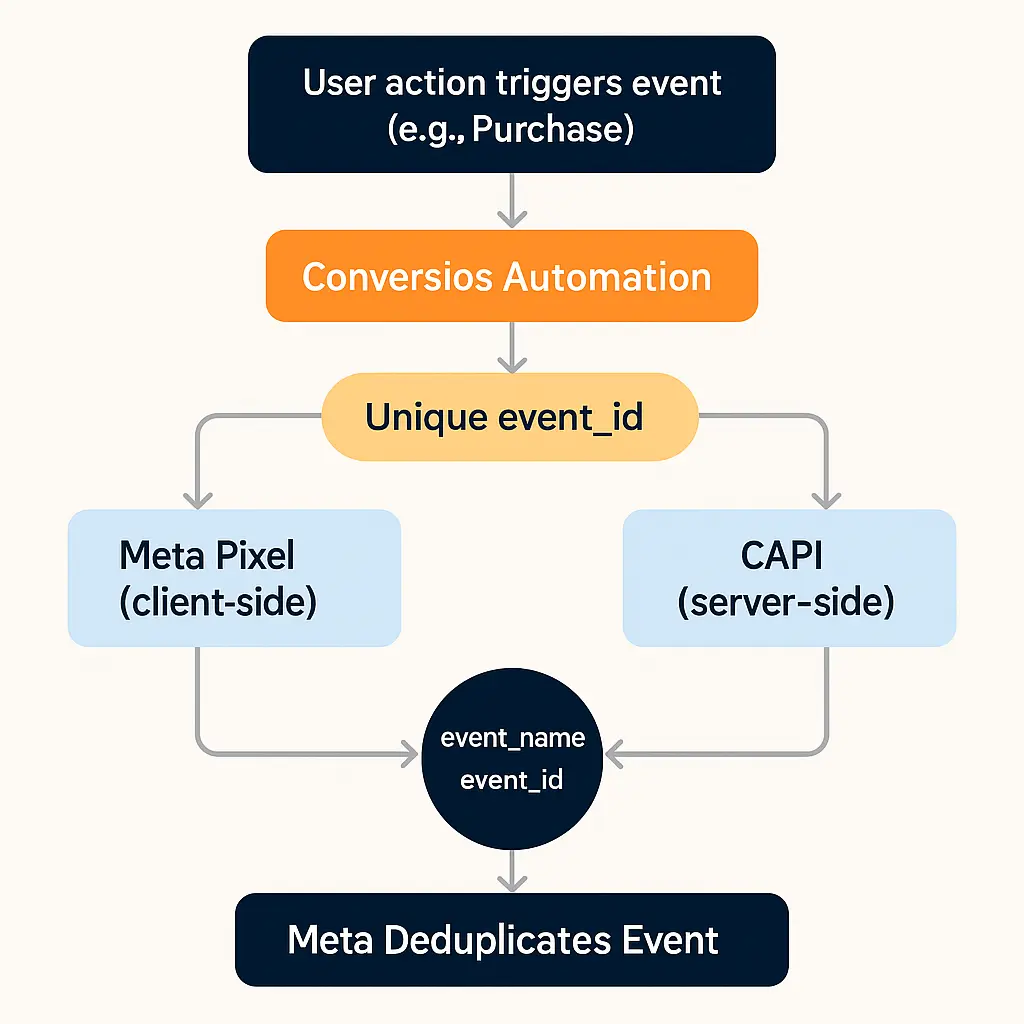
Facebook detects duplicate events by matching event_name and event_id across different data sources, such as the Facebook Pixel and the Conversions API. When a browser event and a server event share the same event_name and event_id, Meta treats them as the same user action and keeps only one valid event. The duplicate is then discarded during processing.
If the event_id is missing or does not match, Facebook cannot link the events together. As a result, each event is counted separately, which leads to duplicate Facebook events and inflated conversion data.
How to Set Up Event Deduplication on Facebook
Implementing event deduplication on Facebook will make sure that your browser and server events are considered as one, hence your conversion data will be accurate and reliable.
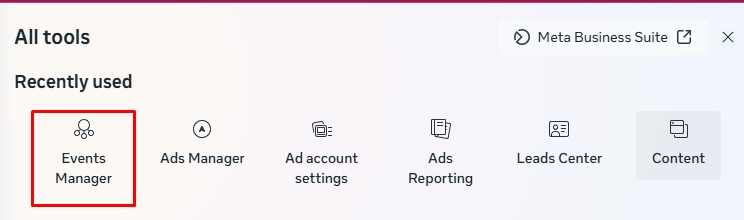
Step 1: Open Events Manager and Select Your Data Source
Sign in to Meta Business Suite and go to the Events Manager.
Choose the Pixel or dataset that you are using for advertising and conversion tracking purposes.
Deduplication is possible only when Facebook receives the same event from both Browser and Server with matching event_id values.
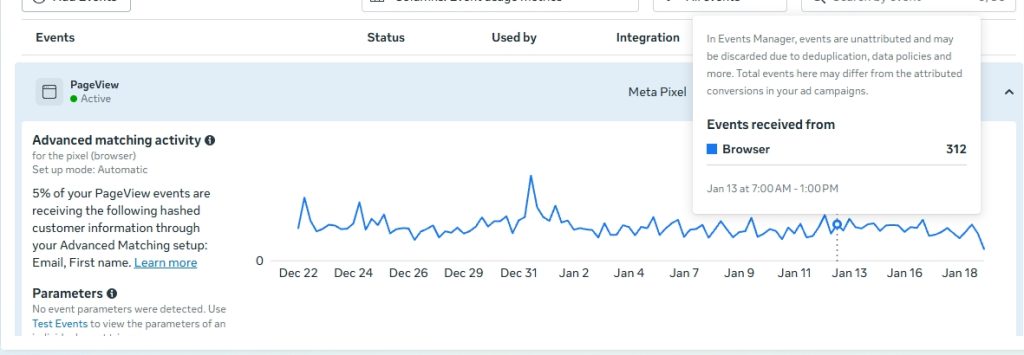
Step 2: Check Browser and Server Event Status
Within your data source, click on the Overview tab.
Events showing both browser and server channels should be visible to you.
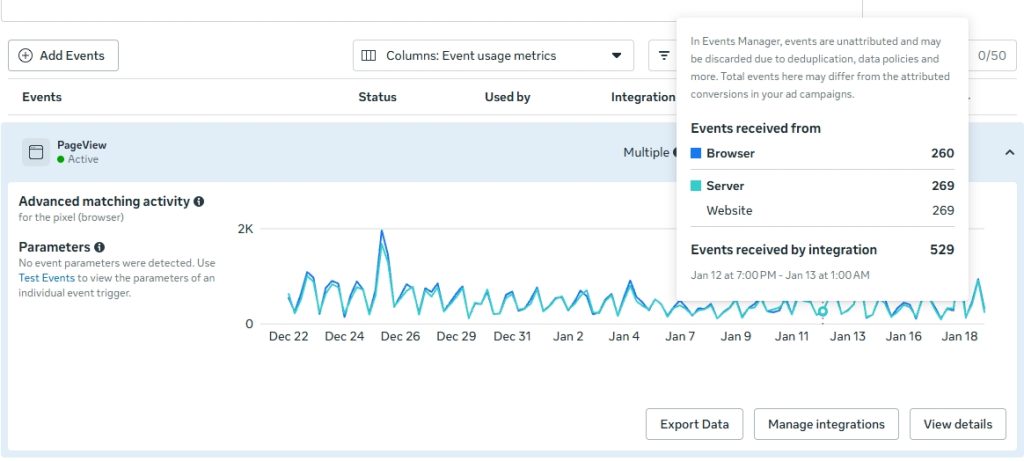
If you can see only browser events, it means that Conversions API has not been set up completely yet. Until both sources send data, deduplication cannot be applied.
Step 3: Configure Event IDs in Your Tracking Setup
Create a unique event_id for each event.
This ID should be the same for both the browser event and the server event.
In case you are using a platform or app, check that event IDs are enabled by default. If you are using custom code or GTM, verify that event_id is passed consistently.
Step 4: Send Matching Event IDs from Browser and Server
From both sources, carry out the same event using the same event name and event ID.
Through this combination, Facebook will be able to find and combine duplicate Facebook events.
When event IDs don’t match exactly, Facebook considers them as separate events and counts both.
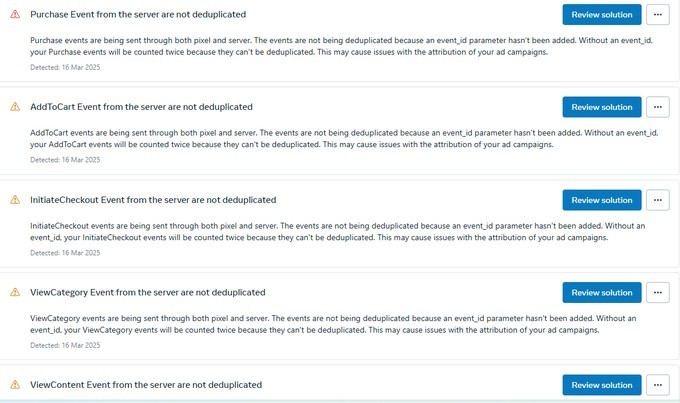
Step 5: Monitor Diagnostics for Warnings
Go to the Diagnostics tab in Events Manager.
Check for warnings related to duplicate events or missing event IDs.
How to Check If Facebook Pixel Deduplication is Working
To avoid inaccurate reporting, it’s important to verify that Facebook is correctly merging browser and server events instead of counting them twice.
1. Use the Test Events Tool
Open Events Manager and navigate to the Test Events tab.
Do a certain action on your website like putting a product in the shopping cart or making a purchase.
If deduplication is done properly, you will notice that both the event browser and server are marked as Deduplicated. This indicates that Facebook is treating them as one event.
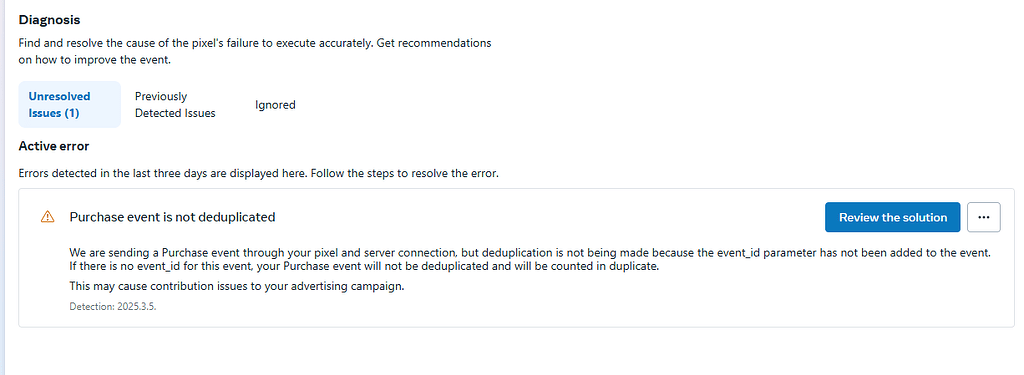
2. Check the Diagnostics Tab
Go to the Diagnostics section in Events Manager.
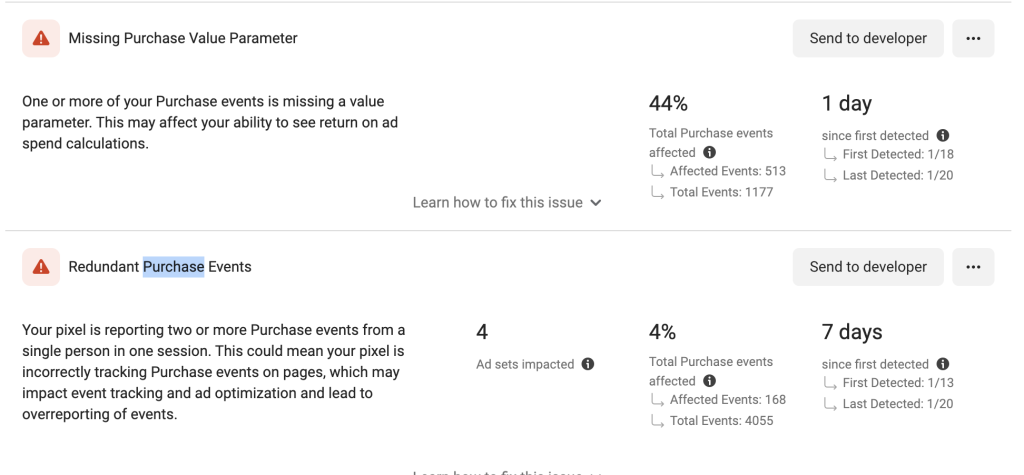
Facebook will automatically notify you of any issues related to duplicate events or loss of event IDs. A setup without deduplication warnings is most likely working correctly.
Any alerts here are a definite indication that changes are required.
3. Compare Browser and Server Event Counts
Review event data under Overview in Events Manager.
Browser and server events should show similar volumes without sudden spikes.
Best Practices to Avoid Duplicate Facebook Events
Following a few best practices can help prevent duplicate Facebook events and keep your tracking data clean as your setup grows and changes.
Always Implement Event IDs
Event IDs play a crucial role when both Facebook Pixel and the API for Conversions are being used. Event IDs are the only ones through which Facebook can reliably detect the occurrence of duplicate events.
The use of consistent event IDs guarantees the proper deduplication of browser and server events. That is to say, your conversion data remains clean and trustworthy.
Use One Centralized Tracking Setup
The main reason Facebook events get duplicated is when multiple tracking setups are running at the same time, each generating its own event IDs. Since Meta uses event_id to match and deduplicate events, it’s best to manage event tracking through a single tool, such as Google Tag Manager or a native platform integration.
This helps keep event IDs consistent and makes it easier to avoid duplicate events as your setup changes.
Review Pixel Installations Regularly
Eventually, extra Pixels could be quietly added through different applications, themes, or plugins. Installation done without your knowledge frequently triggers events.
Conducting regular audits of your Pixel setup would help in the early detection of duplicates. Erasing inactive Pixels avoids creating conflicts in your tracking.
Test After Every Tracking Change
Duplicated events might occur even with tiny tracking updates. If testing is skipped, silent data issues are often the result.
Getting forward with Meta Events Manager to test events guarantees that everything fires once. It’s an easy-going routine, but one that benefits your ad performance in the long run.
Simplify Facebook Pixel Deduplication with a Dedicated Tracking App
Manually setting up deduplication can take a lot of time, particularly when you are using Facebook Pixel and Conversions API over several events at the same time. Mildly wrong event IDs or tracking sources are often the reasons for the Facebook events duplicate issue that won't go away.
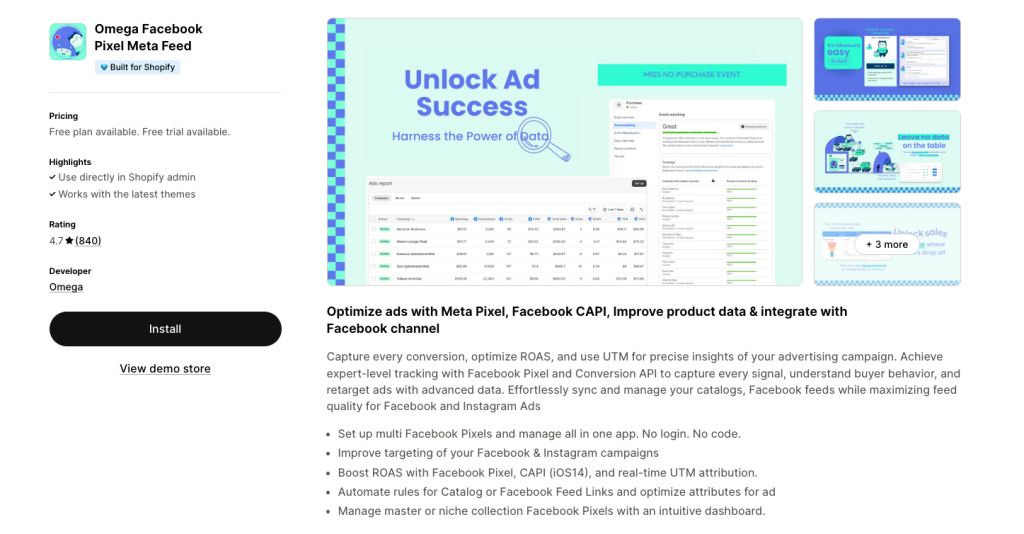
Omega Facebook Pixel is here to help you by simplifying your process with a single tracking of both Facebook Pixel and Conversions. The app automatically manages event IDs and ensures that browser and server events are properly deduplicated by Meta. By keeping event_id values consistent across tracking sources, Omega Facebook Pixel helps prevent double-counting of the same user actions, so your conversion data stays accurate and reliable for ad optimization.
Conclusion
Deduplication in Facebook Pixel is crucial for maintaining the accuracy and reliability of your conversion data. Clearing duplicate Facebook events implies that you are making sure Facebook is receiving accurate signals for ad optimization and better decisions are made on the basis of real user actions.

- 1 What is Facebook Event Deduplication?
- 2 Why Event Deduplication on Facebook Matters
- 3 Common Causes of Duplicate Facebook Events
- 4 How Facebook Detects Duplicate Events
- 5 How to Set Up Event Deduplication on Facebook
- 6 How to Check If Facebook Pixel Deduplication is Working
- 7 Best Practices to Avoid Duplicate Facebook Events
- 8 Simplify Facebook Pixel Deduplication with a Dedicated Tracking App

Top TikTok Apps for Shopify Could Double Your Conversions
Omega TikTok Pixels Now Speaks Your Language: Introducing Multi-Language Support

Trakpilot New Feature: Export Your Conversion Events Data
Shopify Analytics Discrepancies: What’s Actually Happening?
Introducing Real-time TikTok event testing - Omega TikTok Pixels
Top TikTok Apps for Shopify Could Double Your Conversions
Omega TikTok Pixels Now Speaks Your Language: Introducing Multi-Language Support
Trakpilot New Feature: Export Your Conversion Events Data
Shopify Analytics Discrepancies: What’s Actually Happening?