Shopify Conversion Tracking: A Complete Guide for Accurate Ad Data


If you’re spending money on ads but don't track your conversions well, you’re flying blind, or as I like to call it, driving with your eyes closed. Shopify conversion tracking helps you know what’s working, what ads are converting, and where your money’s going.
| ● What Shopify conversion tracking is ● How to set up tracking for Google Ads, Meta, and TikTok ● How GA4 tracking works on Shopify ● Common tracking issues and best practices across multiple ad platforms |
What is Shopify Conversion Tracking?
Shopify conversion tracking is the process of recording all customer activities within your store and transmitting this information to advertising and analytics platforms. The main types of conversions that businesses track include purchases and add-to-cart, and begin-checkout actions, as well as custom events, such as subscription signups.
The system will show you which specific campaigns, keywords, and creative designs produce actual revenue results after proper tracking implementation.
Why Conversion Tracking on Shopify Matters
If you don’t track conversions, it’s hard to tell whether your marketing efforts are actually driving results. The conversion tracking system provides essential visibility which enables you to expand your business with assured success.
Optimize Ad Campaigns Using Real Shopify Data
Shopify's conversion tracking system links your advertising costs to actual revenue creation. You can determine which TikTok and Google Ads campaigns are responsible for successful purchases by monitoring actual purchasing behavior rather than tracking clicks and website traffic.
The advertising platforms will have access to this information, which will help their algorithms focus on valuable events like purchases while disregarding less important events. The system will help improve ROAS results and overall campaign efficiency during its entire period.
Identify Where Customers Drop Off During Checkout
Shopify conversion tracking system allows you to determine the exact points where customers end their shopping journey, which happens at product pages, cart, and checkout stages.
Information available helps to detect issues related to user experience, unexpected shipping costs, and missing components that build trust with customers. The system will display the products and collections that have the highest conversion rates, allowing you to focus on successful products while fixing unsuccessful ones.
Make Smarter Shopify Growth Decisions With Data
Are you thinking about increasing your Meta Ads or possibly utilizing Pinterest as a new ad avenue? Well, without Shopify conversion data, all your decisions are just educated guesses.
A good tracking system enables you to develop your campaign plans, budget needs, and revenue projections based on actual measurements, not on assumptions.
Does Shopify Support Conversion Tracking by Default?
Shopify offers fundamental conversion tracking through its order and checkout processes. You can connect Shopify directly with Google Ads, GA4, and Meta to track purchase events without complex setup. The default tracking system helps users with basic tracking needs.
However, the system does not provide complete support for situations that involve multiple advertising accounts and tracking through different domains and server-side events as your business expands. This situation occurs when conversion data becomes difficult to maintain and control because of its increasing complexity.

How to Set Up Google Ads Conversion Tracking on Shopify
There are two common approaches to setting up Google Ads conversion tracking on Shopify. You can configure everything manually using Google Tag Manager, or use a supporting tracking app if you want a faster and more stable setup.
Option 1: Manual Setup with Google Tag Manager (GTM)
⚠️ Important note: Manual GTM setup requires hands-on technical work. You’ll need to add code snippets, create tags, and manage triggers yourself. If you’re not familiar with tracking or frontend edits, this approach can take time and is easier to break, especially after theme updates.
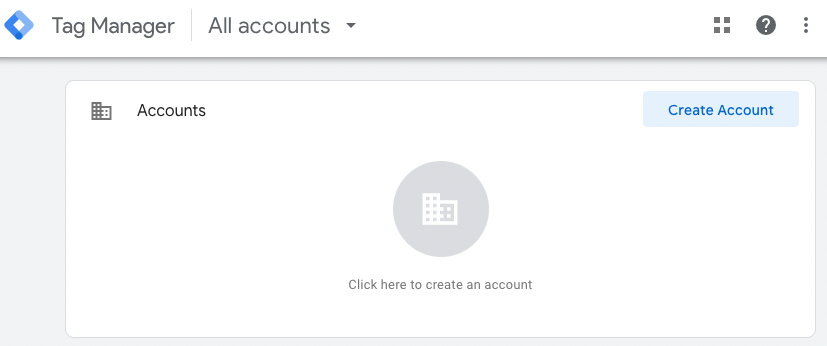
Step 1: Create a Google Tag Manager account and container
- Sign in to Google Tag Manager
- Create a new account + Web container
- Get your container ID (GTM-XXXXXX)
Step 2: Add GTM snippets to your Shopify theme
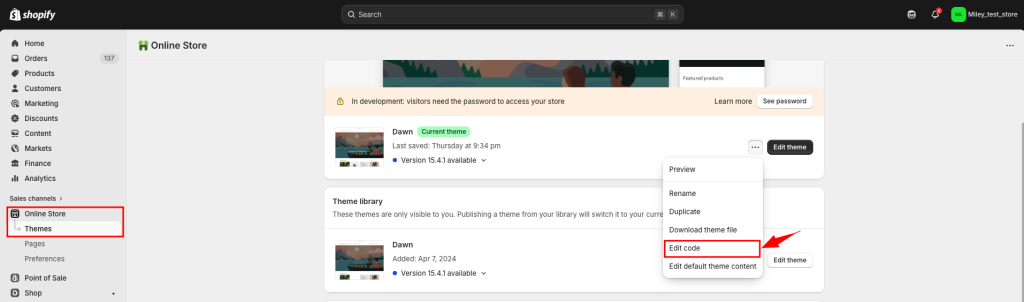
- Go to Shopify Admin > Online Store > Themes > Edit Code
- Open theme.liquid
- Paste GTM code into <head> and <body>
- Save and publish theme
Step 3: Add Google Ads conversion tags in GTM
- In Google Ads > Tools & Settings > Conversions > create new action
- Copy the event snippet
- In GTM > create Custom HTML tag
- Add trigger (e.g. URL contains /checkout/thank_you)
Step 4: Test and publish your setup
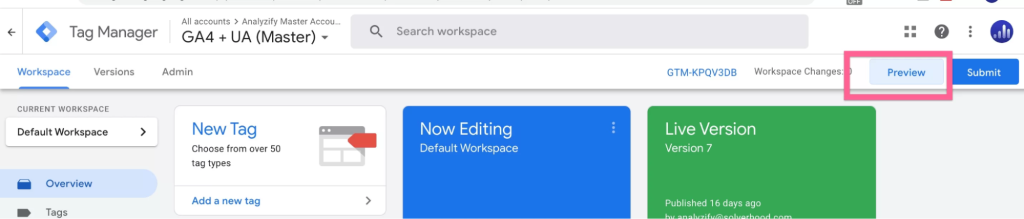
- Use GTM Preview to test tag firing
- Check with Tag Assistant or Google Ads diagnostics
- Publish GTM container
Option 2: Use a Shopify Conversion Tracking App
If you want to improve pixel reliability without managing complex GTM setups, a Shopify pixel-focused tracking app can help.
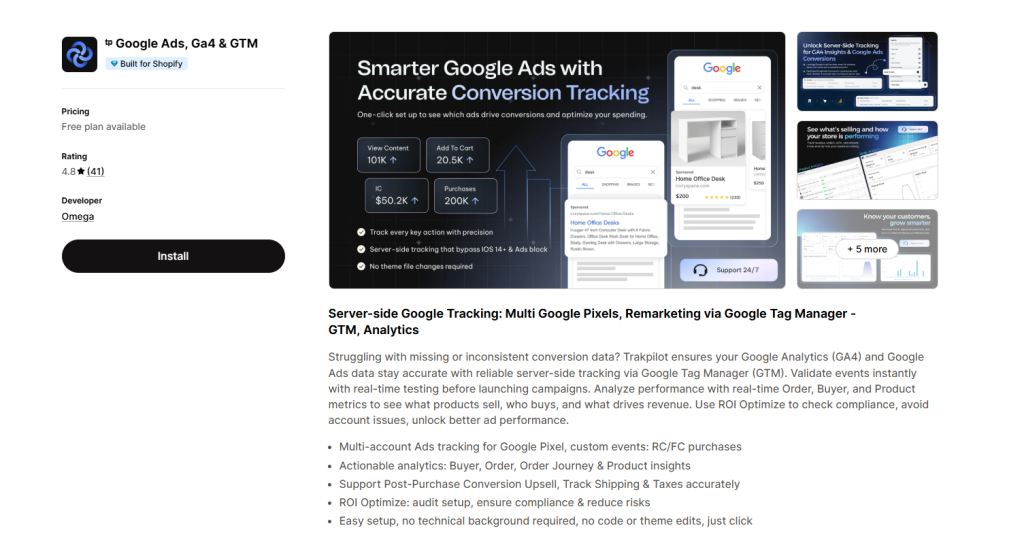
If you want a simpler setup, Trakpilot Google Ads, Ga4 & GTM specializes in managing and optimizing Google Ads, GA4 & GTM conversion tracking on Shopify. It ensures GA4 and Google Ads track the right conversions using GTM, so your analytics reflect real sales and your ads optimize based on correct data.
This approach is commonly used by stores and agencies scaling paid traffic across multiple pixel-driven ad platforms.
How to Set Up Facebook Conversion Tracking on Shopify
- Install the Facebook & Instagram app from Shopify App Store
- Connect your Meta Business Manager and ad account
- Enable Meta Pixel to track browser events (view content, add to cart, purchase)
- Enable Conversion API (CAPI) to send server-side events
- Verify events in Meta Events Manager
- Test tracking using Test Events tool
👉 However, Pixel alone may lose data due to iOS and ad blockers. So, combining Pixel + CAPI helps improve tracking accuracy and ad performance
How to Set Up TikTok Conversion Tracking on Shopify
- Install the TikTok app from Shopify App Store
- Connect your TikTok Ads account
- Set up TikTok Pixel to track key events
- Configure events like view content, add to cart, and purchase
- Verify events inside TikTok Events Manager
- Run test events to confirm tracking works properly
👉 In addition, using Events API helps reduce data loss under privacy restrictions
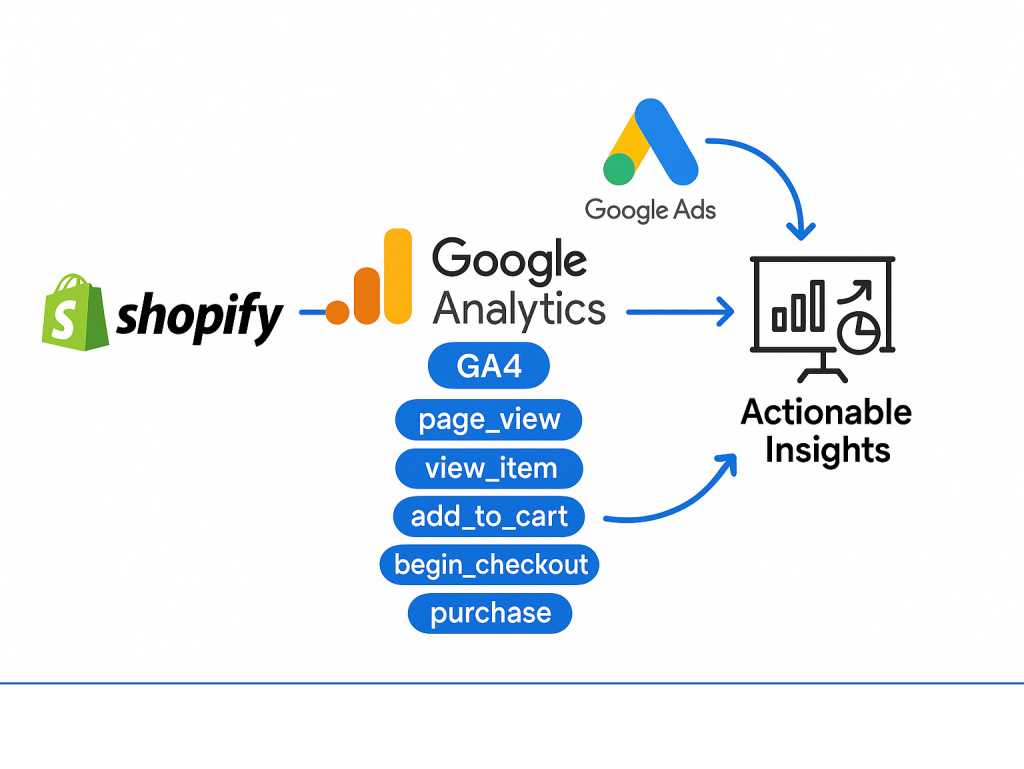
How to Set Up Google Analytics (GA4) Conversion Tracking on Shopify
While Google Ads tracking focuses on ad optimization, GA4 helps you understand the full customer journey. It also plays an important role in validating data across platforms like Meta and TikTok.
Step 1: Create a GA4 property and get your Measurement ID
Create a GA4 property and add a Web Data Stream for your Shopify store in Google Analytics. So, copy the Measurement ID that should begin with G-XXXXXXXX.
Step 2: Add GA4 to Shopify
In Shopify Admin, click on Settings > Customer events > Add custom pixel > Google Analytics 4.
Paste your Measurement ID. Shopify will natively forward basic eCommerce events to GA4.
Step 3: Enable enhanced measurement in GA4
In GA4, visit your settings for Web Data Stream and make sure Enhanced Measurement is switched on. That will let GA4 capture conventional events like view_item, add_to_cart, begin_checkout, and purchase.
Step 4: Verify tracking with DebugView
Open Configure > DebugView in GA4 and perform test actions on your Shopify store, like adding a product to the cart or completing a test order.
If the setup is correct, events should appear in real time.
Shopify Conversion Tracking Apps for Multi-Channel Accuracy
Managing conversion tracking across Google Ads, GA4, Meta, and TikTok can quickly become complex. Each platform uses different tracking logic and attribution models, so it’s easy for data to become inconsistent if everything is handled manually.
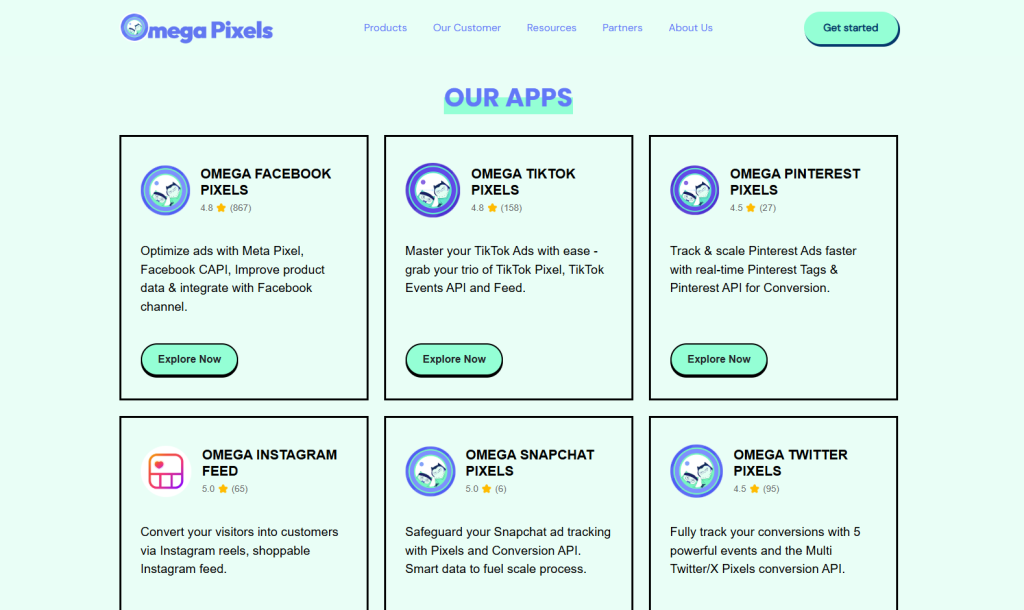
That’s why many stores rely on a full tracking ecosystem instead of a single tool. For example, our Omega Pixels suite by Two Owls includes dedicated apps for each platform:
- Trakpilot Google Ads, Ga4 & GTM
- Omega Meta Pixel
- Omega TikTok Pixel
- Omega Twitter Pixels
- Omega Pinterest Pixels
- Omega Snapchat Pixels
Instead of forcing one generic setup, this multi-app approach lets you handle each platform the right way while still keeping your data consistent. As a result, you reduce signal loss, improve attribution accuracy, and scale campaigns more confidently across channels.
Common Shopify Conversion Tracking Issues
Data issues occur silently when conversion tracking shows “installed” status on the system. The majority of problems can be divided into three main categories, which are listed below.
Technical & Setup Issues
Shopify users who combine Google and YouTube apps with manual code tracking experience duplicate conversion tracking. Checkout 2.0 system breaks existing scripts that rely on outdated technologies. Missing purchase events occur because of either outdated "Thank You" page tags or incorrect GTM data mapping.
External Blockers & Platform Restrictions
Privacy regulations such as GDPR and CCPA block tracking when users deny cookie permission, which stops conversion data from reaching advertising platforms. The combination of iOS 14 plus ad blockers and certain payment gateways creates additional tracking interruptions, which affect browser tracking when users exit the store during checkout.
Data Discrepancies Across Platforms
Conversion totals often differ due to varying attribution windows. Time of purchase gets recorded by Shopify, whereas Meta and Google Ads platforms attribute sales to later times.
The daily report numbers appear incorrect because tracking operates correctly, yet time zone differences exist.
💡 Shopify Analytics Discrepancies: What’s Actually Happening?
Best Practices for Conversion Tracking on Shopify
However, this is just the first step. Your data will continue to be reliable and valuable if you create good habits that ensure you avoid mistakes and improve your decision-making.
1. Use Google Ads, GA4, Meta, and TikTok Together
Google Ads tracks sales campaigns, while Google Analytics 4 tracks the full customer journey. At the same time, Meta and TikTok help optimize performance across social ad channels. Using these platforms together gives you both campaign-level performance data and full-funnel insights.
Using multiple platforms also acts as an added verification step. This helps you identify whether data loss comes from attribution differences, platform tracking limitations, or setup issues that need to be fixed.
2. Test and Validate Your Tracking Regularly
Tracking may be affected by theme updates, checkout changes, and app-related issues. Testing should be carried out regularly, as this will be your essential process for verifying your purchase events across Google Ads, GA4, Meta, and TikTok.
Use tools like GA4 DebugView, Google Tag Assistant, Meta Events Manager, or TikTok Events Manager to catch problems early. This helps you avoid silent data loss that can negatively impact ad optimization.
3. Use UTM Parameters for Clear Campaign Attribution
With the use of UTM parameters, you can track which campaigns, traffic sources, and ads have the most ROAS across Google, Meta, and TikTok.
They also help reconcile GA4 reports with ad platform data. Using tools like Trakpilot Google Ads, Ga4 & GTM can further improve tracking accuracy by ensuring your conversion data is properly captured and aligned across platforms. Without UTMs, conversions may be misattributed, making it harder to understand what’s actually performing well.
4. Keep Tracking Aligned With Privacy Requirements
It is no less important to respect users’ privacy than it is to collect valid data. Ensure your tracking setup is compliant with laws such as GDPR and CCPA across all platforms, including Google, Meta, and TikTok.
Try to cut back on unnecessary data collection and focus on the conversion signals that matter most. This helps maintain user trust while still giving you the insights needed to scale effectively.
Final Thoughts
Shopify conversion tracking is the foundation of profitable advertising. Whether you’re setting up conversion tracking Shopify for the first time or fixing inaccurate data, the goal is the same: reliable insights that help you scale with confidence.
If your numbers don’t match reality, it’s time to revisit your tracking before spending another dollar on ads.

- 1 What is Shopify Conversion Tracking?
- 2 Why Conversion Tracking on Shopify Matters
- 3 Does Shopify Support Conversion Tracking by Default?
- 4 How to Set Up Google Ads Conversion Tracking on Shopify
- 5 How to Set Up Facebook Conversion Tracking on Shopify
- 6 How to Set Up TikTok Conversion Tracking on Shopify
- 7 How to Set Up Google Analytics (GA4) Conversion Tracking on Shopify
- 8 Shopify Conversion Tracking Apps for Multi-Channel Accuracy
- 9 Common Shopify Conversion Tracking Issues
- 10 Best Practices for Conversion Tracking on Shopify
Top TikTok Apps for Shopify Could Double Your Conversions
Deduplication in Facebook Pixel: How to Fix Duplicate Events and Track Data Correctly

Omega TikTok Pixels Now Speaks Your Language: Introducing Multi-Language Support
Trakpilot New Feature: Export Your Conversion Events Data
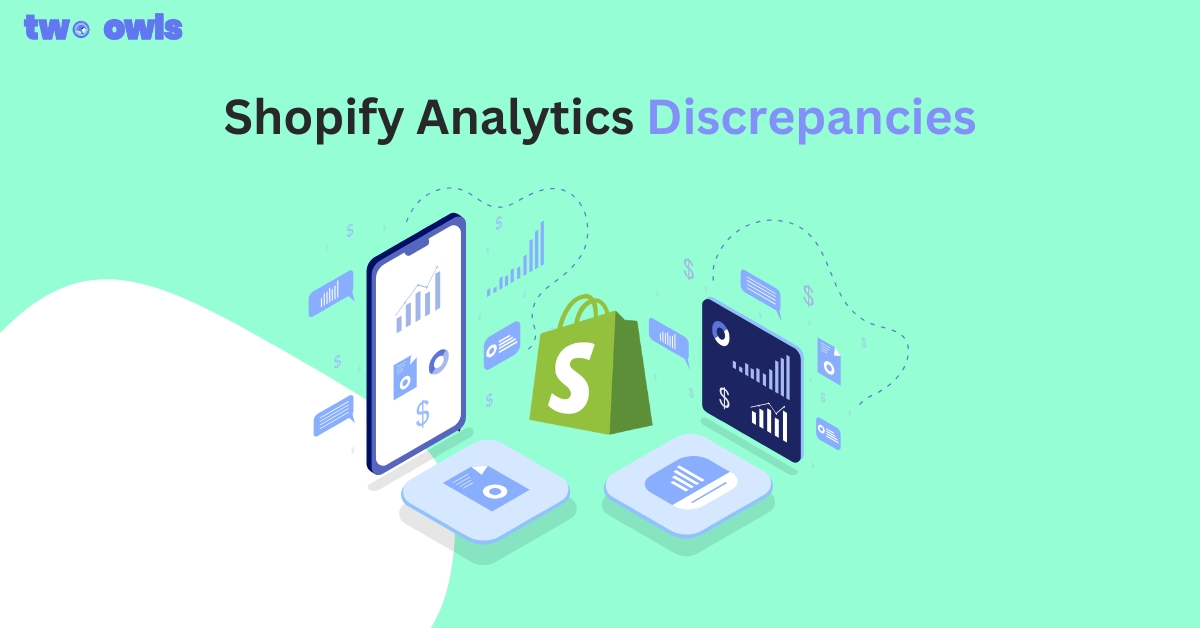
Shopify Analytics Discrepancies: What’s Actually Happening?
Top TikTok Apps for Shopify Could Double Your Conversions
Deduplication in Facebook Pixel: How to Fix Duplicate Events and Track Data Correctly
Omega TikTok Pixels Now Speaks Your Language: Introducing Multi-Language Support
Trakpilot New Feature: Export Your Conversion Events Data