Why Is GA4 Revenue Lower Than Shopify? Common Reasons Your Reports Don't Match


The discrepancy between Shopify and Google Analytics is one of the most common frustrations in e-commerce analytics, and it rarely means something is broken.
| What you’ll learn in this article: ● Why GA4 Revenue Is Usually Lower Than Shopify ● Shopify and GA4 Measure Revenue Differently ● Why Better Google Tracking Doesn't Completely Eliminate the Revenue Gap ● How to Reduce Shopify and GA4 Revenue Discrepancies ● Which Number Should You Trust? |
Why Is GA4 Revenue Lower Than Shopify? A Common Scenario
Let's say a merchant runs several Google Ads campaigns during a holiday promotion. At the end of the week, Shopify reports $25,000 in sales, while GA4 attributes only $21,700 in revenue. The immediate reaction is usually to assume something is wrong with the tracking setup.
After checking tags, events, and conversion settings, the merchant discovers that everything appears to be working correctly. Yet the revenue gap remains.
Shopify and GA4 Measure Revenue Differently
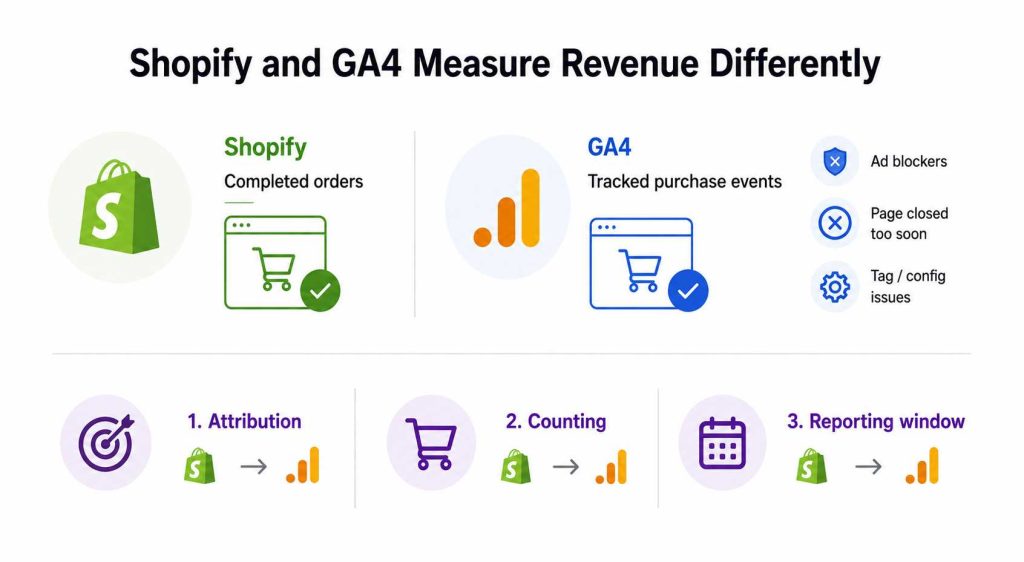
Shopify and GA4 track revenue through separate systems, so the two platforms rarely produce identical numbers.
Shopify records completed orders
Shopify calculates revenue based on orders processed directly through its system. Every successful checkout is logged automatically, regardless of what happens on the analytics side.
GA4 relies on tracked purchase events
GA4 only records revenue when a purchase event fires and reaches Google's servers successfully. Several factors can interrupt this process:
- Ad blockers or browser restrictions prevent the tag from loading.
- Users close the confirmation page before the event fires.
- Tag configuration errors cause the event to send incomplete or no data.
Even when both platforms capture the same transaction, the final revenue figures can still differ. Three core reasons explain most discrepancies:
- Attribution models: Shopify attributes revenue to the order date, while GA4 attributes it based on session and traffic source logic.
- Counting methodology: Shopify counts orders; GA4 counts events. A duplicate event or a missing tag directly inflates or deflates GA4 totals.
- Reporting windows: The two platforms do not always apply the same date ranges or timezone settings by default, so the same period can return different totals depending on where you look.
Why GA4 Revenue Is Usually Lower Than Shopify
After years of auditing e-commerce tracking setups, I can tell you that GA4 almost always reports lower revenue than Shopify. The gap is not a bug.
Ad blockers and browser privacy restrictions
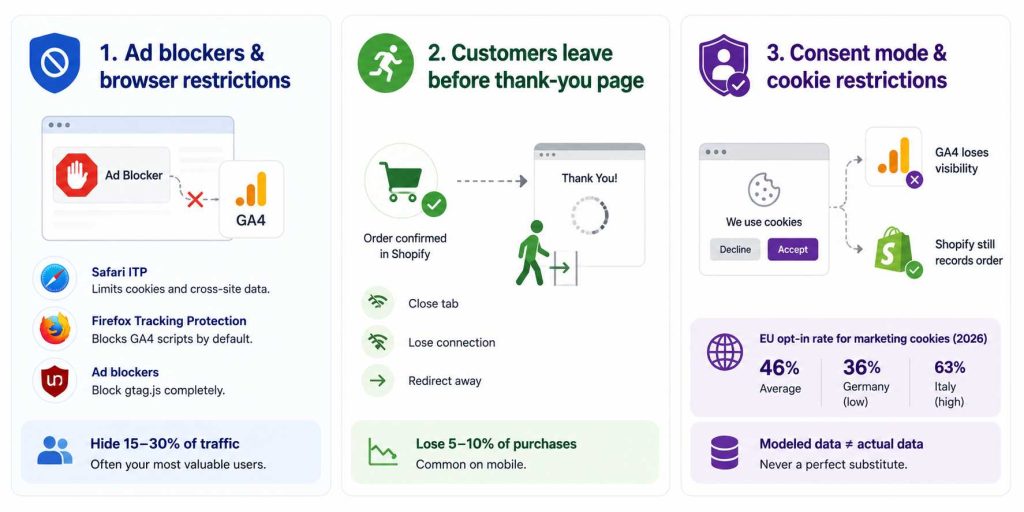
Modern browsers and ad blockers treat analytics scripts as surveillance tools, and they are not entirely wrong. Three common blockers hit GA4 especially hard:
- Safari ITP (Intelligent Tracking Prevention): Apple aggressively limits cookie lifespans and restricts cross-site data, which cuts GA4's ability to stitch sessions together accurately.
- Firefox Tracking Protection: Firefox blocks known tracking scripts by default, so GA4 tags frequently never load for Firefox users.
- Ad blockers: Extensions like uBlock Origin block GA4's gtag.js entirely, meaning every purchase made by that user is invisible to GA4 from the start.
Ad blockers hide 15–30% of web traffic from analytics tools like GA4, and the users they hide tend to skew younger, more technical, and higher income, often the most valuable audience segments.
Customers leave before the thank-you page loads
Shopify confirms the order the moment payment clears. GA4, however, depends entirely on the thank-you page loading and the purchase event firing successfully.
When a customer closes the tab, loses connection, or gets redirected away before the confirmation page fully renders, Shopify logs a completed sale while GA4 records nothing.
I have seen stores lose 5–10% of purchase events from this single failure point alone, particularly on mobile where connections are less stable.
A discrepancy between GA4 purchase data and actual order records is common, with the usual range sitting around 10%, though in extreme cases involving highly technical audiences, the gap can reach up to 50%.
Consent mode and cookie restrictions
Privacy laws like GDPR and CCPA pushed consent banners into mainstream e-commerce. When a user declines analytics cookies, GA4 loses visibility into part or all of their journey. Shopify still processes and records their order without issue.
The practical impact depends on your market:
- The average opt-in rate for marketing cookies across the EU sits at 46% in 2026, down from 54% in 2023, with Germany at the low end at 36% and Italy at the high end at 63%. Stores with heavy European traffic consistently see larger GA4 gaps as a direct result.
- Strict consent mode configurations can model some conversions back in, but modeled data is never a perfect substitute for actual event data.
Cross-device and cross-browser behavior
A real purchase journey rarely happens on a single device. A customer might discover your product on mobile, research on desktop, and complete checkout on a work laptop.
Shopify ties the order to a customer account or email address and records it cleanly. GA4, by contrast, treats each device as a separate session unless the user is logged in and identifiable across touchpoints.
Duplicate prevention in GA4
GA4 has built-in deduplication logic designed to prevent the same purchase from being counted twice. In practice, however, this logic sometimes removes legitimate transactions, particularly when:
- A confirmation page reloads due to a browser refresh.
- A tag fires twice because of a misconfigured trigger.
- Server-side and client-side tracking overlap without proper deduplication keys.
Why Better Google Tracking Doesn't Completely Eliminate the Revenue Gap
Enhanced Conversions and GA4 tracking can improve attribution accuracy, but they cannot recover every lost conversion. Some revenue differences between Shopify and GA4 are simply built into how modern analytics platforms work.
Privacy Restrictions Still Create Blind Spots
Even with Enhanced Conversions enabled, Google cannot measure every transaction.
Modern browsers continue to limit cookies and cross-site tracking. At the same time, privacy regulations require businesses to respect user consent choices. When visitors decline tracking, Google must rely more heavily on modeling and partial signals rather than complete user-level attribution.
As a result, some conversions that appear in Shopify may never be fully attributed inside GA4 or Google Ads.
Data Quality Directly Affects Attribution Accuracy
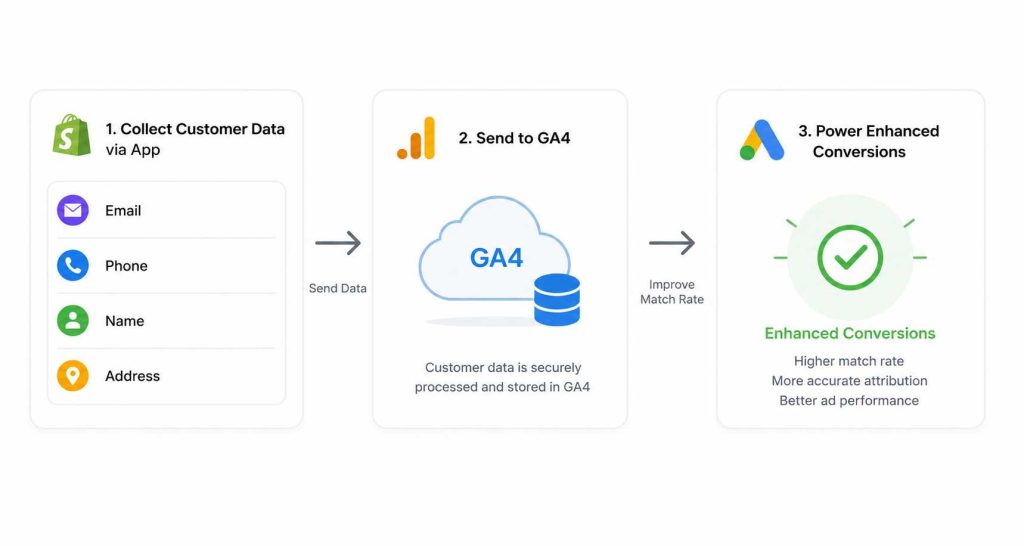
Enhanced Conversions only work as well as the data available at checkout.
Missing email addresses, incomplete customer information, or low match rates reduce Google's ability to connect a purchase back to an ad interaction.
Google's own diagnostics reports evaluate conversion coverage, match rates, and conversion uplift because data quality has a direct impact on measurement accuracy.
For Shopify merchants, maintaining accurate Google tracking often requires multiple moving parts, including GA4 events, Google Ads conversions, Enhanced Conversions, and Google Tag Manager. Omega Google Ads, GA4 & GTM simplify this process by helping merchants implement and manage these tracking components without extensive manual setup.
Better Tracking Reduces Discrepancies Rather Than Eliminating Them
The goal of modern Google tracking is not to create perfect parity with Shopify.
Instead, the goal is to recover as much lost attribution as possible so that bidding algorithms and performance reports become more reliable.
Enhanced Conversions, Consent Mode, and properly configured GA4 tracking all contribute to that objective, but none can guarantee identical revenue figures across platforms.
What's Considered a Normal Shopify vs GA4 Revenue Gap?
Before investigating a discrepancy, you first need to know whether your gap is actually a problem. Not every difference between Shopify and GA4 warrants action, and chasing perfect alignment wastes time that belongs elsewhere.
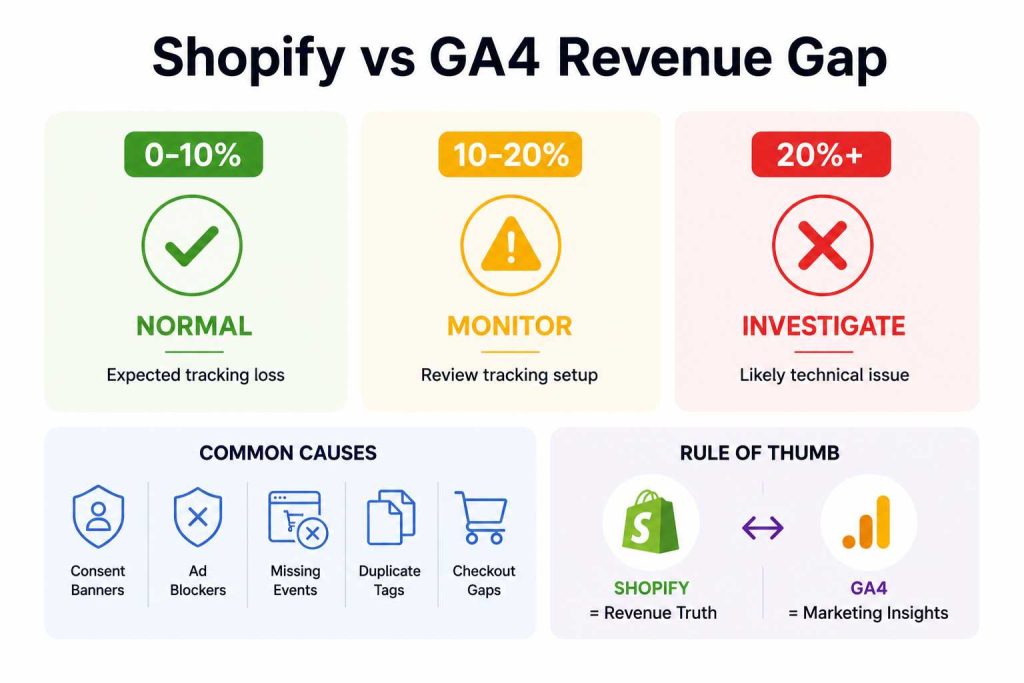
Small Discrepancies (0%–10%)
A discrepancy in the range of 5–10% is considered normal and is not a cause for concern. Gaps at this level are largely explained by session counting differences and tracking code timing.
Every store running client-side GA4 will have some data loss from browser restrictions and page load timing. Accept it, document it as your baseline, and move on.
Moderate Discrepancies (10%–20%)
Most merchants see a 10–20% discrepancy between GA4 and Shopify transaction data. For stores with significant EU traffic or iOS users, the gap can be even larger.
A gap in this range does not always point to a broken setup, but it does warrant a closer look. Common culprits include consent banner configuration, missing server-side tracking, or checkout events that are not firing reliably.
Large Discrepancies (20%+)
If your gap is over 20%, you likely have a technical configuration error. At this scale, something is structurally wrong. Duplicate tags, a misconfigured purchase event, an external payment gateway breaking the thank-you page flow, or a consent mode setup that is blocking far too much data are the usual suspects.
Treat a 20%+ gap as urgent and investigate before making any budget or attribution decisions based on GA4 data.
How to Reduce Shopify and GA4 Revenue Discrepancies
You will never achieve a perfect match between Shopify and GA4. The goal is to narrow the gap to an acceptable level and make confident decisions on data you trust.
Verify Purchase Event Implementation
Start here before touching anything else. Open GA4 DebugView while completing a test purchase and confirm the purchase event fires once with the correct transaction_id, value, and currency parameters.
A misconfigured purchase event is the single most common cause of large discrepancies, and it takes minutes to rule out.
Audit GA4 and Shopify Tracking Setup
A one-time setup check is not enough. Schedule monthly audits to verify that enhanced ecommerce events and attribution tracking are properly configured. Also confirm that timezone and currency settings match across both platforms.
Discrepancies appear when GA4 and Shopify track sales in different currencies, or when Shopify includes taxes and shipping in revenue figures that GA4 excludes.
Improve First-Party Data Collection
Collect email addresses and phone numbers at checkout wherever possible, as these identifiers directly improve event matching quality.
Phone numbers significantly improve match rates, especially for Meta, yet most stores never collect them because checkout does not require it.
Use Server-Side Tracking Where Possible
Client-side tracking has a structural ceiling. Server-side tracking transmits Shopify order data directly to GA4 via secure servers, bypassing ad blockers and browser restrictions, delivering over 98% accuracy compared to roughly 90% with client-side tracking alone.
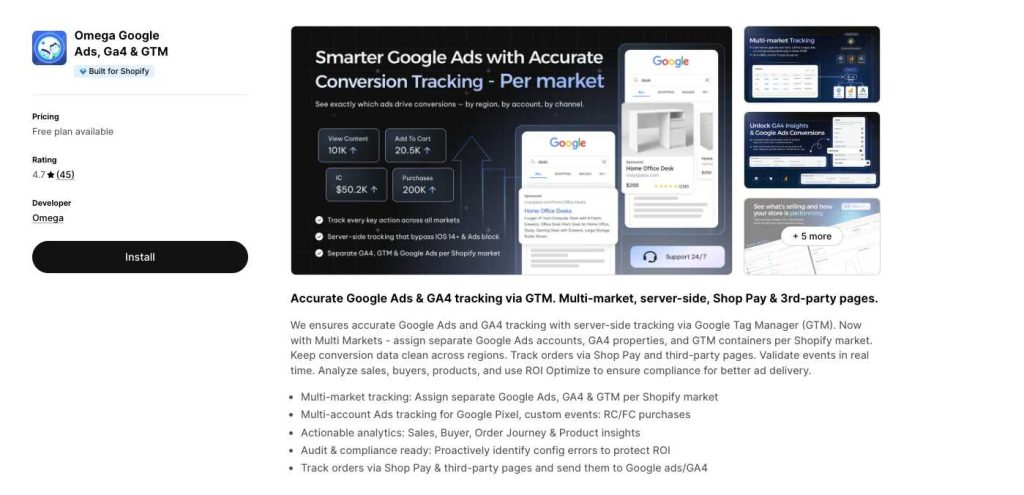
For Google-focused stores, accurate tracking is critical because every missed purchase is a missed learning signal for Google Smart Bidding. Over time, incomplete conversion data can lead to less efficient optimization and lower ROAS. Omega Google Ads, Ga4 & GTM helps merchants improve tracking accuracy so Google Ads can make decisions based on more complete conversion data.
Monitor Discrepancies Regularly Instead of Chasing 100% Accuracy
Focus on directional trends rather than identical totals. A consistent gap is better than random spikes, and benchmarking your gap over time gives you far more confidence than any attempt to eliminate it entirely.
Set a monthly reconciliation cadence and investigate only when the gap moves outside your established baseline.
Which Number Should You Trust?
The short answer: both, but for different things. Treating Shopify and GA4 as competitors producing the same report is the root cause of most confusion merchants have with their data.
Use Shopify for Financial Reporting
Shopify records revenue the moment an order is confirmed on the server, independent of anything happening in the customer's browser.
No ad blocker, consent rejection, or dropped connection changes what Shopify sees. Treat it as your source of truth for orders, revenue, refunds, and anything that touches your actual financials.
Use GA4 for Marketing Analysis
GA4 answers questions Shopify cannot. When you need to understand how users navigate your store, which channels drive the most valuable traffic, where customers drop off in the checkout funnel, or how different campaigns compare on attribution, GA4 is the right tool. Its value is in behavioral depth, not financial precision.
Avoid Comparing the Platforms as if They Were Identical Systems
Shopify counts completed transactions. GA4 counts tracked events. These are fundamentally different measurements of related but distinct things.
A gap between them is not a sign that one platform is wrong. It is a sign that both platforms are doing exactly what they were built to do.
Conclusion
A revenue gap between Shopify and GA4 is normal because the two platforms were built for different purposes. Shopify records completed transactions, while GA4 focuses on attribution and user behavior. Even with modern tracking solutions, some discrepancy will always remain.
The goal is not perfect parity but more accurate data. By improving purchase tracking and conversion measurement, merchants can reduce data loss and give Google Ads better signals for optimization. Solutions like Omega Google Ads, GA4 & GTM can help maintain a more reliable tracking setup, making it easier to trust the data used for marketing decisions.
Read More: Shopify Analytics Discrepancies: What’s Actually Happening?

- 1 Why Is GA4 Revenue Lower Than Shopify? A Common Scenario
- 2 Shopify and GA4 Measure Revenue Differently
- 3 Why GA4 Revenue Is Usually Lower Than Shopify
- 4 Why Better Google Tracking Doesn’t Completely Eliminate the Revenue Gap
- 5 What’s Considered a Normal Shopify vs GA4 Revenue Gap?
- 6 How to Reduce Shopify and GA4 Revenue Discrepancies
- 7 Which Number Should You Trust?
Sync Shopify Products to TikTok Shop directly with Omega TikTok Pixels

Transform Wix Storefronts with Shoppable Instagram Galleries: Omega Instagram Feed Launch

Stop Bots From Training Your Meta Ads: Introducing Bot & Fraud Protection
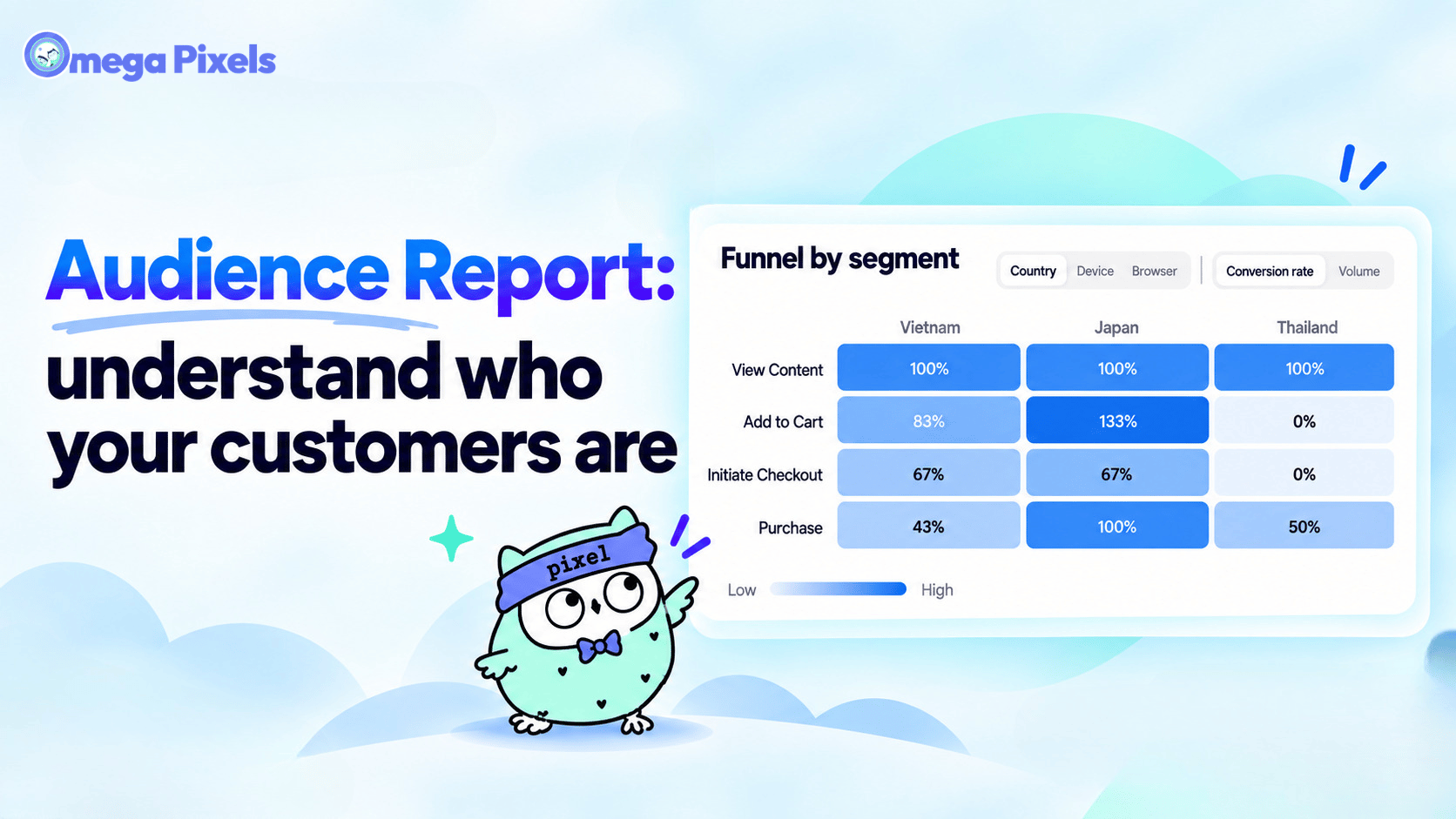
New in Omega Facebook Pixel: Audience Report
Sync Shopify Products to TikTok Shop directly with Omega TikTok Pixels
Transform Wix Storefronts with Shoppable Instagram Galleries: Omega Instagram Feed Launch
Stop Bots From Training Your Meta Ads: Introducing Bot & Fraud Protection
New in Omega Facebook Pixel: Audience Report
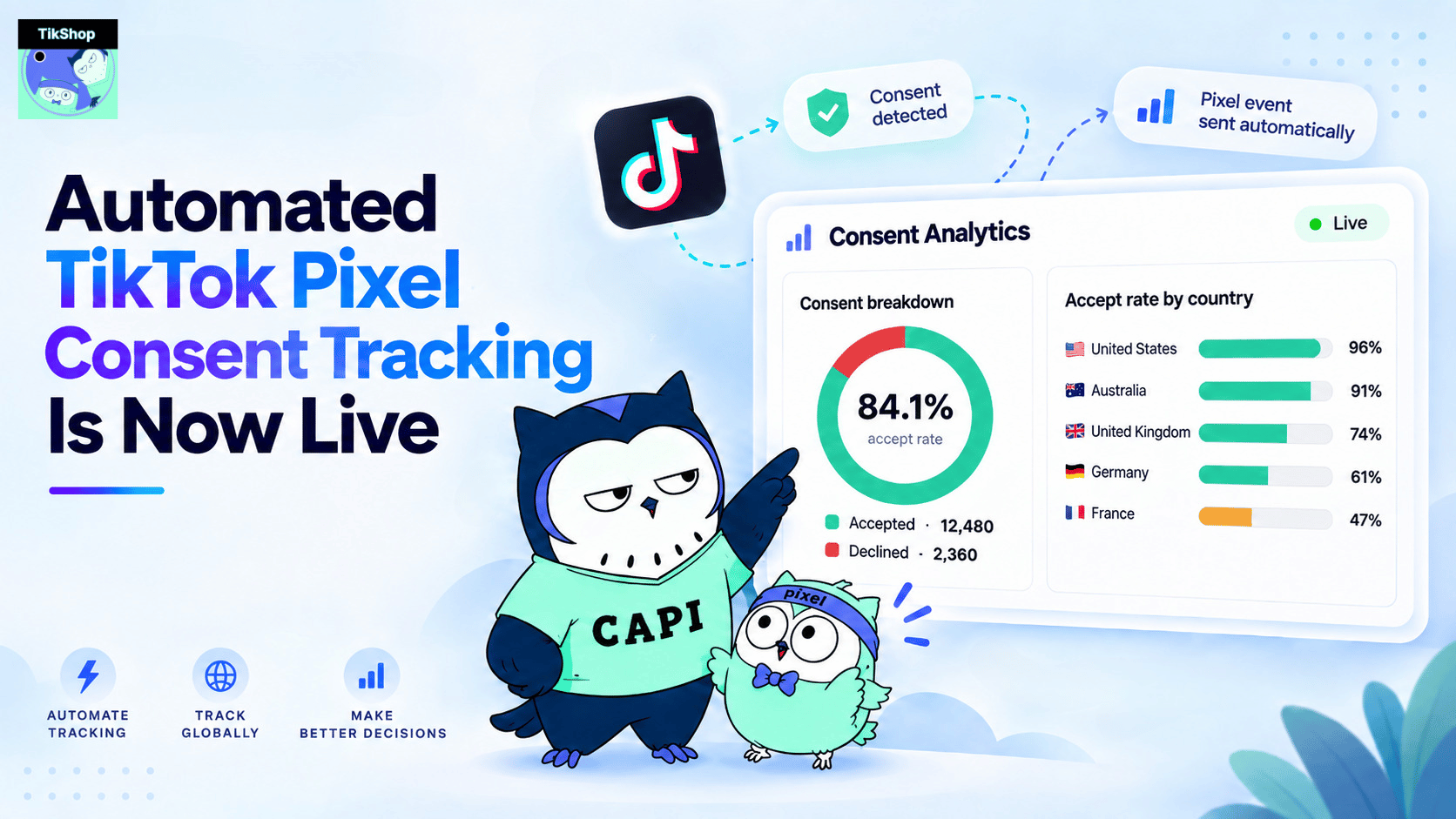
Automated TikTok Pixel Consent Tracking Is Now Live
Sync Shopify Products to TikTok Shop directly with Omega TikTok Pixels
Transform Wix Storefronts with Shoppable Instagram Galleries: Omega Instagram Feed Launch
Stop Bots From Training Your Meta Ads: Introducing Bot & Fraud Protection
New in Omega Facebook Pixel: Audience Report