Manage US TikTok Shop in Wix | TikTok Shop by Omega Pixels


For online merchants looking to expand their reach through social commerce, TikTok Shop represents one of the fastest-growing revenue channels. However, US sellers previously faced barriers connecting their Wix catalogs due to business verification requirements and regional limitations.
That restriction is now officially resolved. With the latest update to TikTok Shop by Omega, US merchants gain complete access to the full TikTok Shop integration workflow. From initial account authorization and automated warehouse detection to category mapping, bulk product editing, and queued background syncing, you can now manage your entire US TikTok Shop operations directly from your Wix admin.
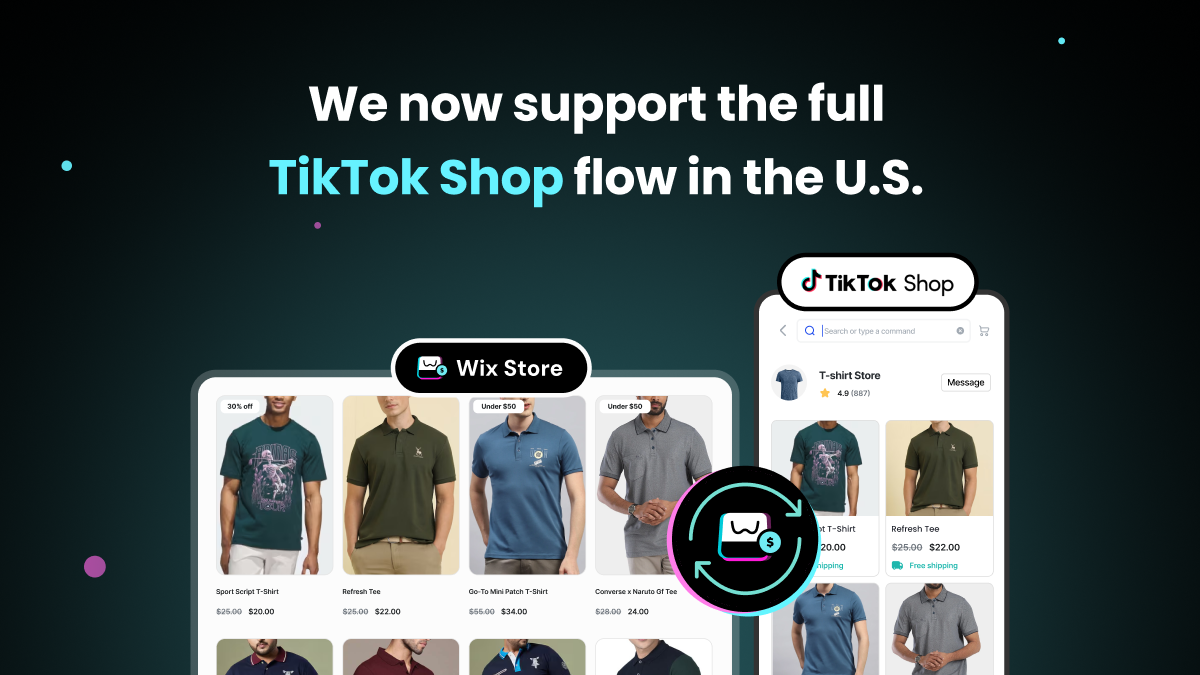
Key Features of the Wix TikTok Shop US Integration
The latest release brings end-to-end synchronization capability, ensuring US store owners can move from initial connection to live sales without leaving the app interface.
Seamless Shop Connection & Auto-Detection
Connecting your US TikTok Shop account takes only a few clicks. During authorization, the app automatically retrieves your shop ID and shop code, identifies your default warehouse location, and maps your shop currency to USD. If you manage multiple regional stores, the app supports multi-account connection with a simple selector to switch active shops.
Bulk Category Mapping
TikTok Shop mandates that every product belong to an officially recognized category. To eliminate manual entry for large catalogs, the app provides a dedicated category mapping interface. You can filter unmapped Wix items by collection or store category and assign TikTok Shop category mappings to groups of products at once.
Granular Product Editing & Bulk Updates
Before sending products live, merchants can review titles, descriptions, product images, variants, prices, weights, package dimensions, brands, and category-specific attributes or certifications. To save time across broad inventory updates, the bulk editing feature allows you to update shared attributes across multiple products simultaneously or upload a file with bulk updates.
Queued Batch Syncing & Status Tracking
Publishing products happens in the background through queued batch processing, so you do not need to keep the app page open while listings transfer. A centralized status tracker provides visibility across every stage: Not synced, Submitted, Pending, Live, Sync error, and Failed to review. Existing listings are updated upon re-syncing without creating duplicates.
Flexible Automation & Control in Settings
From the app Settings page, you can configure auto-sync schedules, adjust currency exchange rules when store prices differ from TikTok Shop currency, and set custom price or inventory safety thresholds to safeguard margins and stock accuracy.
Benefits of Managing TikTok Shop US Directly from Wix
Integrating your TikTok Shop catalog directly into your Wix workflow brings both operational efficiencies and growth opportunities for US merchants.
Expand Social Commerce Sales Channels
US sellers can now list products directly where millions of engaged shoppers discover content. By enabling native TikTok Shop purchasing, you convert viewer interest into direct sales without requiring customers to navigate away from the platform.
Streamline Store Operations
Managing product catalogs across separate platforms creates operational friction and increases the risk of manual errors. Centralizing category assignment, attribute editing, and background syncing within Wix eliminates duplicate data entry and speeds up launch timelines for new product lines.
Maintain Inventory & Price Accuracy
Automated synchronization schedule settings and threshold rules protect your store against overselling during high-traffic promotional periods. Your stock levels and pricing remain consistent across both channels without constant manual auditing.
How to Connect and Sync Wix with TikTok Shop: Step-by-Step
Setting up your integration requires completing four core phases within the app.
Prerequisites Before Setup
Before starting the setup process, ensure your TikTok Shop seller account is active and approved in TikTok Shop Seller Center. You must also hold third-party app authorization permissions on the TikTok account and have published products ready in your Wix catalog.
Step 1: Connect Your TikTok Shop Account
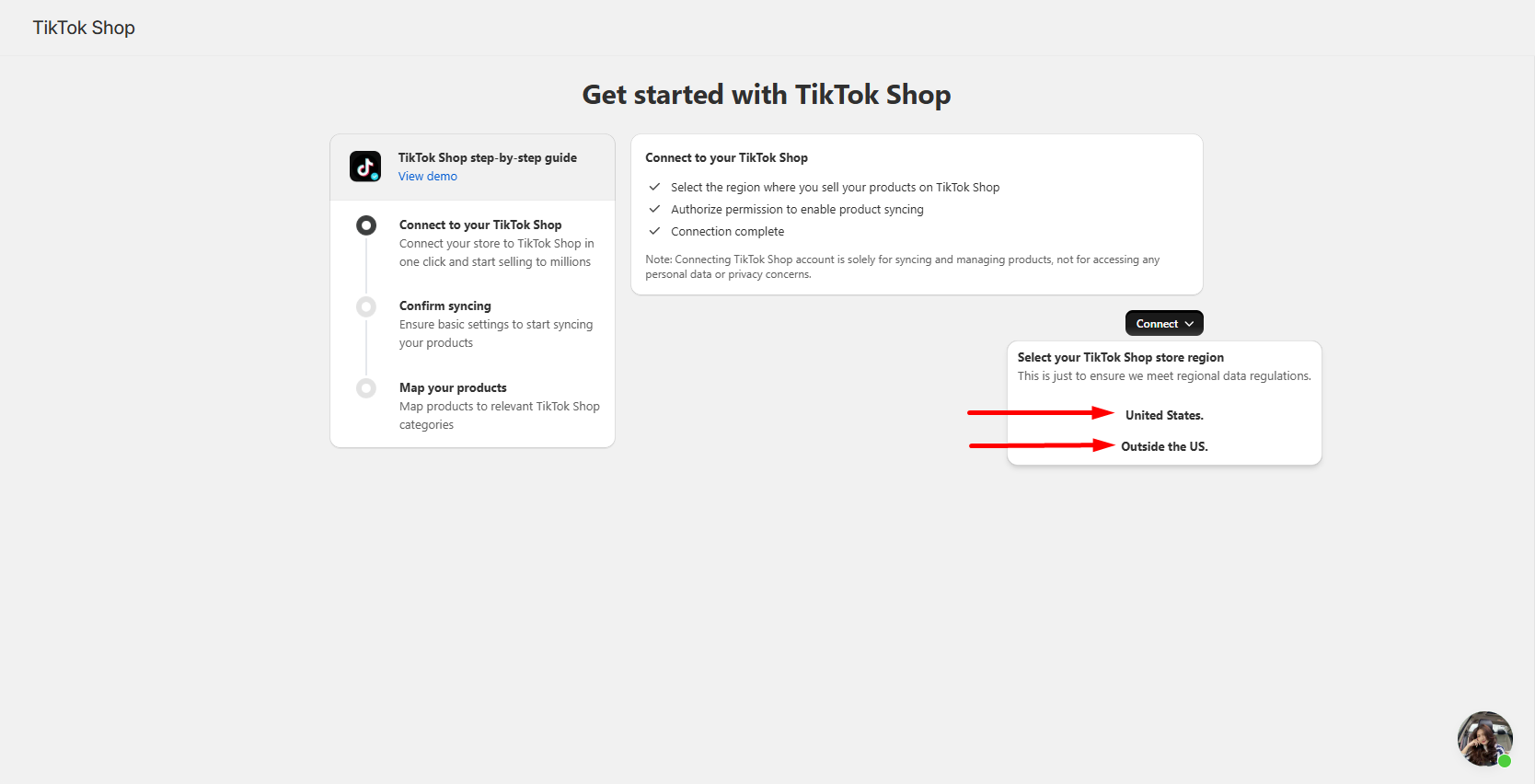
- Open the TikTok Shop by Omega app in your Wix admin and click Connect on the welcome card.
- Select United States as your selling region.
- Sign in to your TikTok Shop seller account and authorize the requested permissions.
- Upon returning to the app, your store status will display as Connected, with your shop details, default warehouse, and USD currency configured automatically.
Step 2: Map Your Product Categories
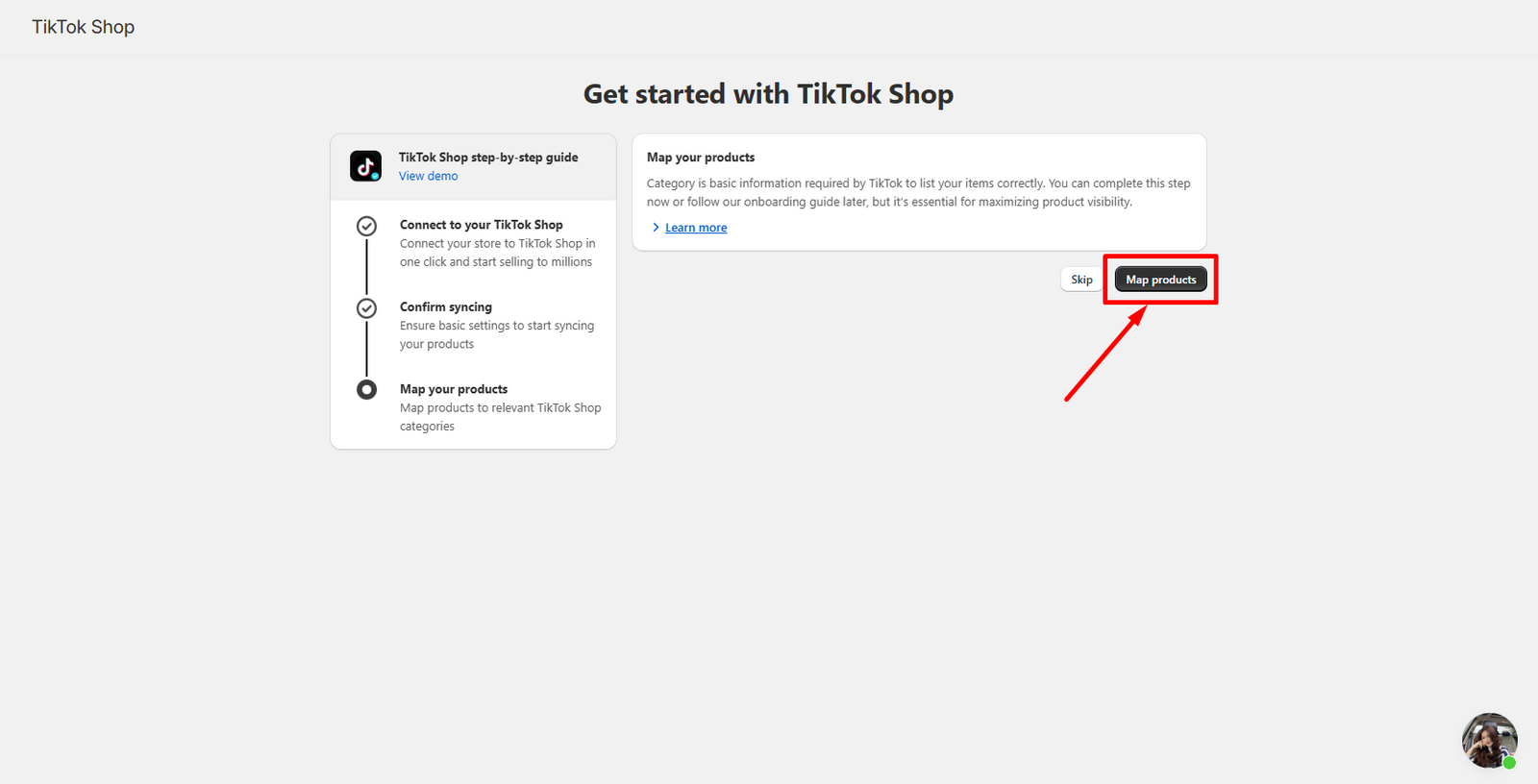
- Access the Manage products page or the Unmapped products table.
- Filter your Wix catalog by collection or category to group related items.
- Select the products you wish to organize, choose the corresponding TikTok Shop category, and save. Mapped products automatically transition to the Mapped status table.
Step 3: Review and Edit Product Details
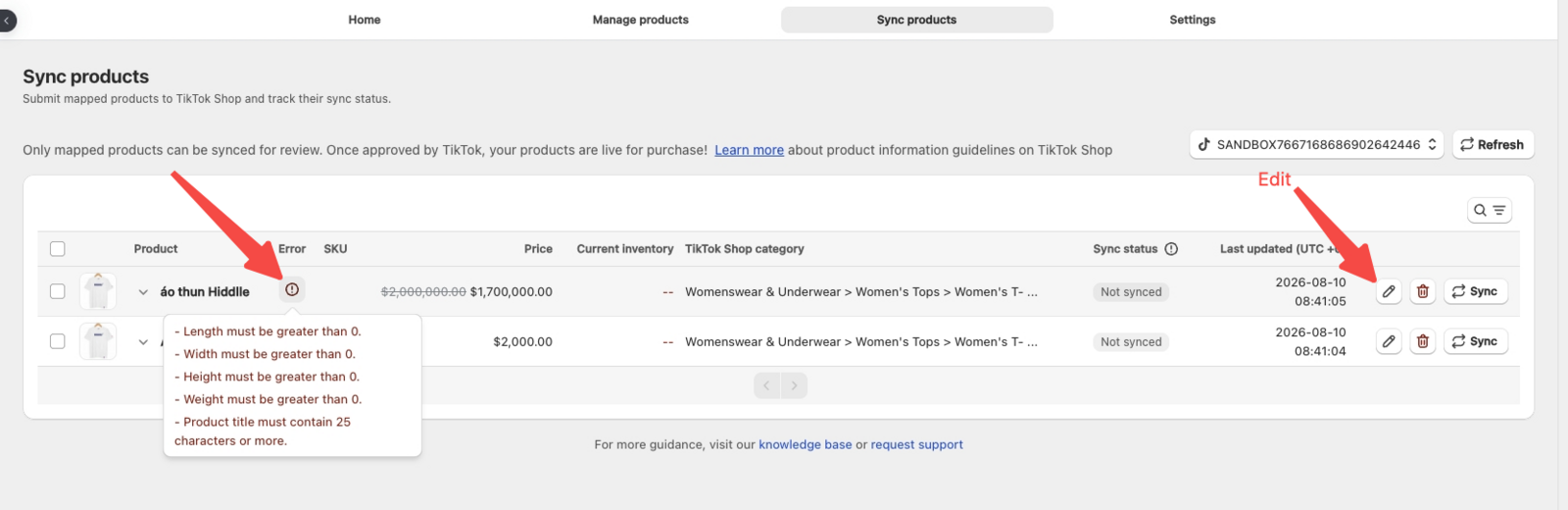
- Open the Sync Products table to inspect product specifications prior to submission.
- Ensure all mandatory attributes - such as brand, weight, package dimensions, and required certifications - are completed to meet TikTok Shop listing criteria.
- Apply the Bulk edit tool or upload a file to update common fields across multiple listings at once.
Step 4: Sync Products to TikTok Shop
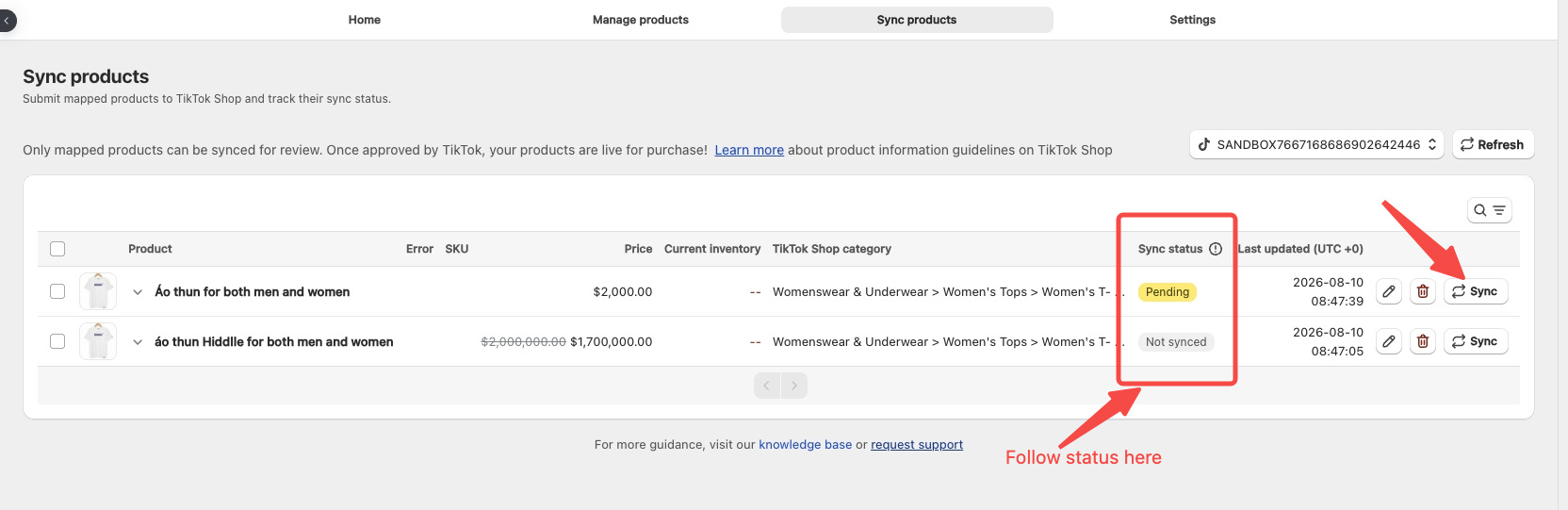
- Select the prepared products from your mapped list and click Sync products.
- The app queues your items for background batch processing. Monitor the sync progress column to track items through Submitted, Pending, and Live statuses.
For additional setup tips and technical guidance, read the detailed article on How to Connect and Sync Your Wix Store with TikTok Shop.
TikTok Shop Sync Troubleshooting & Best Practices for Wix
Understanding common troubleshooting steps ensures your product sync stays active and operational.
Connection and Authorization Issues
If clicking Connect redirects back without authorizing, verify that you are logged into an active, fully approved TikTok Shop account in Seller Center. Shops currently pending TikTok review cannot complete authorization.
Managing Disconnected or Expired Permissions
If your shop status displays as Disconnected or shows a Permission expired alert, click Reconnect to re-authorize the app. Reconnecting restores your connection immediately without erasing any previously saved category mappings or product details.
Resolving Product Sync Errors
When a product returns a Sync error, open the product entry to inspect the specific rejection details. Most failures result from missing mandatory category attributes (such as brand, dimensions, or weight), non-compliant image assets, or invalid price values. Update the missing fields in your product table and re-sync.
Tracking TikTok Review Timelines
Products in Submitted status have reached TikTok Shop and are awaiting internal compliance review. Review timelines are determined directly by TikTok Shop policies. You can monitor the progress of pending submissions inside TikTok Shop Seller Center.
Get Started Today
Connecting your store directly to TikTok Shop allows you to scale your US social commerce reach while maintaining centralized control over your catalog.
Begin your store setup today with TikTok Shop by Omega to publish your products live to TikTok shoppers.

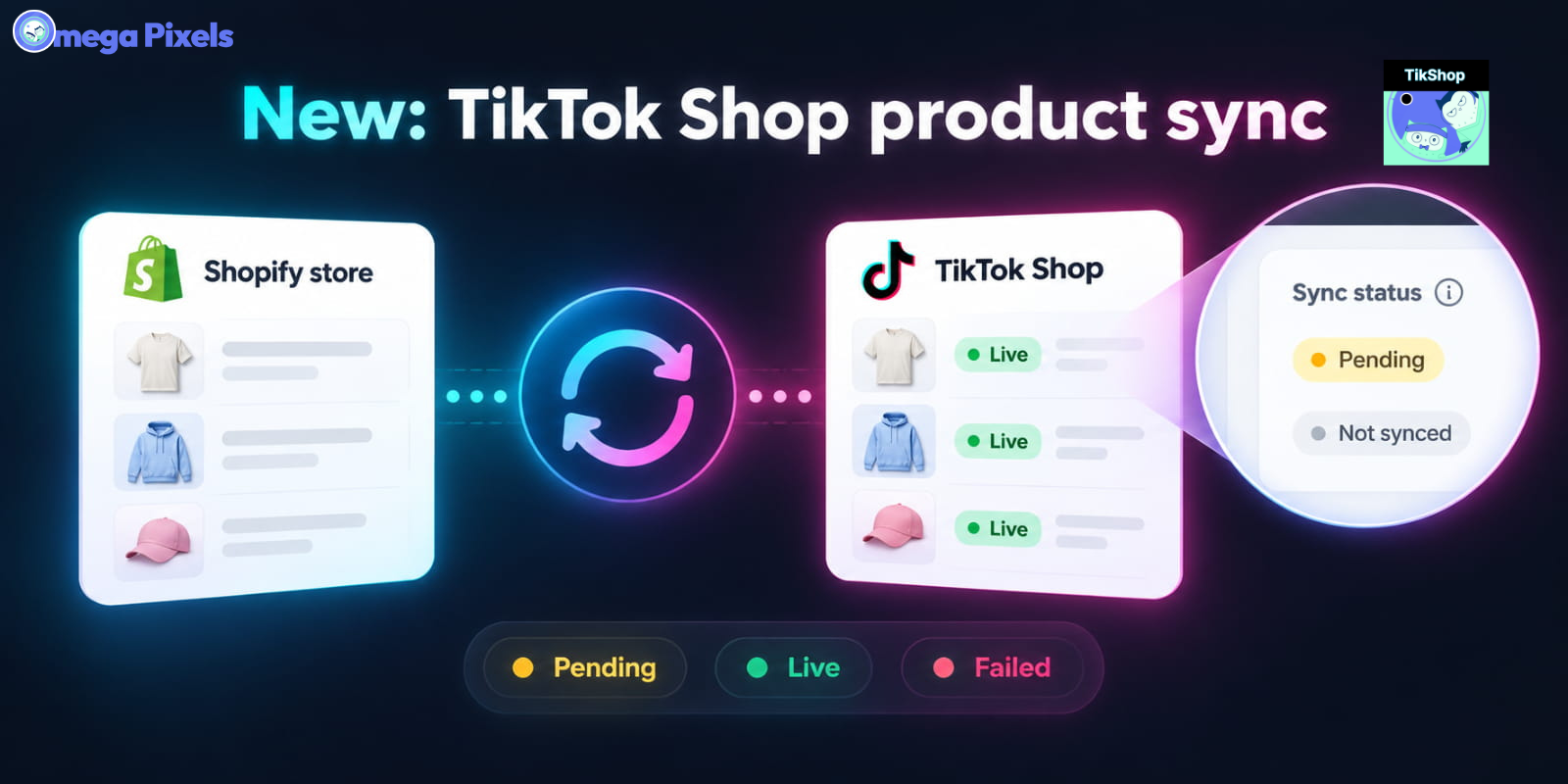
Sync Shopify Products to TikTok Shop directly with Omega TikTok Pixels

Transform Wix Storefronts with Shoppable Instagram Galleries: Omega Instagram Feed Launch

Stop Bots From Training Your Meta Ads: Introducing Bot & Fraud Protection
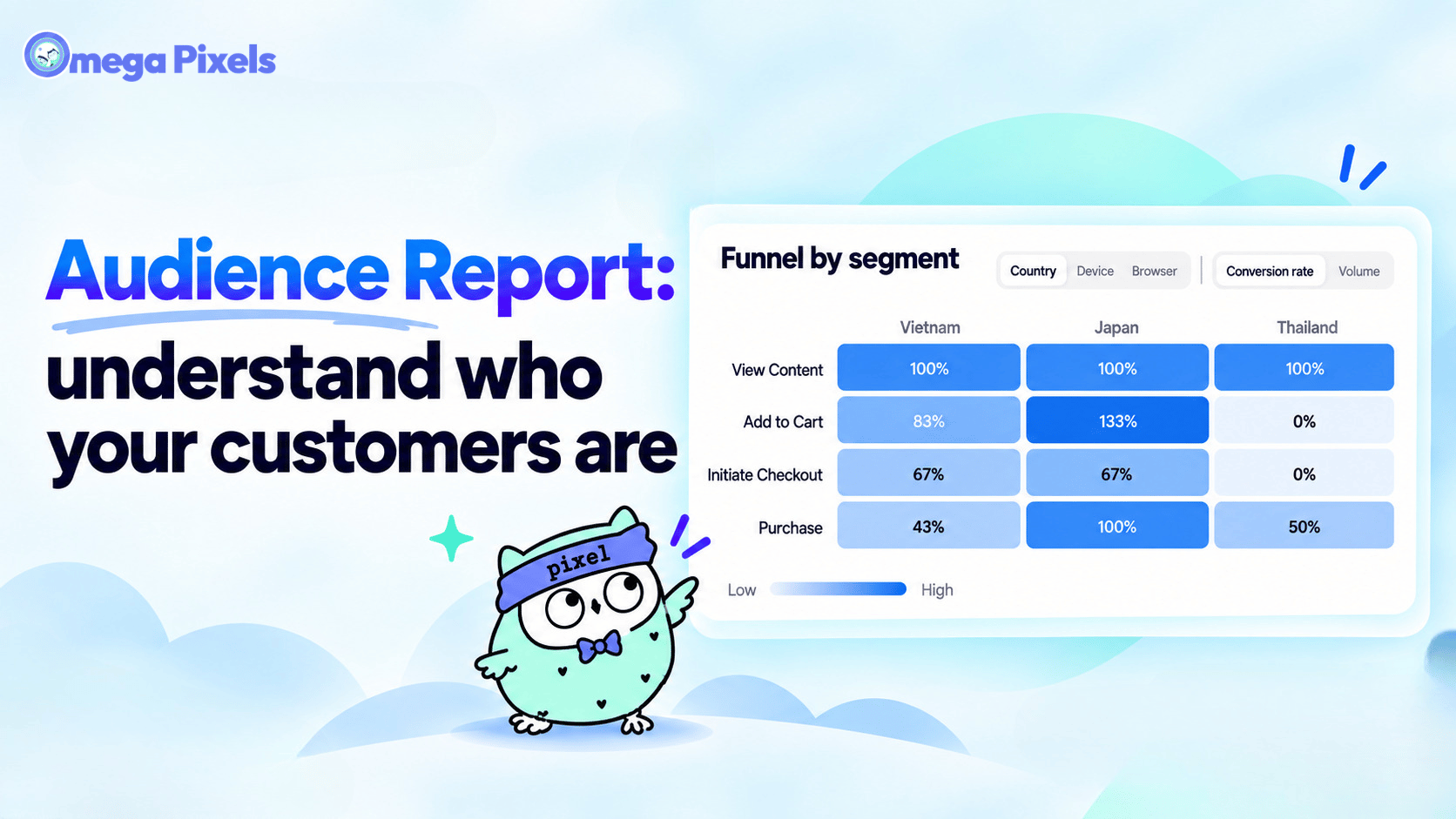
New in Omega Facebook Pixel: Audience Report
Sync Shopify Products to TikTok Shop directly with Omega TikTok Pixels
Transform Wix Storefronts with Shoppable Instagram Galleries: Omega Instagram Feed Launch
Stop Bots From Training Your Meta Ads: Introducing Bot & Fraud Protection
New in Omega Facebook Pixel: Audience Report

Automated TikTok Pixel Consent Tracking Is Now Live
Sync Shopify Products to TikTok Shop directly with Omega TikTok Pixels
Transform Wix Storefronts with Shoppable Instagram Galleries: Omega Instagram Feed Launch
Stop Bots From Training Your Meta Ads: Introducing Bot & Fraud Protection
New in Omega Facebook Pixel: Audience Report