Why Pay for Omega Facebook Pixel When Meta’s Facebook & Instagram App Is Free?


Meta offers a free Shopify app called Facebook & Instagram. It includes a pixel and the Conversions API. So why do some stores pay from $20.99 a month for Omega Facebook Pixel?
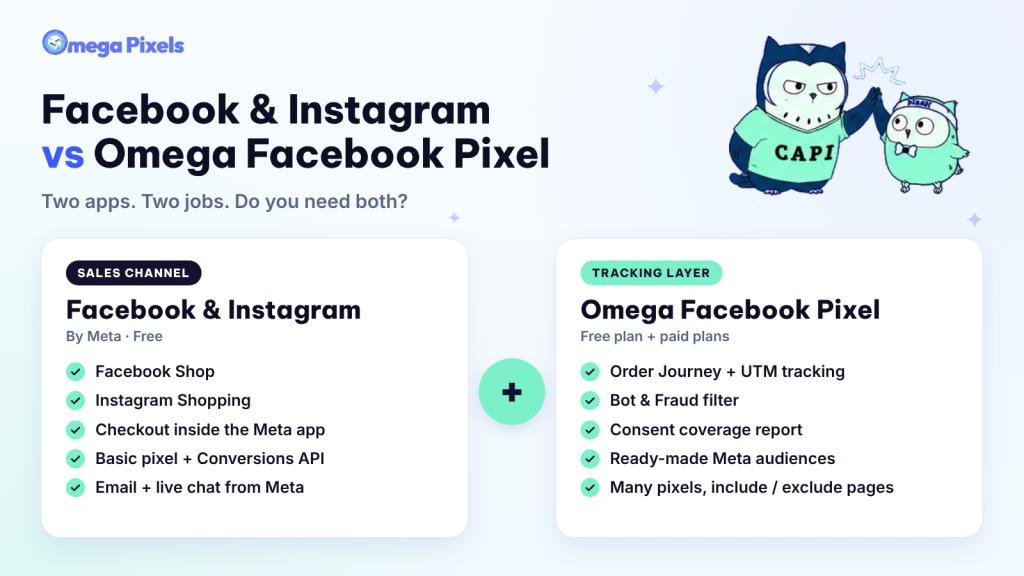
Short answer: the two apps do different jobs. Facebook & Instagram is a sales channel. It puts your products on Facebook Shop and Instagram Shopping. Omega Facebook Pixel is a tracking layer. It shows which ads drive orders and keeps the data you send to Meta clean. If you run no ads, the Meta app is enough. If you spend money on ads and want to scale, the free tracking will reach its limits.
We build Omega Facebook Pixels, so we have a stake in this answer. To keep the comparison fair, we compare the apps feature by feature. We say where the Meta app is strong. We link to sources you can check. Ratings and prices are current as of November 4, 2026.
Which app should you choose? A quick answer
| Your situation | Use | Why |
|---|---|---|
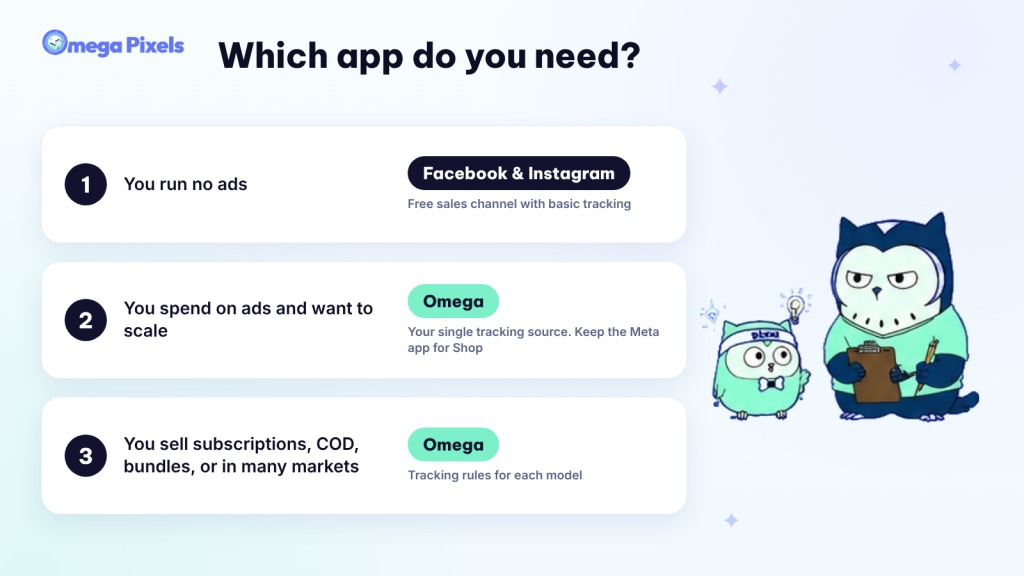
| You run no ads and want to sell on Facebook Shop or Instagram | Facebook & Instagram | It is free. It gives you a sales channel, checkout inside Meta, and basic tracking |
| You spend on ads and need to know which ad drives each order | Omega Facebook Pixels as your single tracking source; keep the Meta app for Shop | UTM and Order Journey, bot filtering, a consent report, and ready-made audiences |
| You sell subscriptions, COD, bundles, print-on-demand, or in many markets | Omega Facebook Pixels | Rules for each model and a separate pixel for each Shopify market |
| You want to test before you pay | Omega Facebook Pixels Free | 1 pixel and 1 Conversions API; server-side tracking covers 5 orders a month |
Where the Facebook & Instagram app is strong
Meta built this app, and it has been on Shopify since 2018. It is free to install, and you pay for ads through your ad account. The Shopify App Store shows a 3.9 rating from more than 5,800 reviews. The app is strongest as a sales channel:
- Facebook Shop and Instagram Shopping: your products appear on both. Shoppers can check out inside the Meta app.
- One product feed that syncs on its own: connect one time. One catalog serves your shop and your ads.
- Basic tracking: a pixel and the Conversions API, set through a data sharing switch.
- Support from Meta: email and live chat.
For tracking, Shopify’s docs describe three data sharing levels:
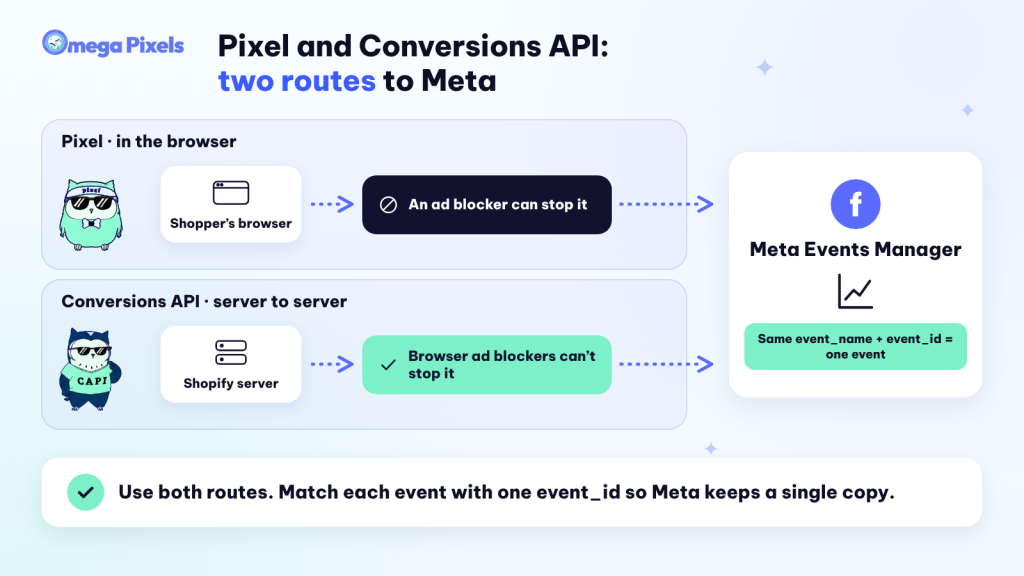
- Standard: uses the Meta pixel in the shopper’s browser. Shopify notes that a browser ad blocker can stop this pixel.
- Enhanced: adds the Conversions API. Your Shopify server sends the purchase event to Facebook’s server. A browser ad blocker cannot stop it. This level shares name, location, email, and phone number so Meta can match users.
- Maximum: uses the pixel and the API with Facebook’s latest ad tech. It shares the same buyer data as Enhanced.
These levels cover the basics for a small store that tests ads. The limits show up when you need control, not a switch. You may want to pick which events to send. You may want one pixel for each landing page. You may want to filter bots, or explain why Shopify and Ads Manager show different numbers. In those cases, the Meta app shows you the final number and nothing more.
Feature comparison: Facebook & Instagram vs Omega Facebook Pixel
This table comes from both app listings on the Shopify App Store (Facebook & Instagram, Omega Facebook Pixels) and their docs. We checked it on November 4, 2026.
| Capability | Facebook & Instagram | Omega Facebook Pixels |
|---|---|---|
| Sales channel (Facebook Shop, Instagram Shopping, checkout inside Meta) | Yes | No. Omega does not replace a sales channel |
| Number of pixels | One pixel at a time (you can switch, but not run several together) | Unlimited pixels at the same time on paid plans (Free includes 1) |
| Conversions API | On or off with the data sharing level; no detailed setup | Turns on when you create a pixel; unlimited on the Scale plan |
| Choose which events go to Meta | Pick Standard, Enhanced, or Maximum; no per-event choice | Switch View content, Add to cart, Checkout, Purchase, and more on or off for the pixel and the API |
| Choose which pages to track | Whole store; no page filter | Select or exclude by page and URL |
| Data for a new pixel | No | 7-day backfill of recent orders through the API |
| Trace each order to its ad (UTM and Order Journey) | No | Yes, with a 7-day last-click window |
| Filter bots and fake traffic before Meta | No | Yes; review each held event and resend within 7 days (Scale plan) |
| Consent coverage report (real funnel vs what Meta sees) | No | Yes, free on every plan |
| Ready-made Meta audiences | Basic Shop insights | 3 audiences: Recent buyers, Retarget shoppers, Find high-value buyers |
| Rules for subscriptions, COD, and bundles | No | Yes, with a preview of what Meta receives |
| Separate pixel for each Shopify market | No | Yes (Scale plan) |
| Proactive alerts | No | Email and Slack, plus Shopify Flow |
| Support | Email and live chat from Meta | 24/7 on every plan, including Free |
| Price | Free | Free plan; paid plans from $20.99 a month |
👉 Many merchants get one point wrong. You can run ads and sell without the Meta app. Omega can handle the pixel, the Conversions API, and the catalog. Your ads send shoppers to your Shopify store. You need the Meta app to sell on Facebook Shop or Instagram Shopping.
Five Omega Facebook Pixels features the Meta app does not have
Omega Facebook Pixel has a 4.9 rating from 1000+ reviews on the Shopify App Store. These five features matter most when you spend real money on ads.
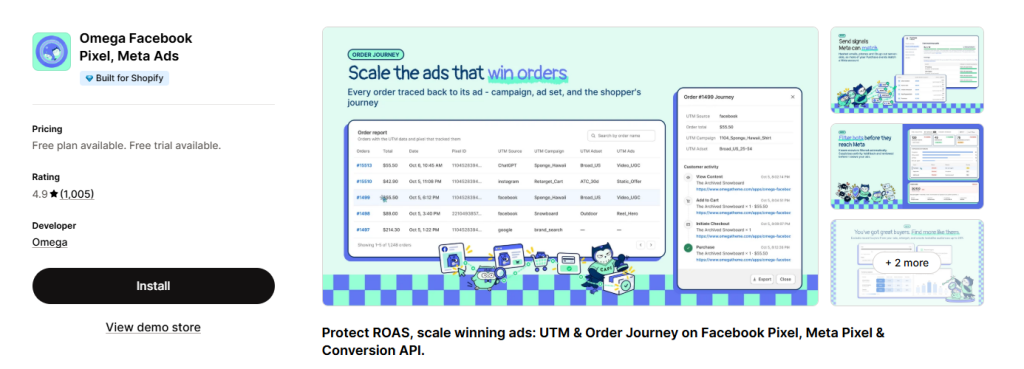
1. UTM tracking and Order Journey: see which ad drove order
Omega Facebook Pixels adds UTM data to each order. It rebuilds the path from ad click to purchase with a 7-day last-click window. Facebook & Instagram helps you run ads. It does not tell you which ad led to a given order.
Open an order in Omega Pixels. You see each step: Page view, View content, Add to cart, Initiate checkout, and Purchase. Each step shows a time, the product the shopper viewed, and the ad source. The Ads Report compares these numbers with Ads Manager. When the two differ, you have order-level data to find the cause. You do not have to guess.
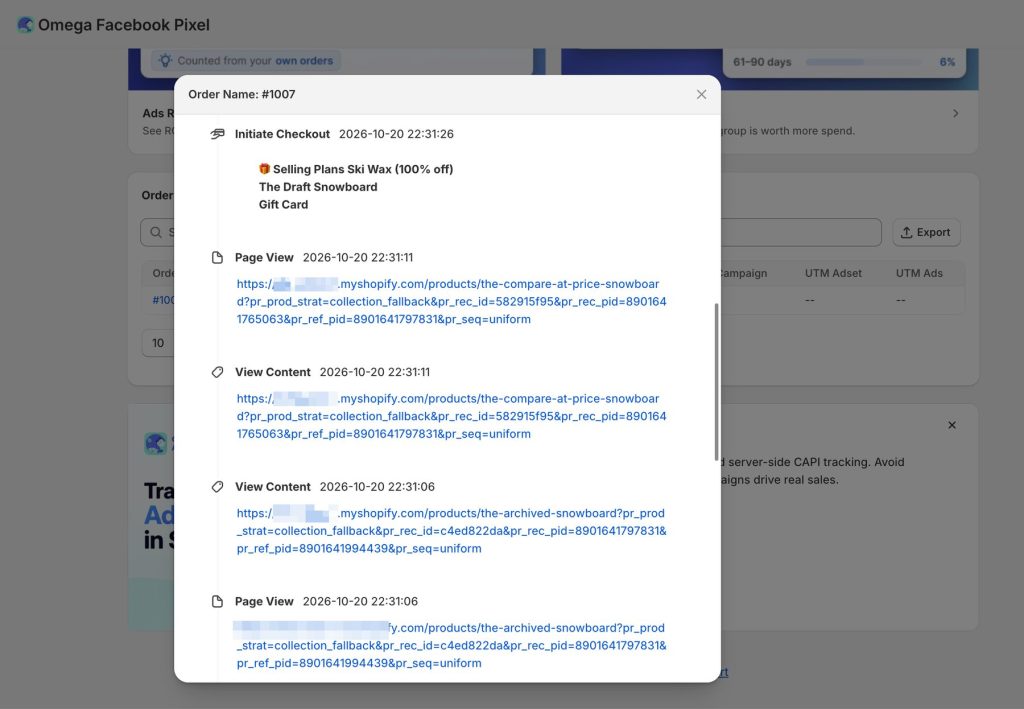
Why it matters: you learn which ads produce real orders. You scale the winners and stop the losers based on orders, not on the figures Meta reports.
2. Bot & Fraud: see what you block and decide what to do
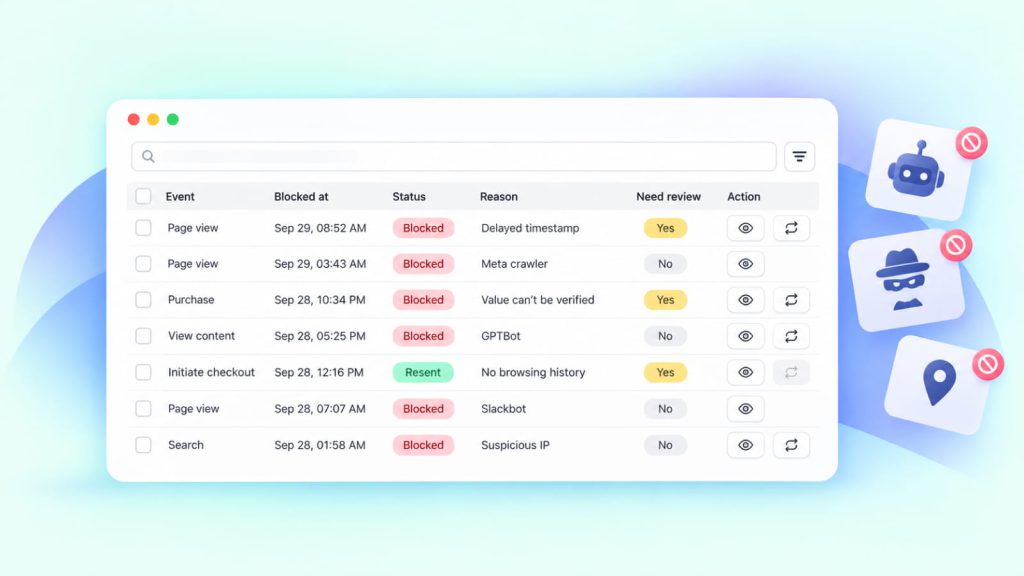
Omega Pixels filters suspect traffic before events reach Meta. It shows you every held event and the reason. Bots and click farms create fake orders. These orders make your ROAS look good but bring no sales. If those events reach Meta, the ad system keeps sending budget to the same traffic source.
- Verified bots: Omega spots known bots such as Googlebot, Meta’s crawler, and GPTBot.
- Event-level report: each held event has a trust score, a reason, and a next step.
- Resend after a false block: send an event again within 7 days (Scale plan). This matches the click window Meta uses in most setups.
- Blocked counts: when Shopify and Meta differ, you see how many events the filter held back.
💡 Every filter makes mistakes. What matters is this: you can review a blocked event and send it again. No black box swallows your data.
3. Consent: stay compliant without losing sight of your data
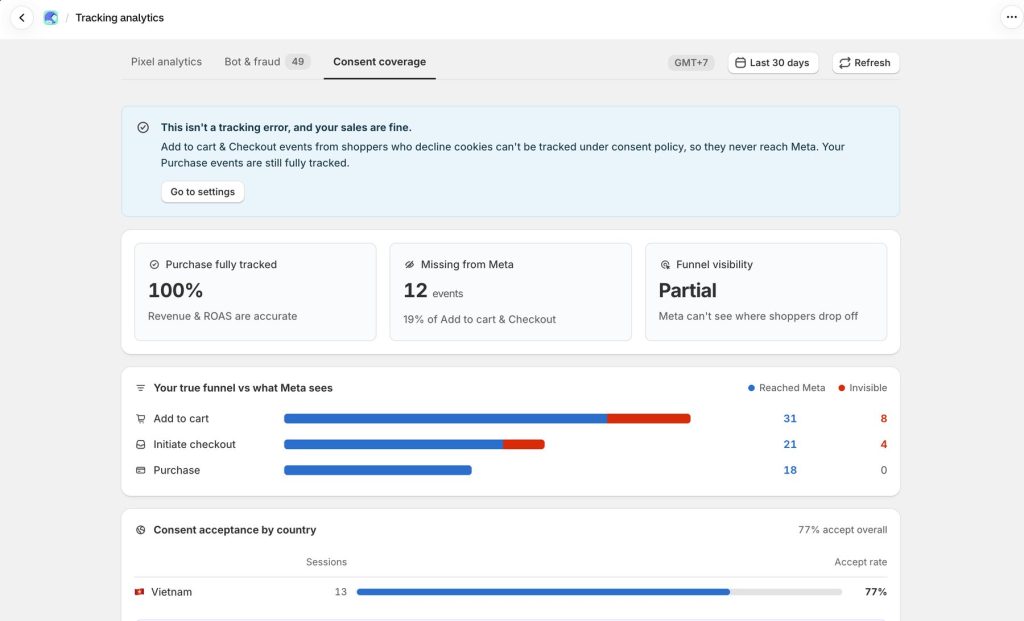
Omega Facebook Pixels handles consent by region and shows how many events you lose when shoppers decline cookies. You turn on a consent banner. Your tracking numbers drop. You cannot tell if tracking broke or shoppers said no. This is one of the most common reasons numbers do not match.
The Consent coverage report answers three questions. How many events reach Meta in full, in part, or not at all? How does your real funnel differ from the funnel Meta sees? What share of shoppers accept consent in each country? The report is free on every plan.
Consent is a legal topic, and rules differ by market. Shopify says your privacy policy and data sharing rules are your duty (see Shopify’s docs). Omega Pixels helps you measure and manage consent. Ask a legal expert which laws apply to your store.
4. Meta Audiences: turn insight into audiences you can run
Omega Pixels turns your store data into three ready-made audiences. You click Create, and the audience goes to Meta. The Audience Report shows which countries, devices, and campaigns convert, and which buyers return. Each insight has an action next to it:
- Recent buyers: remove people who have bought from your new-customer campaigns. You stop paying to reach them.
- Retarget shoppers: reach people who viewed a product, added to cart, or started checkout but did not buy.
- Find high-value buyers: a lookalike audience built from your best buyers, up to 20% on the Scale plan.
About that 20%: Ads Manager caps a hand-built lookalike audience at 10% of a country’s people. A wider audience gives you more reach but looks less like your source buyers. Test each size before you commit budget.
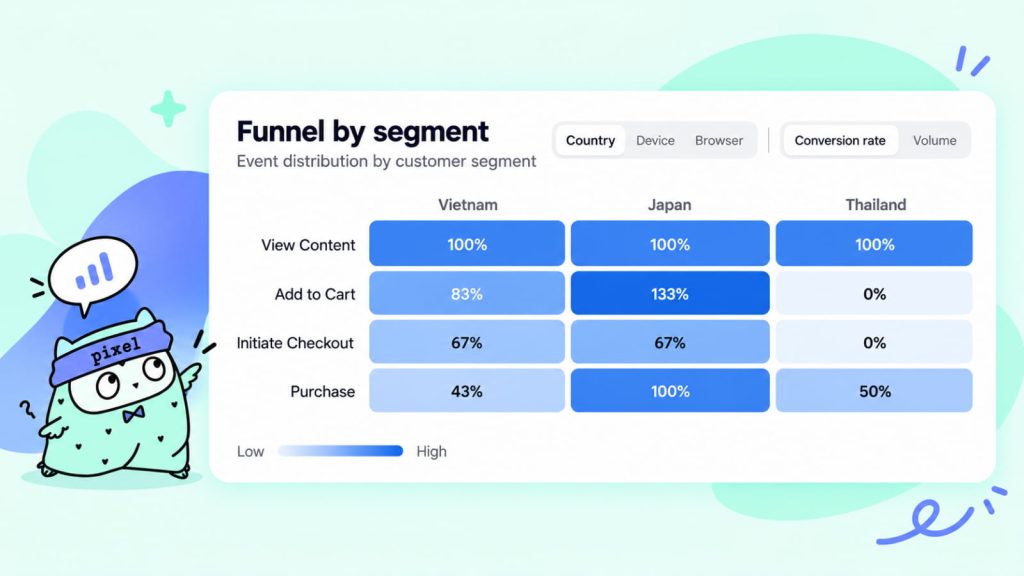
5. Multiple pixels and page control (include and exclude pages)
Omega Pixels runs an unlimited number of pixels at the same time. Each pixel tracks all pages, selected pages, or all pages except the ones you exclude. The Meta app connects one pixel at a time and tracks the whole store.
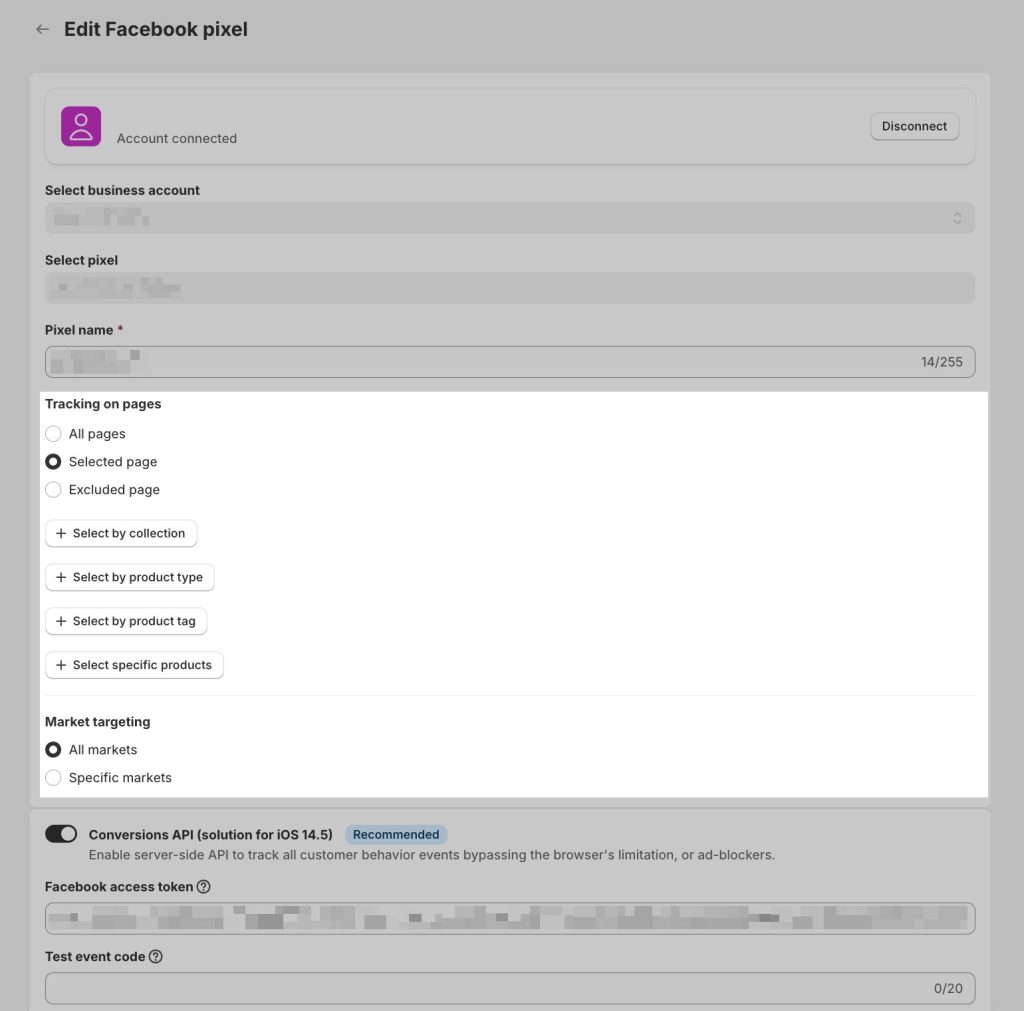
When do you need several pixels? You need them when a niche, market, or funnel has its own group of buyers. You want Meta to learn from that group. These are examples:
- Split by niche: pixel A tracks skincare. Pixel B tracks accessories. Each pixel learns one group of buyers.
- Exclude unrelated pages: leave out a wholesale or internal page. Its events add noise to your data.
- Split by landing page: give each funnel you test its own pixel and measure it on its own.
- Split by market: route each Shopify Market to its own pixel to retarget the right audience (Scale plan).
You can switch each event on or off for the pixel and for the API. You do not have to turn on the whole set. A new pixel does not start from zero. Omega Pixels backfills your last 7 days of orders through the API. A new pixel has data to learn from.
Event Match Quality (EMQ) shows how many of your events Meta can match to real people. The scale runs from 0 to 10. Common benchmarks set the floor at 6. They set the target for Purchase events at 8 or higher. Some Omega reviews on the Shopify App Store report a Purchase EMQ of 9 or higher. Your result depends on the customer data your store collects.
Tracking rules for subscriptions, COD, bundles, and many markets
Default tracking counts and sends every order and event the same way. For some business models, that inflates your numbers. Meta learns the wrong lessons from them. Omega Pixels’s Advanced tracking lets you send the right events for how you sell. A preview shows what Meta receives:
| What you sell | Common problem | What Omega Pixels does |
|---|---|---|
| Subscriptions | Renewals count as ad orders, so ROAS looks too high | Tracks the first order and skips renewals |
| COD or pay later | Meta optimizes for placed orders that shoppers have not paid for | Sends Purchase after the order is paid or fulfilled |
| Bundles and gift sets | One click that adds a 3-item bundle becomes 3 Add to Cart events | Add to cart rules count a bundle as 1 event, or count the main product and skip the rest. Tested with Kaching Bundles, Fly Bundles, Easy Bundle Builder, Moon Bundles, and Wide Bundles |
| Print-on-demand and many variants | The catalog grows large, items share names, and Dynamic Ads fail to match | Groups variants by product and warns you when the pixel and catalog do not match |
| Many markets | One pixel mixes every market, and retargeting blurs | Routes each Shopify market to its own pixel |
Omega Pixels manages your catalog and feeds. You can sync products by collection, tag, or single product. You can leave out $0 products and gift cards. You can set a sync schedule in your store’s time zone. Omega Pixels sends email and Slack alerts. They fire when orders fall below the usual level. They fire when the Facebook link expires or the app embed turns off.
Will both apps double-count events?
Yes, they can, if both apps send events to Meta. Meta drops a duplicate when the pixel and the Conversions API send the same event_name and event_id. Both must arrive within 48 hours. Two separate apps may not share an event ID. One shopper action can count two times. Your numbers in Ads Manager rise, and Meta optimizes on wrong data. Omega Pixels’s help center gives the same advice: use one pixel source for each Pixel ID (setup guide).
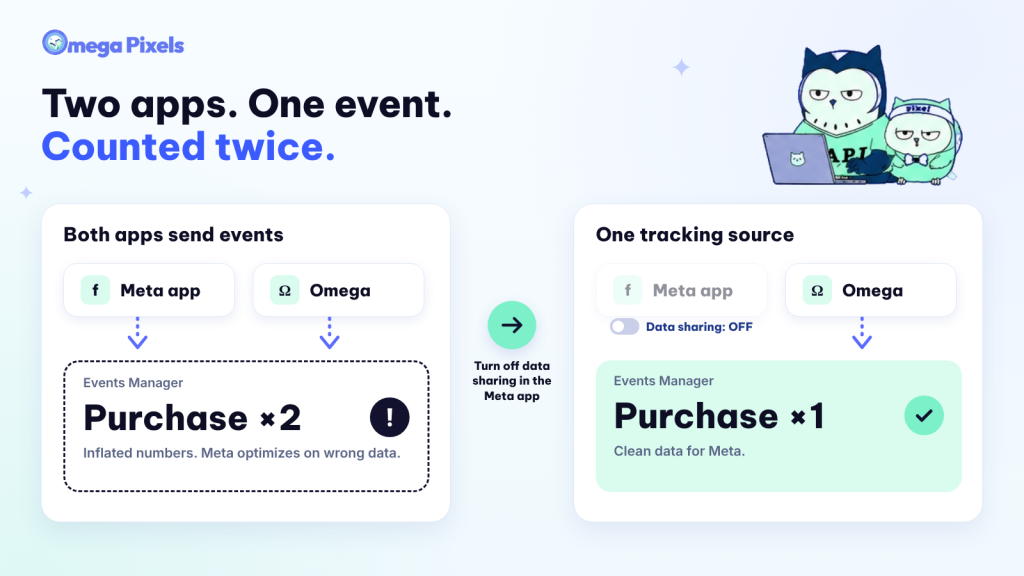
The clean fix: keep the Meta app for Facebook Shop and turn off its data sharing. Let Omega act as your single tracking source.
- Step 1: in Shopify admin, go to Sales channels > Facebook & Instagram > Settings > Data sharing settings. In the Customer data sharing section, turn off data sharing.
- Step 2: install Omega and turn on the app embed in the theme editor. Set Omega Pixel’s time zone to match your Meta ad account. Timestamps in Events Manager will match.
- Step 3: reuse your existing Pixel ID in Omega Pixels. The Pixel ID and its history stay on Meta, so the learning phase does not reset.
- Step 4: look for leftover pixels in Shopify Settings > Preferences, Google Tag Manager, and theme code.
- Step 5: open Test events in Events Manager and place a test order. Check that each event appears one time.
👉 Do step 1 before you compare numbers between the apps. If you skip it, you compare two sources that add on top of each other.
What does Omega Facebook Pixels cost, and does it pay off?
Omega Pixels has three plans. The Growth price depends on two things: your Shopify plan and the number of active products. Prices are monthly, in USD. Annual billing saves 20%, and a 7-day trial is available. Check the current price on the Shopify App Store before you buy.
| Shopify plan | Growth ≤100 products | Growth ≤1,000 products | Growth ≤5,000 products | Scale (unlimited) |
|---|---|---|---|---|
| Basic / Grow | $20.99 | $25.99 | $29.99 | $49.99 |
| Advanced | $35.99 | $45.99 | $55.99 | $79.99 |
| Plus | $45.99 | $55.99 | $65.99 | $99.99 |
- Free: 1 pixel, 1 Conversions API, 5 orders a month, and 1 catalog feed with weekly sync. At the limit, server-side tracking pauses until next month. You keep the Audience Report, Advanced tracking, alerts, and 24/7 support.
- Growth: for stores that run ads each week. It has no limit on pixels. It adds the Ads Report, Event activities, and 3 feeds with daily sync.
- Scale: for large or multi-market stores. It has no limit on Conversions API, feeds, or products. Each market gets its own pixel. Support priority is the highest.
To judge the cost, compare it with your ad budget. Do not compare it with the zero price of a free app:
Tracking cost ÷ ad budget = monthly Omega Pixels fee ÷ monthly ad spend
Example, not a measured result: a Basic store has 800 products. It spends $3,000 a month on ads and uses the $25.99 Growth plan. Tracking costs $25.99 ÷ $3,000 ≈ 0.87% of the budget.
Suppose cleaner data helps you move 1% of your budget from weak ads to strong ads. In this example, the plan pays for itself. Use the Free plan or the 7-day trial to test this on your own store before you decide.
The bottom line: how to choose
- You run no ads and want a presence on Facebook and Instagram: the Meta app is enough.
- You spend on ads and want to scale: make Omega Facebook Pixels your single tracking source. Turn off data sharing in the Meta app, and keep the app for Facebook Shop. With one source, your data is clean. You see which ad drives each order. You read clear insights and build audiences from real data.
- You sell subscriptions, COD, bundles, print-on-demand, or in many markets: default tracking gets these models wrong most. Turn on the matching Omega Facebook Pixels rule so the numbers you send to Meta reflect real revenue.
💡 Want to check for yourself? Install Omega Facebook Pixel free on Shopify, turn off data sharing in the Meta app, and run Test events. After a week, compare the numbers in Shopify, Ads Manager, and Omega Pixels. Support runs 24/7 on every plan, including Free.
Common questions
Will installing both apps create duplicate events?
They can. Both apps send events such as PageView, Add to Cart, and Purchase to Meta. Meta drops a duplicate when event_name and event_id match. Two separate apps may count one action two times. The safe path is to keep one source. If you choose Omega, turn off data sharing in Facebook & Instagram. The app stays in place for Facebook Shop.
Do I need to uninstall the Facebook & Instagram app to use Omega?
No. Keep the app for Facebook Shop and Instagram Shopping. Turn off its data sharing in the channel settings. This takes a few minutes. Your old data stays on Meta. Your Pixel ID and history remain. If you reuse the Pixel ID, the learning phase does not reset.
Does Omega Facebook Pixels replace Facebook Shop and Instagram Shopping?
No. Omega Facebook Pixel is not a sales channel. You need the Meta app if shoppers should buy on Facebook Shop or check out inside Meta. Omega Facebook Pixel handles the pixel, the Conversions API, the catalog for ads, and tracking reports.
What can I do on the Omega Facebook Pixels Free plan?
Enough to test whether the app fits your store. You get 1 pixel and 1 Conversions API. You keep the Audience Report, Advanced tracking, and all alerts. The main limit is 5 orders a month for server-side tracking. At that limit, server-side tracking pauses until next month.
How does the Conversions API differ from the pixel, and why use both?
The pixel runs in the shopper’s browser, so an ad blocker can stop it. The Conversions API sends data from server to server. A browser ad blocker cannot stop it (per Shopify’s docs). Using both gives Meta more complete data. Match events with an event_id so Meta can remove duplicates.
- 1 Which app should you choose? A quick answer
- 2 Where the Facebook & Instagram app is strong
- 3 Feature comparison: Facebook & Instagram vs Omega Facebook Pixel
- 4 Five Omega Facebook Pixels features the Meta app does not have
- 4.1 1. UTM tracking and Order Journey: see which ad drove order
- 4.2 2. Bot & Fraud: see what you block and decide what to do
- 4.3 3. Consent: stay compliant without losing sight of your data
- 4.4 4. Meta Audiences: turn insight into audiences you can run
- 4.5 5. Multiple pixels and page control (include and exclude pages)
- 5 Tracking rules for subscriptions, COD, bundles, and many markets
- 6 Will both apps double-count events?
- 7 What does Omega Facebook Pixels cost, and does it pay off?
- 8 The bottom line: how to choose
- 9 Common questions
- 9.1 Will installing both apps create duplicate events?
- 9.2 Do I need to uninstall the Facebook & Instagram app to use Omega?
- 9.3 Does Omega Facebook Pixels replace Facebook Shop and Instagram Shopping?
- 9.4 What can I do on the Omega Facebook Pixels Free plan?
- 9.5 How does the Conversions API differ from the pixel, and why use both?
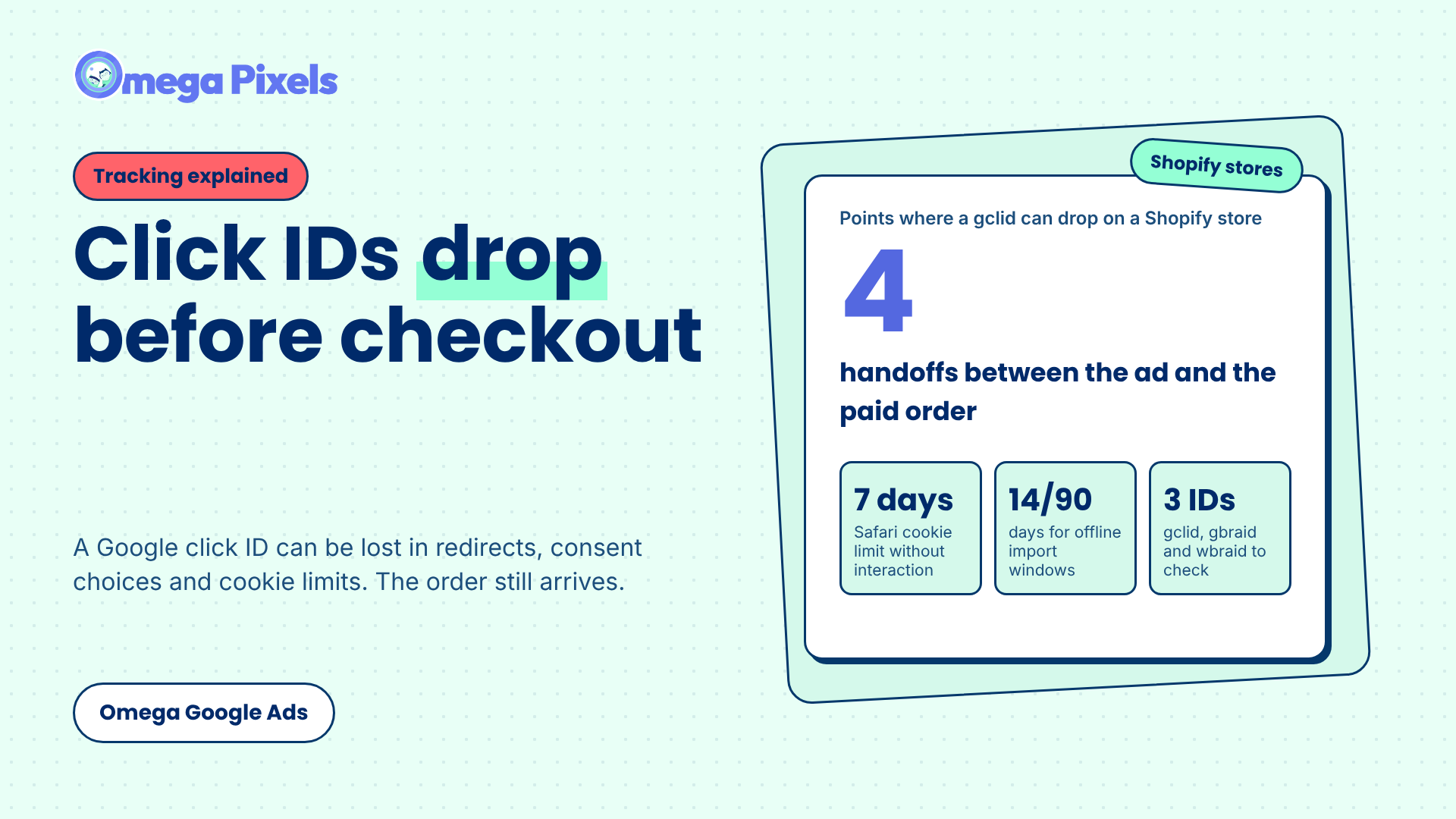
Where Google Click IDs Get Lost Between the Ad and Checkout
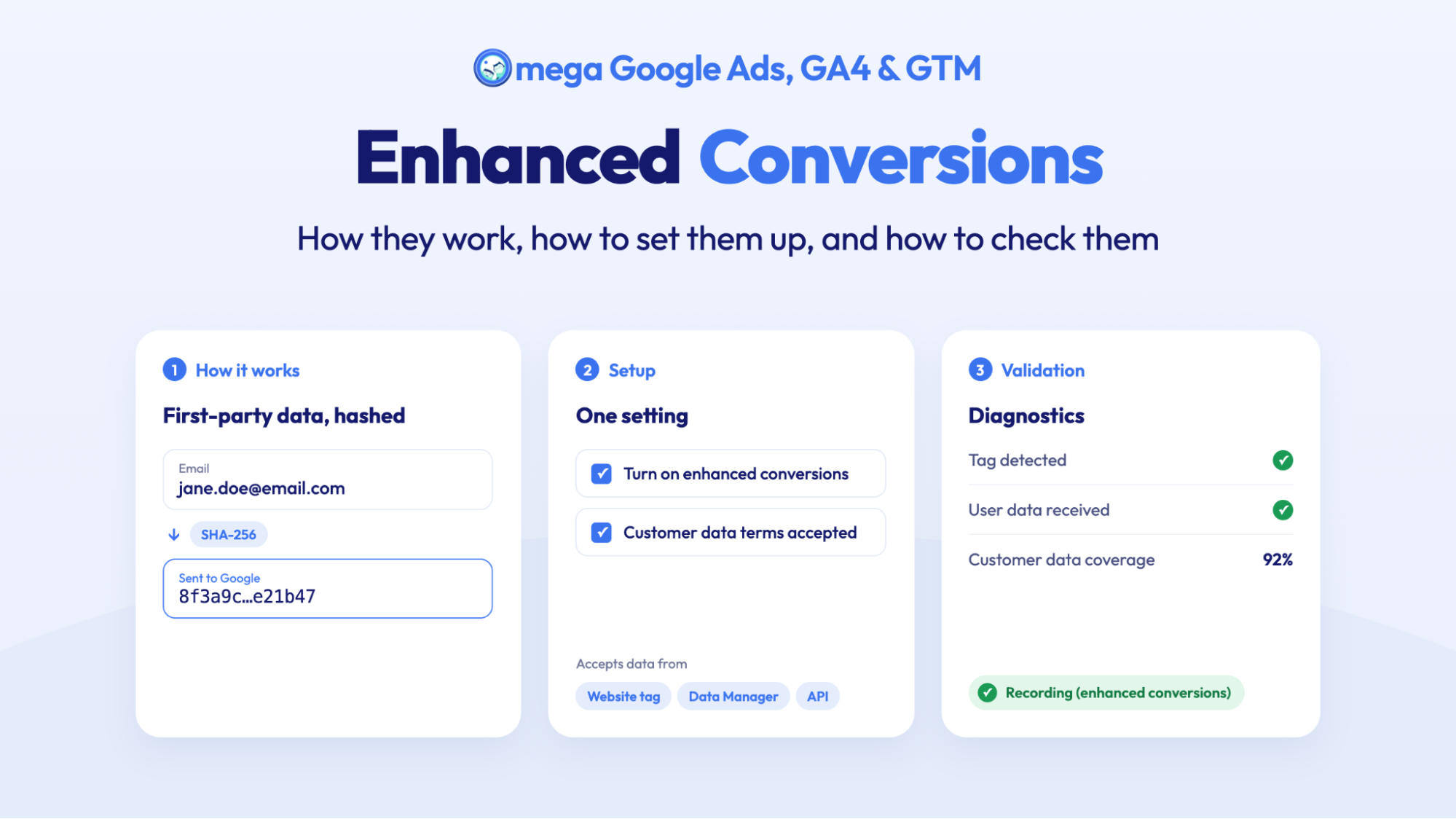
Enhanced Conversions in Google Ads: Turned On Isn’t the Same as Working
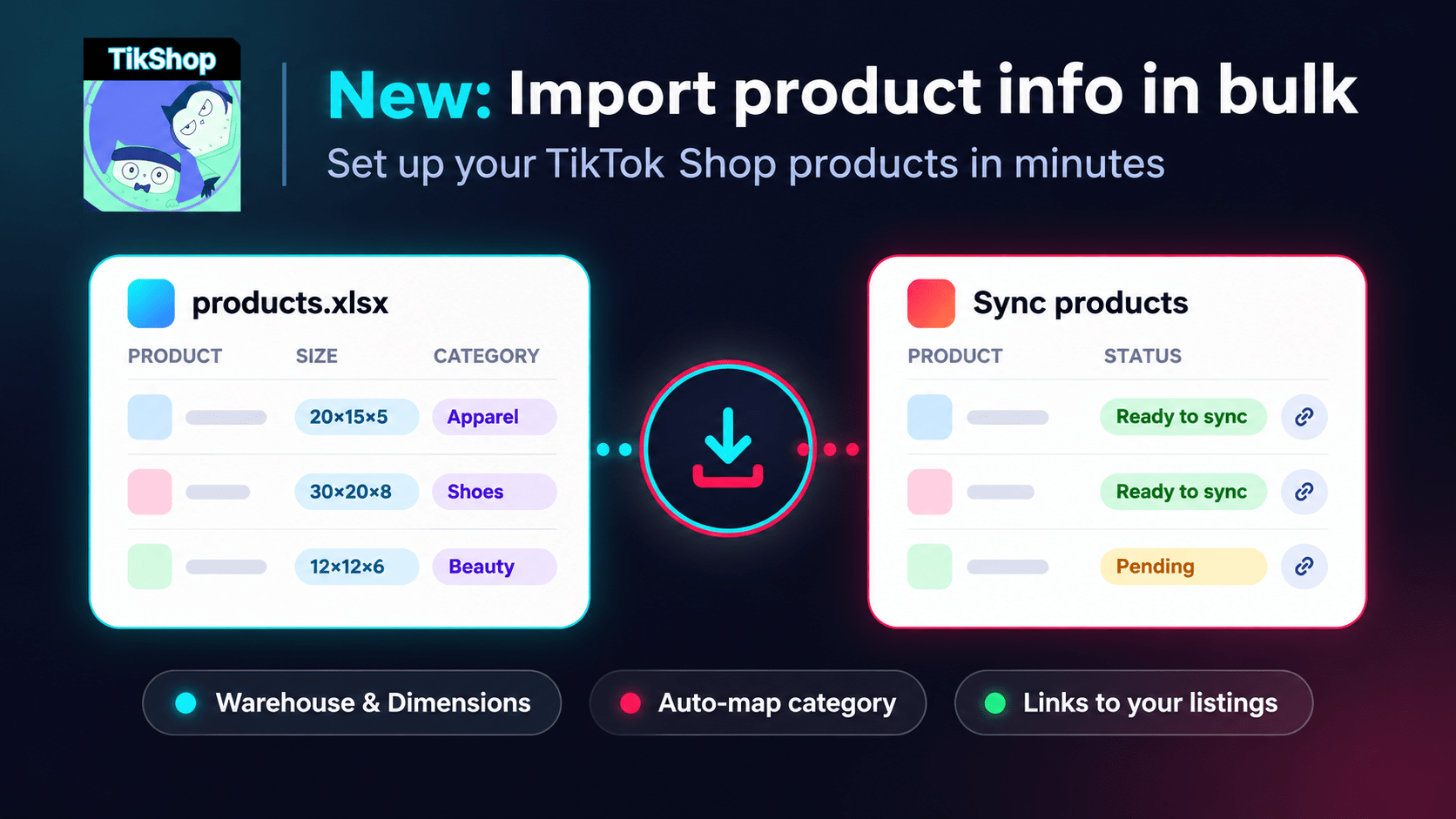
Bulk Import Product Info to TikTok Shop from Wix
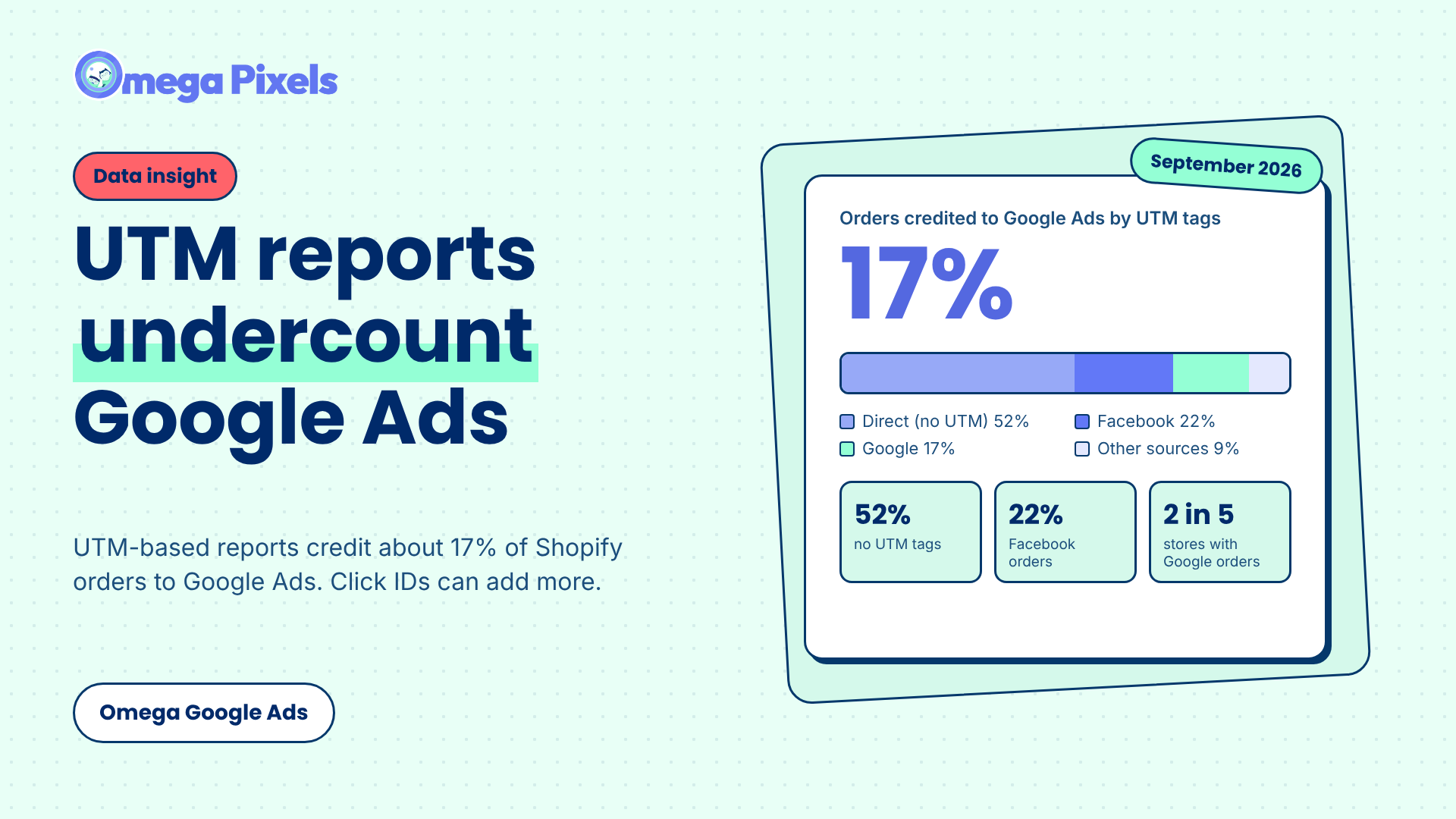
Google Ads Shopify Orders: How Many Are Tracked?
Where Google Click IDs Get Lost Between the Ad and Checkout
Enhanced Conversions in Google Ads: Turned On Isn’t the Same as Working
Bulk Import Product Info to TikTok Shop from Wix
Google Ads Shopify Orders: How Many Are Tracked?
Google Ads Conversion Adjustment for Refunds on Shopify
Where Google Click IDs Get Lost Between the Ad and Checkout
Enhanced Conversions in Google Ads: Turned On Isn’t the Same as Working
Bulk Import Product Info to TikTok Shop from Wix
Google Ads Shopify Orders: How Many Are Tracked?