Shopify Direct Traffic Isn't Always Direct


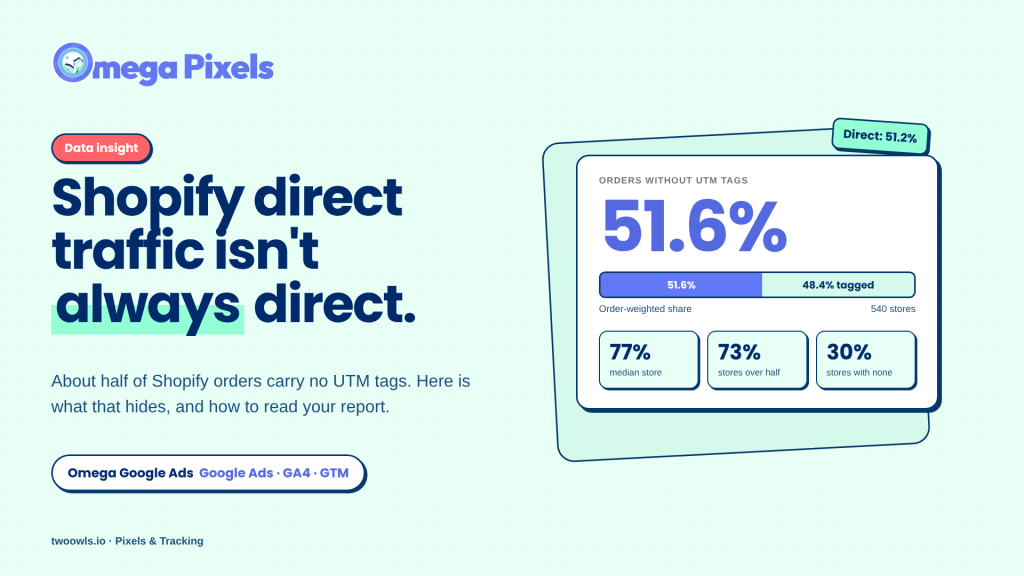
Shopify direct traffic is supposed to mean shoppers who typed your address or opened a bookmark. In a typical order report, though, Direct also collects orders where the source was never recorded. Across hundreds of Shopify stores running Google Ads, about half of all orders carried no UTM tags. This article explains why that happens, what the numbers show, and how to read your own report with more care.
Those orders are not all the same. Some are real visits from search, a bookmark or a typed address. Others are Google Ads clicks tracked with a different identifier, and some were lost on the way to checkout. A single Direct number cannot tell them apart.
What Shopify direct traffic includes in your order report
In Google Analytics 4, a visit is reported as Direct when its source is (direct) and its medium is (not set) or (none), which means no referring site and no campaign tags. Shopify's reports describe Direct more narrowly, as a shopper who entered your store's URL, and list a visit with no identifiable marketing source under its referring channel. The bucket is useful, but it is broad. It can include a shopper who types your domain, a shopper who opens a link inside an app that does not pass the referrer, an ad click whose parameters were removed by a redirect, and a link that was published without any tags at all.
Because these cases look the same in the report, a large Direct share is a reason to ask questions. It is not a conclusion.
How UTM tags show where an order came from
A UTM tag is a set of parameters added to the end of a link. The tags travel with the visit, so an order can be matched to the source, channel and campaign that brought it in. Google's URL builder guidance defines each parameter.
The three most common parameters are:
- utm_source: the site or app that sent the visit, such as facebook or newsletter.
- utm_medium: the type of channel, such as paid_social, email or sms.
- utm_campaign: the campaign name, so orders can be matched to a specific campaign.
Why an Shopify order can have no UTM tag
Several common situations produce orders without UTM tags. Not all of them are errors.
| Cause | Tagging error? | What it looks like in reports |
|---|---|---|
| Google Ads auto-tagging is on | No, by design | Google click ID present, no UTM tags |
| Ad, email or SMS link published without UTM parameters | Yes | Often Direct, or grouped under the referring site |
| Redirect, URL shortener, or a long URL cut short by Shopify dropped the parameters | Not always | Direct, or the wrong source |
| In-app browser that sends no referrer | Not in your control | Direct |
| Shopper typed the address or used a bookmark | No | Direct, correctly |
The first row causes the most confusion. Google's auto-tagging guidance says that when auto-tagging is enabled, GA4 prioritizes it over manual tagging because there is no override option. A correctly auto-tagged Google click can therefore carry a gclid and no UTM tags. In that case, the missing UTM tags are expected.
The redirect row is easy to miss. Shopify limits how many characters a URL can hold, about 250, and a long product or landing page link can be cut short before the shopper arrives. The parameters sit at the end of the URL, so UTM tags are the first thing lost. The visit then loads without the tags, and the order is reported as Direct or under the wrong source, even though the link was tagged correctly when it was published. Check the full length of each tagged link before you publish it, especially long product URLs and links that pass through a redirect or a shortener.
Google Ads auto-tagging and click identifiers
When auto-tagging is on, Google adds a parameter called gclid to the landing page URL of each ad click. Two related identifiers apply to iOS clicks, as described in Google's iOS 14 campaign measurement guidance:
- gclid: the standard click identifier for ad clicks on the web.
- gbraid: helps measure app conversions driven by ad campaigns on iOS, when auto-tagging is enabled for iOS 14.5 and later clicks.
- wbraid: helps attribute website conversions from ad clicks on iOS 14.5 and later back to your campaigns.
For a standard web store, gclid is the usual identifier. An order can therefore show a Google identifier with no UTM tag at all. Before you decide that Google Ads orders are missing, check which identifiers your orders carry.
Check before you fix: if auto-tagging is on, a Google Ads order without UTM tags may be tracked correctly. Manual UTM tags added to Google Ads links can interact with auto-tagging, so change one setting at a time and check the result.
What the data shows across hundreds of stores
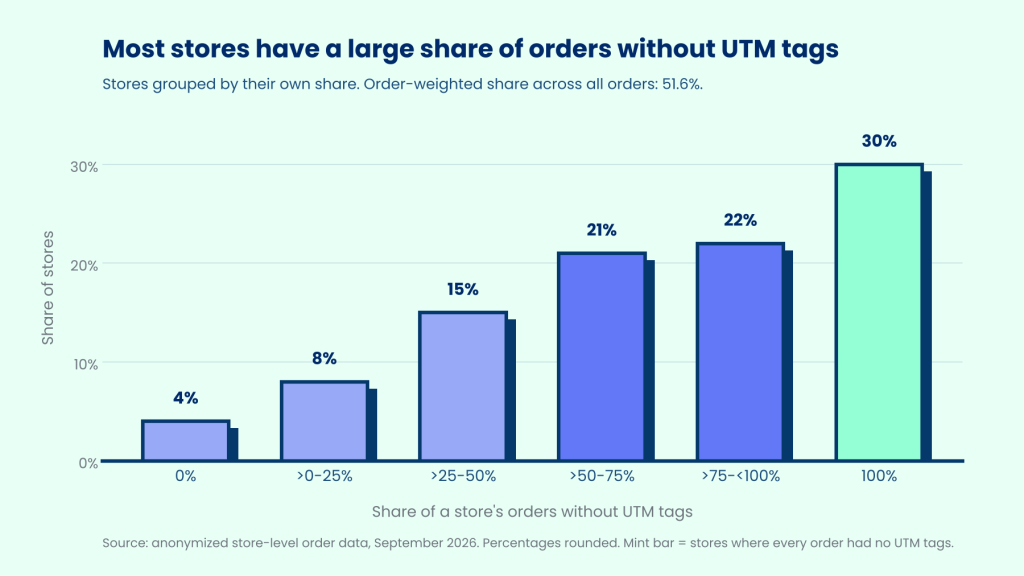
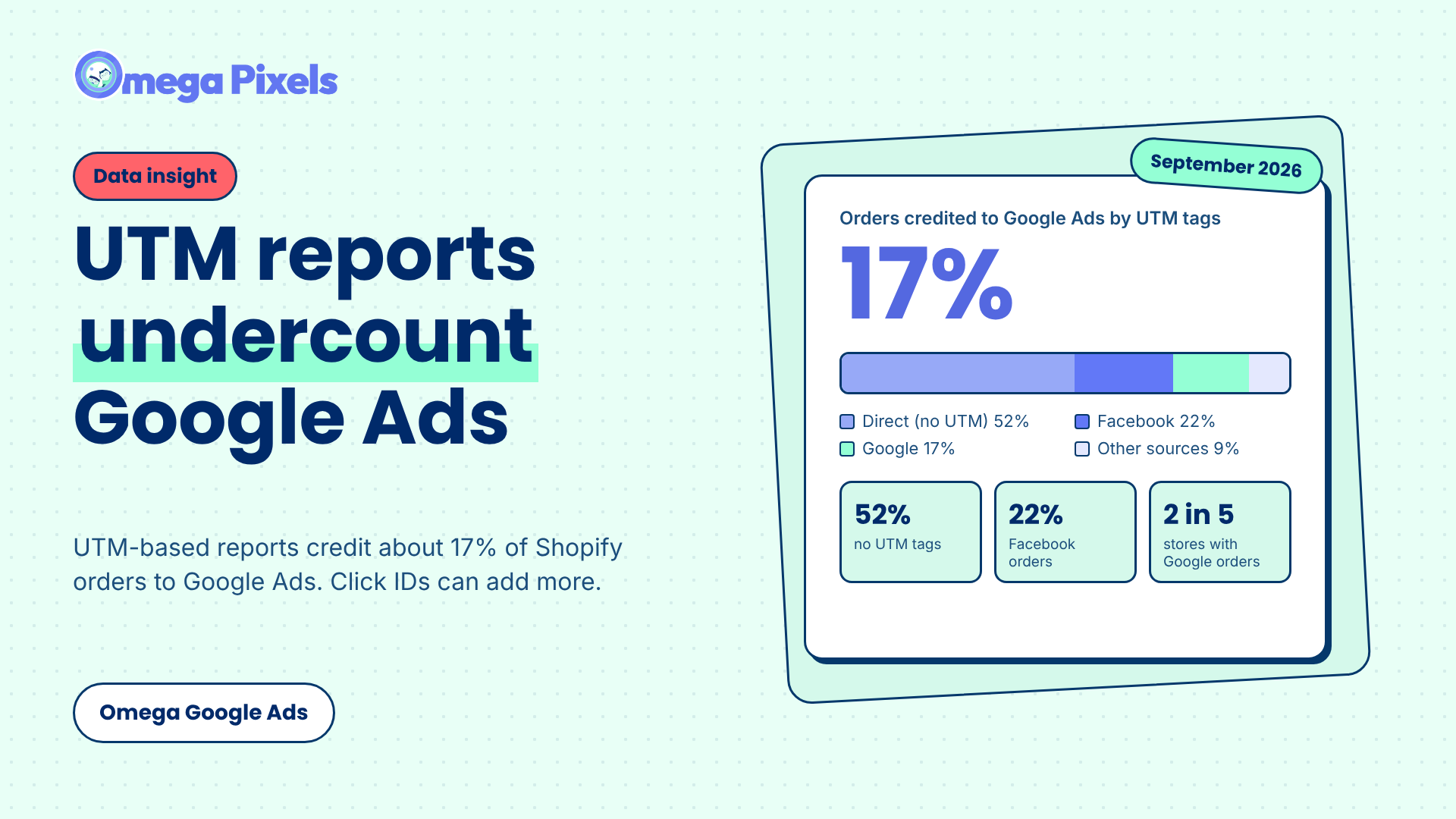
In many Shopify stores running Google Ads, a large share of orders carries no UTM tag at all, often because of untagged email or SMS links, redirects that strip parameters, or in-app browsers. To see how common this is, we looked at aggregated, anonymized order data across hundreds of Shopify stores running Google Ads in September 2026.
51.6%
of all orders had no UTM tags, weighted by order volume.
77%
is the median store's share of orders without UTM tags.
73%
of stores had more than half their orders without UTM tags.
30%
of stores had no UTM tags on any order.
Direct follows the same gap
In the stores we observed in September 2026, Direct accounted for 51.2% of orders, close to the 51.6% without UTM tags. This suggests that much of what reports label Direct is orders where the link did not state a source. Some are genuine direct visits. Because each tool defines Direct differently, the same label can mean different things in different reports. The report alone cannot separate the two, which is why Direct on its own is a weak signal of brand strength.
Smaller stores show a higher share
Stores with fewer than 100 orders had a higher share without UTM tags (66.5%) than stores with 100 or more orders (50.8%). The data does not show why. Smaller stores may run fewer campaigns, change links more often, or have a different traffic mix. Treat this as a pattern to check in your own store, not a conclusion about store size.
Why this changes budget decisions
Budget decisions are often made quickly, based on what the report shows this week. If paid orders land in Direct, a campaign can look weaker than it is. If a store treats Direct as proof of brand demand, it may undervalue the campaigns that created that demand.
- Scaling: a campaign that looks weak in a Direct-heavy report may be under-credited.
- Pausing: a channel with no UTM tags can seem to disappear from the report, even when it still drives sales.
- Brand reading: a high Direct share does not prove that your brand is strong.
How to check Shopify direct traffic in your own store
Quick check (4 steps)
- Measure your share. Open your orders report and find the share of orders with no UTM source.
- Split by channel. See whether no-UTM orders cluster in Google, paid social, email or SMS. A cluster in email or SMS points to a tagging gap. A cluster in Google may reflect auto-tagging.
- Confirm your auto-tagging setting. If auto-tagging is on, expect a gclid rather than UTM tags on Google orders.
- Tag every other link. Use UTM parameters on paid social, email, SMS and partner links, with one naming pattern across the team. Retest after you change landing pages, domains or redirects.
Before you scale or pause a campaign, compare Google Ads conversions with your order report, your UTM coverage and your click ID coverage.
How Omega Google Ads helps
Omega Google Ads keeps the Google click ID (gclid for standard web clicks, and gbraid or wbraid for certain iOS journeys) from the moment a shopper lands on your store until the order is placed. This helps keep Google Ads orders attributed to the campaign that brought them, even when the order has no UTM tags. If a long URL is cut short and its parameters are lost, Omega Google Ads can still recover the click ID, so the order stays linked to the Google Ads click. It also visualizes traffic attribution each month, so you can follow trends without building the report by hand.
It does not remove every gap. Consent choices, browser privacy settings and Google's own reporting delays still apply. Omega Google Ads does not make Google's reports update instantly.
Limits of this analysis
- One month: the figures cover September 2026 only.
- UTM tags, not click IDs: the analysis measures whether an order has UTM tags, not whether it carried a Google click ID.
- Your store may differ: the percentages describe this group of stores and may not match your own.
- Results change: a different month or a different mix of stores will produce different numbers.
Frequently asked questions about Shopify direct traffic
What is a UTM tag?
A UTM tag is a set of parameters, such as utm_source and utm_medium, added to a link. It tells analytics which source, medium and campaign sent the visitor.
Why does Shopify direct traffic look so high?
Direct includes real direct visits, but it also includes visits and orders where the link carried no source information. Both appear in the same bucket.
Do Google Ads orders need UTM tags?
Not always. With auto-tagging on, Google Ads adds a gclid to the landing page URL, so an order can be attributed without UTM tags. Check your auto-tagging setting before you add manual tags.
Do I need UTM tags on every link?
For paid social, email, SMS and partner links, yes. Consistent tags make your reports easier to read and easier to trust.
Check your Direct share this week
Open your orders report and compare your no-UTM share with the figures in this article. If the number is high, start with the channel split. Most of the fix is a tagging habit, and it is easier to set up before the next campaign launches.
See where your orders really come from
Omega Google Ads helps keep Google Ads orders attributed to the campaign that brought them.
Install Omega Google Ads
- 1 What Shopify direct traffic includes in your order report
- 2 How UTM tags show where an order came from
- 3 Why an Shopify order can have no UTM tag
- 4 Google Ads auto-tagging and click identifiers
- 5 What the data shows across hundreds of stores
- 6 Why this changes budget decisions
- 7 How to check Shopify direct traffic in your own store
- 8 How Omega Google Ads helps
- 9 Limits of this analysis
- 10 Frequently asked questions about Shopify direct traffic
- 11 Check your Direct share this week
- 12 See where your orders really come from
Where Google Click IDs Get Lost Between the Ad and Checkout
Enhanced Conversions in Google Ads: Turned On Isn’t the Same as Working
Bulk Import Product Info to TikTok Shop from Wix
Google Ads Shopify Orders: How Many Are Tracked?
Where Google Click IDs Get Lost Between the Ad and Checkout
Enhanced Conversions in Google Ads: Turned On Isn’t the Same as Working
Bulk Import Product Info to TikTok Shop from Wix
Google Ads Shopify Orders: How Many Are Tracked?
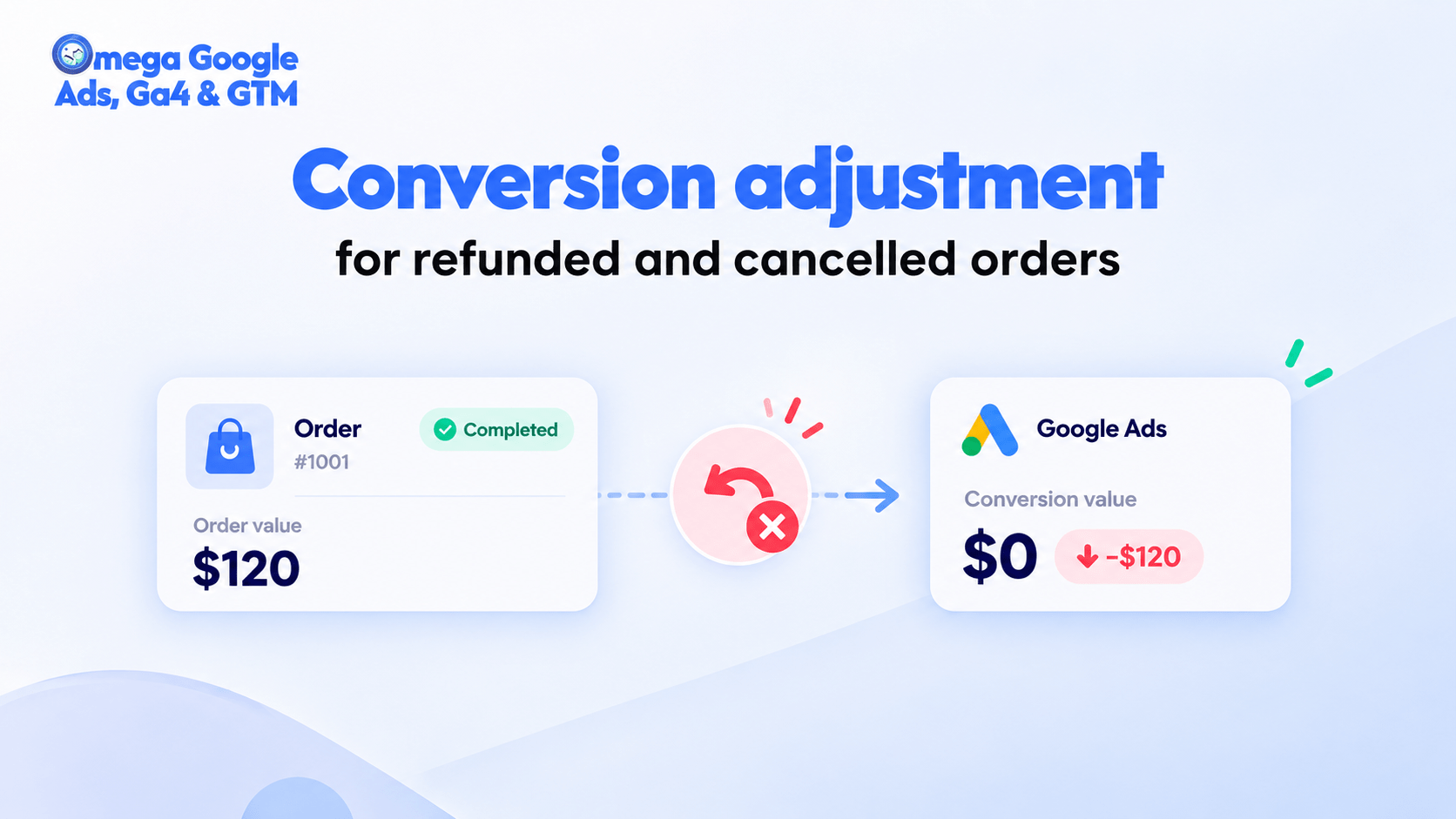
Google Ads Conversion Adjustment for Refunds on Shopify
Where Google Click IDs Get Lost Between the Ad and Checkout
Enhanced Conversions in Google Ads: Turned On Isn’t the Same as Working
Bulk Import Product Info to TikTok Shop from Wix
Google Ads Shopify Orders: How Many Are Tracked?