ChatGPT Ads conversion tracking: Pixel, Conversions API, and validation


ChatGPT Ads conversion tracking connects what happens on your website, such as a purchase or a lead form submission, back to the ads that brought people there. It is what lets Ads Manager report conversions, and it is required before you can run campaigns that optimize toward them. Installing a pixel is only the first step. Tracking does its job when events reach the right data source, each purchase is counted once, and the events are linked to the campaigns you want to measure.
This guide explains the difference between the Measurement Pixel and the Conversions API, how to set both up, and how to stop the same purchase from being counted twice. It also covers how OpenAI attributes conversions, how to test your events, why Ads Manager may not match your other reports, and how tracking supports ChatGPT ads targeting. Along the way, it separates sending an event from actually measuring a conversion.
What is ChatGPT Ads conversion tracking?
ChatGPT Ads conversion tracking is made up of four connected parts. Each one has to be in place before a conversion appears in your reports:
| Part | What it does |
|---|---|
| Data source | The Pixel ID that receives events from your website or server |
| Event | A single action someone takes, such as a purchase or a lead form submission |
| Conversion event setting | The rule that decides which event counts as a conversion, and over what attribution window |
| Campaign | The campaign the setting is attached to, so conversions can be reported and, if you choose, optimized toward |
Most setup problems come from treating these parts as one. Sending an event does not create a conversion setting, and creating a setting does nothing until it is attached to a campaign. A store can see purchase events arriving and still find zero conversions in its campaign reports because one of the later steps is missing. OpenAI’s conversion measurement guide walks through the same structure.
Tracking also matters beyond conversion campaigns. Clicks and Views campaigns can report conversions without changing their objective, which helps you judge a test by cost per purchase. Conversions campaigns go a step further and use the event to guide delivery, so they cannot be created until tracking works. Our ChatGPT ads pricing guide explains how those campaigns are billed.
Measurement Pixel vs Conversions API: Which do you need?
OpenAI gives you two ways to send conversion events, and both use the same Pixel ID to identify the data source:
| Measurement Pixel | Conversions API | |
|---|---|---|
| Where events come from | A browser SDK that measures website events after someone clicks an ad in ChatGPT | Your server, sending events directly to OpenAI |
| Click reference (oppref) | Captured automatically | Not captured for you; you capture it yourself and pass it with the server event when available |
| Main strength | Quick to install, no backend work | Keeps reporting events when a browser blocks or never loads the pixel |
| Main limitation | Depends on the visitor’s browser, so ad blockers, privacy settings, and consent choices can stop events | Needs development work or an app to set up |
| Good fit for | Getting tracking live quickly | Purchases and other high-value events you cannot afford to miss |
OpenAI points to the Conversions API as the more reliable of the two. According to OpenAI’s Conversions API docs, the Conversions API is a more reliable tracking source than the pixel alone, and OpenAI encourages using it when possible for more accurate insights.
For most stores, the best setup uses both. The pixel captures the click reference and sends events from the browser, while the Conversions API makes sure purchases still reach Ads Manager when the browser side fails. The trade-off is that the same purchase is now sent twice, once from each source. That only works if both copies are matched so OpenAI counts the purchase once, which the setup steps below cover.
How to set up ChatGPT Ads conversion tracking
The steps below follow the order you would set things up. If your store runs on Shopify, a tracking app can handle most of steps 1 to 4 for you, as covered in step 6, but it still helps to know what each step does.
1. Create a Pixel ID and Conversions API key
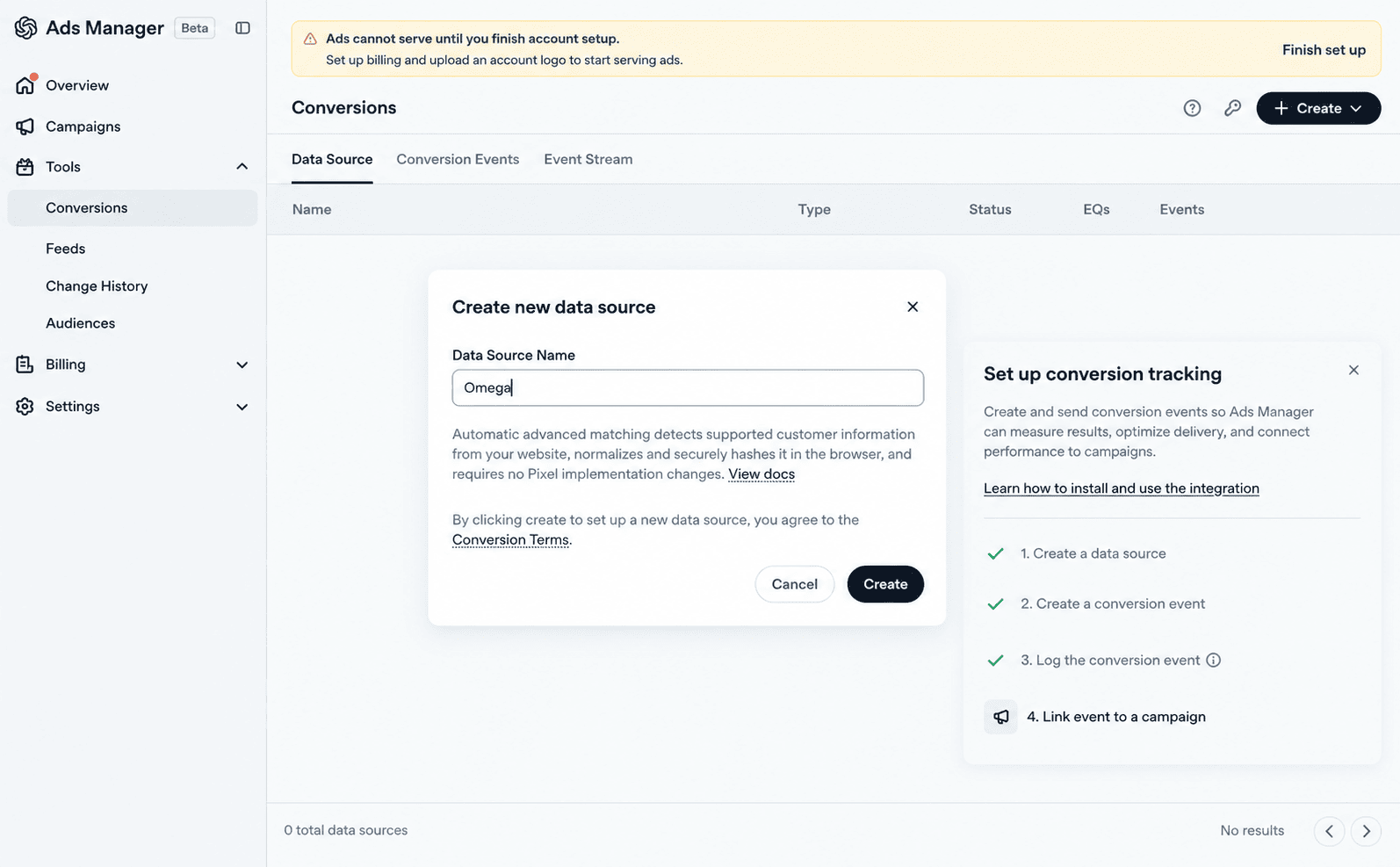
Everything starts with a data source. You can provision a Pixel ID and a Conversions API key from the Conversions tab in Ads Manager. The Pixel ID identifies where events are sent, and both the pixel and the Conversions API use it, even if you only send events from your server. The Conversions API key authenticates events sent from your server.
Use one data source per website. If you already created one for your store, reuse it instead of creating another, so all events for that site stay in one place.
Treat the Conversions API key like a password. OpenAI asks you to store the returned API key securely, and events to the Conversions API should be sent from your server only, so the key should never appear in your website’s code or in a browser.
2. Send events from the Measurement Pixel
The pixel has two parts. A base snippet loads on every page and starts the pixel with your Pixel ID. The script loads from bzrcdn.openai.com and is initialized with a single call:
| oaiq("init", { pixelId: "<YOUR-PIXEL-ID>" }); |
Then, at each conversion point, such as the order confirmation page, a second call reports the event. OpenAI’s Measurement Pixel docs list the supported events. The ones most stores need are:
| Action | Standard event |
|---|---|
| Product page viewed | contents_viewed |
| Product added to cart | items_added |
| Lead form submitted | lead_created |
| Order completed | order_created |
Actions that do not fit a standard event can be sent as custom events with your own name. Keep in mind that custom events can be reported but cannot be used as the goal of a Conversions campaign.
One formatting detail causes many reporting errors. Purchase amounts are sent in the currency’s smallest unit, so a $25.99 order is sent as 2599 in USD. Sending 25.99 instead would understate the value of every order.
3. Add the Conversions API
The Conversions API sends the same events from your server instead of the visitor’s browser. Each request goes to OpenAI’s events endpoint with your Pixel ID and is authenticated with your Conversions API key. A purchase event includes:
| Field | Required | What it carries |
|---|---|---|
| Event ID | Yes | A unique ID for this conversion, such as the order number |
| Event type | Yes | The standard event, such as order_created |
| Action source | Yes, for web events | Where the event came from, such as web |
| Timestamp | Yes | When the conversion happened, as Unix time in milliseconds |
| Source URL | Yes, for web events | The page where the conversion happened, such as the order confirmation page |
| Event data | Yes | The order amount and currency |
| oppref | No, but recommended | The ChatGPT click reference, when you have it |
| User details | No | Hashed email or phone number, plus the visitor’s IP address and user agent, to improve matching |
The click reference needs the most planning. Unlike the pixel, the API does not capture oppref for you, so you capture the value yourself and pass it with the server event when it is available. In practice, that means saving it when the visitor lands on your site and keeping it with the order until the purchase event is sent.
A few rules apply to every server event:
- Hash personal data: email addresses and phone numbers must be normalized and hashed with SHA-256 before sending. Don’t send raw email addresses, phone numbers, external IDs, first names, or last names. Geographic details such as country and postal code are sent as plain text.
- Send events on time: each timestamp must be within the last 7 days and no more than 10 minutes in the future. The field takes milliseconds, so a timestamp sent in seconds is a common error and fails this check.
- Retry with the same ID: if a request fails, resend it with the same event ID so it is not counted twice.
- Send every conversion: OpenAI recommends sending all conversion events, not just those with a click reference, so conversions after an ad view can be measured too.
- Test before going live: setting validate_only to true validates events without saving them.
If building this yourself is not realistic, a tracking app can send server events for you. Step 6 covers that option for Shopify stores.
4. Deduplicate browser and server events
When the pixel and the Conversions API both report the same purchase, OpenAI needs a way to tell they are the same order. If you send the same conversion from both, reuse the same value as the API id and the pixel event_id, and send both events with the same Pixel ID. For custom events, use the same custom_event_name on both sides as well.
| Measurement Pixel | Conversion API | |
|---|---|---|
| Shared event ID | event_id | id |
| Pixel ID | Same on both sides | Same on both sides |
| Event name | Same standard event, or same custom event name | Same standard event, or same custom event name |
The simplest event ID for a purchase is something unique to that order, such as the order number. If order #1042 is sent from the browser with event ID “1042” and from the server with ID “1042”, OpenAI keeps the first one it receives and ignores the later duplicate, so the purchase is counted once.
Two mistakes undo this. If the IDs do not match, the purchase may be counted twice and your conversions and revenue may look inflated. If the same fixed ID is reused for every event, different orders may be treated as one, and some real purchases may not be reported separately. Each conversion needs its own ID, shared only between the browser and server copies of that one event.
5. Create a conversion event setting and attach it to campaigns
Events alone do not appear as campaign conversions. A conversion event setting tells Ads Manager which event to count and over what period. For an online store, that usually means one setting for purchases based on order_created, with an attribution window that decides how long after a click a purchase can still be credited to the ad. Custom events need their own setting, created with the same custom event name the pixel or server sends.
Next, attach the setting to the campaigns you want to measure. This step is easy to miss, and it is why some stores see events arriving but no conversions in their campaign reports.
Conversions campaigns (oCPC and oCPM) have stricter rules, so set them up deliberately:
- One standard event per campaign: oCPC and oCPM each support one standard conversion event per campaign, and custom conversion events are not currently supported for either.
- No changes after launch: the campaign objective, billing option, and conversion event cannot be changed after creation. To optimize toward a different event, create a new campaign. To switch from click billing (oCPC) to impression billing (oCPM), clone the campaign and select impression billing for the clone.
- oCPM note: with impression billing, you pay per 1,000 impressions, and delivery can also learn from view-through signals, not only from clicks after an ad is clicked.
Choose the event that best reflects your goal before you create the campaign. For most online stores, that is a completed purchase. OpenAI’s conversion tracking walkthrough shows the same steps for teams setting this up through the API.
6. Set up tracking on Shopify
On Shopify, most stores do not need to write code for steps 2 to 4. There are two main routes.
The first is OpenAI’s own Shopify app, which connects your catalog and commerce events to Ads Manager. It launched for US merchants on September 16, 2026, with international availability starting September 23.
The second is a dedicated tracking app. Omega ChatGPT OpenAI Ads Pixel is built around the setup described above:
- Step 1 starts in Ads Manager: you get your Advertiser API key there (in Settings) and connect it to the app. Depending on your setup, the app can create the Pixel ID and Conversions API key for you, or you can enter existing ones.
- Steps 2 and 3 are handled for you: events are always sent from the server through the Conversions API, and the browser pixel runs through Shopify’s official web pixel in OpenAI’s own format by default, so nothing is added to your theme code.
- Step 4 is automated: browser and server events share one ID, so each event is counted once.
- Events covered: key shopping events, from product views to purchases.
If you need a lighter setup, the app can also send browser events as an image tag, or turn browser events off and rely on the server alone while testing.
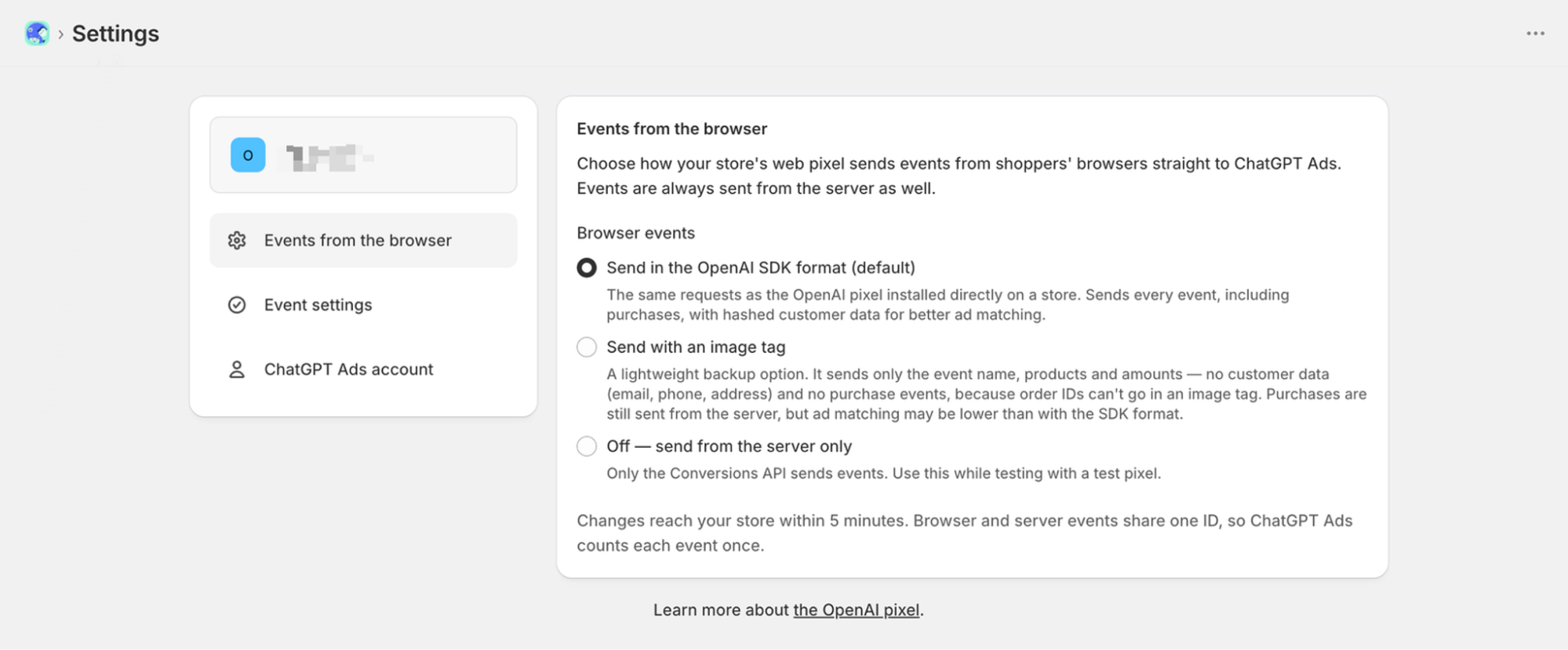
After connecting tracking, the app creates the purchase conversion event setting for you, so you do not need to create one yourself in Ads Manager. Attach it to the campaigns you want to measure. The app is free, and setup is designed to take minutes rather than custom development.
Whichever route you choose, test the result before launching a campaign. The next sections explain how to check that events are arriving and being counted correctly.
How does ChatGPT Ads attribute conversions?
Sending events is one half of measurement. The other half is how OpenAI decides which events count for your ads. OpenAI evaluates those events against the conversion events configured for your campaign and the applicable attribution window. In practice, a purchase is credited to ChatGPT Ads when the event occurs within the applicable attribution window, and OpenAI can connect the event to an eligible ad click using available measurement signals.
Three signals do that work:
- The click reference (oppref): it is appended to the end of the landing page URL. The OpenAI Pixel captures it and stores it in a first-party cookie so it can be associated with later conversion events, and advertisers can include it in Conversions API calls when available. It identifies the ad click, not the person, and plays a similar role to the click IDs other ad platforms use.
- Automatic advanced matching: where available, it helps connect website conversions to your ads when a click identifier is unavailable. You do not need to manually pass customer information or make any changes to your Pixel implementation.
- Modeled measurement: where available, OpenAI may use aggregated patterns from observed conversions to estimate attribution for otherwise unattributed conversion events. Reported conversion totals may include modeled conversions where available.
The click reference is the one you can protect most directly. OpenAI recommends preserving oppref through redirects and landing-page navigation. If a redirect, a link shortener, or a checkout on another domain drops the parameter from the URL, later purchases may lose their link to the ad. Test the full path from an ad click to your order confirmation page, and confirm the parameter survives each step.
Attribution windows decide how much time can pass before a conversion stops counting. According to OpenAI, advertisers can select a click-through attribution window that fits their buying cycle and include a one-day view-through window to measure conversions that follow an impression without a click. These settings control attribution in reports; they do not change how campaigns optimize. View-through matters on ChatGPT because people often keep working through a decision after seeing an ad.
In an early OpenAI analysis, 52.7% of eligible one-day view-through conversions occurred within an hour of the matched ad impression. Choose a click window that fits how long your customers usually take to buy, and use the same rules when you compare ChatGPT Ads with other channels. Conversions combine click-through and eligible one-day view-through conversions when the view-through window is set to 1 day. You can break them out with the View-through conversions column. If a conversion qualifies for both, the click gets the credit.
How to test and monitor your conversion events
A setup can look complete and still lose events, so test it before you spend on a campaign. Start with a test order, then check four things:
| What to check | What good looks like |
|---|---|
| Events are arriving | The test order appears as recent activity for the right Pixel ID |
| Both sources report | If you use the pixel and the Conversions API, the order arrives from both browser and server |
| Event details are correct | The event name is order_created, and the amount uses the smallest currency unit with the right currency |
| The purchase counts once | Both copies of the order carry the same event ID |
For the first check, open the Event Stream tab on Ads Manager’s Conversions page, choose your data source, and press Start polling before placing a test order. Each incoming event shows its type, the data source it reached, when it was received, and its API channel, so you can see whether it came from the browser or the server. Event Stream is meant for testing and troubleshooting; your results over time belong in Ads Manager’s campaign reports.
Allow for reporting delay. Conversions can take 24 to 48 hours to appear in Ads Manager reports, so a test purchase may not show in campaign results right away. It is a common reason people think tracking is broken. Use Event Stream to confirm that events arrive, and check campaign reports only after the delay has passed before changing your setup.
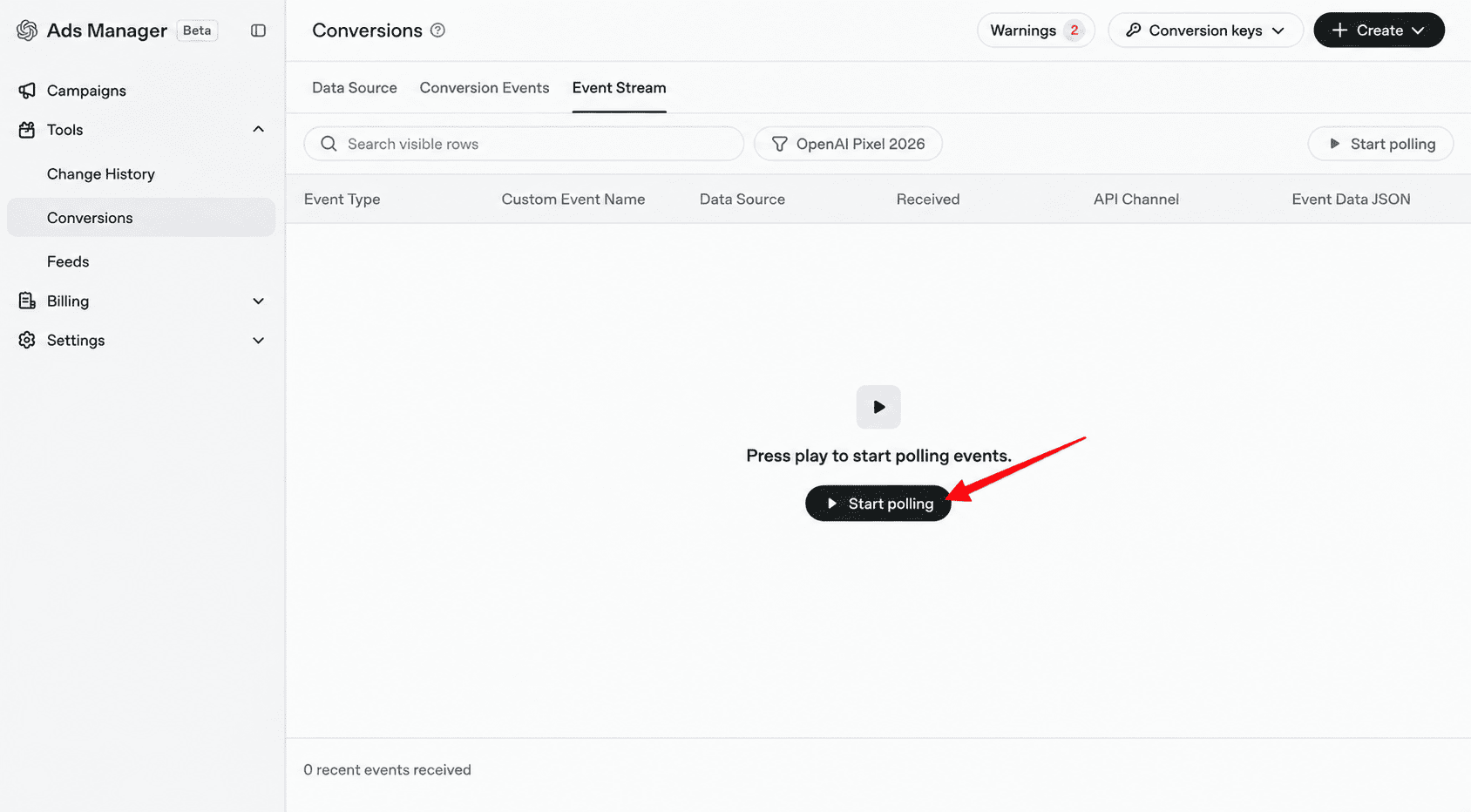
Then follow the steps that turn events into conversions. Confirm that a conversion event setting exists for the purchase event and that it is attached to your campaign. Without both, events can arrive correctly and still never appear as conversions. An accepted event confirms that OpenAI received it, not that it was credited to an ad. Once events are flowing, OpenAI’s Event Quality Score, shown in the EQS column of your data sources, helps you assess the quality of those signals and spot opportunities to improve them.
Repeat the test whenever something changes on your site: a new theme, a checkout update, a new consent banner, or a new app that touches the order confirmation page. These are the moments when tracking most often breaks without anyone noticing.
For Shopify stores, the Omega ChatGPT OpenAI Ads Pixel builds these checks into its interface. Its Pixels page shows the status of each pixel in plain language, such as “Working,” “Key isn’t valid,” or “Browser only,” along with how many events were sent in the past 24 hours. A “Check now” button shows how many events reached ChatGPT Ads in the last 15 minutes, split between browser and server, so you can confirm a test order shortly after placing it.
Why don’t ChatGPT Ads conversions match your analytics?
Ads Manager, your store, and your analytics tool will rarely show exactly the same numbers. OpenAI notes that Ads Manager, your analytics provider, and other ad platforms may report different conversion totals for reasons such as different attribution methods or attribution windows and modeled conversion reporting, and that a difference does not necessarily indicate an error.
The useful question is whether a gap comes from different counting rules, which is normal, or from lost or duplicated data, which needs fixing. This table helps separate the two:
| Symptom | Likely cause | What to check |
|---|---|---|
| Ads Manager shows more conversions than your analytics | Modeled conversions, or a longer attribution window than your analytics uses | Compare the same date range and attribution rules before drawing conclusions |
| Fewer conversions than expected | The click reference is lost in a redirect, the browser blocks the pixel, or visitors decline consent | Test the path from ad click to order confirmation, and add the Conversions API if you rely on the pixel alone |
| The same order counted twice | The pixel and Conversions API send different event IDs | Use the same ID for both copies of each order, as in step 4 |
| Totals differ by roughly a day’s worth of orders | Different time zones between Ads Manager and your other reports | Align time zones, or compare full weeks rather than single days |
| Events arrive but no conversions appear | No conversion event setting, or the setting is not attached to the campaign | Review step 5 |
| Revenue looks 100 times too high or too low | The amount is not sent in the currency’s smallest unit | Review the amount format in step 2 |
Consent deserves a closer look, especially for visitors in Europe. According to OpenAI’s Pixel docs, when consent is false, the pixel does not send measurement pings, and blocked events are not replayed later. A store with many visitors who decline tracking will see fewer pixel-reported conversions, while the Conversions API can still report what consent rules allow it to send.
As a rule of thumb, a modest, stable difference is expected. A large gap, or one that suddenly grows after a site or checkout change, usually means events are being lost or counted twice.
How does ChatGPT Ads targeting work with conversion tracking?
ChatGPT ads targeting works differently from keyword or interest targeting on other platforms. You shape where your ads can appear with a few settings, and the system decides which conversations each ad is relevant to:
- Locations: set at the campaign level, along with the budget and the start and end dates.
- Ad groups: each ad group holds a set of ads around one product, theme, or customer need.
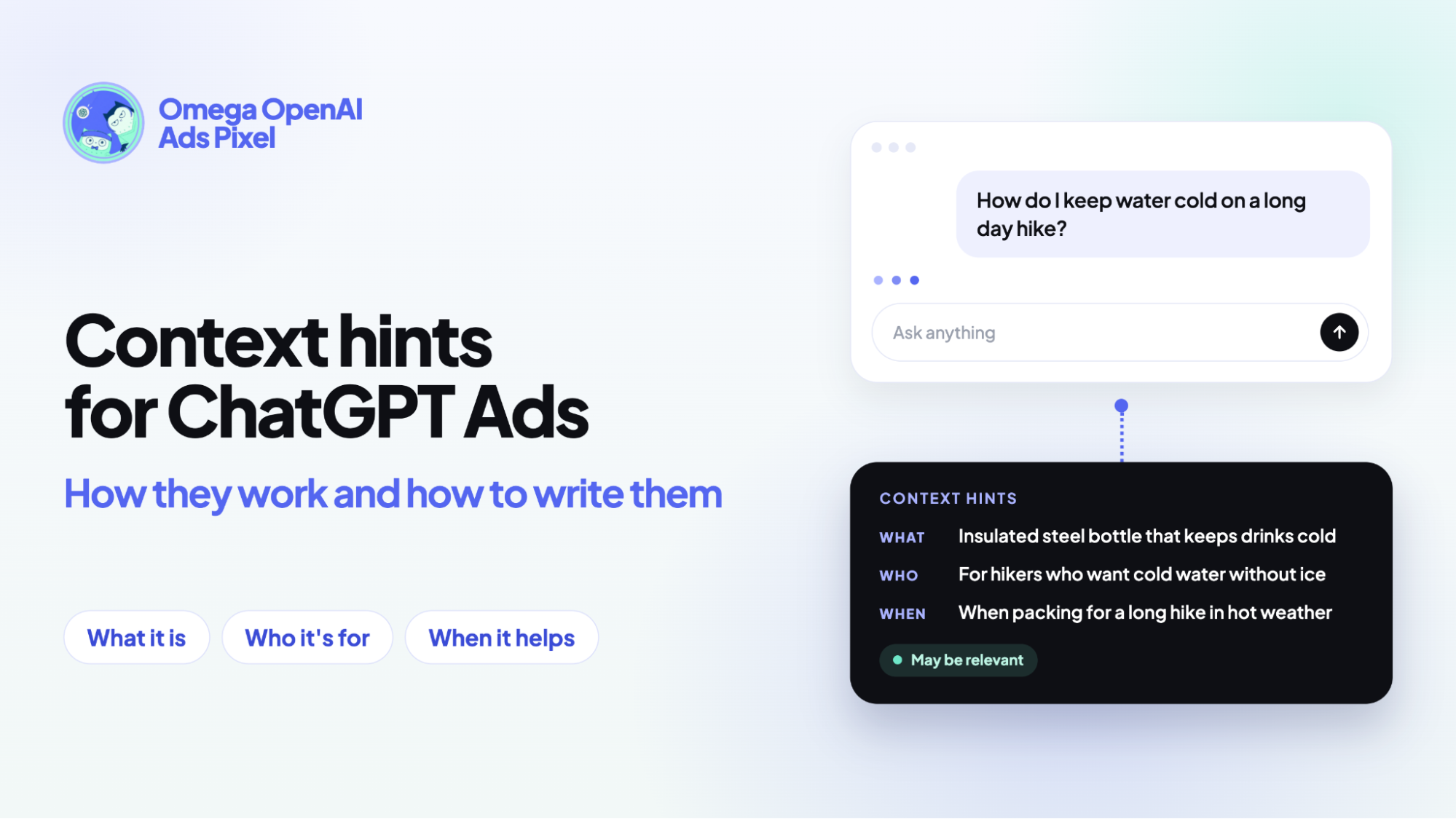
- Context hints: short descriptions at the ad group level of the conversations where your product is useful. They guide relevance, but they are not exact-match keywords and do not guarantee that an ad appears in any specific conversation. Our guide to how ChatGPT ads work explains how to write them.
- Audience bid adjustments: where available, these let you change bids for certain audiences, and they count toward the effective bid of an ad group.
Because advertisers cannot see the conversations behind impressions or clicks, conversion tracking is the main way to learn which targeting choices work. Ads Manager reports conversions by campaign and ad group, so each ad group becomes a small test of one set of context hints.
That turns targeting into a feedback loop. Ad groups whose hints bring in purchases at an acceptable cost can get more budget. Ad groups that attract clicks but few sales are candidates for sharper hints, a better-matched landing page, or a pause. With a Conversions campaign, the same purchase data also guides delivery toward people more likely to buy within the targeting you set.
None of that works if conversions are missing or double-counted. Accurate tracking does not directly change who sees your ads, but it decides whether you can tell which targeting decisions are paying off.
Conclusion
Good ChatGPT Ads conversion tracking comes down to a short chain that has to hold at every link. Events need to reach the right Pixel ID, each purchase needs to be counted once across the pixel and the Conversions API, and a conversion event setting has to be attached to the campaigns you want to measure. When any link breaks, Ads Manager can show clicks and spend while the sales behind them go missing.
Set the chain up before your first campaign, test it with a real order, and test again whenever your checkout or consent setup changes. Reliable conversion data is what lets you judge cost per purchase and decide which ad groups deserve more budget.
For Shopify stores, Omega ChatGPT OpenAI Ads Pixel can send purchases from both the browser and the server and match them automatically. The app is free to use.
- 1 What is ChatGPT Ads conversion tracking?
- 2 Measurement Pixel vs Conversions API: Which do you need?
- 3 How to set up ChatGPT Ads conversion tracking
- 4 How does ChatGPT Ads attribute conversions?
- 5 How to test and monitor your conversion events
- 6 Why don’t ChatGPT Ads conversions match your analytics?
- 7 How does ChatGPT Ads targeting work with conversion tracking?
- 8 Conclusion
Performance Max audience signals: What they are and how to use them
Context hints for ChatGPT Ads: How they work and how to write them
ChatGPT ads pricing: CPC, CPM, and what budget you need
How Long Should You Wait Before Judging a Google Ads Campaign?
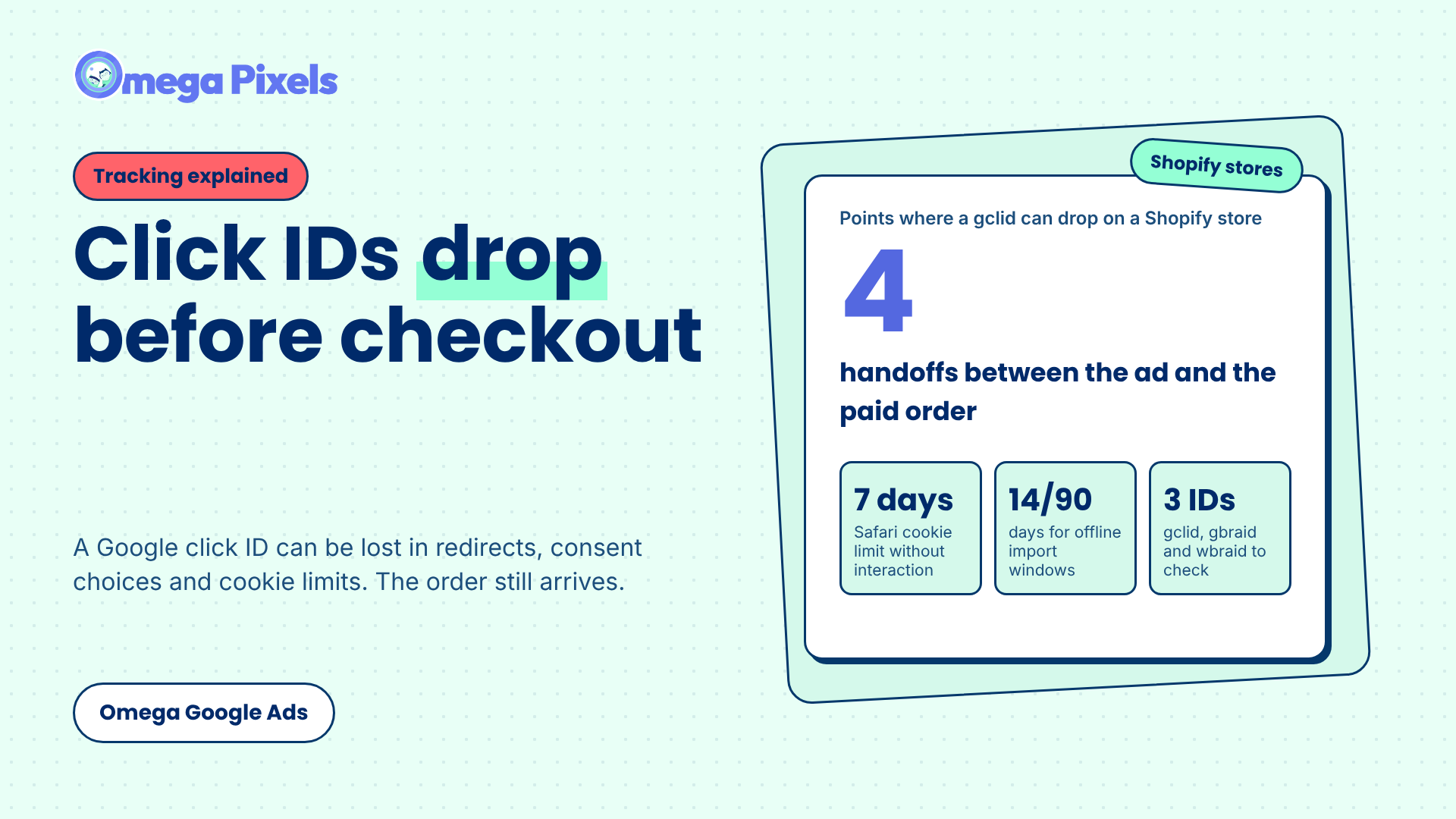
Where Google Click IDs Get Lost Between the Ad and Checkout
Performance Max audience signals: What they are and how to use them
Context hints for ChatGPT Ads: How they work and how to write them
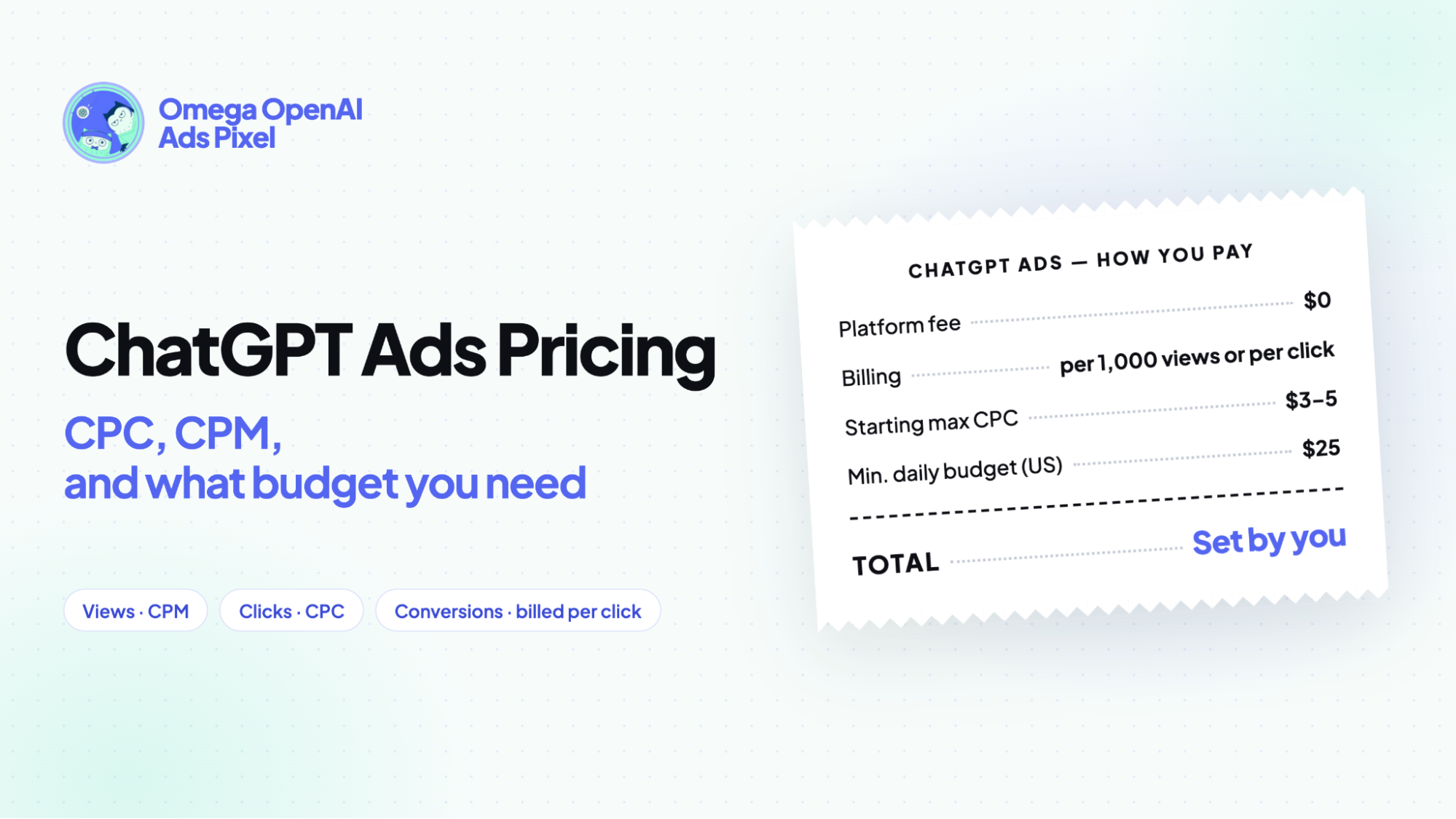
ChatGPT ads pricing: CPC, CPM, and what budget you need
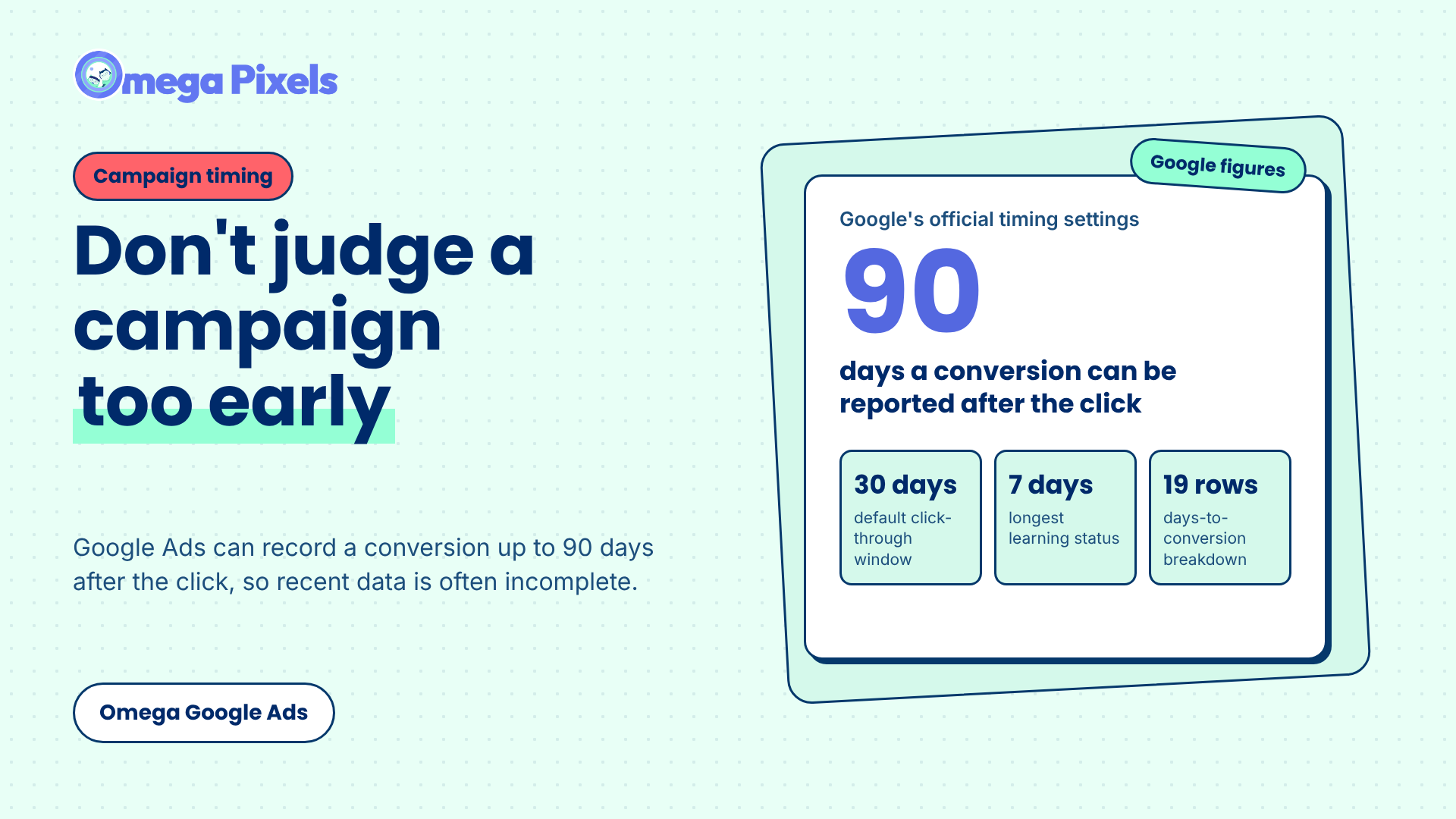
How Long Should You Wait Before Judging a Google Ads Campaign?