Context hints for ChatGPT Ads: How they work and how to write them


If you have run search ads before, the first instinct when you open the context hints field in ChatGPT Ads is often to paste in a list of keywords. That is also one of the easiest ways to get them wrong. Context hints are short, plain-language descriptions, set for each ad group, that tell OpenAI’s system what you sell, who it suits, and when it helps. They help the system judge whether your ads may be relevant to a conversation, but they shape relevance rather than decide exactly where an ad appears.
The sections below cover what context hints can and cannot control, how to write them with OpenAI’s What, Who, When approach, and what strong hints look like for an online store. They also show how to organize ad groups around your hints and how to test which ones lead to sales. A hint that reads well is a good start, but the one worth keeping is usually the one that brings in orders.
What are context hints in ChatGPT Ads?
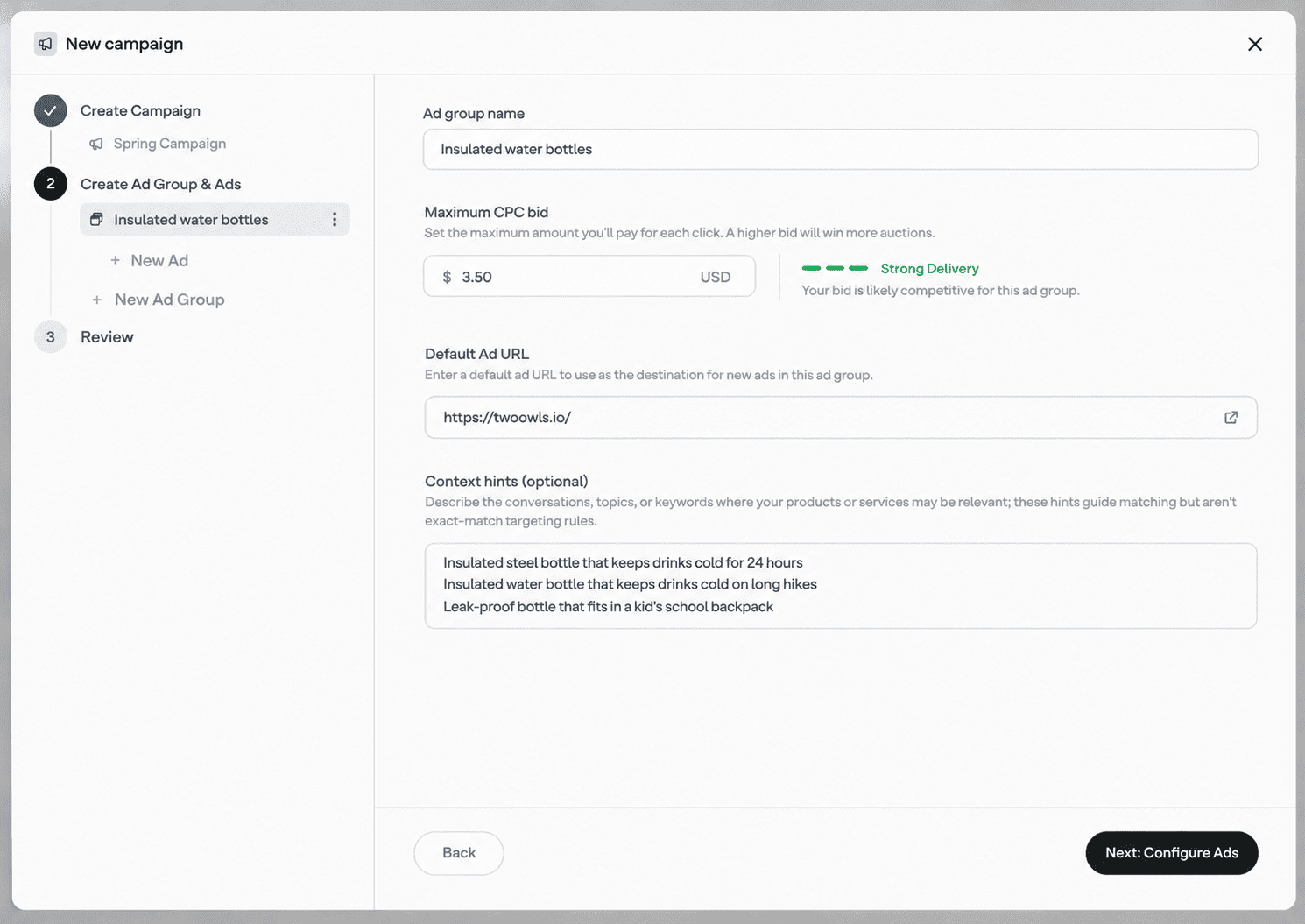
According to OpenAI’s guide, context hints are additional details about your business, product, or service that help the system understand when your ads may be relevant in ChatGPT. Three points shape how they work:
- They belong to the ad group. Budgets, objectives, and location targeting sit at the campaign level, while bids, context hints, and product selections are set for each ad group.
- Every ad in the group shares them. Because all ads in an ad group use the same set of hints, each group should have one clear product, service, theme, or customer need.
- Matching is not word for word. A hint such as “waterproof hiking boots for wet spring trails” may help an ad appear in a conversation about keeping feet dry on a rainy hike, even if the person never types “waterproof” or “boots.” The hint describes a situation, and the system judges whether the conversation fits it.
What can context hints do, and what can’t they do?
Context hints help the system judge whether your ads may be relevant to a conversation. They are not targeting rules or delivery instructions, and they do not guarantee that an ad appears in any particular conversation, for any particular audience, or in any particular situation. For everything else, there is a dedicated setting:
| If you want to... | Use |
|---|---|
| Describe when your product is useful | Context hints |
| Show ads only in certain countries | Location targeting |
| Show ads only on the web or in mobile apps | Platform targeting |
| Reach or exclude specific customers | Custom audiences |
| Bid more for certain customers | Audience bid multipliers |
| Keep ads away from certain topics | Negative Phrases (for qualifying advertisers) |
A simple example shows the difference. Writing “running shoes for customers in Germany” will not restrict your ads to Germany. It only tells the system that your shoes relate to that kind of conversation. If you only ship to Germany, set that in the campaign’s location targeting and keep the hint focused on the product.
The same applies to timing and exclusions. Hints cannot set a schedule or block a topic. Treat them as a description of your offer, and use the dedicated settings for everything else.
How to write context hints for ChatGPT Ads
Good context hints read less like search terms and more like the way a helpful salesperson would describe who a product is for. The five principles below cover how to write them, starting with the framework OpenAI itself recommends.
1. Use the What, Who, When framework
OpenAI suggests building hints around three questions. Each one gives the system a different angle on when your product might help:
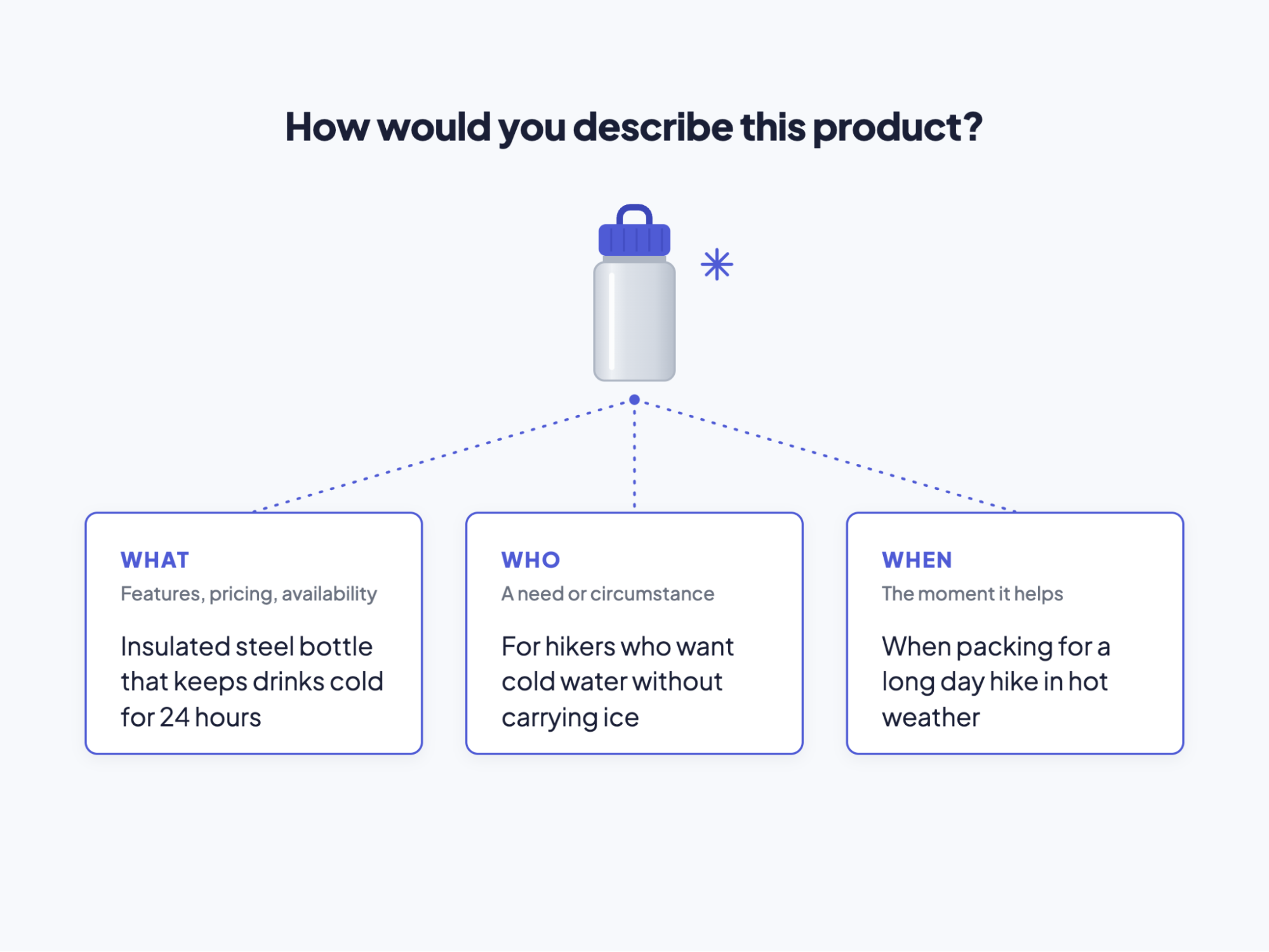
A single hint does not need to answer all three. “Insulated bottle that keeps water cold on long summer hikes” combines What and When in one natural phrase, and that is enough. Other hints in the same ad group can cover a different angle, such as gym use or school lunches, as long as they still describe the same product.
Use the framework as a checklist rather than a template. If your hints all describe features and none describe who needs them or when, the system has less to work with when matching your ads to real conversations.
2. Write one idea per hint, in natural language
OpenAI recommends writing each hint as a clear, natural phrase focused on a single idea, rather than a string of disconnected keywords. Two habits work against this:
- The keyword list: “water bottle, insulated bottle, steel bottle, hiking bottle” names the product four ways but never says who needs it or why. A phrase like “insulated water bottle that keeps drinks cold on long hikes” gives the system far more to work with.
- The overloaded hint: one sentence that tries to cover hiking, the gym, school lunches, and road trips at once. Split it so each situation gets its own description, such as “leak-proof bottle that fits in a kid’s school backpack” and “large bottle that holds enough water for a full gym session.”
A quick test helps. Read the hint aloud. If it sounds like something a person would say when recommending the product, it is probably fine. If it sounds like a tag cloud, rewrite it.
3. Make each hint specific, relevant, accurate, and additional
OpenAI describes strong hints as specific, relevant, accurate, and additional. Each quality fixes a different problem:
- Specific: a hint like “high-quality products for everyday life” could describe almost any store, so it gives the system little to go on. “Stainless steel lunch box that keeps food warm until midday” names the feature and the situation it serves.
- Relevant: a hint should describe a genuine connection between your product and the situation. “Insulated bottle for keeping drinks cold on hot commutes” fits a bottle; “perfect gift for any occasion” could apply to anything.
- Accurate: hints should reflect what is true today, including price, availability, and where you ship. A hint promising “free next-day delivery” when that offer has ended can attract clicks from people who leave as soon as they see the real terms. Update hints whenever your offer changes.
- Additional: a good hint adds something the ad and landing page do not already make clear. That can still include a feature mentioned on your product page, as long as the hint explains why it matters. OpenAI’s own example is “breathable running shoes for training in warm weather.” Breathability may already be listed on the page, but the hint connects it to the moment a runner would care about it.
Together, these four qualities keep each hint useful on its own rather than repeating what the system already knows.
4. Describe what you offer, not just who you want to reach
It is tempting to write hints about the customers you would like to win: “for busy parents,” “for small business owners,” “for Gen Z shoppers.” OpenAI is clear about why that falls short. Wanting to reach a customer group does not, by itself, make your offering relevant to their conversation.
The system evaluates whether there is a genuine connection between what you sell and what someone is trying to do. A hint that only names an audience leaves that link out. Compare “for busy parents” with “dishwasher-safe water bottles that busy parents can pack for school in seconds.” The second version still speaks to parents, but it also says what the product does for them and when, so the system can recognize a conversation about packing school lunches as a good fit.
Audience-only hints also do not narrow who sees your ads, so describe every product through the lens of a real need.
5. Keep hints consistent with your ads and landing page
Context hints are only one of the signals the system reads. Your ad’s headline, copy, and landing page are relevance signals too. When all three describe the same product and the same need, they reinforce each other. When they point in different directions, the system has less consistent context to judge relevance, and the clicks you do win are less likely to turn into orders.
A quick check before launching each ad group:
- Same product: the item in your hints appears in the ad and on the landing page.
- Same promises: prices, delivery times, and features match everywhere, including limited-time offers.
- Same need: if your hints mention school lunches, the landing page should show that use, not only gym photos.
If one landing page cannot serve every hint in a group, the group is probably covering too much, which the section on structuring ad groups covers.
With these five principles in place, the next section shows how they change real hints across different products.
Context hint examples for online stores
The examples below show a common weak hint for different products and a stronger version written with the What, Who, When framework. Each row also shows which principle makes the difference.
| Product | Weak hint | Stronger hint | What changed |
|---|---|---|---|
| Rain jacket | Waterproof jacket | Packable rain jacket for city commuters who cycle to work | Adds who it suits and when |
| Cast iron skillet | cast iron pan, skillet, frying pan | Pre-seasoned skillet that is ready to use for searing steak at home | One phrase, not a keyword list |
| Laptop stand | Best laptop stand on the market | Foldable laptop stand that fits in a backpack for working at cafés | Specific feature, no vague claim |
| Dog harness | For dog owners | No-pull harness for owners of large dogs that pull on walks | Describes the product, not just the audience |
| Planter | Free express shipping on all planters | Self-watering planter for plants left alone during a week away | Avoids a promise the landing page may not support |
Each of these products would usually work best as its own ad group. For a single product with several uses, such as the water bottle earlier in this guide, hints for different situations can share one ad group, as long as one landing page serves them all.
The same framework works outside ecommerce. A bookkeeping app might use “software that sends late invoice reminders automatically” for What, “for freelancers who chase unpaid clients” for Who, and “when month-end billing starts piling up” for When.
How should you structure ad groups around context hints?
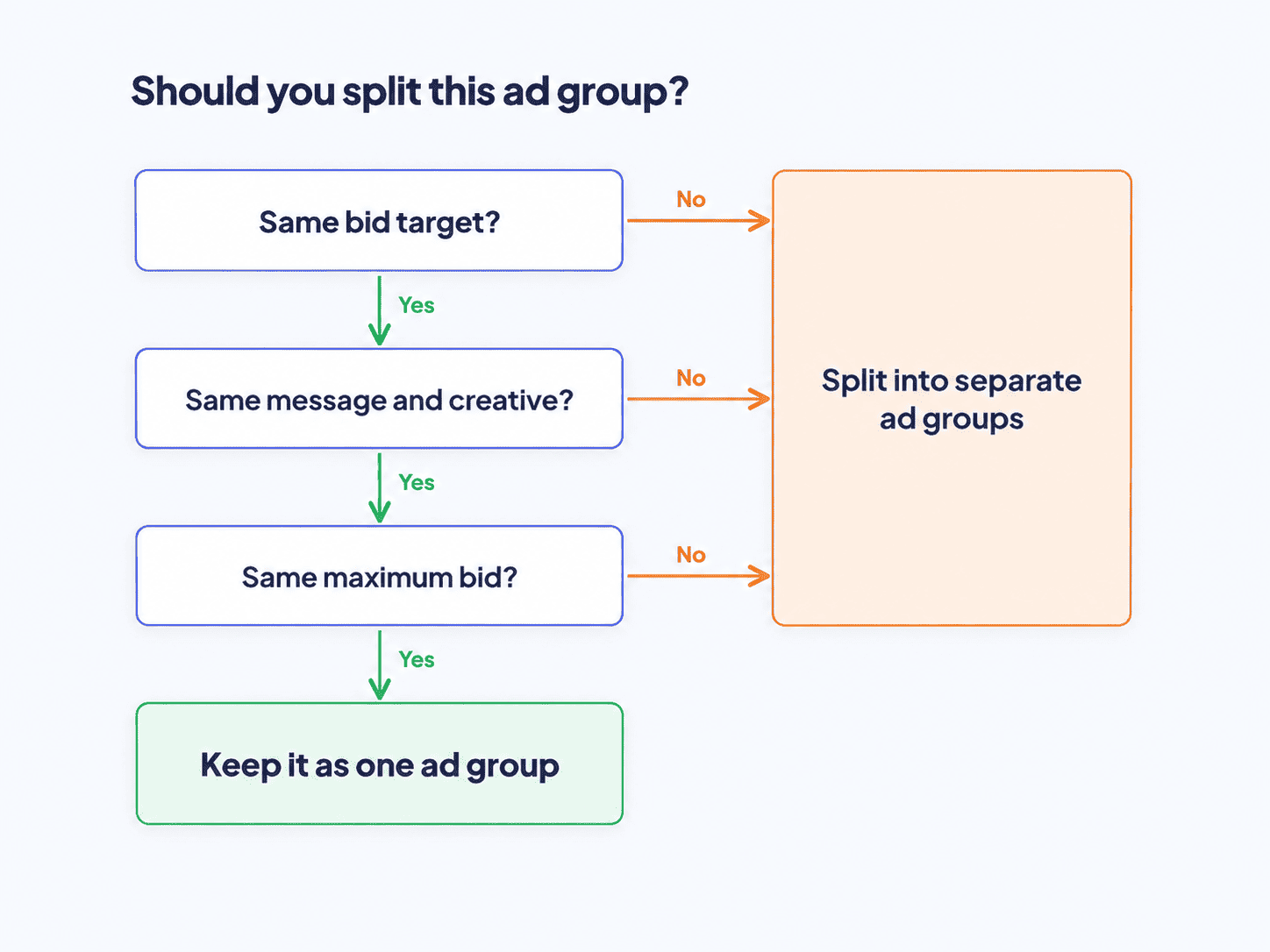
Because every ad in an ad group shares the same hints, structure matters as much as wording. A well-built ad group has one clear focus, so its hints, ads, and landing page all describe the same thing. The simplest rule is one ad group per product, theme, or customer need.
When to split an ad group
Split an ad group when keeping everything together would force your hints to stretch. Common signs include:
- Different landing pages: if some hints fit a product page and others fit a category page, they belong in separate groups.
- Different messages: a rain jacket sold to cycling commuters and to hikers may need different headlines and images.
- Different bid targets: products that need different bid targets (Target CPC or Target CPA) need their own groups. Since November 9, 2026, the new bidding options replace Max Bid and Max CPC for new campaigns, and existing Max Bid and Max CPC campaigns keep running until January 1, 2027.
- Different product sets: in product feed campaigns, each ad group can include a different selection of products.
Keep things together when the product, the landing page, and the message stay the same. Splitting too far spreads your budget thin and leaves each group with less data to learn from.
How many context hints should you add?
There is a limit, but you are unlikely to reach it. Ad groups support up to 2,000 context hints, and OpenAI notes that there is no need to fill that space. Add hints that describe your ads more accurately, and stop when new ones only repeat what earlier hints already say.
As a starting point, Omega Pixels recommends 3 to 8 hints per ad group, covering at least one What, one Who, and one When of the product. This is our recommendation, not an OpenAI guideline. From there, add hints as you learn which situations bring in sales. Within the same ad group, OpenAI also recommends testing several ad variations, so you can compare different ways of presenting the same theme while the hints stay constant.
Every one of these decisions depends on knowing which ad groups lead to sales, so set up ChatGPT Ads conversion tracking before your first campaign goes live.
How to test and improve your context hints
Context hints are not set-and-forget. Because hints are set at the ad group level, the most reliable way to evaluate them is to compare the ad groups they belong to, from impressions through to sales.
Judge each ad group on three questions, in this order:
- Delivery: is it getting impressions at all?
- Click-through rate: when the ads appear, do people click?
- Cost per purchase: do those clicks turn into orders at a cost you can afford? Our ChatGPT ads pricing guide explains how to work out that number.
If one of these looks weak, the table below points to the likely cause.
| Symptom | Likely cause | What to try |
|---|---|---|
| Very few impressions | Hints are too narrow, or the bid is not competitive | Add hints for other genuine situations, and check bid strength |
| Many impressions but a low click-through rate | Hints are vague or broader than the ads | Make hints more specific to what the ads show |
| Good click-through rate but few purchases | Hints or ads promise something the landing page does not deliver | Align hints, ad copy, and the landing page |
| Purchases at a high cost | The ad group mixes products or needs with different value | Split the ad group, or adjust its bid |
| Several hints say nearly the same thing | Duplicate wording | Merge them into one clear hint |
As a practical rule, change one thing at a time, and give each change at least one full budget week (Sunday to Saturday in your ad account’s time zone), and ideally enough conversions to compare, before judging it. Update hints as soon as your prices, stock, or delivery times change, rather than waiting for results to slip.
Cost per purchase only works if Ads Manager receives your purchases. For Shopify stores, Omega ChatGPT OpenAI Ads Pixel sends purchase events from both the browser and the server with a shared ID, so each order is counted once and conversion results by ad group rest on more complete data. That makes it easier to see which hints bring in buyers and which only bring in clicks.
Final thoughts
Context hints ask you to explain your product the way a good salesperson would: what it does, who it helps, and when it is useful. Written one idea at a time, kept accurate, and matched to your ads and landing page, they give the system a clear picture of which conversations your ads belong in.
Treat your first set of hints as a working draft. Keep each ad group focused on one product or need, change one thing at a time, and let purchase data decide which descriptions stay. The hints that remain are often more specific than the ones you started with.
To get that purchase data on a Shopify store, Omega ChatGPT OpenAI Ads Pixel sends orders to Ads Manager from both the browser and the server, so you can compare ad groups using purchase data rather than clicks alone. The app is free.
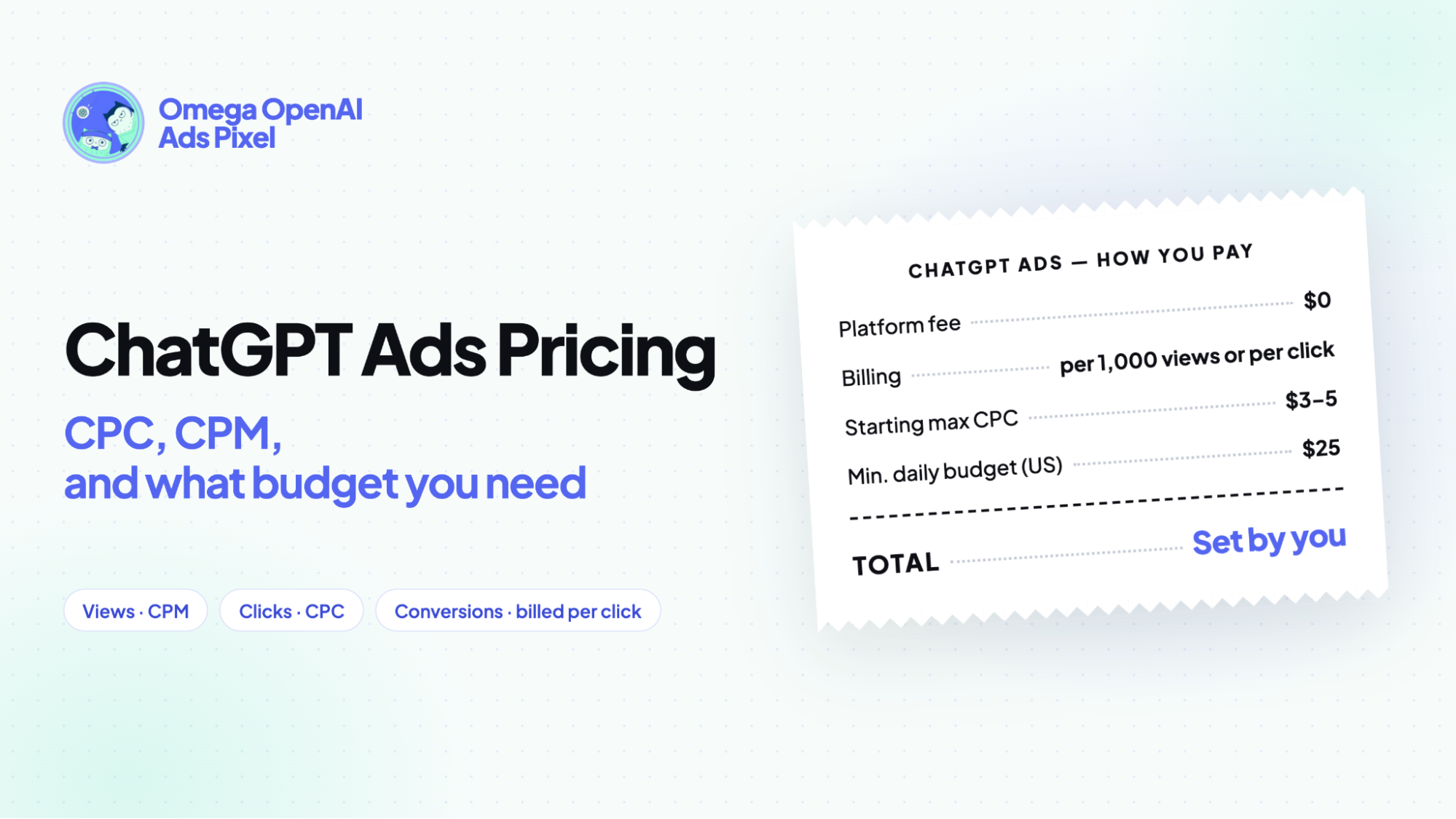
ChatGPT ads pricing: CPC, CPM, and what budget you need
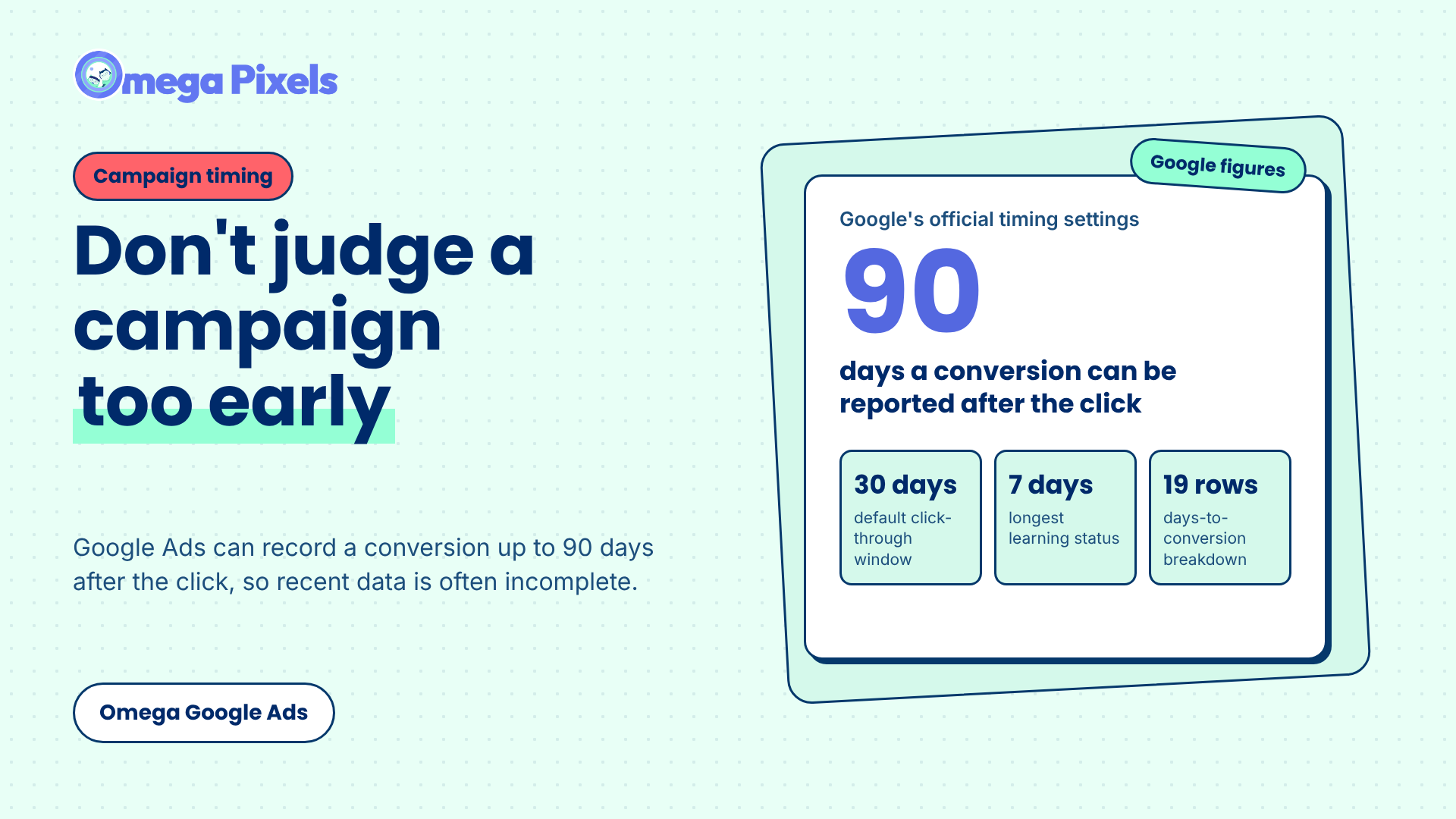
How Long Should You Wait Before Judging a Google Ads Campaign?
Where Google Click IDs Get Lost Between the Ad and Checkout
Enhanced Conversions in Google Ads: Turned On Isn’t the Same as Working
Google Ads Shopify Orders: How Many Are Tracked?
ChatGPT ads pricing: CPC, CPM, and what budget you need
How Long Should You Wait Before Judging a Google Ads Campaign?
Where Google Click IDs Get Lost Between the Ad and Checkout
Enhanced Conversions in Google Ads: Turned On Isn’t the Same as Working