ChatGPT Ads Specs: Image Size, Character Limits, and Creative Rules


A ChatGPT ad has very little room to work with. It appears as a compact card below ChatGPT’s answer, with a short title, a line of copy, a small square image, and a link. That makes ChatGPT Ads specs especially important: a title that runs over the limit may fail validation, and an image that looks fine on a desktop screen can turn into an unreadable thumbnail. The specs also come in two kinds that are easy to mix up. Some are hard limits that decide whether an ad can be uploaded at all. Others are recommendations that make it easier to read once it appears.
Below, you will find every spec in one place, from title and copy limits to image size and landing page rules, along with how product feed ads differ, how many variations to prepare, and what to check before launch. Getting an ad approved is the first milestone. Finding out which version drives sales is the one that pays off.
What Does a ChatGPT Ad Include?
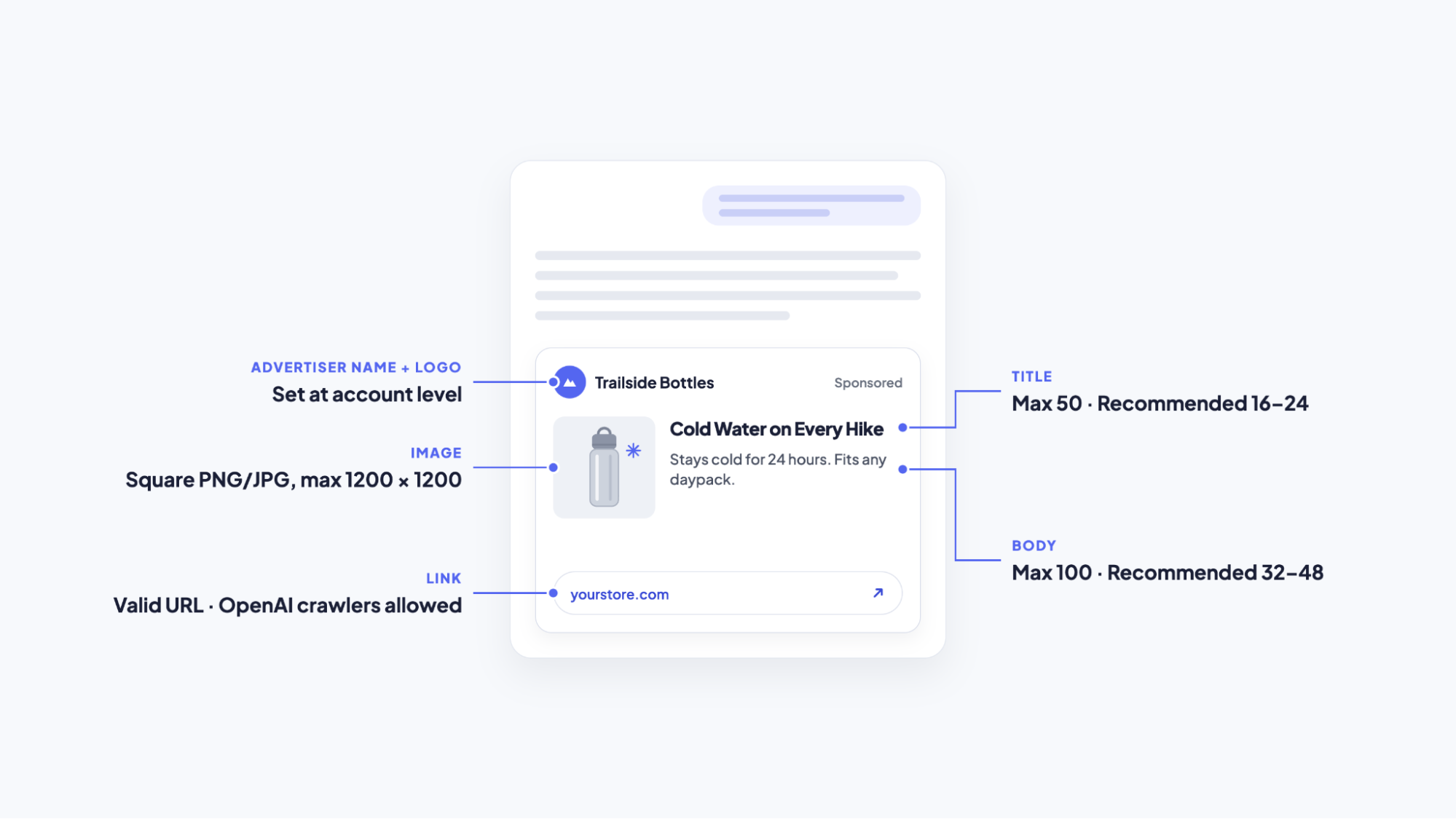
A standard ChatGPT ad appears as a labeled sponsored card below ChatGPT’s answer, kept separate from the response itself. Each card is built from five elements, configured at different levels in Ads Manager:
- Advertiser name and logo: set once at the account level and shown on every ad.
- Title: the short headline that carries your main message.
- Body copy: one line of supporting detail below the title.
- Image: a small square visual next to the text.
- Landing page: the page people reach when they click. You can set a default URL for each ad group and change it for individual ads.
The title, copy, image, and landing page belong to each ad, so you can test different versions side by side. The account-level name and logo stay the same across all of them, which is why they deserve a check before your first campaign rather than after.
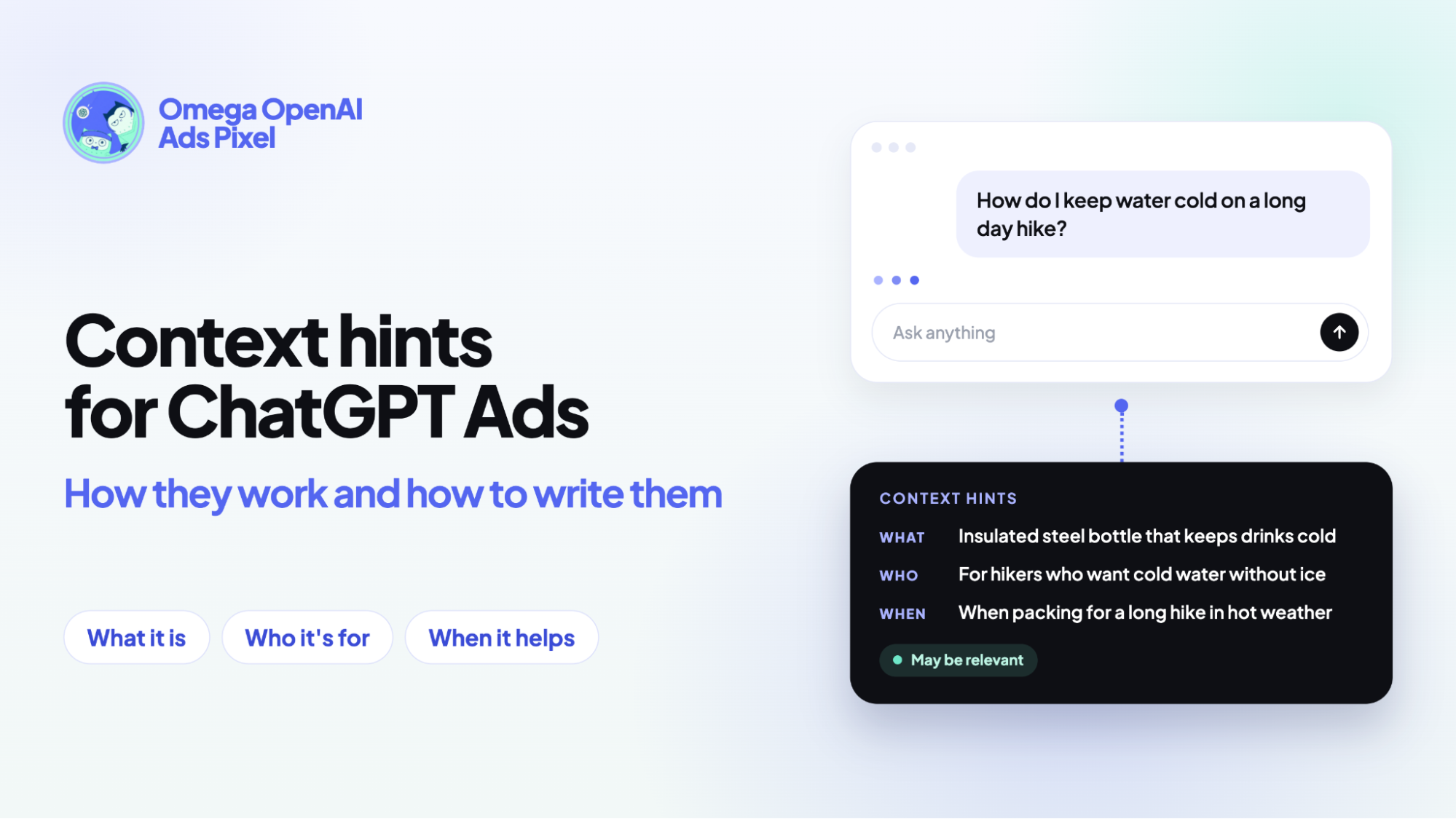
Ads sit inside the usual three-level structure: campaigns hold budgets and locations, ad groups hold bids and context hints, and ads hold the creative. Our guide to context hints for ChatGPT Ads covers the ad group level in detail. The specs in the rest of this article apply to the ad level.
ChatGPT Ads Specs at a Glance
Here are the current ChatGPT Ads specs for a standard ad, based on OpenAI’s campaign launch guide:
| Element | Required | Recommended |
|---|---|---|
| Title | 3–50 characters | 16–24 characters |
| Body copy | 100 characters maximum | 32–48 characters |
| Image | PNG or JPG in bulk upload. The API also accepts WebP, square, no larger than 1200 × 1200, publicly accessible | One clear subject that still reads at thumbnail size |
| Landing page | A valid, reachable URL that allows OAI-AdsBot | The most relevant product or collection page |
| Advertiser logo | Uploaded at the account level before ads can serve | Simple enough to recognize at a small size |
The two columns do different jobs. The Required column decides whether an ad can be uploaded and approved. If a title runs to 51 characters or an image link is private, the ad may fail validation or approval. The Recommended column decides how well the ad reads once it appears. A 45-character title is allowed, but it may be harder to scan at card size than one closer to the recommended range.
For API uploads, OpenAI’s API documentation suggests using an image of at least 640 × 640 pixels. For either route, a square image no larger than 1200 × 1200 is a safe choice.
ChatGPT Ads Creative Specs in Detail
The table above gives the numbers. This section explains what each spec means in practice, starting with the parts you write yourself and ending with the settings that sit at the account level.
1. Title specs and character limits
The title can be up to 50 characters, but OpenAI recommends 16 to 24. That range is roughly three to five words, which is about what a person takes in at a glance below a ChatGPT answer.
Within that space, the title should say what the product does for the reader. OpenAI’s creative best practices recommend clear, value-focused titles over clever or generic ones. Compare a few options for an insulated water bottle:
- “Welcome to Our Store” (20 characters) fits the range but tells the reader nothing about the product.
- “The Best Insulated Water Bottle for Hikers and Gym Use” (54 characters) says a lot, but it is over the 50-character limit and may fail validation.
- “Cold Water on Every Hike” (24 characters) names the benefit and the situation in five words.
Leave out details the card already shows. Your brand name appears beside every ad, so repeating it in the title spends characters on information the reader already has. Save specifics such as features, offers, or use cases for the body copy, covered next.
2. Body copy specs
Body copy can run to 100 characters, with 32 to 48 recommended. That is usually one short sentence, or two very short ones.
The copy’s job is to add something the title has not already said. OpenAI’s guidance points to benefit-focused copy that explains the practical value of the product, who it is for, or when it may help. Repeating the title in different words usually wastes the space.
Staying with the water bottle and the title “Cold Water on Every Hike,” compare three versions of the copy:
- “Keeps water cold on every hike.” (31 characters) only restates the title.
- “Keeps drinks ice-cold for 24 hours. Leak-proof lid fits any daypack.” (68 characters) adds two useful details, but runs well past the recommended length and may be harder to scan at card size.
- “Stays cold for 24 hours. Fits any daypack.” (42 characters) adds a specific feature and a practical detail, and sits inside the recommended range.
Keep claims in the copy consistent with the landing page. If the copy promises 24-hour cooling or free shipping, the page the reader lands on should say the same. OpenAI may reject ads that are misleading or inconsistent with their landing page, and mismatched promises also lose people after the click.
3. Image specs
For a standard ad, the image is the only visual in the card, and it appears small. That shapes both the technical rules and what works well.
On the technical side, three requirements matter:
- Format and shape: PNG or JPG, cropped to a square.
- Size: no larger than 1200 × 1200 pixels. For API uploads, use at least 640 × 640.
- Access: when you add images by link, such as in a bulk upload, the URL must be publicly accessible and point directly to the image file. A link that needs a login, or one that opens a sharing page instead of the image, may fail.
On the creative side, OpenAI's guidance recommends images that are simple, relevant, and uncluttered, and that match the title and copy. At thumbnail size, one clear subject on a plain background is easier to recognize than a lifestyle scene or a collage. For the water bottle, a clean product shot works better than a photo of a hiker on a distant ridge where the bottle is barely visible.
Text inside the image is best kept to a minimum. Small lettering becomes unreadable at card size, and the title and copy already carry the message.
4. Landing page and URL requirements
Every ad needs a landing page URL that is valid and reachable. OpenAI says advertisers must allow OAI-AdsBot, the crawler used to validate and review ad landing pages, and recommends allowing OAI-SearchBot as well. If your site’s firewall, bot protection, or robots rules block OAI-AdsBot, the review cannot see the page, and the ad may not be approved. After the page becomes accessible, you may need to re-upload or resubmit the ad for review.
Which page you choose matters as much as whether it loads. A shopper who clicks an ad about a leak-proof bottle for hiking should land on that bottle’s product page, or a collection of hiking bottles, rather than the homepage. The closer the page matches the title and copy, the fewer steps stand between the click and a purchase.
For tracking, you have two options:
- Add UTM parameters directly to each landing page URL, the same way you would for other ad platforms.
- Use the landing page query parameters field at the ad group level. It appends parameters to every ad in the group and can fill in values such as
{campaign_id},{ad_group_id}, and{ad_id}automatically.
One side effect is worth knowing. Ad-review crawlers may visit your landing page with those parameters attached, and some analytics tools count these visits as paid traffic, even though they are not billable clicks. A few unexplained visits right after launch may be ad-review crawlers, not real shoppers.
5. Advertiser name and logo
Your advertiser name and logo are set once, at the account level, and appear on every ad you run. Because they are not part of individual ads, they are easy to overlook until something stops working.
The logo is also part of finishing your account. In Ads Manager, ads cannot serve until account setup is complete, which includes setting up billing and uploading an account logo. If a campaign is approved but never starts delivering, a missing logo or billing method is one of the first things to check.
Treat the logo like a favicon. It appears small, so a simple mark or initial works better than a full wordmark with a tagline. The advertiser name should match the brand shoppers see on your site and at checkout, so the ad, the landing page, and the order confirmation all feel like the same store.
With the creative in place, the next question is whether you need to write every ad yourself, or whether your product feed can do part of the work.
Standard Ads vs Product Feed Ads
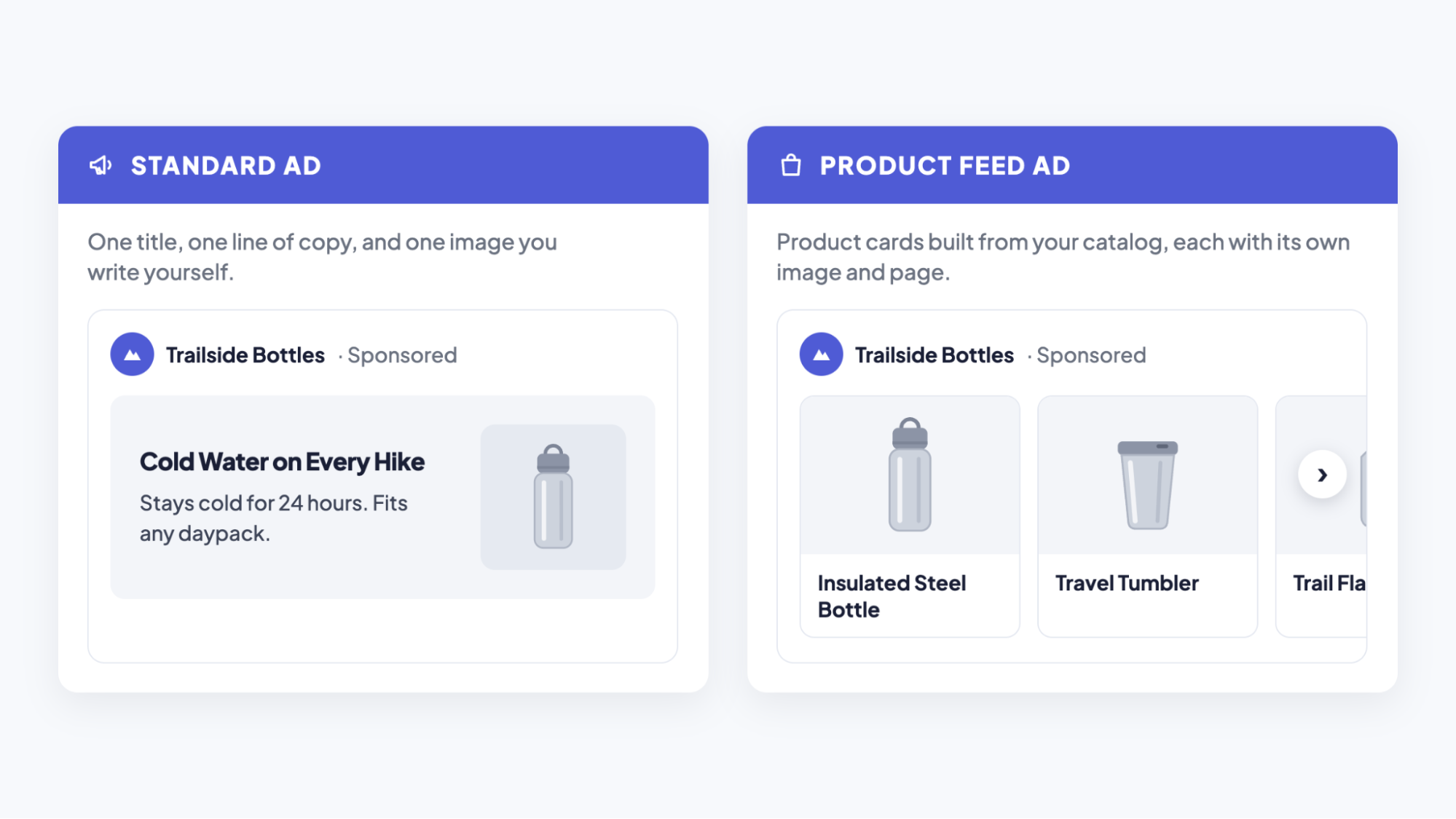
Not every ChatGPT ad is written by hand. Ads Manager supports two kinds, and the specs above apply differently to each.
- Standard ads are the ones covered so far. You write the title and copy, upload the image, and enter the landing page. Every field follows the limits in the table, and each ad promotes whatever you choose, such as a product, a collection, or an offer.
- Product feed ads are built from your product catalog. Instead of uploading an image and URL for each ad, you connect a feed, and the ad pulls the image and product page from the feed item it shows. In practice, the quality of these ads depends on your product data: clear product titles, accurate prices, and clean product photos.
The two kinds are set up differently at the ad group level. A product feed ad group uses a single product ad template and a selection of products from the feed, so you do not create a separate ad for each item. A standard ad group holds individual ads, each with its own creative.
For Shopify stores with a well-maintained catalog, product feed ads can be a faster way to cover many products. OpenAI’s own Shopify app syncs your catalog into a ChatGPT Ads product feed and lets you choose whether an ad promotes all products, one product, or your website. Standard ads still make sense for things a single product image cannot carry, such as a seasonal collection or a store-wide offer.
Ad formats are still developing. OpenAI has been testing a multi-image format shown during image generation, but it is not part of the standard specs, so this guide does not cover its requirements.
How Many Ad Variations Should You Create?
OpenAI recommends building for coverage: several title and copy variations for each product or offer, so the system has more options to match different conversations. There is no official number, but the variations only help if each one takes a different angle. Five ads that say the same thing in slightly different words give the system little new to test.
A practical starting point is three to five variations per ad group, each built around a distinct angle. For the insulated water bottle, that could look like this:
- Benefit: “Cold Water on Every Hike” / “Stays cold for 24 hours. Fits any daypack.”
- Situation: “Ice-Cold on Hot Commutes” / “Fits car cup holders and bike cages.”
- Offer: “Free Shipping on Bottles” / “Order by Friday for weekend delivery.”
- Need: “Leak-Proof School Bottle” / “Dishwasher-safe and fits small backpacks.”
Every title here is 24 characters, and every line of copy falls between 36 and 42, so all four stay inside the recommended ranges. They also point to different reasons someone might buy, which is what makes them worth testing side by side.
Two rules keep variations useful. First, each one still has to match the landing page. An offer ad only works if the page shows that offer, and it should be paused the day the offer ends. Second, change the angle rather than the wording when results disappoint. If none of the variations brings in sales, a new angle is more likely to help than a fifth way of saying “cold water.”
Once the ads are live, compare them by purchases, not just clicks. A variation with a lower click-through rate can still be the one that sells.
How to Check Your ChatGPT Ads Before Launch
Many rejected or stalled ads trace back to a handful of avoidable issues. A short check before you submit saves a review cycle.
- Text: every title and line of copy is within the limits in the table above, ideally close to the recommended lengths.
- Images: each one is a square PNG or JPG, no larger than 1200 × 1200, and any image link opens the file itself, not a sharing page.
- Landing pages: each URL loads, matches the product and promises in the ad, and allows OAI-AdsBot (required) and OAI-SearchBot (recommended).
- Policies: the ad, image, and landing page follow OpenAI’s Ads Policies. OpenAI may reject ads that are misleading, inconsistent, or include disallowed content.
- Tracking: UTM or landing page query parameters are in place, and your conversion tracking is working.
- Account: billing is set up, and the account logo is uploaded.
After you submit, each ad goes through review before it can run. If an ad is rejected, edit the part that caused the problem and submit it again. Once campaigns, ad groups, and ads are all active, OpenAI says they should typically begin receiving impressions and clicks within 24 hours.
If something goes wrong, this table points to the usual cause:
| Symptom | Likely cause | Fix |
|---|---|---|
| Ad rejected | Misleading claim, mismatch with the landing page, or disallowed content | Align the ad with the page and review the Ads Policies |
| Image upload fails | Wrong format or size, or a private link | Use a square PNG or JPG up to 1200 × 1200 with a public link |
| Landing page flagged | Page unreachable, or OpenAI’s crawlers blocked | Check the URL and allow OAI-AdsBot and OAI-SearchBot |
| Approved but no impressions after a day | Billing or logo missing, or campaign not set to Active | Finish account setup and check every level’s status |
| Clicks but no purchases recorded | Conversion tracking not set up or not attached to the campaign | Check events in Ads Manager and the campaign’s conversion setting |
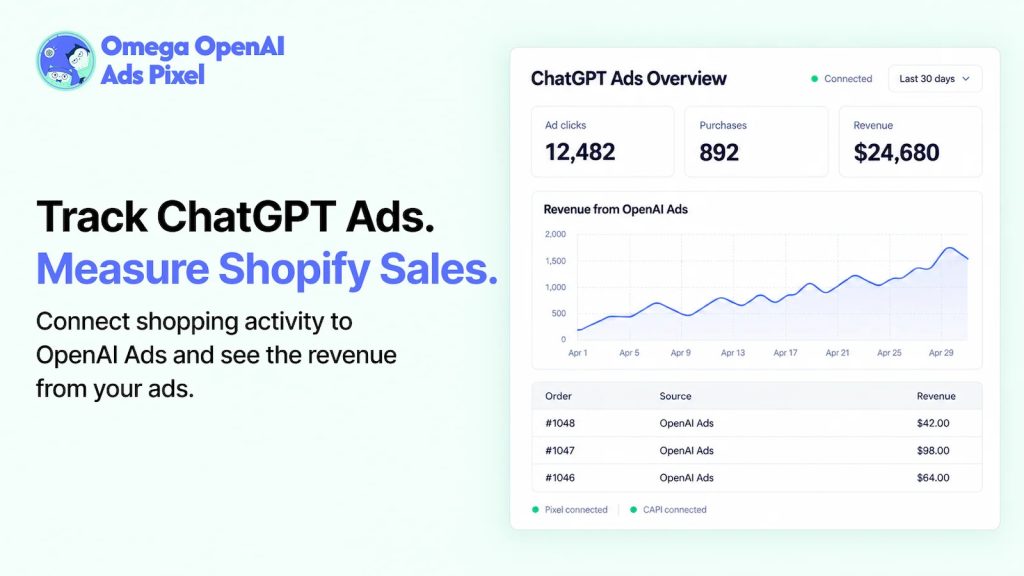
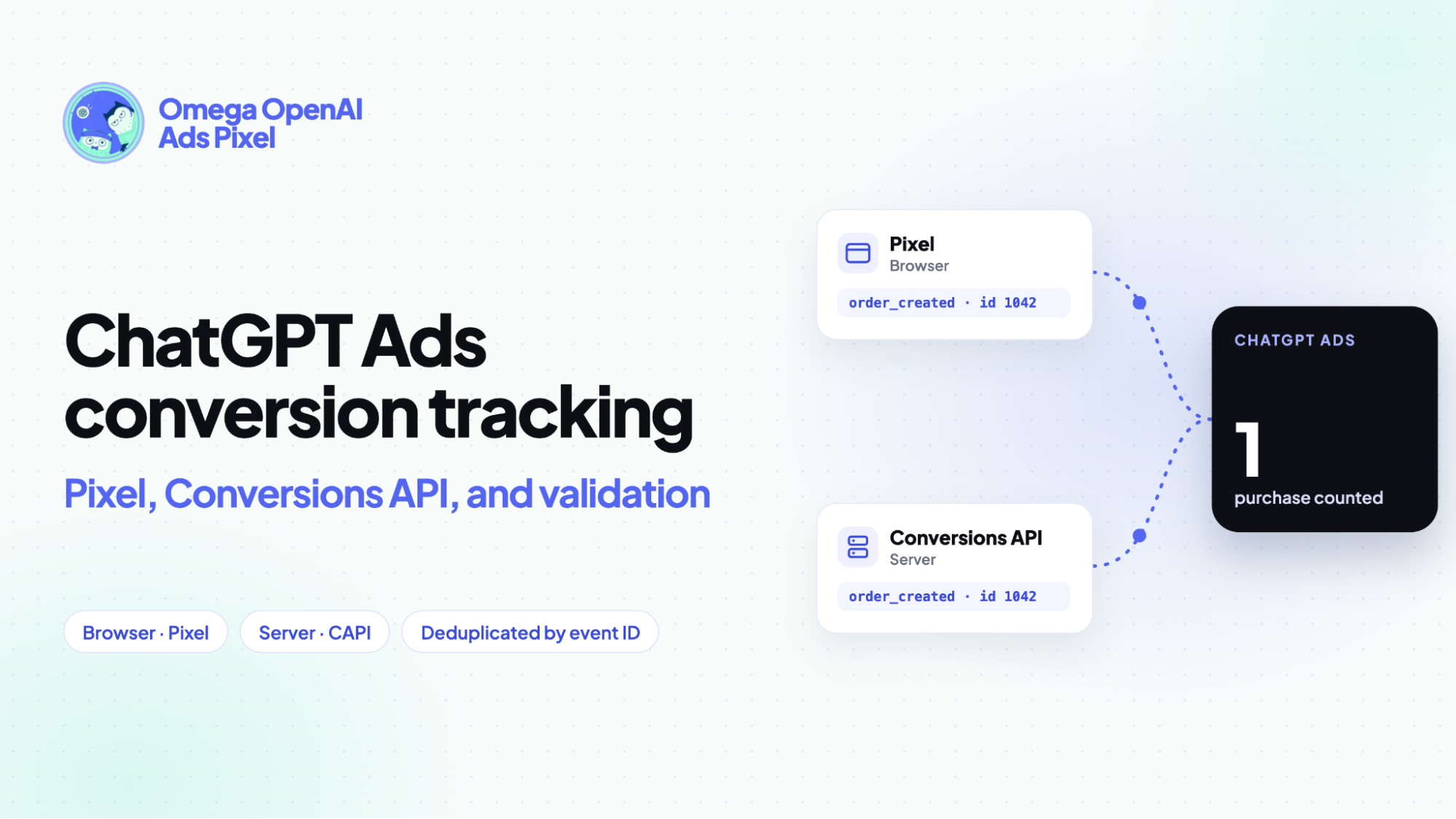
That last row matters most once ads are running. The specs decide whether an ad can go live, but purchase data is what tells you which variation is worth scaling. For Shopify stores, Omega ChatGPT OpenAI Ads Pixel sends purchases to Ads Manager from both the browser and the server with a shared ID, so each order is counted once. Our guide to ChatGPT Ads conversion tracking covers the full setup.
Wrap up
ChatGPT Ads specs are short enough to fit on a sticky note: titles up to 50 characters, copy up to 100, a square PNG or JPG no larger than 1200 × 1200, a landing page OpenAI’s crawlers can reach, and an account logo in place before anything serves. Meeting those limits gets an ad approved. Writing close to the recommended lengths, with one clear image and a page that matches the promise, is what makes it readable in a small card below an answer.
From there, the work shifts to testing. A few variations built on different angles will tell you more than many versions of the same message, as long as you judge them by purchases.
For Shopify stores, Omega ChatGPT OpenAI Ads Pixel sends those purchases to Ads Manager from both the browser and the server, so you can see which ad drives sales. The app is free to install.
ChatGPT Ads conversion tracking: Pixel, Conversions API, and validation
Performance Max audience signals: What they are and how to use them
Context hints for ChatGPT Ads: How they work and how to write them
ChatGPT ads pricing: CPC, CPM, and what budget you need
How Long Should You Wait Before Judging a Google Ads Campaign?
ChatGPT Ads conversion tracking: Pixel, Conversions API, and validation
Performance Max audience signals: What they are and how to use them
Context hints for ChatGPT Ads: How they work and how to write them
ChatGPT ads pricing: CPC, CPM, and what budget you need