Shopify GA4 Server to Server Integration 2026: What's Automatic, What's Still Broken


Shopify GA4 integration just got a major upgrade, and merchants need to understand what it actually does before they decide whether it's enough on its own. GA4 server-to-server tracking used to be a feature only third-party apps offered. This shift raises a fair question for every store owner: does native Shopify GA4 integration now cover everything, or are there still gaps a dedicated tracking app needs to fill?
| What you’ll learn in this article: ● What Changed in Shopify GA4 Integration? ● What Problems Does Google's Server-to-Server Integration Solve? ● What Are the Current Limitations? ● When Do You Still Need a Shopify Tracking App? |
What Changed in Shopify GA4 Integration?
Starting in July 2026, Google enabled a server-to-server connection between Shopify and GA4 by default for stores using the Google & YouTube app. Instead of relying only on the browser to report a purchase, Shopify's servers now send that event straight to GA4 via Google's Data Manager API, independent of the browser.
Here is what the update covers:
- Purchase events now originate from Shopify servers: When a customer completes checkout, Shopify sends the transaction data directly to GA4, independent of what happens in the browser.
- Setup happens automatically: Stores that already have the Google & YouTube app connected and tracking enabled don't need to configure anything manually. The server-side flow activates on its own.
- GA4 deduplicates events using a shared transaction ID: Since both the browser and the server can report the same purchase, GA4 uses this ID to merge duplicate records into a single event.
- Only the Purchase event moved to the server: Earlier funnel events like view_item, add_to_cart, and begin_checkout still fire from the browser. Google has indicated more events may follow later.
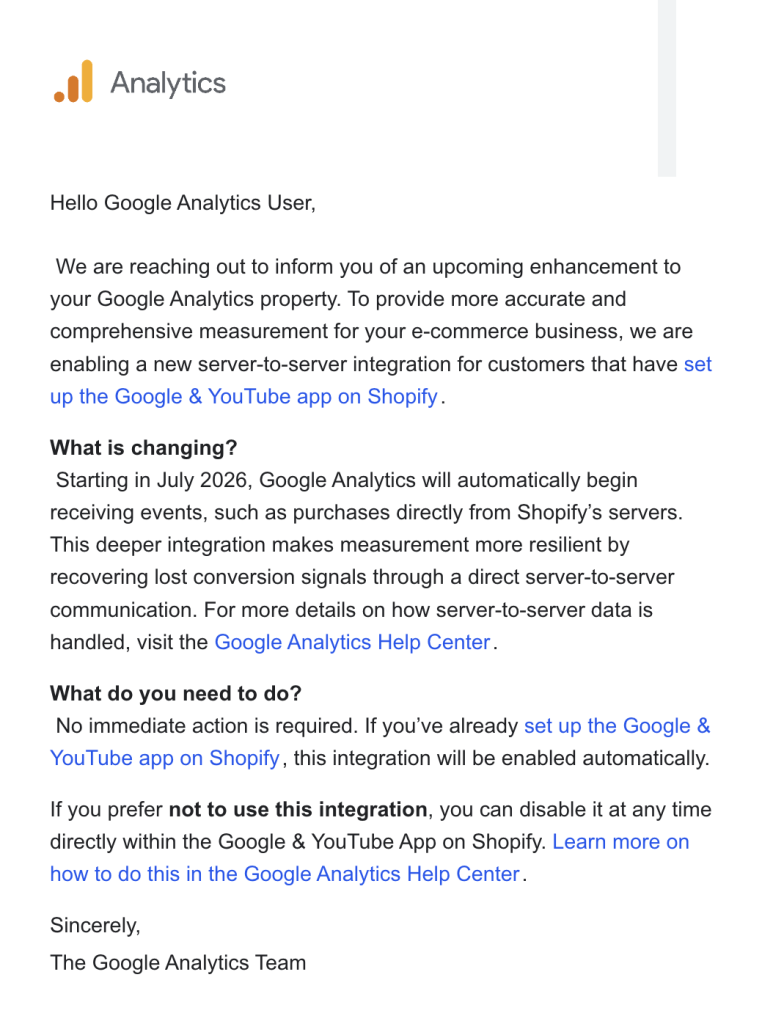
Google introduced this update to close a long-standing revenue gap. Browser-based tracking loses a meaningful share of purchase events to ad blockers, privacy-focused browsers, and users who close the tab before the confirmation page finishes loading.
Estimates for that loss range from 10% to 20%, depending on the store's traffic mix. Sending the Purchase event from Shopify's own database sidesteps that problem entirely, since the order record exists regardless of what the customer's browser allows.
What Problems Does GA4 Server-to-Server Integration Solve?
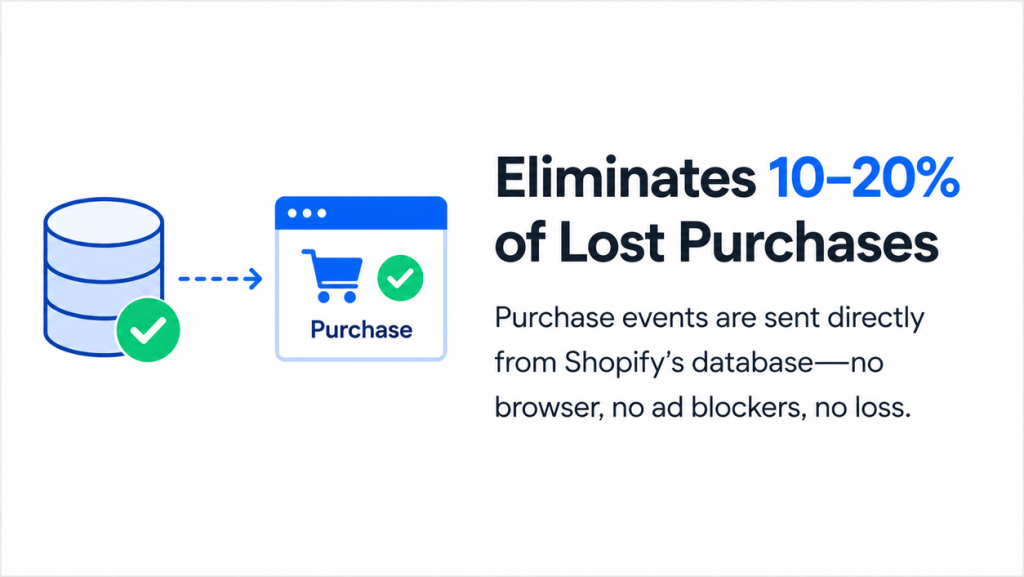
The update targets a specific set of pain points that merchants have dealt with for years. Each one ties back to the same root cause: browsers are an unreliable place to measure revenue.
Reduce lost Purchase events
Every purchase that used to disappear because a script failed to fire now has a second path to GA4. The order exists in Shopify's system the moment checkout completes, so the data reaches GA4 even if the browser-side tag never loads.
Bypass ad blockers & browser restrictions
Ad blockers, tracking prevention in Safari and Firefox, and strict cookie policies all interfere with client-side pixels. Server-to-server data doesn't run through the browser at all, so none of these restrictions apply to it.
Improve conversion accuracy
Total revenue numbers in GA4 move closer to what actually happened in Shopify's admin. Merchants get a more trustworthy read on how many purchases occurred, even if some attribution details still need work (more on that below).
Better data for Google Ads AI bidding
Smart Bidding, Performance Max, and AI Max all depend on clean, complete conversion signals to optimize spend. Fewer missed purchases means the bidding algorithm has more accurate data to learn from, which can improve how efficiently ad budgets get allocated.
What Are the Current Limitations?
The update solves a real problem, but it doesn't close every gap in Shopify GA4 tracking. Merchants should understand these limitations before assuming native tracking now covers everything they need.
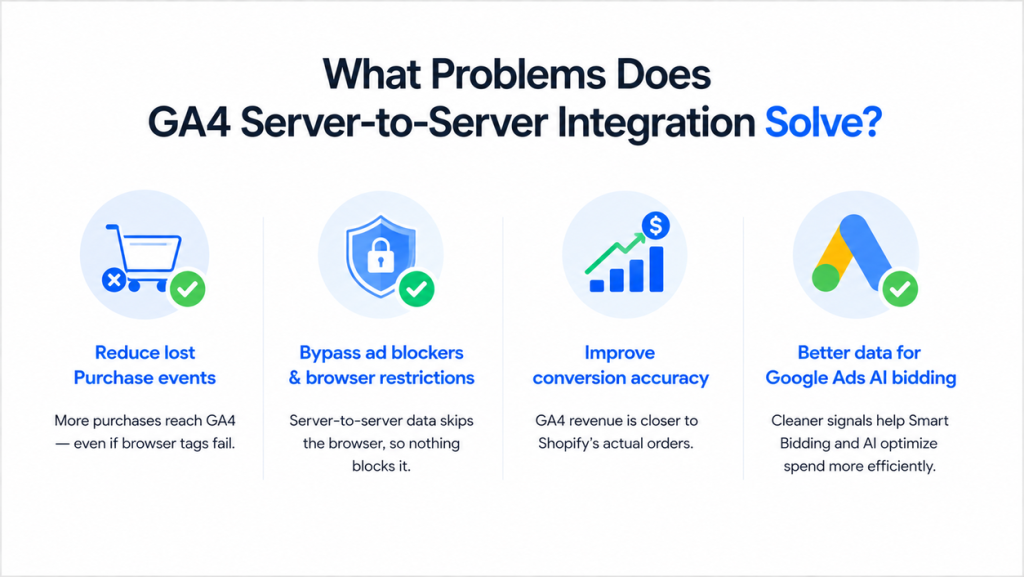
Purchase is the only server-side event
Google's update applies to one event: Purchase. Every other step in the funnel, including page views, add-to-cart actions, and checkout starts, still depends on the browser. Stores that want full-funnel server-side tracking don't get that from this update.
Attribution gaps still exist
Sending Purchase from the server fixes whether GA4 sees the revenue. It doesn't fix whether GA4 knows which campaign drove it. Attribution depends on a continuous session ID that links a user's first touch to their eventual purchase, and that ID still gets created in the browser during events like session_start.
Consider a typical scenario:
- A user clicks a Google Ads link and lands on the store, which should trigger session_start and generate a session ID tied to that ad click.
- An ad blocker or privacy browser prevents that event from firing, so no session ID gets created, or the one that does get created never survives to checkout.
- The user completes a purchase, and the server sends that Purchase event to GA4 without any browser interference.
GA4 ends up recording the revenue but can't connect it to the original ad click. The result gets classified as Direct / (none) instead of being credited to the campaign that actually drove the sale.
Server-side Purchase tracking solves the "we lost the order" problem, but it doesn't solve the "we don't know which campaign gets credit" problem.

GA4 revenue still won't perfectly match Shopify
Google has confirmed discrepancies will persist, and three factors explain most of the gap:
- Attribution model differences: Shopify logs revenue on the date an order is created. GA4 can instead attribute that order to the date the user's session began, which may fall on an earlier day if the customer took time to convert.
- Timezone mismatches: Shopify and GA4 can run on different timezone settings, so an order placed near midnight might land on different calendar days in each platform's reporting.
- Refund handling: Shopify automatically subtracts refunds from revenue totals. GA4 only does the same if a refund event gets sent explicitly, so stores that skip this configuration end up with GA4 revenue running higher than Shopify's actual numbers.
Limited customization and debugging
Native tracking works like a closed box. It runs, but merchants can't see inside it or adjust how it behaves. A few specific restrictions stand out:
- No custom payloads: merchants can't add their own data fields to the events Shopify sends.
- No conditional logic: there's no way to filter out test orders, set revenue thresholds, or combine events based on custom rules.
- No multi-destination routing: data only flows to GA4 and Google Ads. Sending the same server-side stream to Meta CAPI, TikTok, Pinterest, or a data warehouse isn't possible through this integration.
- No custom consent handling: merchants can't tailor how the integration responds to GDPR, CCPA, or region-specific consent requirements.
- Difficult debugging: since the entire process runs inside Shopify's infrastructure, tracing an error back to its cause is far harder than with a transparent, merchant-controlled setup.
When Do You Still Need a Shopify Tracking App?
Google's update raises the baseline for every store, but several needs remain outside its scope. Merchants who search for a tracking solution in 2026 are usually looking for one of the following:
- Advanced attribution that connects revenue back to the specific campaign, ad set, or keyword that drove it, not just the total dollar amount.
- Custom events tailored to a store's specific funnel, promotions, or product categories, beyond the fixed events Google sends, such as lead_form_submit, request_a_quote, newsletter_signup, whatsapp_click, and free_trial_signup.
- Refund events configured correctly so GA4 revenue actually matches what Shopify shows after returns and cancellations.
- Shop Pay tracking, which native integration doesn't cover and which represents a growing share of mobile purchases.
- Third-party checkout tracking, for stores running checkout extensions or subscription platforms outside Shopify's default flow.
- Data enrichment, adding fields like customer lifetime value, product margin, or order tags that Google's fixed event structure doesn't support.
- Real-time dashboards that show order tracking, product journey, buyer analytics and ad performance in one place, instead of requiring merchants to jump between GA4 and Google Ads.
- Stronger optimization signals for Google Ads, built from cleaner, enriched, and deduplicated data rather than the fixed fields native tracking provides.
Omega Google Ads by Omega Pixels works alongside Google's native integration rather than replacing it. As Google expands what native tracking covers, the areas where a dedicated app adds value become more specific and more clear, not less relevant.
Shopify GA4 Integration FAQs
Does Shopify automatically connect to GA4?
Yes, as of the July 2026 update, stores using the Google & YouTube app with tracking enabled get a server-to-server connection to GA4 automatically, with no manual setup required.
Is server-side tracking enabled by default?
Yes, Google turns this on by default for eligible stores. Merchants who want to disable it need to look for the setting inside the Google & YouTube app rather than expecting an opt-in prompt.
Do I still need GTM?
Many stores still use Google Tag Manager for browser-side events, custom triggers, and integrations with platforms outside Google's ecosystem. The new update only covers server-side Purchase events, so GTM still plays a role in most full tracking setups.
Does this replace server-side tracking apps?
No. The update covers one event type sent to one destination. Full-funnel tracking, cross-platform attribution, refund reconciliation, and data enrichment all sit outside what native integration offers, which is exactly where dedicated tracking apps like Omega Google Ads, GA4 & GTM continue to add value.
Conclusion
Google's server-to-server update marks a real shift in Shopify GA4 integration, and merchants shouldn't dismiss it. Fewer lost Purchase events and cleaner revenue totals are genuine wins, especially for stores that have struggled with ad blockers eating into their conversion data.
So, the update solves one specific problem: whether GA4 sees the sale. It doesn't solve whether GA4 knows which campaign earned credit for it, and it doesn't touch refunds, Shop App purchases, or the ability to customize what gets tracked.
Learn More: Why Is GA4 Revenue Lower Than Shopify? Common Reasons Your Reports Don't Match

New in Omega TikTok Pixel: Connect your catalog to a pixel
11+ ChatGPT ads examples for online stores (with copy templates)
ChatGPT ads: What they are, how they work, and what advertisers need to know in 2026
Omega Facebook Pixels Catches Catalog and Pixel Mismatches Before Your Match Rate Drops
New in Omega TikTok Pixel: Connect your catalog to a pixel
11+ ChatGPT ads examples for online stores (with copy templates)
ChatGPT ads: What they are, how they work, and what advertisers need to know in 2026
Omega Facebook Pixels Catches Catalog and Pixel Mismatches Before Your Match Rate Drops
Google Performance Max: A complete guide to setup, optimization, and reporting
New in Omega TikTok Pixel: Connect your catalog to a pixel
11+ ChatGPT ads examples for online stores (with copy templates)
ChatGPT ads: What they are, how they work, and what advertisers need to know in 2026
Omega Facebook Pixels Catches Catalog and Pixel Mismatches Before Your Match Rate Drops