Google Performance Max: A complete guide to setup, optimization, and reporting


Google Performance Max is a Google Ads campaign type that runs one budget across Search, Shopping, YouTube, Display, Discover, Gmail, and Maps. Instead of picking keywords and placements yourself, you give Google your conversion goals, product data, creative, and a few audience hints. Its bidding system then decides where each dollar goes. That makes setup faster than managing separate campaigns, but it also means results depend heavily on the quality of what you feed in.
This guide explains how Performance Max works in Google Ads, what to prepare before launch, and how to set up, optimize, and report on campaigns. It focuses on ecommerce, where product feeds and purchase values shape most of the outcome. Along the way, it separates the results Google reports from the revenue your store actually earns, since the two do not always match.
What is Performance Max in Google Ads?
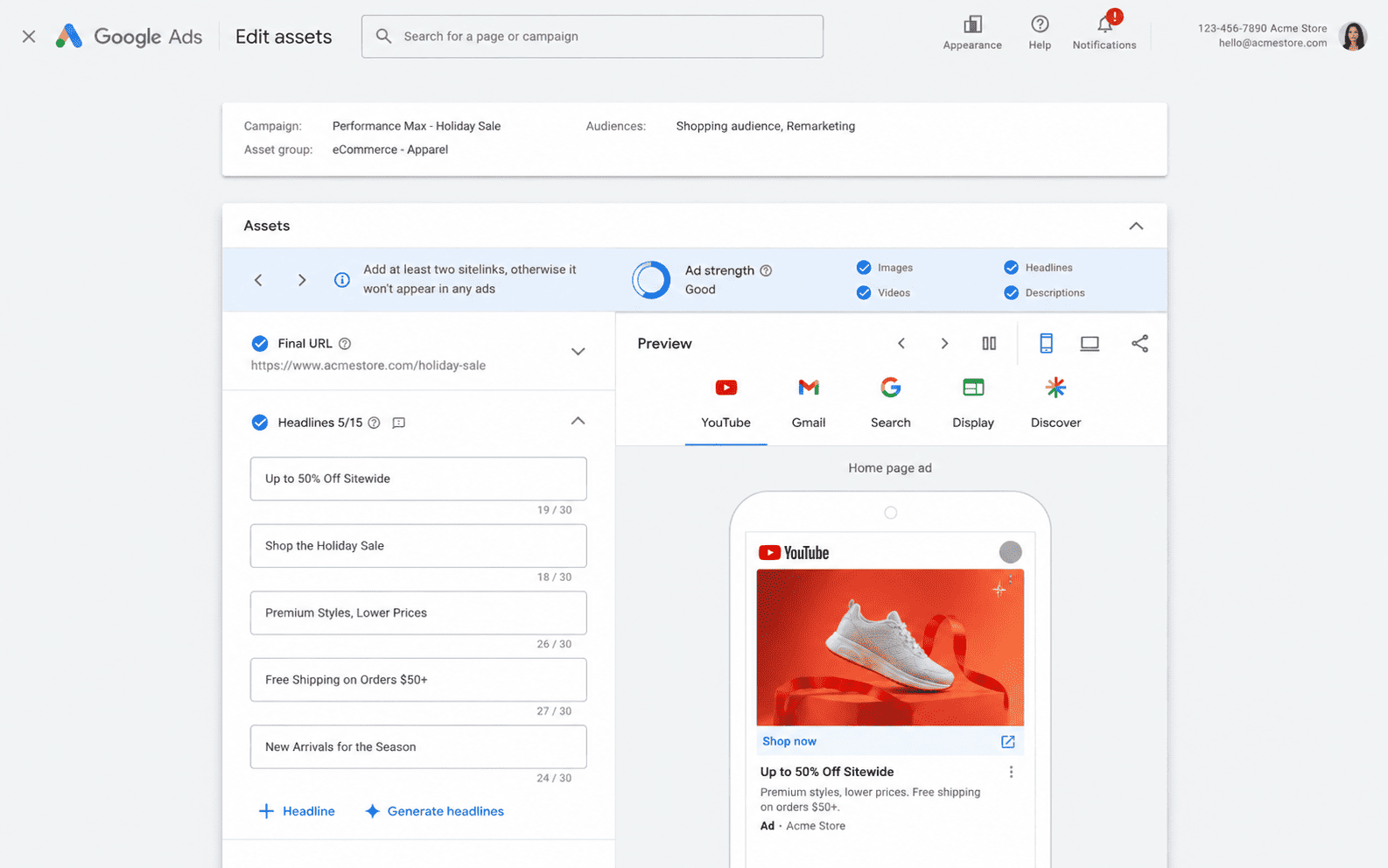
In Google Ads, Performance Max is a goal-based campaign type that gives a single campaign access to all of Google's ad inventory. Rather than building a separate campaign for each channel, you set one goal, such as purchases or conversion value, and Google's AI decides which ad to show, where, and how much to bid.
The split of responsibilities looks like this:
| What you provide | What Google decides |
|---|---|
| Conversion goals and values | How much to bid in each auction |
| Product feed through Merchant Center | Which channel and placement each ad appears in |
| Text, image, and video assets | Which combinations of assets to show |
| Audience signals and search themes | Which people to reach, including beyond those signals |
| Budget and an optional ROAS or CPA target | How spend is divided across channels |
Performance Max is designed to work alongside Search campaigns, not replace them. If a search query matches an exact match keyword in a Search campaign, Google Ads gives that campaign priority over Performance Max. Many stores therefore keep brand or high-intent Search campaigns running next to PMax.
Google reports that advertisers using Performance Max see an average of 18% more conversions at a similar cost per action. That figure comes from Google itself, and individual results depend heavily on the inputs in the table above.
When does Performance Max make sense?
Performance Max tends to work best when Google has enough reliable data to learn from, because the campaign can only pursue a goal as well as it can measure it.
For ecommerce stores, PMax usually makes sense when:
- Conversion tracking is reliable: purchases and order values reach Google Ads accurately, without gaps or duplicates.
- Purchases arrive steadily: the account records conversions regularly, so bidding has a pattern to learn from.
- The product feed is in good shape: titles, prices, images, and availability in Merchant Center match what shoppers see on the site.
- The budget can absorb a learning phase: results often move up and down in the first weeks while the campaign tests channels and assets.
It is usually better to wait, or to start with Standard Shopping or Search campaigns, when tracking is still unreliable, purchases are rare, or you need close control over which searches trigger your ads.
Performance Max can also support lead generation and local businesses, but their conversion goals and inputs work differently. This guide stays with ecommerce.
How do Performance Max campaigns work in Google Ads?
Performance Max combines the inputs you provide with signals Google reads at auction time, such as device, location, and time of day. The six inputs below shape what the campaign optimizes for, and each one is also something you can improve.
1. Conversion goals and values
Conversion goals tell Performance Max what success looks like. Bidding strategies only optimize toward the conversion actions included in your Conversions column, so choosing the primary action matters more than almost any other setting.
For ecommerce, that primary action is usually a completed purchase. Add-to-cart or checkout-started events can stay as secondary actions for reporting. If they are set as primary, PMax may chase cheaper, lower-value actions that look like progress but do not bring revenue.
Values matter just as much. When a campaign bids for conversion value, Google uses the value attached to each conversion to judge what a click is worth. Sending the actual order value helps it favor larger purchases. A fixed value, or a value of zero, leaves it guessing.
Watch for values that are calculated differently across conversion actions, such as including tax and shipping in one but not another. Inconsistent values push PMax toward a number that no longer matches your revenue. If values look wrong or purchases seem to be missing, sort out those conversion tracking issues before changing bids or targets.
2. Product feed and Merchant Center
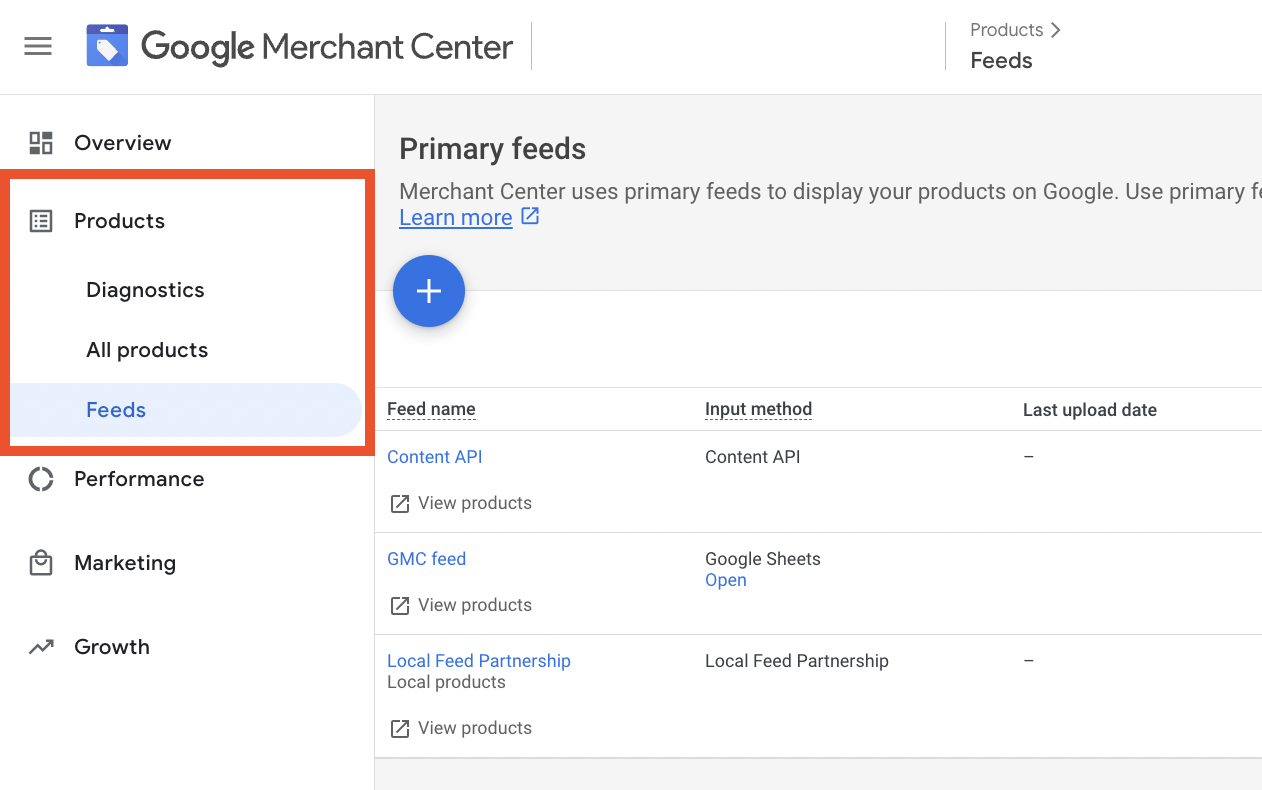
For retail campaigns, Performance Max uses the product data in your Merchant Center account, which you link to Google Ads. The feed decides which products can appear in Shopping ads and what shoppers see: title, image, price, and availability. Google also uses it to match products to searches, so a vague title limits where an item can show.
A few parts of the feed carry the most weight:
- Titles and descriptions: include the product type, brand, and attributes people search for, such as size, material, or color.
- Images: use clear, high-resolution photos without promotional text or overlays on the main image.
- Price and availability: keep both in sync with your site. Mismatches can get products disapproved.
- Custom labels: group products by margin, season, or best sellers, so you can report on them or split campaigns later.
The landing page matters too. If a shopper clicks a product ad and finds a different price or an out-of-stock item, the click is wasted, however well the ad performed.
Thin or outdated feeds are a common reason campaigns underperform. Better product data often lifts results more than most bid or target changes.
3. Asset groups and creative
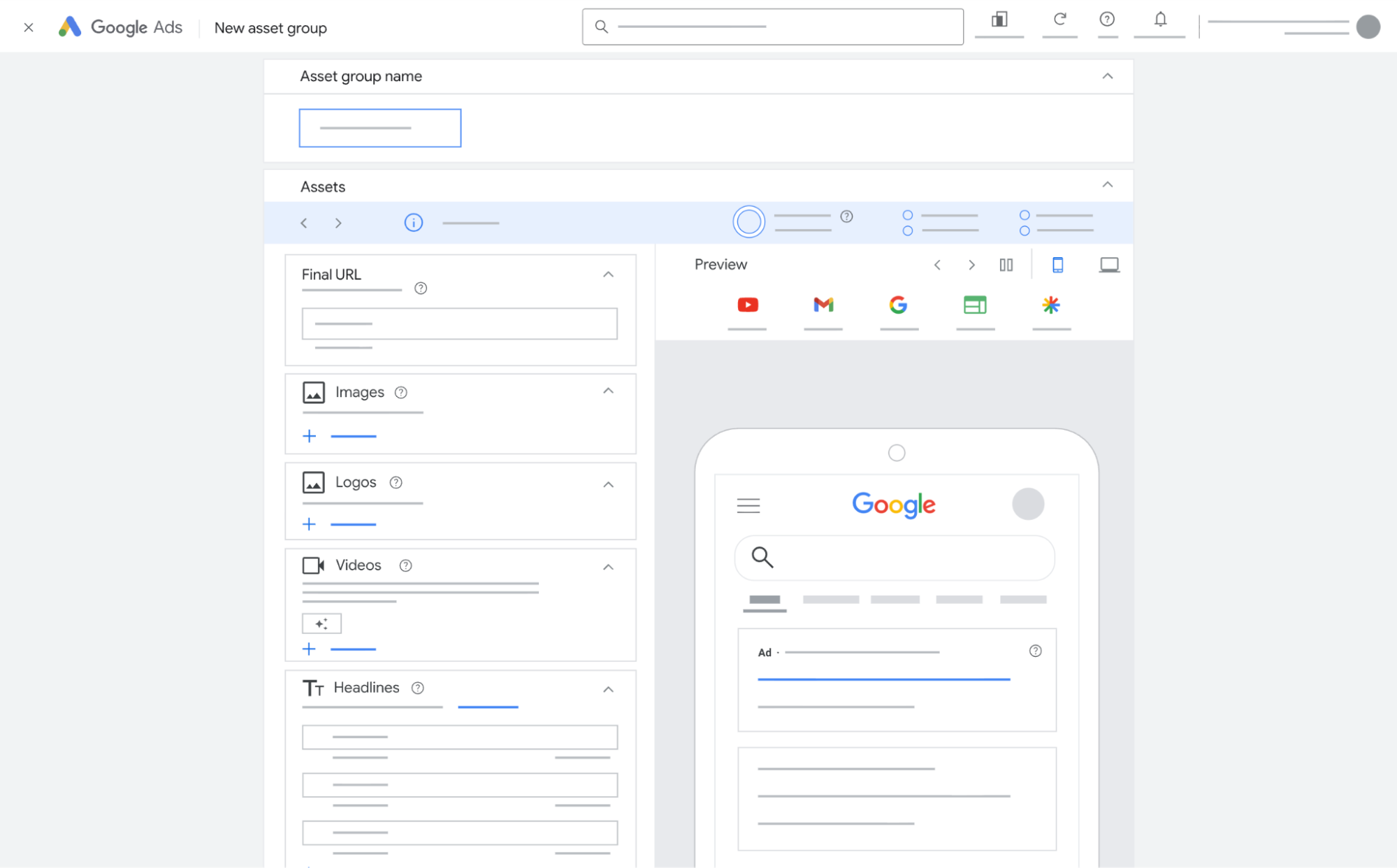
An asset group is a set of creative built around one theme, such as a product category or a customer need. It holds headlines, descriptions, images, logos, and videos, along with the final URL and any audience signals for that theme. Performance Max combines assets within a group to create ads across Search, Maps, Display, YouTube, Gmail, Discover, and partner sites, so one asset group can produce a text ad, a video, and a banner.
Variety gives Google more to work with. Google’s asset group guidance recommends covering text, images, and video in every asset group, with up to 15 headlines, 5 descriptions, 20 images, and several videos in different orientations. Without your own video, one or more videos may be auto-generated from your other assets, which may not represent the brand as well as your own.
Some ecommerce stores run feed-only campaigns with few or no creative assets. These lean mostly on Shopping inventory, which suits stores without strong creative but limits reach on YouTube and Display.
The asset report lets you compare performance across assets, so you can replace the weak ones. Creative that has not changed in months is worth refreshing, since ads lose impact as the same people see them again and again.
4. Audience signals and search themes
Audience signals tell Google who your best customers are likely to be. They are optional audience suggestions that help Google AI optimize toward your goals, and Performance Max may still show ads to people outside your signals when they seem likely to convert.
For ecommerce, the most useful signals usually come from your own data, such as customer lists and past site visitors. Custom segments built from relevant keywords or websites can add context.
Search themes do a similar job for search intent. You can add up to 50 search themes per asset group to describe what customers are searching for. They add to what Google already learns from your assets, feed, and landing pages, and carry the same priority as phrase and broad match keywords in Search campaigns.
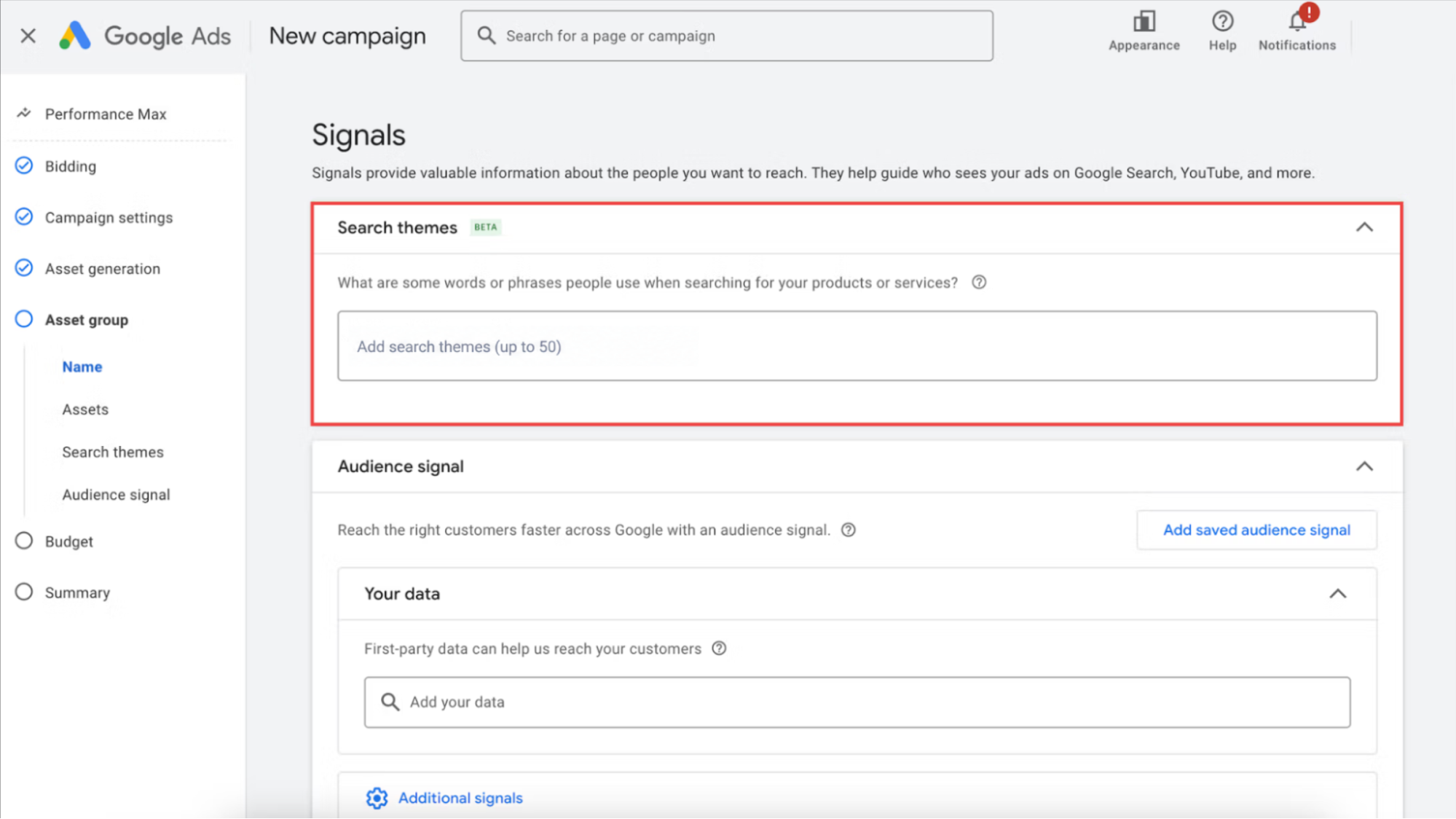
Treat both as a starting point. Keep them consistent with the creative in the same asset group, and judge them by results rather than by whether Google reached the exact people you listed.
5. Bidding and budget
Performance Max uses Smart Bidding, so there are no manual bids to manage. For ecommerce, the usual choice is Maximize conversion value, which uses the order values you send to favor larger purchases. You can add a Target ROAS to set the return you expect, or leave it off at first while the campaign gathers data. Our Google Ads ROAS guide covers how to choose that target from your margins.
The budget needs enough room for the campaign to learn. Google can spend up to twice your average daily budget on a given day, but you won’t be charged more than about 30.4 days of that budget in a month. A budget that is too tight limits the campaign to a small share of auctions, which slows learning and makes results harder to read. The budget panel in Google Ads flags when a budget looks too low for the goal.
Be careful about raising the ROAS target and cutting the budget at the same time. Both limit volume, and together they can stall a campaign.
6. Learning period and auction-time decisions
Each time a Performance Max campaign enters an auction, Google combines your inputs with live signals about the person searching or browsing, then sets a bid and picks the ad. Those predictions improve as the campaign collects conversions, which is why new campaigns go through a learning period.
During that period, results often swing. Spend can move between channels, and ROAS may dip before it settles. Not every edit restarts this process. According to Google, changes to budgets and targets take effect immediately and don’t trigger a “Learning” status, though performance can still take one to two conversion cycles to adjust. Switching to a different bid strategy is the kind of change more likely to show a “Learning” status again.
Two habits help:
- Give changes time: Google advises allowing one to two conversion cycles after a target change before judging the result.
- Use a long enough window: Google’s Smart Bidding guidance evaluating over a month or at least 50 conversions for Target ROAS. Google also suggests leaving out the most recent days while delayed conversions come in.
Editing the campaign every few days works against both habits, since each change makes it harder to tell what actually moved performance.
Each of these inputs feeds the same system, so a weak spot in one shows up everywhere. Strong creative cannot make up for missing purchase values, and a clean feed cannot fix a primary goal set on add-to-cart. That is why the checks you run before launch matter as much as the campaign settings themselves.
What do you need before launching Performance Max?
Performance Max gives you fewer manual controls than Search or Shopping campaigns, so most of the important work happens before launch. Use this checklist to confirm the campaign will learn from accurate data from day one.
| Check | Why it matters | What to do |
|---|---|---|
| One primary purchase action | PMax bids only toward primary actions | In your conversion goals, set purchase as primary and keep add-to-cart or checkout events as secondary |
| Real order values | Value-based bidding needs actual basket sizes | Compare a few recent orders with their conversion values in Google Ads |
| No duplicate purchases | Browser and server events for the same order inflate results | Send the same transaction ID, in the same format, from browser and server to one purchase conversion action |
| Enhanced Conversions turned on | Hashed customer data helps recover conversions lost to cookie limits | Check the diagnostics status on your purchase conversion action |
| Approved product feed | Disapproved products cannot appear in Shopping ads | Review errors and warnings in Merchant Center diagnostics |
| Assets for each product group | Each asset group needs creative that matches its products | Prepare images, video, and headlines by category before setup |
| A baseline | Without one, you cannot tell what PMax added | Record revenue, ROAS, and CPA for the past 30 to 90 days, by product group |
The first four checks are where most problems hide. Purchases can go missing when checkout runs on a third-party page, or a browser blocks the tag. Values can drift from the real order when tax, shipping, or discounts are handled differently across actions. Most of this does not show up as an error in Google Ads. It appears later as a campaign that looks healthy in reports but does not match your sales. Deduplication only works when browser and server events reach the same conversion action with the same transaction ID. Setting up separate conversion actions for browser and server purchases means each order is counted twice.
For Shopify stores, Omega Google Ads for Shopify covers the tracking side of this checklist. It sends purchases to Google Ads with Enhanced Conversions and server-side delivery, including orders placed through Shop Pay and third-party checkout pages. A Signal Health score then rates how complete those signals are, based on Click ID, Enhanced Conversion, and attribution window coverage.
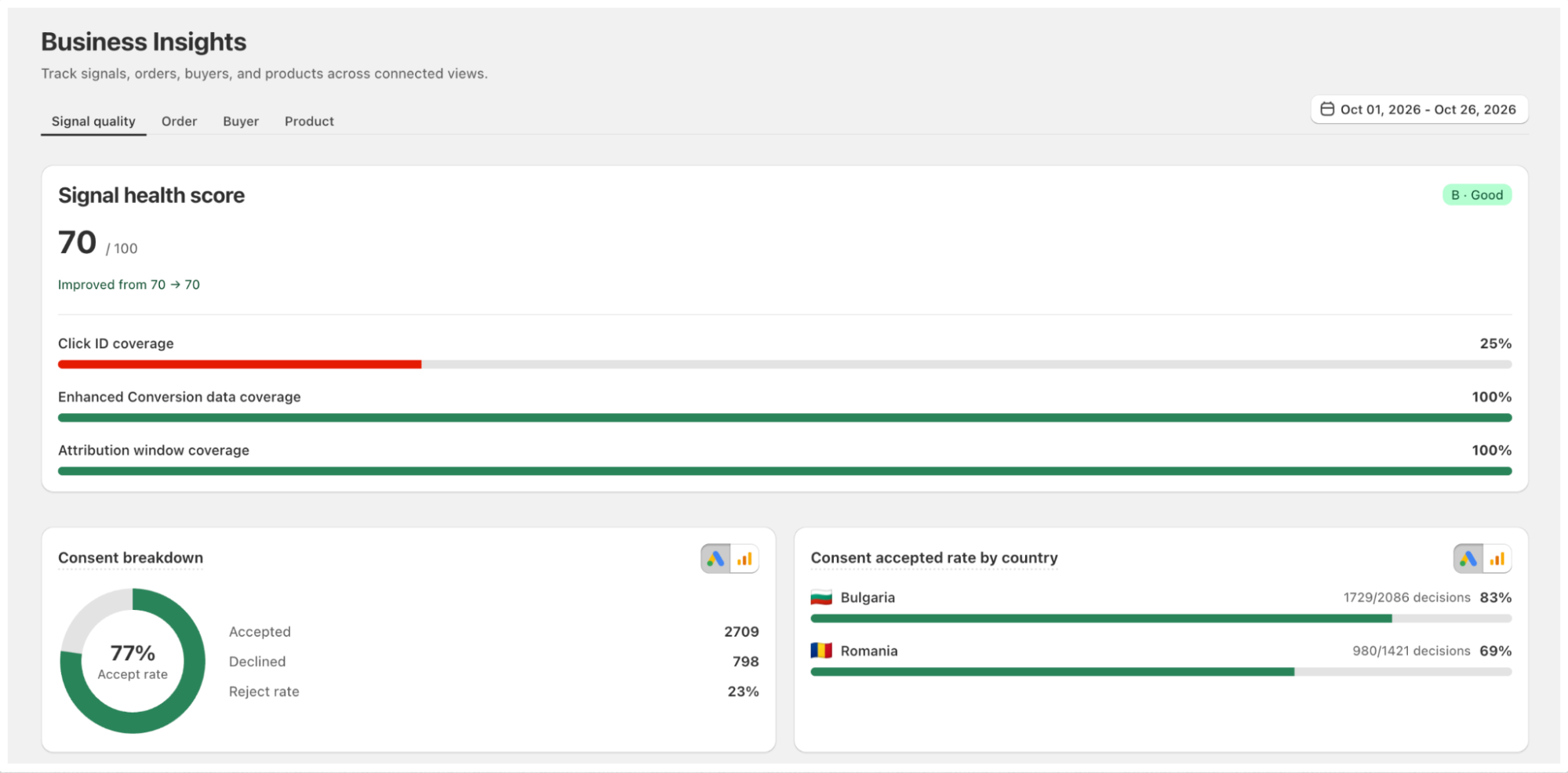
For stores selling in several countries, multi-market tracking keeps each Shopify market’s data separate, so a PMax campaign in each country learns from its own sales. Some features vary by plan. Better tracking gives Performance Max a cleaner target, but it does not replace a strong feed, good creative, or a sensible budget.
For a step-by-step look at setting up, testing, and validating purchase events, read our guide to Shopify conversion tracking.
How should you structure and set up Performance Max campaigns?
Google recommends consolidating Performance Max campaigns where possible, because fewer, larger campaigns give bidding more data to learn from. In practice, a new campaign is worth creating only when part of the business needs its own budget, target, or market.
Common reasons to split:
- Different margins: products that break even at very different ROAS levels need separate targets.
- Different markets: each country has its own demand, prices, currency, and budget.
- Protected budgets: a key category or new launch should not have to compete with best sellers for spend.
Within a campaign, use asset groups to separate product categories or customer themes that need their own creative. A store selling shoes and bags, for example, can run one campaign with an asset group for each category instead of two campaigns with half the data each.

A common mistake is splitting campaigns so thin that none collect enough conversions to learn. If a campaign only records a handful of purchases a month, merging it back usually helps more than fine-tuning it.
Once the structure is clear, these settings deserve the most attention during setup:
| Setting | What to decide |
|---|---|
| Campaign goal | Use purchase as the primary goal. Add the new customer acquisition goal if growth matters more than repeat sales. |
| Bidding and budget | Maximize conversion value, with or without a Target ROAS, as covered in the bidding section above. |
| Locations | Choose presence targeting to reach people in the areas you ship to, not only people showing interest in them. |
| Languages | Match the languages of your site and ads. |
| Final URL expansion | Let Google send traffic to other pages on your site. Exclude pages such as blog posts or policy pages, or turn it off if every click should land on a product page. |
| Brand exclusions | If you run a separate brand Search campaign, add brand exclusions so PMax does not take credit for people already searching for you. They apply to Search and Shopping inventory. |
| Listing groups | Choose which products from the feed each asset group can show. |
None of these settings needs to be perfect at launch. Changing several at once later, however, makes it hard to see what moved results, so set them deliberately and then give the campaign time to learn.
How can you measure and control Performance Max results?
Performance Max used to be called a black box, but Google has added more reporting and controls over the past two years. Used together with your own store data, they show where the budget goes and whether the results hold up.
Use the newer reporting and controls
Google now offers new reporting and controls that show more of what happens inside a Performance Max campaign:
| Report or control | What it shows | Use it to |
|---|---|---|
| Channel performance report | Spend, conversions, and value by channel, such as Search, Shopping, YouTube, and Display | See where the budget goes and spot channels that spend without converting |
| Search terms report | The searches that triggered your ads | Find irrelevant or low-intent queries |
| Campaign-level negative keywords | A control rather than a report, fed by the search terms report | Block queries that do not fit your products |
| Asset report | Performance by headline, image, and video | Replace weak creative |
| New customer reporting | Conversions from new versus returning customers | Check whether PMax brings in new buyers or mostly reaches existing ones |
Read the channel report with some context. A channel with high spend and few direct conversions can still be useful, because YouTube or Display may introduce shoppers who later buy through Search. It is worth questioning when that pattern continues for weeks.
Negative keywords need some care as well. They only apply to Search and Shopping inventory, so they cannot fix wasted spend on YouTube or Display. Google also notes that negative keywords are not always needed, since PMax is designed to find well-performing search traffic. Start with queries that clearly do not match what you sell, rather than excluding anything that has not converted yet. For content you never want to appear next to, account-level brand safety settings apply across campaigns.
Judge results by profit, not platform ROAS alone
Google Ads shows the results Performance Max is credited with, which is not always what your business keeps. Before trusting those numbers, or changing budgets and targets, check them against your own data in three steps.
- Check that the data is accurate. Compare Google Ads purchases with orders in your store backend for the same period. Small differences are normal, because attribution and timing differ. A large or growing gap usually means conversions are missing, duplicated, or credited to the wrong campaign. In that case, review the conversion signals sent to Google, including Click ID coverage, Enhanced Conversions, and attribution settings, before changing anything else.
- Check that the sales are new. Compare results with the baseline you recorded before launch. If conversion value in Google Ads rises while total store revenue stays flat, PMax may be taking credit for sales that would have happened anyway. This often happens through brand searches, retargeting past visitors, or reaching mostly returning customers. For a clearer answer, Google Ads experiments can test PMax against your existing campaigns over the same period.
- Check that the sales are profitable. A campaign can hit its ROAS target while selling mostly low-margin items. Comparing results by product group against each group’s break-even ROAS shows whether the mix actually makes money.
If any of these checks fail, fix it before increasing the budget. Scaling spend on inaccurate, non-incremental, or low-margin sales tends to make the problem bigger.
Conclusion
Google Performance Max can reach shoppers across Google’s channels from a single campaign, but it does not decide what success looks like. That still comes from you: the conversion goals and values you send, the product data in your feed, the creativity in each asset group, and the budget you give it to learn.
When those inputs are accurate, PMax has a clear target and room to find more of the right customers. When they are not, the campaign can still report strong numbers while your store revenue tells a different story. The newer reporting tools make that gap easier to spot, as long as you compare them with your own data.
Before you scale Performance Max, make sure Google Ads is receiving complete and accurate purchase data. Every other improvement builds on that.

- 1 What is Performance Max in Google Ads?
- 2 When does Performance Max make sense?
- 3 How do Performance Max campaigns work in Google Ads?
- 4 What do you need before launching Performance Max?
- 5 How should you structure and set up Performance Max campaigns?
- 6 How can you measure and control Performance Max results?
- 7 Conclusion
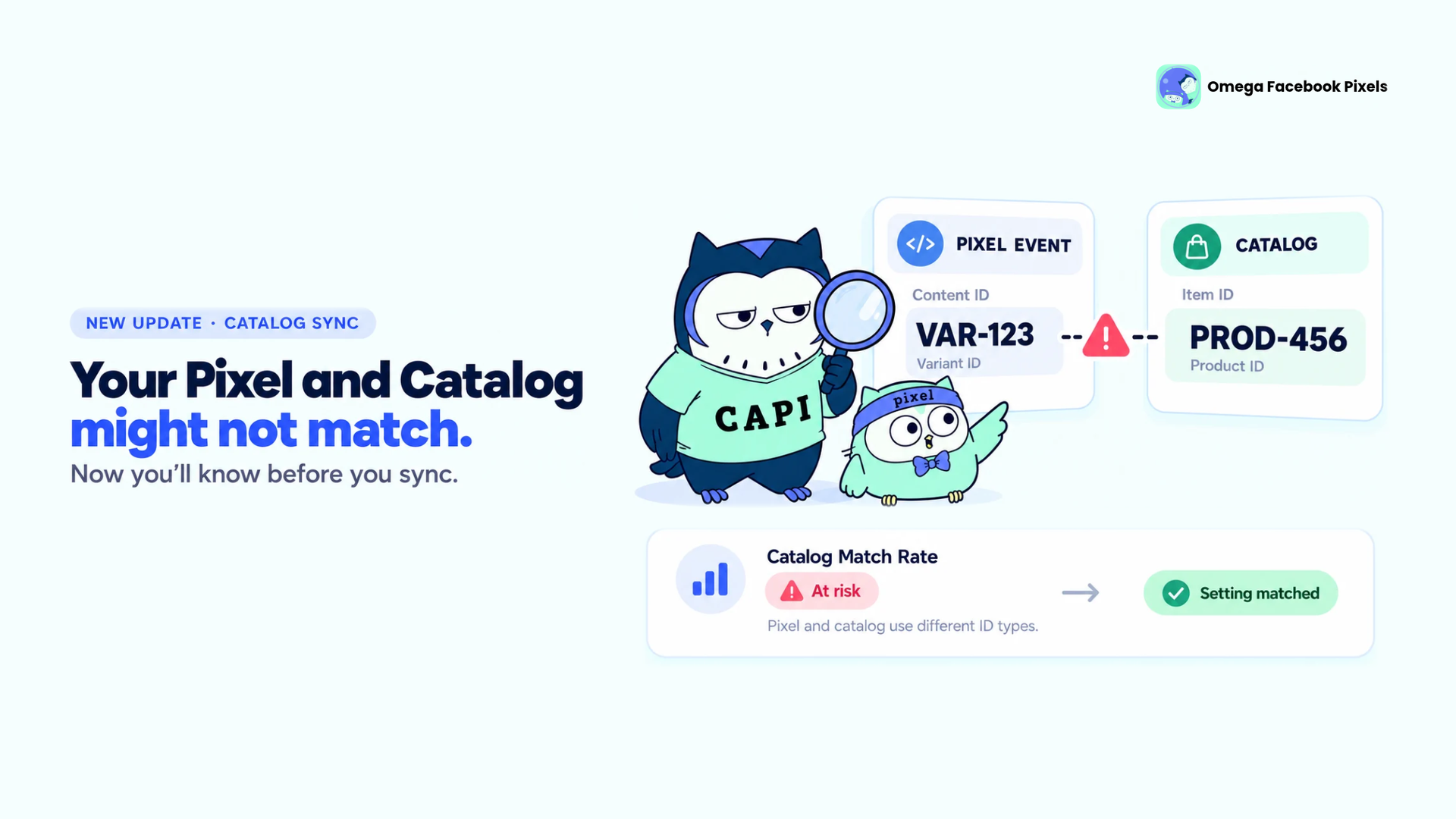
Omega Facebook Pixels Catches Catalog and Pixel Mismatches Before Your Match Rate Drops
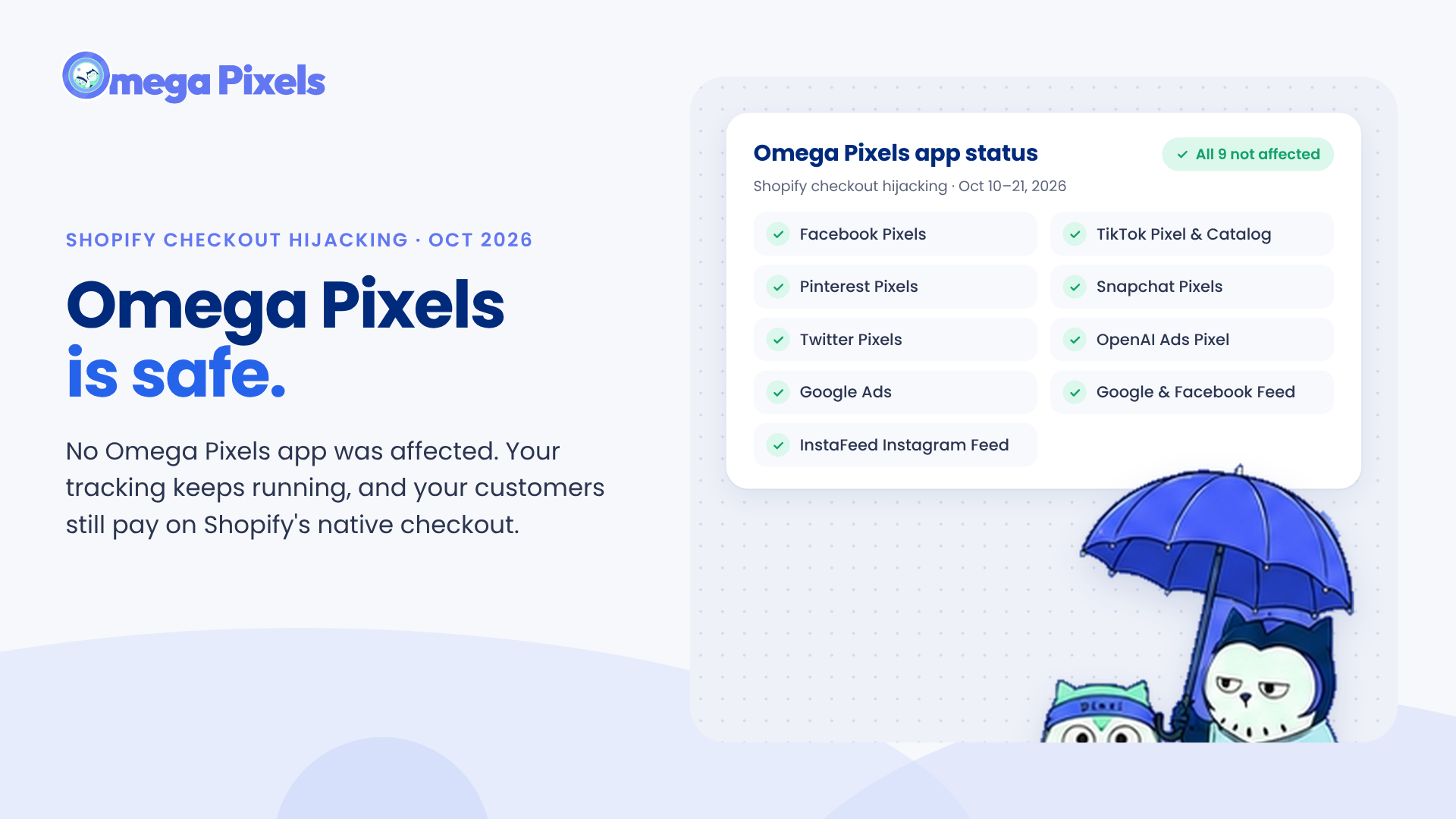
Are Omega Pixels Safe After the Shopify Checkout Hijacking? Yes, Here's Why
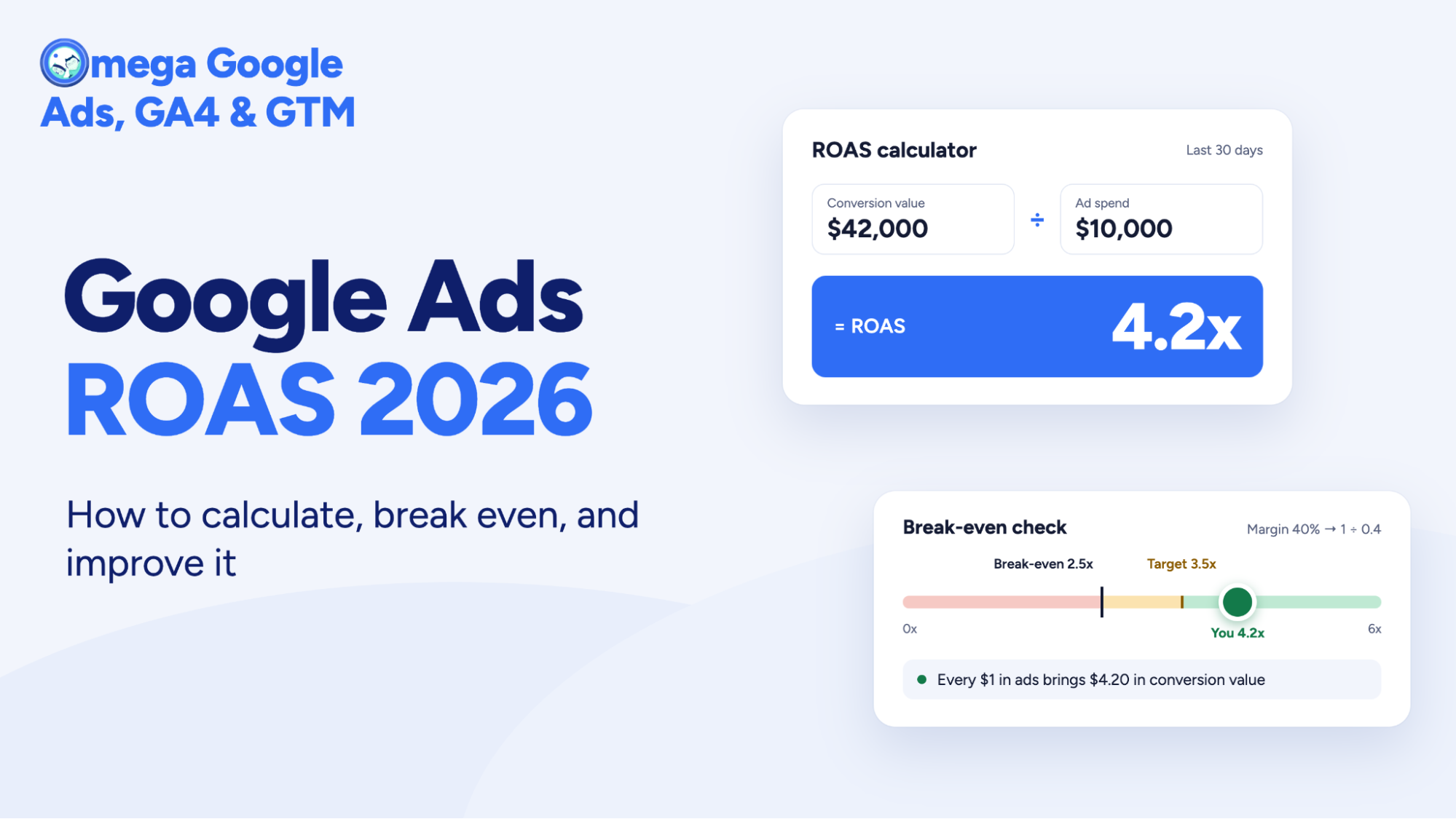
Google Ads ROAS 2026: How to calculate, break even, and improve it

Meta Ads Click Fraud: How Bots Drain Your Budget and Poison Your Pixel (2026 Guide)
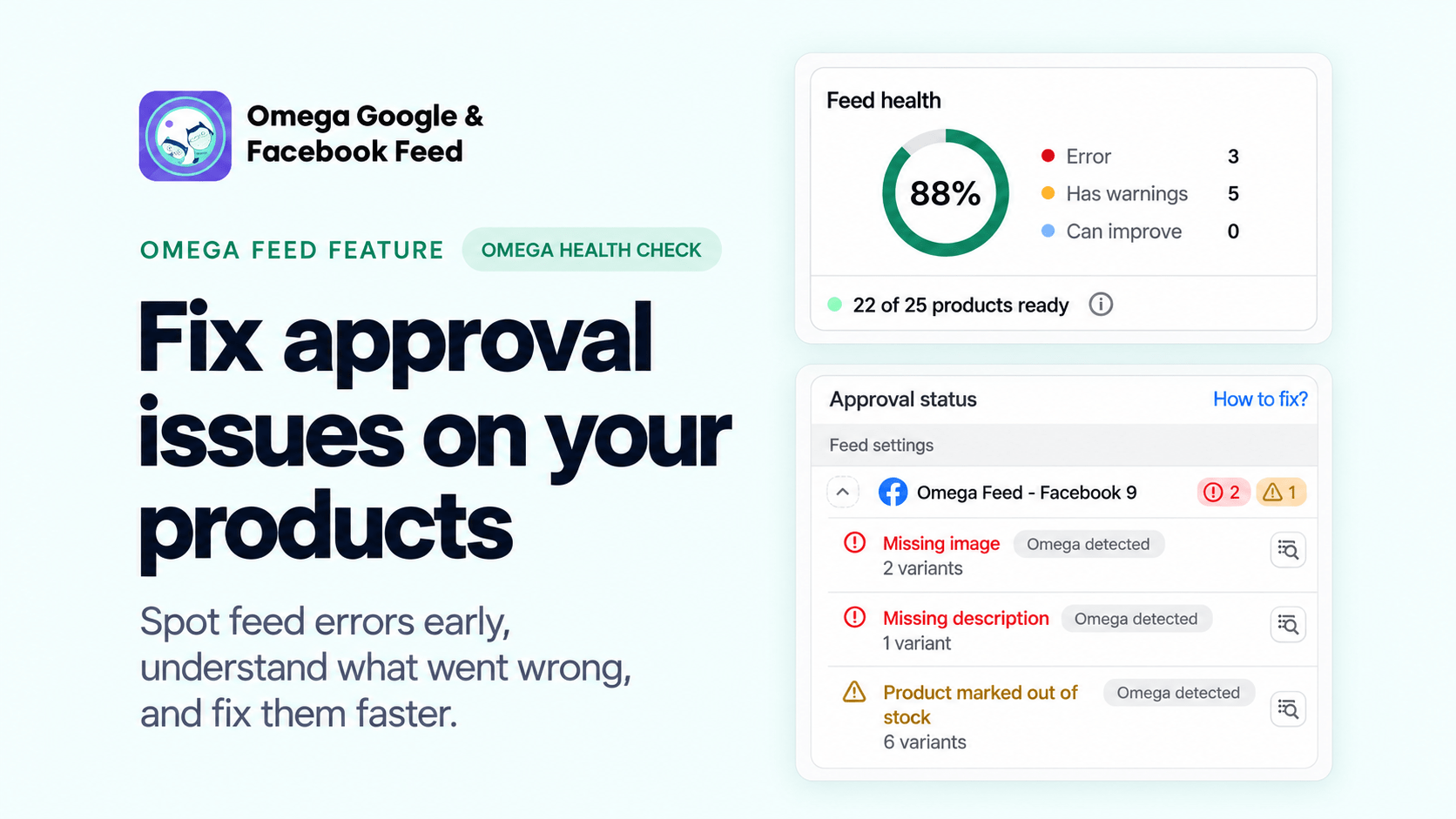
Fix Shopify Product Feed Errors Before You Submit
Omega Facebook Pixels Catches Catalog and Pixel Mismatches Before Your Match Rate Drops
Are Omega Pixels Safe After the Shopify Checkout Hijacking? Yes, Here's Why
Google Ads ROAS 2026: How to calculate, break even, and improve it
Meta Ads Click Fraud: How Bots Drain Your Budget and Poison Your Pixel (2026 Guide)