Google Ads ROAS 2026: How to calculate, break even, and improve it


Google Ads ROAS shows how much conversion value your campaigns generate for each dollar spent on ads. A ROAS of 4x, for example, means Google recorded $4 in conversion value for every $1 of ad spend. Sooner or later, most advertisers ask whether their number is good. An industry average can offer a rough reference point, but it cannot answer that question on its own. The answer depends on your margins, the accuracy of the conversion data Google receives, and what the campaign is meant to achieve.
This guide explains how ROAS is calculated in Google Ads, how to find your break-even point, and which changes tend to improve results. It also covers why Google Ads figures often differ from store revenue and how to set a Target ROAS that still leaves room for sales volume. Along the way, it separates the ROAS shown in your account from the profit your business actually keeps.
What is ROAS in Google Ads?
ROAS (Return on Ad Spend) in Google Ads is a key performance metric that measures the conversion value Google Ads attributes to your ads for every dollar of ad spend.
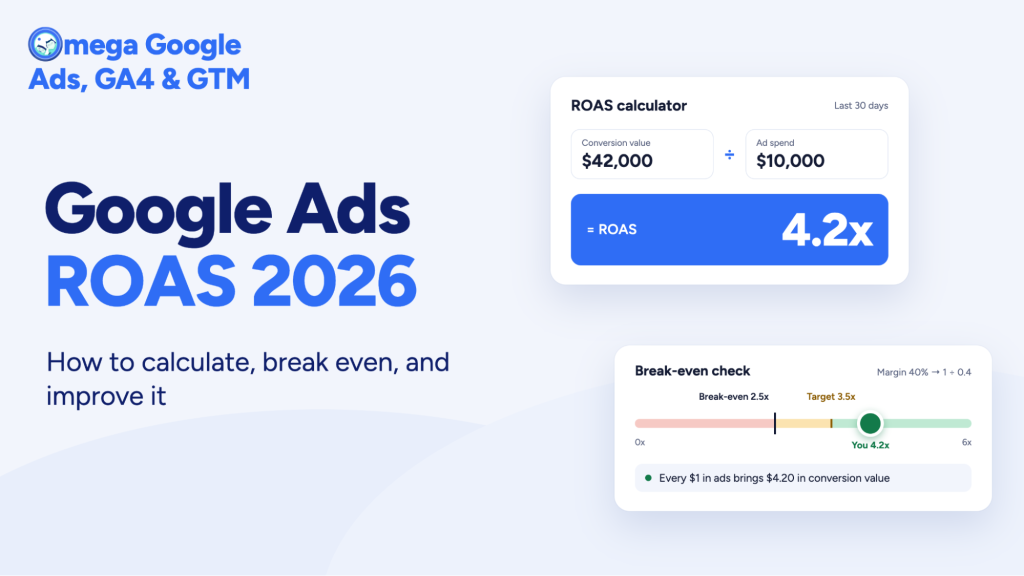
| ROAS = Conversion value ÷ Ad spend |
If a Shopping campaign spends $2,000 in a month and records $9,000 in conversion value, its ROAS is 4.5. You may see this written as 4.5x, 4.5:1, or 450%. Google Ads uses the percentage format when you set a Target ROAS.
In your account, ROAS appears as the Conv. value/cost column. You may need to add it through the columns menu.
The number is only as reliable as the data behind it:
- Conversion value: your tracking may send the actual order value, a fixed value, or no value at all.
- Attribution settings: Google credits that value to ads based on your attribution model and conversion window.
ROAS also compares revenue with ad spend only. It leaves out product costs, shipping, fees, and returns, so a campaign can show a strong ROAS and still lose money. That is why Google Ads ROI and profit-based measures matter alongside it.
What is a good ROAS for Google Ads?
No single ROAS counts as good for every business. Benchmarks show where other advertisers land. Your break-even ROAS shows where you start making money.
Across more than 21,000 ecommerce brands, Triple Whale’s latest Google Ads benchmarks put the median Google Ads ROAS at 3.27 for August 2025 to July 2026.
| Industry | Median ROAS |
|---|---|
| Sports & Outdoors | 4.35 |
| Apparel & Accessories | 3.99 |
| Home & Garden | 3.48 |
| Food & Beverage | 3.18 |
| Beauty | 2.81 |
| Health & Wellness | 2.06 |
Campaign type matters too. Harucon Ventures’ 2026 ecommerce ROAS study, based on 38 accounts, found these medians:
| Campaign type | Median ROAS |
|---|---|
| Search (including brand) | 4.30 |
| Shopping | 2.30 |
| Performance Max | 2.30 |
| Demand Gen | 1.08 |
The sample is small and mostly European, and Search includes brand searches, so treat these figures as rough context rather than targets.
Benchmarks also hide what decides profit: margins, returns, and how much revenue comes from people who already knew the brand. That is why the more useful number is your break-even ROAS:
| Break-even ROAS = 1 ÷ Contribution margin |
Contribution margin is what remains from each sale after product costs, shipping, and payment fees, before ad spend. At a 50% margin, break-even is 2x. At 20%, it is 5x. Returns push it higher.
Consider two stores that each spend $1,000 and record $4,000 in conversion value:
- Store A, 20% contribution margin: $800 left before ad spend, a $200 loss after ads.
- Store B, 60% contribution margin: $2,400 left before ad spend, $1,400 after ads.
Same ROAS, different outcome. Set targets from your own break-even first, then use benchmarks to see whether a gap comes from the account or from your margins.
How can you improve ROAS in Google Ads?
The steps below follow the order most accounts should check them in. Measurement comes first because Google’s bidding can only work with the conversions and values it receives. Changes to bids, structure, or landing pages pay off faster once that data is reliable.
1. Fix conversion tracking and conversion value first
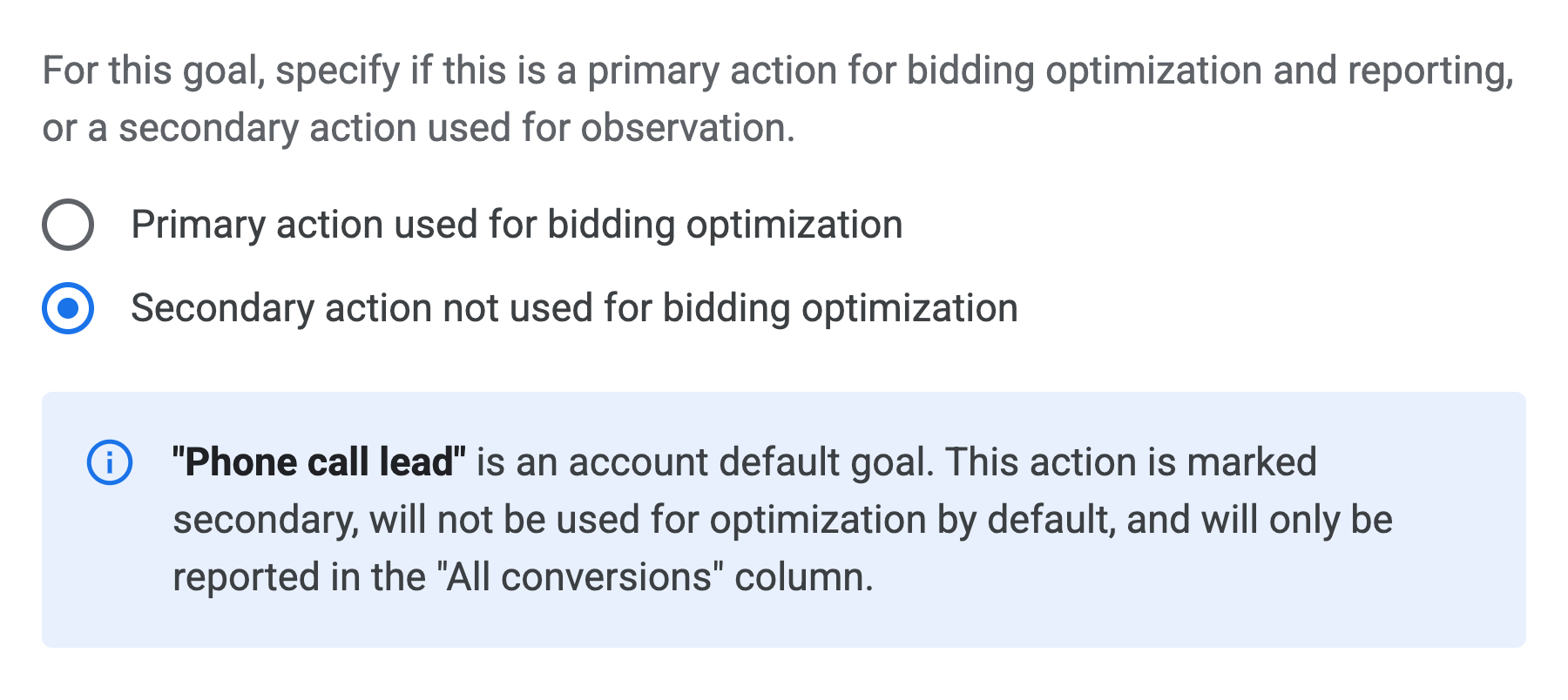
Smart Bidding treats every recorded conversion as a signal. If purchases go missing, Google undervalues the campaigns that drove them. If one order counts twice, or a page view is marked as a purchase, it rewards the wrong traffic. Either way, ROAS stops reflecting what the store actually earned.
Common problems to check:
- Missing purchases: browser restrictions, ad blockers, and cookie limits can stop tags from firing. Some third-party or accelerated checkouts also skip the thank-you page where many tags load.
- Duplicate purchases: two tags, or two purchase actions set as primary, can count one order twice.
- Wrong primary actions: add-to-cart or page view events set as primary goals inflate reported value.
- Inaccurate values: a fixed value per conversion, or values that include tax and shipping, can make ROAS look stronger than the product revenue behind it.
These issues are common. In a review of 41 ecommerce Google Ads audits, Harucon Ventures found multiple primary conversion goals or misconfigured tracking in at least 19 accounts.
A practical first check: open your conversion settings, confirm that only one purchase action is primary, and compare a week of Google Ads purchases with orders in your store backend. A large, consistent gap usually points to a tracking problem rather than a normal reporting difference.
2. How can Shopify stores send more complete conversion data with Omega Google Ads?
For Shopify stores, many of the gaps above come from how and where purchases are recorded. Omega Google Ads for Shopify sends purchase data to Google from both the browser and the server, then shows how complete that data is. Key features include:
- Server-side tracking via GTM: combines Google Tag with server-side GTM to capture browser and server events, reducing data loss from cookie limits, Shop Pay, and third-party checkout pages.
- Event and purchase reports: show which events and purchases were recorded, including orders placed through Shop Pay and third-party pages.
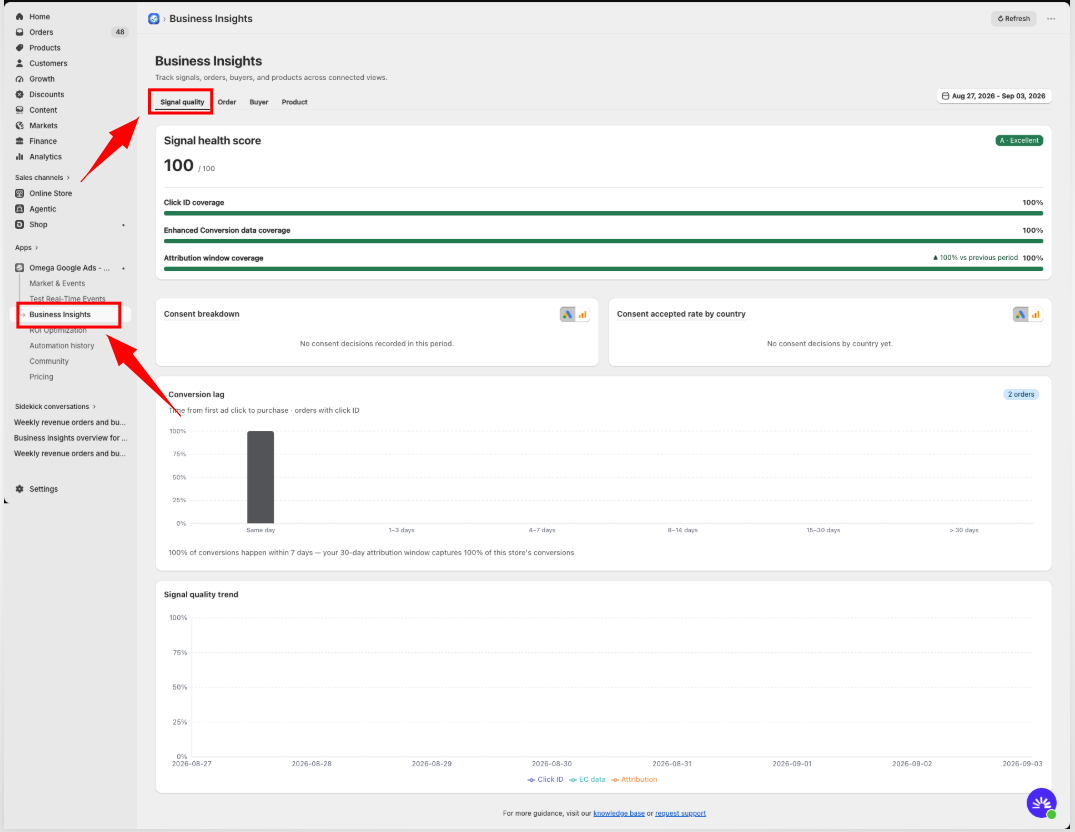
- Signal Quality: gives a 0–100 Signal Health score based on Click ID coverage, Enhanced Conversion coverage, and how many purchases fall within the attribution window. It is available on all plans, including Free.
- ROI compliance checks: audit the tracking setup and flag configuration errors before they affect ad delivery.
Some features vary by plan. More complete tracking gives Google better signals to bid on, but it does not fix weak targeting or unprofitable products. The steps below cover those.
3. Cut wasted spend
Every click that cannot lead to a sale adds cost without adding conversion value, so cutting waste usually raises ROAS. Most waste sits in a few places:
- Search terms: review the search terms report regularly and add negative keywords for queries with no buying intent, such as “free,” “jobs,” or “DIY.”
- Locations: set location targeting to reach people who are in the areas you ship to, not only people interested in them. Then pause or exclude regions that spend without converting.
- Devices and schedules: compare ROAS by device and time of day. With Target ROAS, Google ignores device bid adjustments except a −100% exclusion, so act on large, consistent gaps by changing budgets or campaign structure instead.
- Products: find products that take spend but rarely sell, then exclude them or move them into a separate campaign with a lower budget.
Location waste is a common gap. In Harucon’s audits, at least 22 of 41 accounts spent budget in regions that produced no conversions.
4. Use value-based bidding
Bidding for conversions treats a $20 order and a $200 order the same way. Value-based bidding does not. With Maximize conversion value, Google uses the values you send to bid more for clicks likely to bring larger orders, aiming for the most conversion value your budget can buy.
This strategy works best once the earlier steps are in place. If values are fixed, inflated, or missing, Google optimizes toward the wrong signal, and reported ROAS can rise while real revenue does not.
You can also set a Target ROAS, which tells Google the average return you want from each dollar spent. Setting that number well is covered in the Target ROAS section below.
5. Structure campaigns and feeds by margin
A single ROAS target across your whole catalog assumes every product earns the same margin. Few stores work that way. A 3x ROAS can be profitable on a product with a 60% margin and a loss on one with 20%.
Grouping products by margin lets you set targets that match their real break-even points:
- Label products by margin tier: use custom labels in your Merchant Center feed, such as “high,” “mid,” and “low” margin.
- Split campaigns or listing groups by tier: give each group its own budget and Target ROAS, so Google does not spend freely on products that barely pay back.
- Account for returns: Harucon’s study suggests calculating break-even as 1 ÷ ((1 − return rate) × contribution margin). A product with a 30% margin and 25% returns needs a 4.44 ROAS just to break even.
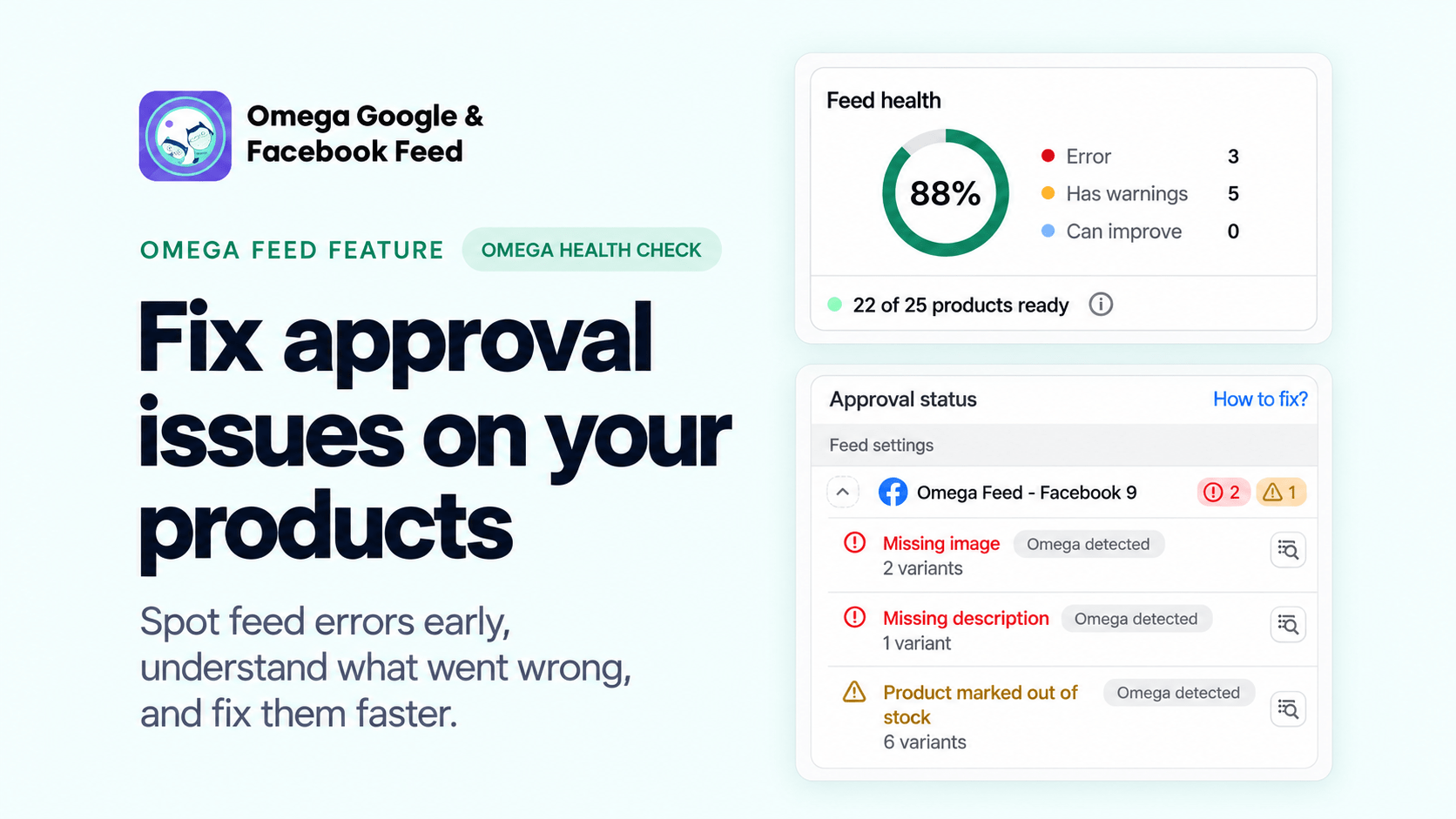
Feed quality matters within each group as well. Clear titles, accurate prices, and good images help Shopping and Performance Max ads reach the right searches, which lifts conversion rate without extra spend.
6. Improve what happens after the click
ROAS depends on your store as well as your ads. Every click costs the same whether the visitor buys or leaves, so a higher conversion rate or a larger order raises ROAS without any change to bids.
Recent data points to the same. Triple Whale’s data shows Google Ads click-through rates rose 13.78% year over year while conversion rates fell 7.02%, which suggests more shoppers are clicking, but fewer are finding a reason to buy.
Two areas usually have the most room:
- Landing pages: send clicks to the exact product or category in the ad, keep pages fast on mobile, and show price, shipping costs, and return terms clearly.
- Order value: bundles, free-shipping thresholds, and relevant add-ons can lift average order value, which increases conversion value per click.
7. Review results over the right time window
Short reporting windows can make ROAS look worse than it is. Google Ads credits a conversion to the day of the ad click, not the day of the purchase. When customers take several days to buy, the most recent days often look weak at first and then fill in as orders arrive.
Before judging a change, check how long your customers usually take to convert. The “Days to conversion” segment in Google Ads shows this delay. Then compare periods of the same length that are old enough to be mostly complete.
Allow time after major edits as well. Changes to bid strategy, targets, or budgets can trigger a learning period, and adjusting again too soon resets it.
Work through these steps in order. Better bids and landing pages help most when Google is learning from complete, accurate conversion data. If your Google Ads results still differ from the revenue in your store, the next section explains why.
Why doesn’t Google Ads ROAS match your store’s revenue?
Google Ads and your store backend measure different things, so their numbers will rarely match exactly. Your store records every order from every channel on the date it was placed. Google Ads reports only the conversions it credits to your ads, based on your attribution model and conversion window, and assigns them to the date of the ad click.
Some differences are normal and only need to be understood. Others come from lost or duplicated data and need fixing. The table below helps separate the two.
| Symptom | Likely cause | What to check |
|---|---|---|
| Google Ads reports more purchases than your store | Duplicate tags, more than one primary purchase action, or modeled and cross-device conversions | Primary conversion actions, and whether transaction IDs are sent so Google can remove duplicates |
| Google Ads reports fewer purchases than expected | Tags not firing on some checkouts, missing click IDs, cookie limits, or consent restrictions | Orders by checkout type and payment method in your store |
| Conversion value is higher than net revenue | Tax and shipping included, or refunds and cancellations not removed | Value settings, and whether you upload conversion adjustments for refunds |
| Recent days look weak | Conversion delay | See step 7 above |
| Figures differ by country | Mixed currencies or time zones across markets | Account currency and time zone against each store market |
A useful test is to compare the same period, using only orders tagged as coming from Google Ads, once that period is old enough to be mostly complete. A small, stable gap is expected. A large gap, or one that suddenly grows after a theme, checkout, or app change, usually means conversions are being lost or counted twice. In that case, return to step 1 before changing bids or targets.
How should you set Target ROAS in Google Ads?
When you set a Target ROAS, you are asking Google for a certain amount of conversion value back for each dollar of ad spend. A 500% target, for example, means $5 in value per $1. Google applies that goal in every auction, bidding more when a search looks likely to produce a valuable order and less when it does not. The target works as a trade-off. A higher target usually means fewer but more efficient sales, while a lower one allows more volume at a lower return.
Since June 2026, Google Ads labels “Maximize conversion value with a Target ROAS” simply as “Target ROAS.” Only the name has changed. Bidding works the same way.
Choose a starting target
Check your data before choosing a number. Target ROAS bids on conversion values, so values must be set for the conversions you track. Google’s Smart Bidding guidance also recommends judging Target ROAS over periods with at least 50 conversions, usually a month or longer.
From there, a few principles help:
- Start from what the campaign already achieves: Google Ads suggests a target based on your historical performance, adjusted for conversion delays. This is usually a safer first setting than an industry benchmark.
- Check it against break-even: if your historical ROAS sits below break-even, a higher target alone will not fix it. Review margins, products, and waste first.
- Preview before committing: bid strategy simulators estimate how cost and conversion value might change at different targets.
- Move in small steps: adjust gradually, then wait at least one full conversion cycle before judging the result.
Take a campaign that has been returning about 3.2x and breaks even at 2.5x. Starting near 300% keeps it profitable without asking Google to beat its own recent results. That keeps it profitable while leaving room for volume.
Avoid common Target ROAS mistakes
Most Target ROAS problems come from asking too much of the strategy too quickly:
- Setting the target too high: Google bids only where it expects that return, so impressions and sales can drop sharply. A target well above historical performance often shrinks the campaign instead of improving it.
- Changing the target too often: each major change can restart learning. Frequent edits make it hard to tell what actually worked.
- Adding bid limits: Google advises against bid limits with Target ROAS because they restrict how the system optimizes bids.
- Using one target for mixed margins: a single target across products with very different margins overspends on some and underspends on others, as covered in step 5.
For many stores, a good Target ROAS is not the highest number Google will accept, but the lowest return that still meets their profit goal while leaving room to grow. The next section looks at why even a strong ROAS can miss that goal.
When is a high ROAS not enough?
ROAS shows how much revenue Google credits to your ads. It does not show how many of those sales the ads actually caused. Some customers would have bought anyway, and those orders can make a campaign look stronger than it is.
Brand searches are the most common example. When someone searches for your store by name, they already intend to buy, so those clicks convert cheaply and lift ROAS. Harucon’s audits found that brand traffic drove most of the measured revenue in at least 34 of 41 accounts. Performance Max can also serve on brand searches unless they are excluded.
A few checks help show what ROAS leaves out:
- Separate brand and non-brand results: run brand terms in their own campaign, add brand exclusions to Performance Max, and judge non-brand campaigns on their own ROAS.
- Track new customers: a campaign that mostly reaches returning buyers may show high ROAS while adding little growth. Google Ads’ new customer acquisition goal can help you value first-time buyers separately.
- Watch blended ROAS: compare total revenue with total ad spend across all channels. If Google Ads ROAS rises while blended ROAS stays flat, the platform may be taking credit for sales other channels drove.
- Test incrementality when budget allows: holdout tests, such as pausing ads in a few regions, show what happens to sales without them.
High ROAS is a good sign only when it comes from customers your ads actually brought in.
Wrap up
Google Ads ROAS is a useful signal, but only when you read it against your margins and trust the data behind it. A strong number on the dashboard can still hide missing purchases, duplicate conversions, brand traffic, or products that sell at a loss.
Start by calculating your break-even ROAS from margins and return rates, so you know the return each campaign actually needs. Then check that Google is receiving complete and accurate conversion data, without missing orders, duplicates, or inflated values. With both in place, you can set targets that match your business and improve campaigns in small, measured steps.
The goal is not the highest ROAS your account can report. It is a ROAS that reflects real, profitable revenue and still leaves room for the business to grow.

- 1 What is ROAS in Google Ads?
- 2 What is a good ROAS for Google Ads?
- 3 How can you improve ROAS in Google Ads?
- 3.1 1. Fix conversion tracking and conversion value first
- 3.2 2. How can Shopify stores send more complete conversion data with Omega Google Ads?
- 3.3 3. Cut wasted spend
- 3.4 4. Use value-based bidding
- 3.5 5. Structure campaigns and feeds by margin
- 3.6 6. Improve what happens after the click
- 3.7 7. Review results over the right time window
- 4 Why doesn’t Google Ads ROAS match your store’s revenue?
- 5 How should you set Target ROAS in Google Ads?
- 6 When is a high ROAS not enough?
- 7 Wrap up


Meta Ads Click Fraud: How Bots Drain Your Budget and Poison Your Pixel (2026 Guide)
Google Ads ROI: 7 Ways to Get More Value From Every Ad Dollar
Facebook One-Click CAPI vs Omega Facebook Pixels: Which Is Better for Shopify?

Shopify GA4 Server to Server Integration 2026: What's Automatic, What's Still Broken
Google Ads Conversion Tracking Not Working? 7 Latest Proven Fixes
Meta Ads Click Fraud: How Bots Drain Your Budget and Poison Your Pixel (2026 Guide)
Google Ads ROI: 7 Ways to Get More Value From Every Ad Dollar
Facebook One-Click CAPI vs Omega Facebook Pixels: Which Is Better for Shopify?
Shopify GA4 Server to Server Integration 2026: What's Automatic, What's Still Broken