GTM Blocked on Checkout? What’s Really Happening in Shopify?


Something feels off with your Shopify tracking, but you can’t quite point out why. Data starts going missing, conversions look inconsistent, and suddenly your reports don’t match reality anymore.
It doesn’t happen all at once. It happens quietly, and by the time you notice, your setup is already outdated. So what exactly changed behind the scenes, and why does it matter now more than ever?
| What you’ll learn in this article: ● Key Shopify Tracking Terms You Need to Know ● Is GTM Really Blocked on Shopify Checkout? ● What Shopify Changed ● Key Deadlines You Can’t Ignore ● How GTM Works on Shopify Now ● What to Use Instead of GTM for Checkout Tracking ● Recommended Meta Tracking Solution for Shopify Checkout |
Key Shopify Tracking Terms You Need to Know
Before going deeper, it’s important to understand two core Shopify tracking mechanisms that replace traditional GTM usage in checkout environments.
Customer Events API (analytics.subscribe)
This is Shopify’s modern event tracking system that allows you to listen to customer interactions (such as page views, add to cart, and purchase-related actions) directly through JavaScript. Instead of relying on Google Tag Manager in the checkout, developers use analytics.subscribe() to capture events in a more controlled and privacy-safe way.
Web Pixel Extension
This is Shopify’s official framework for deploying third-party tracking scripts in a sandboxed environment. Unlike traditional GTM tags, Web Pixel Extensions run in isolation to ensure performance and privacy compliance. They are commonly used to send data to tools like Meta, Google Analytics, or other marketing platforms without directly modifying storefront or checkout code.
Is GTM Blocked on Checkout for Shopify?
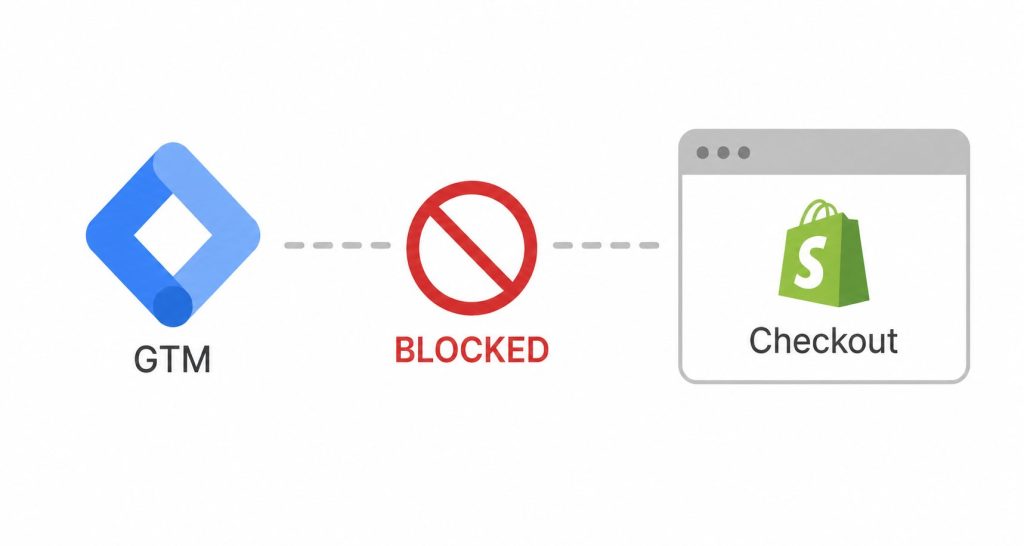
No, Google Tag Manager is not completely blocked on Shopify checkout. However, Shopify has changed how tracking operates inside checkout, which makes many existing GTM setups stop working correctly.
Many merchants start seeing missing purchase events, broken checkout tracking, or inconsistent attribution. As a result, they assume GTM has been blocked.
However, the reality is different. GTM still runs inside Shopify, but Shopify no longer allows it to operate with the same level of access or flexibility as before.
Therefore, the situation is not a full block. The situation is a restriction of execution and tracking capability inside checkout.
What Shopify Changed (And Why It Matters)
Checkout script injection is gone.
Shopify previously allowed merchants to inject tracking scripts directly into checkout through checkout templates and post-purchase script fields.
Many GTM implementations relied on this access to run custom tracking logic across checkout steps and post-purchase pages. Now Shopify removes this capability entirely. Merchants can no longer inject or modify scripts inside checkout flow.
Thus, tracking tools lose direct control over checkout behavior and must operate inside Shopify’s controlled tracking framework.
Key Deadlines You Can’t Ignore
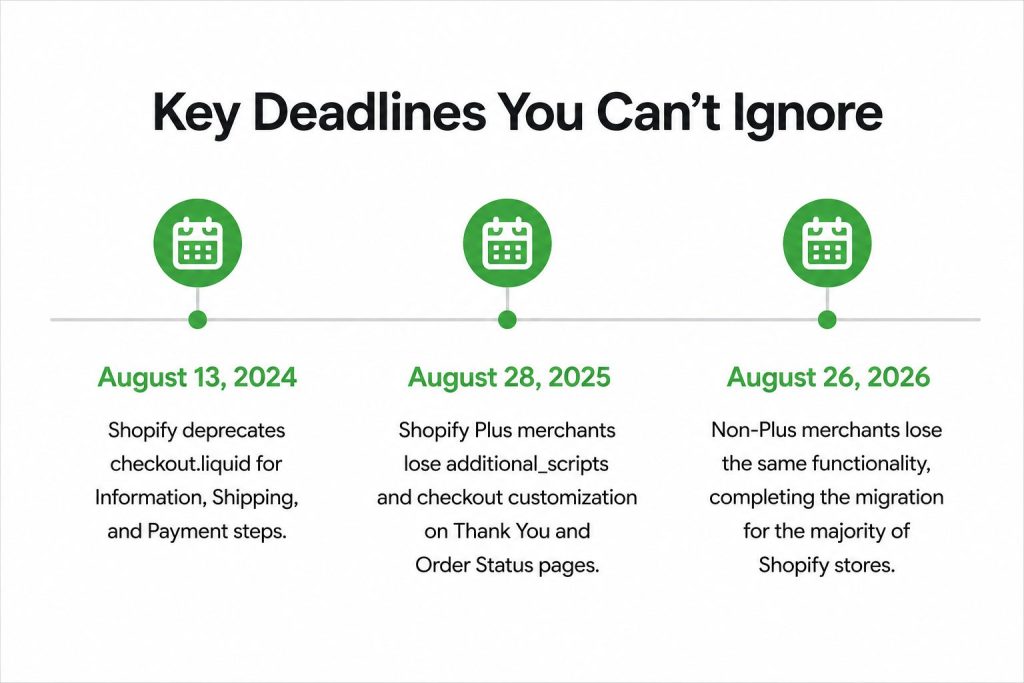
Shopify does not apply changes at once. Instead, Shopify rolls out checkout tracking restrictions in stages, each removing another layer of legacy tracking support.
- August 13, 2024: Shopify deprecates checkout.liquid for Information, Shipping, and Payment steps, which removes direct script customization during the checkout flow for Plus merchants.
- August 28, 2025: Shopify Plus merchants can no longer use additional_scripts for Thank You and Order Status pages, as Shopify phases out checkout page script customization. Tracking is not removed, but must be migrated to Shopify’s supported frameworks such as Customer Events API (analytics.subscribe) and Web Pixel Extensions.
- August 26, 2026: Non-Plus merchants are required to upgrade their Thank You and Order Status pages. The legacy “Order status page additional scripts” is deprecated, meaning merchants must move to Shopify’s supported tracking methods.
Each deadline reduces the ability to rely on legacy tracking systems. Hence, GTM-based checkout setups face progressive degradation instead of a single shutdown.
How GTM Works on Shopify Now
Shopify still supports GTM, but Shopify enforces strict rules on how GTM runs inside checkout. Instead of open script execution, GTM now operates inside a controlled environment.
GTM via Custom Pixels
Shopify’s Custom Web Pixels provide a sandboxed JavaScript environment where merchants can manually implement tracking logic, including loading a Google Tag Manager container as a workaround.
However, this is not an official GTM integration path. Custom Pixels do not directly interact with checkout pages and instead rely on Shopify’s event-based data layer.
For third-party tracking apps, Shopify’s recommended and official approach is the Web Pixel Extension framework (web_pixel), which is designed for structured and supported event tracking across the storefront and checkout environment.
What You Can and Can’t Do
GTM still supports basic tracking functions inside Shopify’s new environment, especially for standard eCommerce measurement. Merchants can still:
| What GTM Can Do | What GTM Can’t Do |
|---|---|
| Send standard eCommerce events like product views, add-to-cart, checkout start, and purchase through structured event data | Access the full DOM, so it cannot track page elements or user interactions |
| Push structured event data for analytics and ad platforms, but it is scoped within Shopify’s Custom Pixel sandbox and not connected to the global window.dataLayer used in traditional GTM setups. | Inject scripts directly into checkout pages |
| Track core conversion actions for basic reporting across platforms | Run triggers based on DOM elements or page selectors (e.g., 'click on .add-to-cart button') |
| Support baseline measurement for ads and analytics tools | Execute flexible tracking logic based on page structure |
As a result, GTM no longer functions as a full tracking system. GTM now behaves as a restricted event transport layer rather than a flexible tracking engine.
What Breaks When Using GTM
GTM inside Shopify's new checkout runs as a Custom Pixel. As a result, it operates in a sandboxed environment with no direct DOM or cookie access. These constraints change what works and what does not.
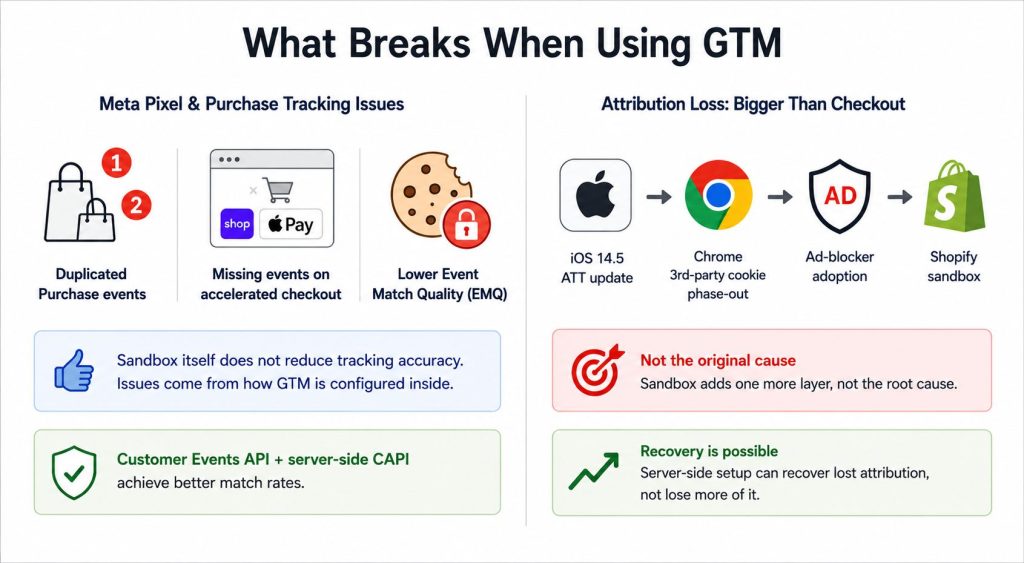
Meta Pixel and Purchase Tracking Issues
Three issues commonly appear when GTM handles Meta tracking on the new checkout.
- Duplicated Purchase events: Many stores run GTM through a Custom Pixel alongside a tracking app through ScriptTag or theme.liquid. Both layers fire Purchase events independently, and Meta has no built-in deduplication. So Meta ends up recording two purchases for one order.
- Missing events on accelerated checkout: Shop Pay, Apple Pay, and One-Page Checkout can skip the Thank You page entirely. GTM triggers that listen on that page never fire. Consequently, those conversions go unrecorded.
- Lower Event Match Quality (EMQ): The sandbox blocks direct access to _fbp and _fbc cookies. Without these identifiers, Meta cannot match browser events to user profiles reliably. In turn, EMQ scores drop.
👉 One important note: the sandbox itself does not reduce tracking accuracy. These problems come from how GTM is configured inside the sandbox, not from the existing sandbox.
Stores that implement Customer Events API together with server-side CAPI often achieve better match rates than legacy theme.liquid scripts, because server-side fallback catches what the browser misses.
Attribution Loss: Bigger Than Checkout
Attribution gaps did not start with Shopify's checkout changes. The root cause goes back to Apple's iOS 14.5 ATT update in April 2021, which cut access to user-level tracking signals across all platforms.
On top of that, Chrome's third-party cookie phase-out and growing ad-blocker adoption had already fragmented the attribution landscape before Shopify touched checkout.
Shopify's sandbox adds one more layer of constraint, but it is not the original cause. Merchants who migrate away from GTM to a properly configured server-side setup often recover a significant portion of that lost attribution, rather than losing more of it.
What Still Works Under the New System
GTM still runs inside Shopify, but Shopify limits its functionality to controlled use cases. Shopify Custom Pixels runs GTM inside a sandboxed environment. This allows event tracking but removes direct page interaction capabilities.
The Google & YouTube app provides an official integration for Google Ads and GA4. However, this integration does not support Meta Pixel tracking or advanced custom logic.
Therefore, GTM still exists inside Shopify, but only supports basic tracking use cases rather than full-stack tracking implementations.
What to Use Instead of GTM for Checkout Tracking
Shopify’s shift away from script-based tracking forces merchants to rethink their tracking architecture. As GTM loses flexibility, alternative solutions become more important.
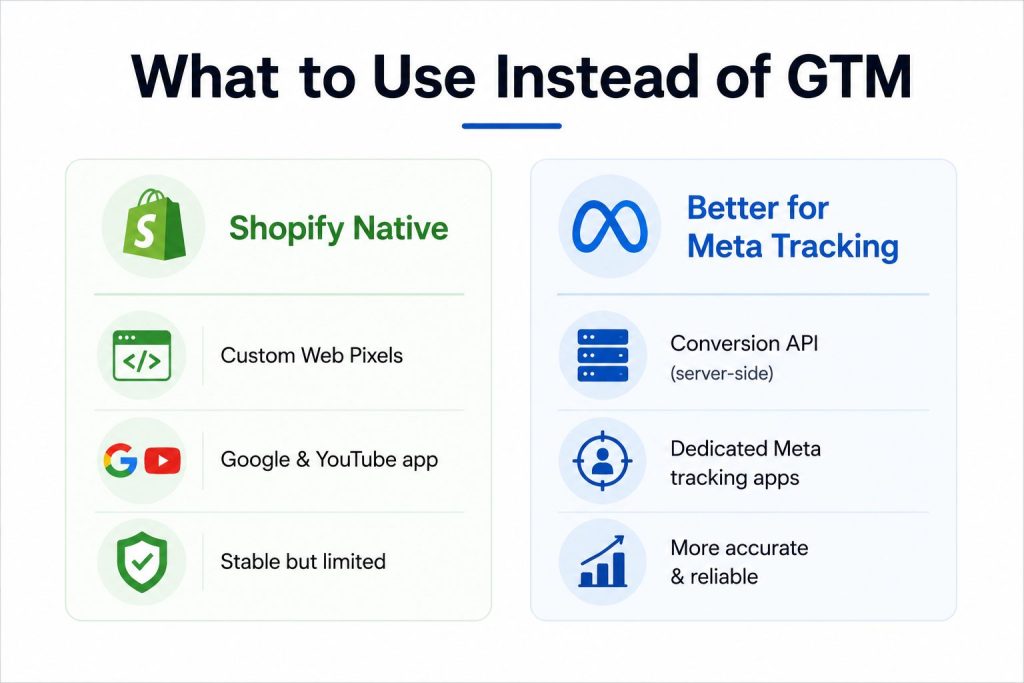
Shopify Native Options
Shopify provides built-in tracking systems that replace many GTM use cases inside checkout.
Shopify Custom Web Pixels track standard eCommerce events such as product views, add-to-cart actions, checkout steps, and completed purchases inside a controlled environment. The Google & YouTube app connects Shopify stores directly with Google Ads and GA4, which allows basic advertising and analytics tracking without GTM setup.
However, these native tools prioritize consistency and system stability over advanced customization.
So, they cover essential tracking needs but do not support complex attribution logic or deep funnel analysis.
Better Alternatives for Meta Tracking
Meta tracking requires additional solutions because Shopify native tools do not fully replace GTM-based Meta Pixel setups.
Server-side tracking using Conversion API sends event data directly from the server to Meta, which improves reliability and reduces dependency on browser-based tracking. Dedicated Meta tracking apps connect Shopify checkout events directly to Meta systems and maintain consistent purchase attribution without relying on GTM or DOM-based triggers.
Recommended Meta Tracking Solution for Shopify Checkout (2026)
As Shopify continues to restrict how tracking works inside checkout, relying on GTM alone is no longer enough. Especially for Meta ads, where missing or duplicated purchase events can quickly impact campaign performance.
Because of this, many merchants are moving toward a hybrid setup that combines browser tracking with server-side tracking. This approach reduces data loss and improves event accuracy, even under Shopify’s sandboxed environment.
One practical example is Omega – Facebook Pixels. Instead of depending on GTM or browser-only tracking, this type of solution connects both Meta Pixel and Conversion API in a single setup, reading order data directly from Shopify server-to-server so purchases are still captured even when the sandbox blocks cookies or accelerated checkout skips the Thank You page.
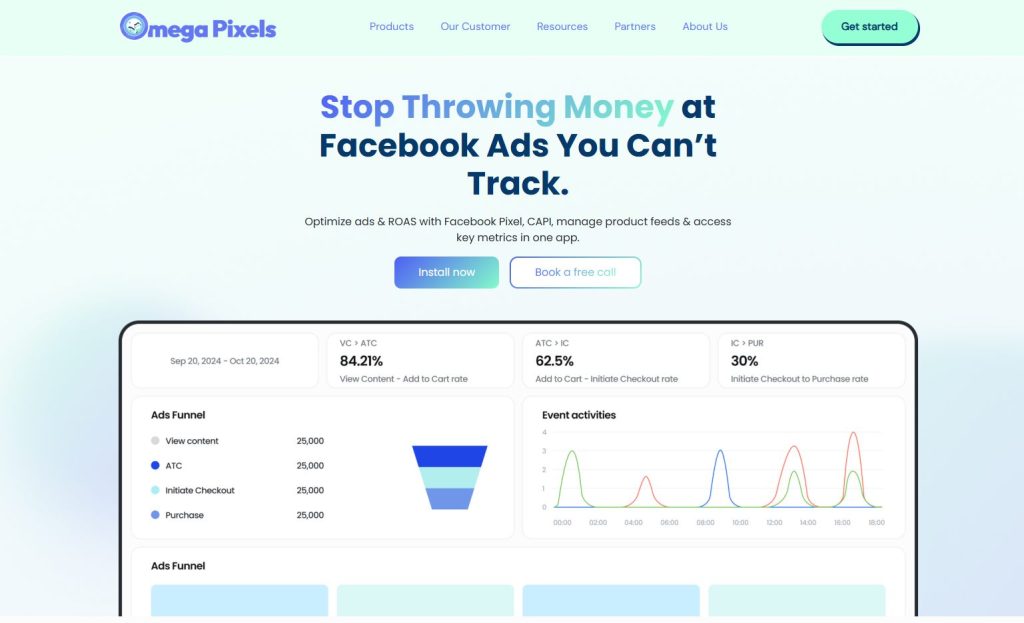
Here’s what you can do with it:
- Recover missing purchase events that GTM often fails to capture
- Improve event match quality for better attribution
- Maintain stable tracking even when checkout scripts are restricted
More importantly, this setup aligns with Shopify’s current direction. Instead of fighting platform limitations, it works within the system and ensures your tracking remains reliable as the 2026 changes fully roll out.
If your current setup still depends heavily on GTM inside checkout, switching to a solution like this is often the fastest way to stabilize performance without rebuilding your entire tracking stack.
What Merchants Should Do Next
Shopify checkout tracking changes continue to roll out in phases, which creates increasing pressure for merchants still relying on GTM-based systems.
As Shopify continues to phase out legacy checkout tracking, merchants relying on GTM need to move toward a more structured tracking setup.
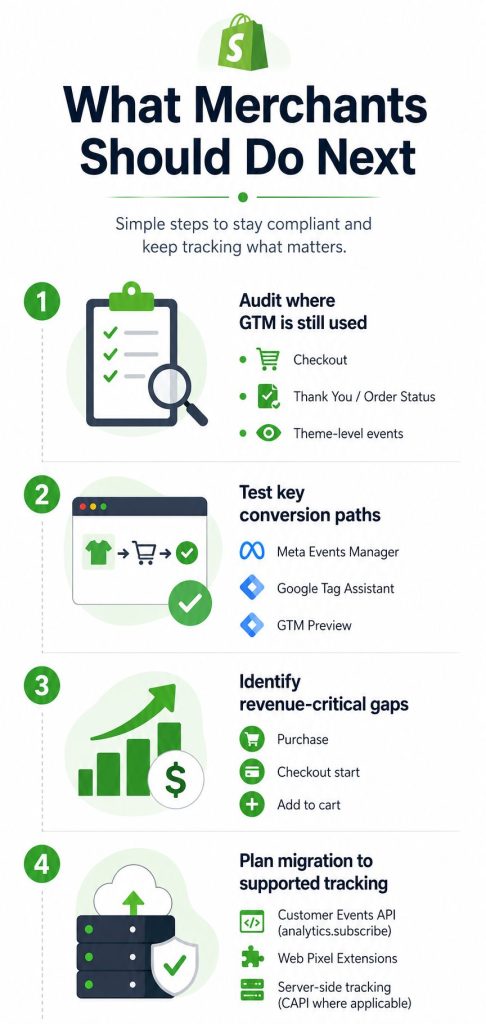
1. Audit where GTM is still used
Start by taking a full inventory of where GTM is currently running in your setup. This helps you understand what still depends on legacy tracking and where risks may appear.
Check these key areas:
- Checkout (Custom Pixels or legacy scripts)
- Thank You / Order Status pages
- Theme-level events like add to cart and product view
After that, map events across Meta, Google Ads, and analytics tools. This makes it easier to spot overlaps, broken events, or duplicate tracking before they affect attribution accuracy.
If you already notice unstable attribution or inconsistent conversion reporting, it may also help to review common Facebook Pixel problems or revisit your Google Ads tracking setup before migrating everything away from GTM.
2. Test key conversion paths
Once your tracking map is clear, move on to validating real user journeys. The goal here is to make sure critical conversion flows are still firing correctly end to end.
Manually test core paths such as: Product view > Add to cart > Checkout > Purchase
Then verify event firing inside:
- Meta Events Manager (Test Events)
- Google Tag Assistant / GTM Preview
If you notice duplicate purchases, inflated conversions, or mismatched attribution during testing, there may already be issues with event deduplication or Pixel event sequencing inside your setup.
3. Identify revenue-critical gaps
After testing, focus on what actually impacts revenue first. Not all tracking issues are equal, so prioritize the events that directly affect optimization and reporting.
Key areas to review include:
- Purchase tracking
- Checkout start
- Add to cart
When these events become unreliable, ad platforms may optimize against incomplete data, which can gradually hurt campaign performance and attribution quality.
For stores struggling with weak match rates or signal loss, it may also help to understand how Event Match Quality and server-side tracking affect conversion accuracy.
4. Plan migration to supported tracking
Finally, shift your tracking setup toward Shopify-supported solutions to ensure long-term stability as checkout changes continue rolling out.
You can also review Shopify’s official Customer Events and Checkout Extensibility documentation before migrating critical tracking flows.
You should gradually move critical tracking flows to:
- Customer Events API (analytics.subscribe)
- Web Pixel Extensions
- Server-side tracking (CAPI where applicable)
As part of the migration process, many merchants also compare browser-side tracking with server-side alternatives to determine which setup works better under Shopify’s newer checkout environment.
Conclusion
So, is GTM Blocked on Checkout? Not exactly. GTM still exists inside Shopify, but it no longer operates with the same level of control that most setups rely on.
Instead of a full block, Shopify has introduced strict limitations that turn GTM into a much more restricted tracking layer. Because of this shift, many traditional implementations will continue to break or lose accuracy over time.
Rather than trying to force GTM to work like before, the smarter move is to adapt. Moving toward Shopify-supported tracking, server-side solutions, or dedicated integrations will give you more stable data and better long-term performance as the 2026 changes fully roll out.

- 1 Key Shopify Tracking Terms You Need to Know
- 2 Is GTM Blocked on Checkout for Shopify?
- 3 What Shopify Changed (And Why It Matters)
- 4 Key Deadlines You Can’t Ignore
- 5 How GTM Works on Shopify Now
- 6 What Breaks When Using GTM
- 7 What Still Works Under the New System
- 8 What to Use Instead of GTM for Checkout Tracking
- 9 Recommended Meta Tracking Solution for Shopify Checkout (2026)
- 10 What Merchants Should Do Next
Sync Shopify Products to TikTok Shop directly with Omega TikTok Pixels

Transform Wix Storefronts with Shoppable Instagram Galleries: Omega Instagram Feed Launch

Stop Bots From Training Your Meta Ads: Introducing Bot & Fraud Protection
New in Omega Facebook Pixel: Audience Report
Sync Shopify Products to TikTok Shop directly with Omega TikTok Pixels
Transform Wix Storefronts with Shoppable Instagram Galleries: Omega Instagram Feed Launch
Stop Bots From Training Your Meta Ads: Introducing Bot & Fraud Protection
New in Omega Facebook Pixel: Audience Report
Automated TikTok Pixel Consent Tracking Is Now Live
Sync Shopify Products to TikTok Shop directly with Omega TikTok Pixels
Transform Wix Storefronts with Shoppable Instagram Galleries: Omega Instagram Feed Launch
Stop Bots From Training Your Meta Ads: Introducing Bot & Fraud Protection
New in Omega Facebook Pixel: Audience Report