Facebook One-Click CAPI vs Omega Facebook Pixels: Which Is Better for Shopify?


Shopify merchants often face a confusing choice once they move past the basic browser Pixel. Meta now offers a one-click Conversions API inside Events Manager, and apps like Omega Facebook Pixels promise a more complete server-side setup. Yet the two solutions work in very different ways, and picking the wrong one can leave real gaps in your reporting.
| What you’ll learn in this article: ● What Is Facebook CAPI? ● What Is Omega Facebook Pixels? ● Facebook CAPI vs Omega Facebook Pixels: What's the Difference? ● Which Is Better for Your Shopify Store? ● How to Choose the Right Facebook Tracking Solution |
What Is Facebook CAPI?
Facebook CAPI, or Conversions API, lets a website send conversion events directly to Meta's servers instead of relying only on the browser. Meta also offers a built-in version of this feature, often called one-click CAPI, which merchants can turn on from Events Manager without writing code or paying a third-party app.
One-click CAPI depends entirely on the Pixel as its source. Meta's own documentation confirms this: the feature pulls data from the Pixel and does not connect to a backend, order database, or CRM. Consequently, if the browser Pixel never fires, no server event gets created either.
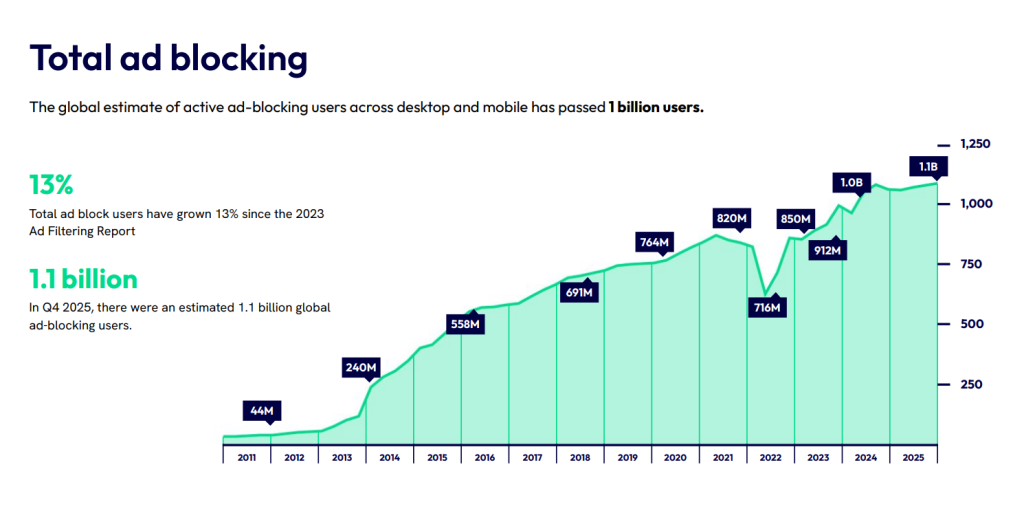
This is not a marginal edge case: Eyeo's 2026 Ad-Blocking Report counted an estimated 1.1 billion global ad-blocking users in Q4 2025, and none of those sessions ever trigger a browser Pixel to begin with.
Pros:
- Costs nothing and requires no third-party dependency
- Activates in a few clicks, with no code or agency involvement needed
- Adds a server-side signal on top of the existing Pixel, which improves stability for stores that only run browser tracking today
Cons:
- Still fails whenever the browser Pixel fails, since it copies rather than replaces that signal, so the "server-side" label can be misleading for merchants who expect full independence from the browser
- Covers web events only; it does not extend to App, CRM, offline orders, or custom events
- Offers no enrichment, filtering, or validation of the data it sends, so a messy Pixel setup simply produces a messy server-side copy
- Its Event Match Quality (EMQ) is lower than that of backend-connected solutions because it relies solely on data that can be collected from the browser
What Is Omega Facebook Pixels?
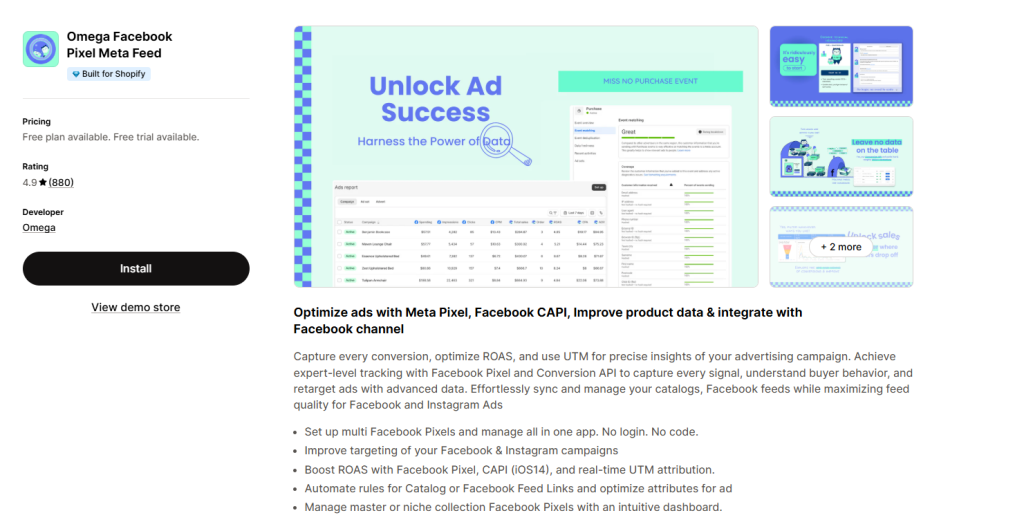
Omega Facebook Pixels is a third-party Shopify app built specifically around Pixel and CAPI management. Rather than mirroring browser events, it uses an access token to send server-side events built from Shopify's own order and checkout data.
This distinction matters because the app does not need the browser Pixel to fire before it can report a conversion. It reads order information straight from Shopify, then formats and sends that data to Meta as a server event. Merchants also get a dashboard for monitoring which pixels are active, how many events each one sends, and which purchases have been matched.
On top of that, Omega supports multiple pixels per store, which helps agencies and multi-brand operations that need separate tracking setups without duplicating their entire theme code.
Pros:
- Builds server events from actual order data, so it keeps working even when the browser Pixel does not fire
- Supports multiple pixels in one store, which fits agencies and multi-brand catalogs
- Gives merchants a dedicated dashboard to monitor events, purchases, and match rates
- Allows customization and data enrichment before events reach Meta
Cons:
- Offers a free plan for core CAPI tracking, with paid tiers adding more coverage and control as stores grow
- Takes a few extra minutes to set up compared with a native toggle, since it involves connecting an access token instead of flipping a switch
- Needs event_id sync checked once if an existing Pixel setup is already in place, mainly to avoid double counting
Facebook CAPI vs Omega Facebook Pixels: What's the Difference?
The two solutions solve the same problem from opposite directions. Facebook CAPI mirrors the Pixel, while Omega Pixels pulls from backend order data. That single difference shapes almost everything else covered below.
| Criteria | Facebook CAPI (one-click) | Omega Facebook Pixels |
|---|---|---|
| Data source | Browser Pixel only | Shopify order/backend data |
| Works when Pixel is blocked | No | Yes |
| Setup | Toggle inside Events Manager | Install app, connect access token |
| Deduplication | Automatic, Meta-managed | Configurable via event ID mapping |
| Multi-pixel support | Limited | Yes, multiple pixels per store |
| Customization / enrichment | Not available | Available |
| Custom events, App, CRM, offline orders | Not supported | Web-focused, with broader order coverage |
| Reporting dashboard | Events Manager only | In-app analytics plus Events Manager |
| Pricing | Free | Free plan + Paid plans with free trial available |
Tracking and Data Accuracy
Facebook CAPI copies whatever the browser Pixel has already captured, so its accuracy ceiling matches the Pixel's own. If the Pixel never fires, the server-side copy never gets created either, no matter how the feature gets marketed.
Meanwhile, Omega Facebook Pixels builds its server events straight from Shopify order data, so a purchase still gets reported even when the browser never loads the Pixel script. That backend connection gives Omega Facebook Pixels a higher and more consistent match rate across traffic that blocks trackers or skips the browser entirely.
Setup and Ease of Use
Facebook CAPI wins on simplicity. Merchants flip a switch in Events Manager, and the feature runs in the background with no app install and no ongoing cost.
In contrast, Omega Facebook Pixels requires installing the app, connecting a Facebook access token, and configuring each pixel. The setup takes a bit longer, but it hands merchants far more control once the app is running.
Event Tracking and Deduplication
Facebook CAPI handles event_id matching automatically, since it generates the server copy directly from the same browser event, leaving little room for manual error on that front.
On the other hand, Omega Facebook Pixels needs its event_id mapping configured correctly to stay aligned with any existing Pixel setup. Done right, this keeps every event properly deduplicated; done carelessly, it can inflate reported conversions instead of closing the tracking gap.
Multi-Pixel and Tracking Management
Facebook CAPI ties to whatever pixel already runs on the store, with no built-in way to manage several pixels side by side.
Omega Facebook Pixels, however, supports multiple pixels within a single store. That capability suits agencies running client accounts or brands operating more than one market or storefront from the same backend.
Analytics, Reporting, and Additional Features
Facebook CAPI reports through Events Manager alone, with no dedicated dashboard of its own.
By comparison, Omega Facebook Pixels adds an in-app dashboard on top of that, showing which pixels are active, how many events each one sends, and which purchases have been matched. Merchants get a clearer, store-side view without digging through Meta's interface every time they want a quick check.
Pricing and Ongoing Costs
Facebook CAPI costs nothing, since it runs as a native Meta feature with no app or subscription attached.
Meanwhile, Omega Facebook Pixels offers both free and paid plans. The free plan can work well for stores that are still testing or have relatively low order volumes, while paid plans offer more coverage and control as tracking needs grow.
Which Is Better for Your Shopify Store?
The right answer depends on how the store operates and how much the ad account relies on accurate reporting.
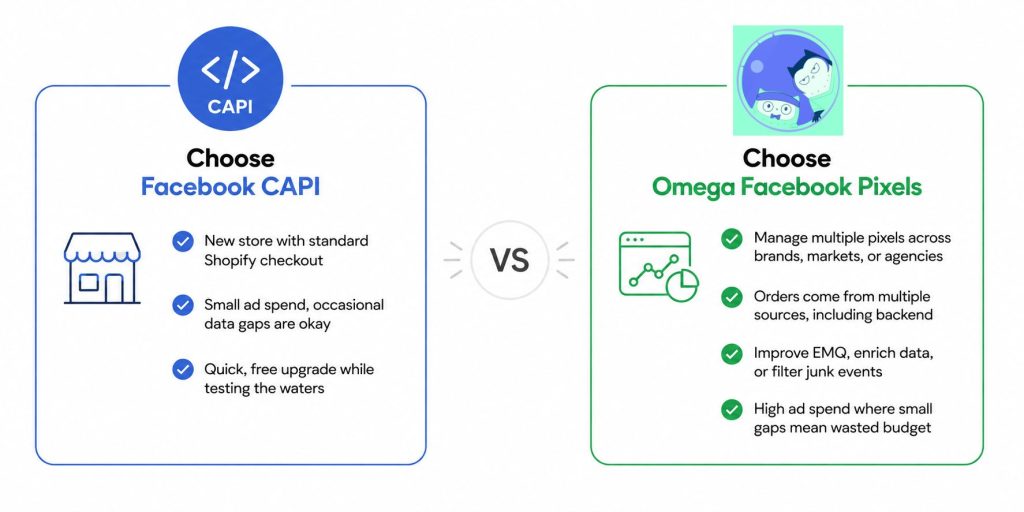
Choose Facebook CAPI if
- The store is brand new, runs entirely through the standard Shopify checkout, and has no budget yet for a paid app
- Ad spend stays small enough that occasional data gaps do not move the needle on decisions
- The goal is simply a quick, free upgrade over a bare Pixel while the store tests the waters
Choose Omega Facebook Pixels if
- The store manages multiple pixels across brands, markets, or agencies
- Orders come from more than one source, including backend-created orders
- The team wants to improve EMQ, enrich event data, or filter out junk events before they hit Meta
- Ad spend is high enough that even a small tracking gap translates into real wasted budget, which covers most stores actively scaling on Meta ads
Can You Use Facebook CAPI and Omega Facebook Pixels Together?
Running both at the same time is technically possible, but it introduces risk rather than extra coverage. Each system sends its own server-side copy of an event, so two independent CAPI sources end up competing for the same event_id.
Meta's deduplication only merges two events when they share an identical event_id and event_name and arrive within its matching window; outside those conditions, Meta treats them as two separate purchases and counts both.
In practice, that means every order gets logged twice on the dashboard, quietly doubling the reported conversion count and dragging CPA and ROAS figures away from reality. For that reason, most stores should settle on a single primary CAPI source and disable the other, rather than stacking them.
How to Choose the Right Facebook Tracking Solution
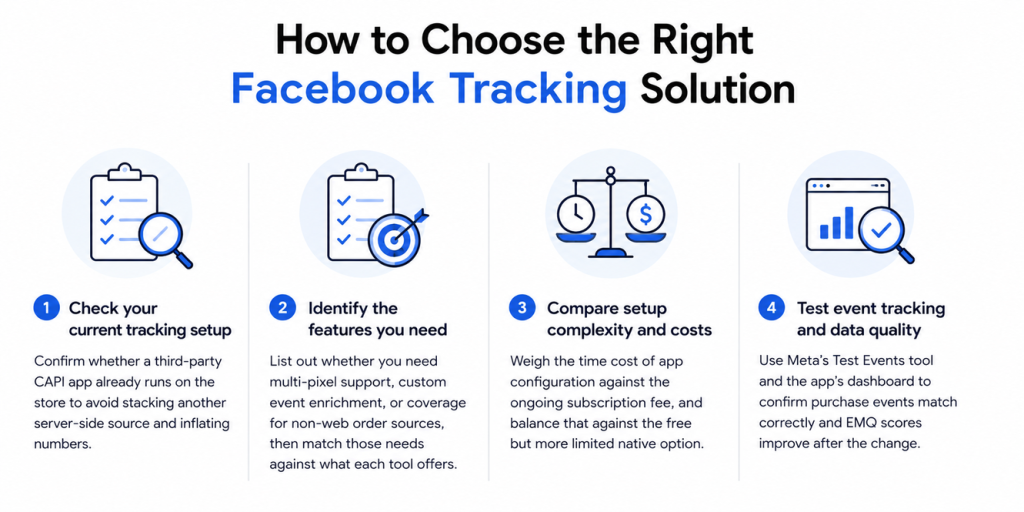
Before switching tools or turning on a new feature, work through a short checklist.
- Check your current tracking setup: Confirm whether a third-party CAPI app already runs on the store, since stacking a second server-side source without proper deduplication causes inflated numbers.
- Identify the features you need: List out whether the store needs multi-pixel support, custom event enrichment, or coverage for non-web order sources, then match those needs against what each tool actually offers.
- Compare setup complexity and costs: Weigh the time cost of app configuration against the ongoing subscription fee, and balance that against the free but more limited native option.
- Test event tracking and data quality: Use Meta's Test Events tool and the app's own dashboard, if available, to confirm that purchase events match correctly and that EMQ scores improve after the change, rather than assuming the setup works simply because it is enabled.
Conclusion
Facebook CAPI and Omega Facebook Pixels both aim to close the tracking gap left by browser-only Pixels, yet they start from different foundations. Omega Facebook Pixels takes a sturdier approach by pulling straight from Shopify order data, so purchases still get reported even when the browser fails to cooperate.
Stores just starting out can begin with either the native CAPI option or Omega's free plan, then consider a more advanced setup as tracking needs and ad spend grow.
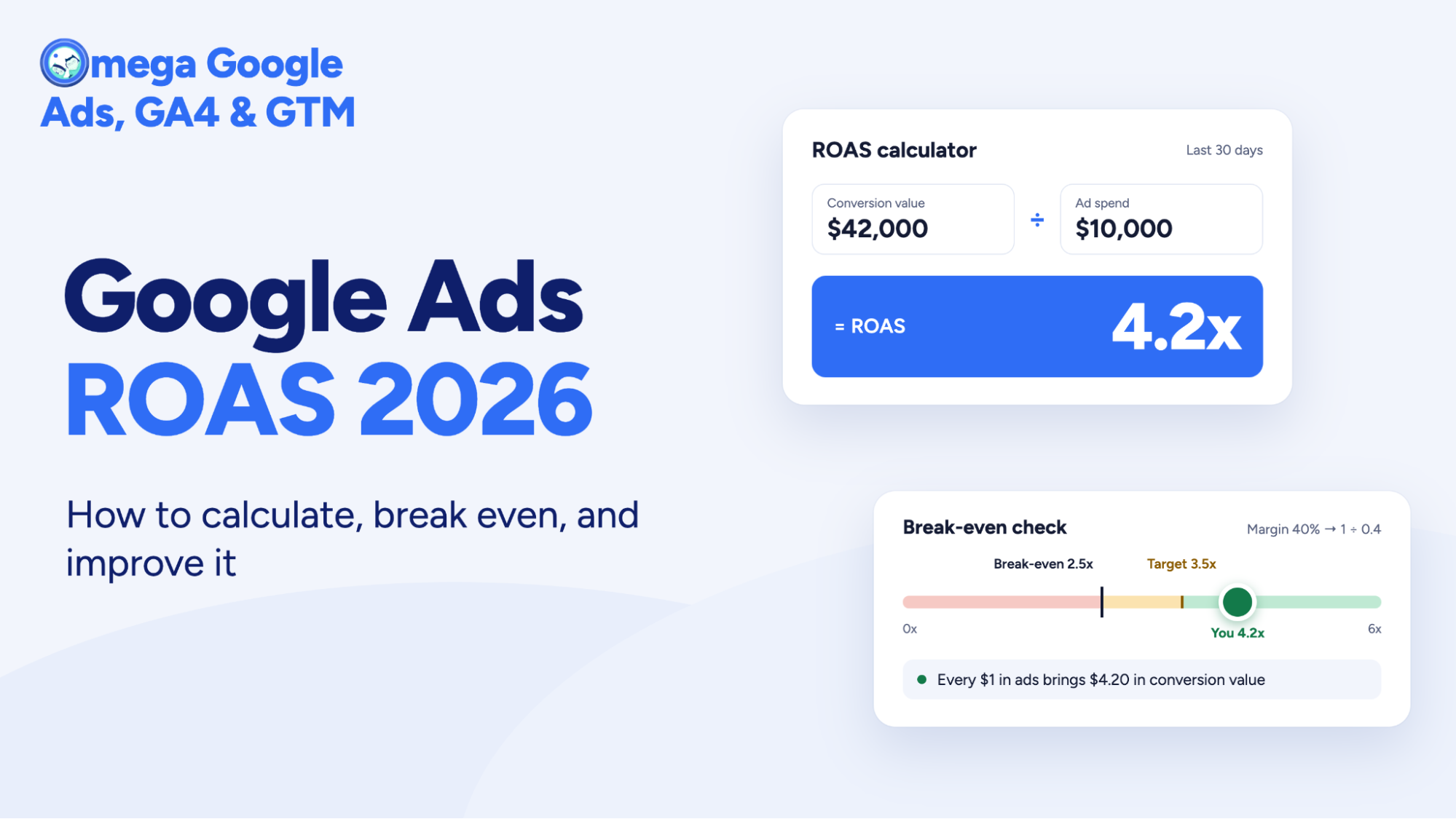
Google Ads ROAS 2026: How to calculate, break even, and improve it
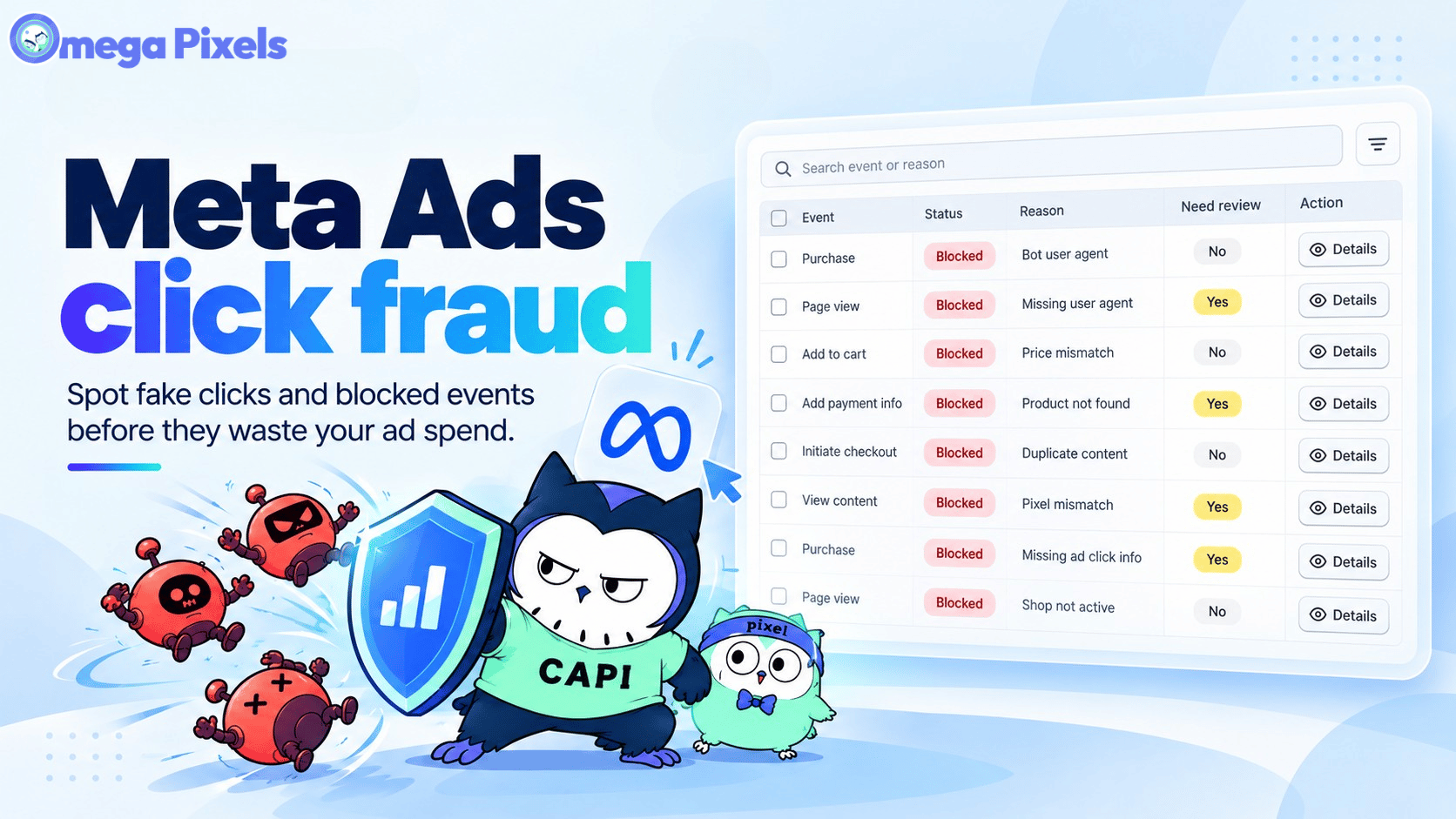
Meta Ads Click Fraud: How Bots Drain Your Budget and Poison Your Pixel (2026 Guide)
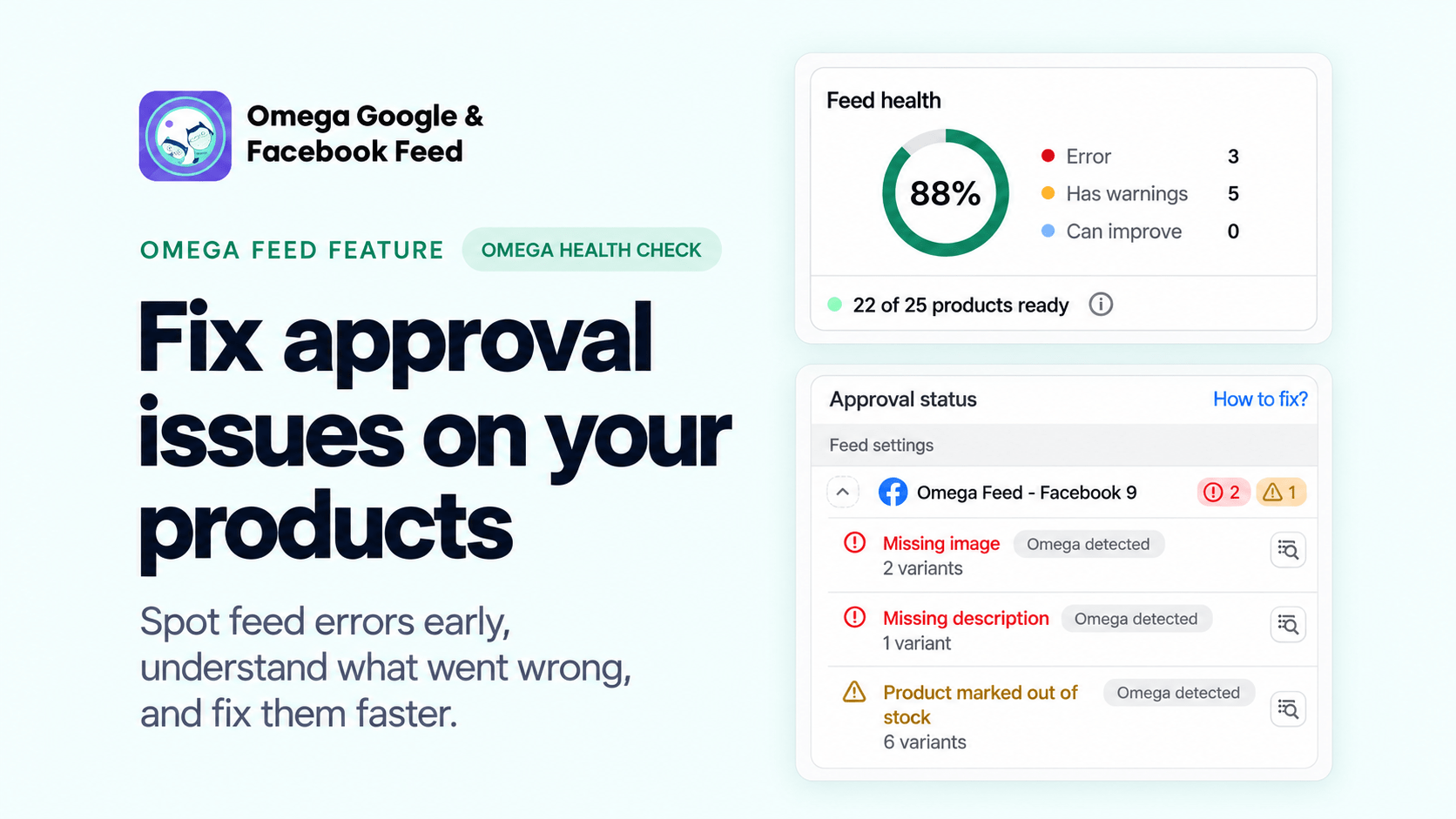
Fix Shopify Product Feed Errors Before You Submit
Sync Shopify Products to TikTok Shop directly with Omega TikTok Pixels
Google Ads ROAS 2026: How to calculate, break even, and improve it
Fix Shopify Product Feed Errors Before You Submit
Sync Shopify Products to TikTok Shop directly with Omega TikTok Pixels
Transform Wix Storefronts with Shoppable Instagram Galleries: Omega Instagram Feed Launch
Stop Bots From Training Your Meta Ads: Introducing Bot & Fraud Protection
Google Ads ROAS 2026: How to calculate, break even, and improve it
Fix Shopify Product Feed Errors Before You Submit
Sync Shopify Products to TikTok Shop directly with Omega TikTok Pixels
Transform Wix Storefronts with Shoppable Instagram Galleries: Omega Instagram Feed Launch